Desert Online General Trading LLC
Dubai, United Arab Emirates
Desert Online General Trading LLC
Dubai, United Arab Emirates


🎮 Elevate Your Game with Unmatched Clarity!
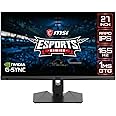
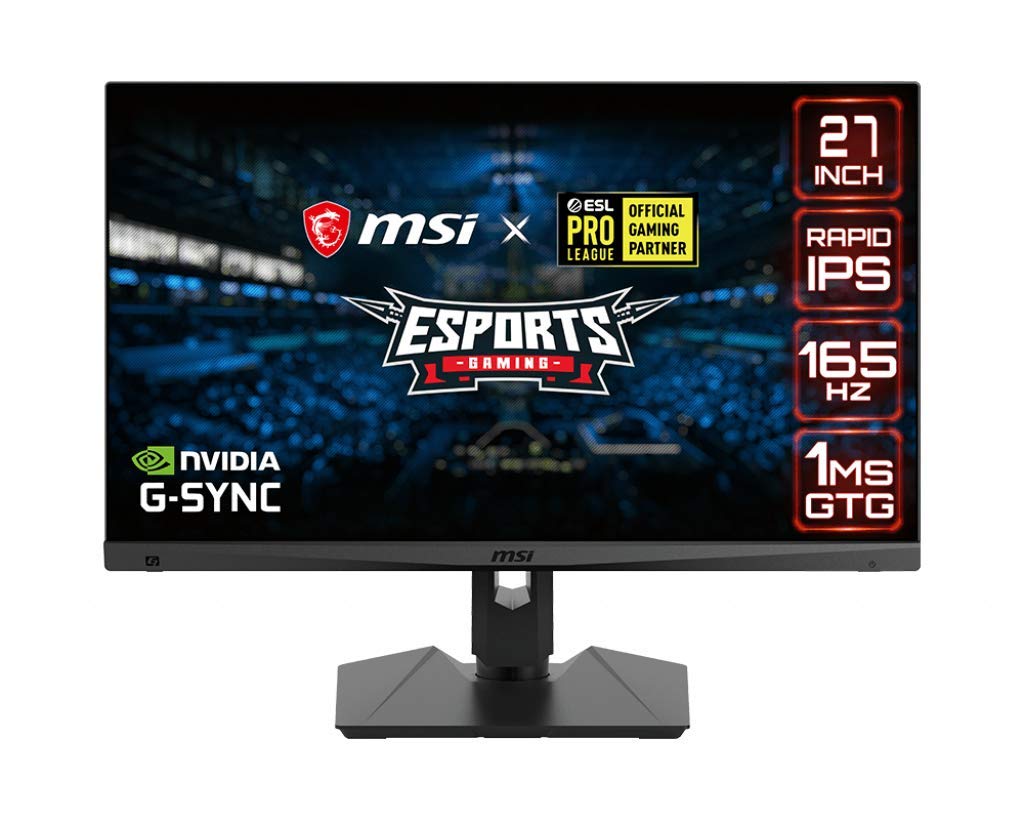
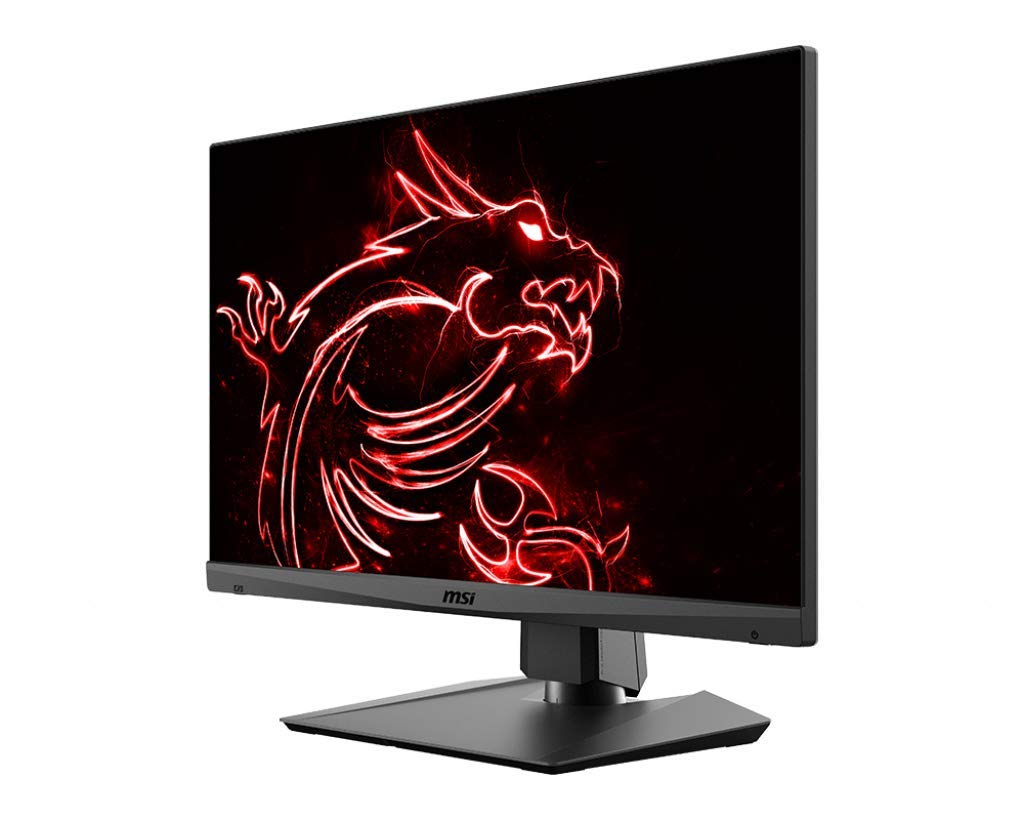
The MSI Optix MAG274QRF is a 27-inch gaming monitor featuring a Rapid IPS panel with a stunning 2560 x 1440 QHD resolution. With a blazing 165Hz refresh rate and 1ms response time, it delivers an ultra-smooth gaming experience. G-Sync compatibility and HDR readiness enhance visual performance, making it a must-have for serious gamers.


| Brand | MSI |
| Product Dimensions | 20.57 x 61.47 x 53.34 cm; 8.75 Kilograms |
| Item model number | Optix MAG274QRF |
| Manufacturer | MSI COMPUTER |
| Series | MAG274QRF |
| Color | BLACK |
| Standing screen display size | 27 |
| Screen Resolution | 2560x1440 |
| Resolution | 2560 x 1440 |
| Number of HDMI Ports | 1 |
| Voltage | 100240 Volts |
| Are Batteries Included | No |
| Item Weight | 8.75 Kilograms |
T**U
The best monitor for the buck 1440p,165hz
best 27inch monitor u can getScreen is Bright & very clear!Settings are easy to use!Solid stand!Great Height adjustment!165hz makes eveything so smooth
J**N
Gran monitor de buen tamaño para 1440p y PS5
PC Gamer.Compré este monitor para poder jugar con una Nvidia 2070 a QHD o 2K como dicen algunos, tengo un Gamefactor 1080p 144hz, y la verdad hay un cambio ligero en cuanto a la reproducción de colores, eso si me costo tratar de calibrar los colores con la pantalla oled de mi smarthphone, tampoco el cambio de jugar a 165hz se nota demasiado, pero con el G-Sync activado se nota mas suave la imagen, lo que si la resolución se nota y bastante al momento de jugar y sobre todo al navegar en internet. Lo puse sobre un soporte VESA sencillo que tenía, en lugar de usar su base.Puedes instalarle una aplicación desde la página oficial para controlar las funciones por USB, lo cual ayuda mucho, en lo personal lo quité después de probarlo.Incluye los cables HDMI y Displayport.Para PS5.Es compatible con PS5, adapta la resolución 4K a QHD con HDR a 60HZ en HDMI, cuando tienes la opción con HDR no te permite tocar los ajustes de brillo, color y demás, pero se ve muy bien, si quieres bajarle el brillo hay que quitar el HDR.Contras.Le encontré como 6 pixeles muertos en diferentes zonas que se notan solo si tienes un fondo negro y a unos 15 cm de distancia, lo cual no me afecta, ni se notan al momento de navegar o jugar.En la página oficial viene que se puede actualizar el firmware, la verdad no lo pude hacer y no menciona las mejoras para el monitor.
A**X
Your Second Girlfriend
This high end MSI MAG274QRF monitor rocks.1. Pro grade IPS panel looks fantastic and has minimal motion blur while gaming (and I kept response boost to normal/off). 1440p is great for gaming and productivity (perfect for side by side work due to added screen real estate over 1080p).2. Colours look superb. I lowered brightness significantly to improve accuracy and switched to warm tone which looks great. I did do 'level 1' for dark boost which looked the most accurate to me. Little bit dark by default. I increased sharpness to 1 from 0 which seemed most accurate to me.3. Extemely low input lag. Very responsive (and that's with Xbox controller plugged into PC while gaming).4. Solid stand (though not tool free, you need to put packaged screws into the back plate).5. Easy to use and versatile menu for settingsDefinitely feels like I got what I paid for. A high-end WQHD IPS experience. G-sync registered automatically as compatible through displayport and turned on immediately. Perfect experience in COD WZ and Metro. DLSS quality mode at 1440p looked great on WZ and Metro Enhanced Edition.Explain to the woman in your life that this is an essential piece of technology and a great value. In fact, you may need this monitor just to give your partner a seminar on ray tracing and variable refresh rate. This classy monitor will do the lesson justice.
D**.
Great monitor for Xbox Series X/S
I'm coming from the MSI Optix G271 (FHD, 144hz, 1ms response time, IPS panel), and this is a major upgrade. The colors are vibrant, the high refresh rate is extremely smooth, and 1440p really is the sweet spot at 27 inches. Some users complain about colors being oversaturated before calibration, but they look just fine to me with no calibration. It looks great out of the box and the several built in game mode settings offer plenty of variation for me. I use the "user" setting when I plug in my laptop and use it as an external display for school/work and I use the "racing" setting for gaming because I think the color balance looks the best. I turned down the brightness in both settings by about half or more because I think the monitor is pretty bright as it is. I play mostly COD MW and Rocket League on Xbox Series S. Both look amazing on this monitor in terms of colors and smoothness of gameplay. Xbox Series S can handle 1440p, 120hz, HDR, and VRR at the same with this monitor, but I believe you do need an HDMI 2.1 cable. The monitor has 2.0 inputs, but the Xbox has a 2.1 output. This monitor can read the Xbox output as a 4K signal, then downscale it to 1440p, allowing you play at 120hz with HDR on as well. Downscaled 1080p at 120hz with HDR on also looks great.The build quality is above average, but nothing special. The base and supporting arm are very sturdy and all the adjustments to raise/lower, tilt, or swivel the monitor feel sturdy and supportive as well. The base takes up minimal space on the desk and the vertical support has a cutout near the base for better cable management. In researching this monitor, I read a lot of user complaints about IPS glow, backlight bleed, dead pixels, etc. You may have to play a little monitor lottery in some cases it seems. However, at least in my case maybe I got lucky, this one came with basically no IPS glow that I can tell, backlight bleed is hardly noticeable or there at all, and no dead pixels to the best of my eyes. As far as I can tell, no issues whatsoever with this monitor. Do keep in mind, if you're coming to an IPS monitor from a different panel type, you will likely need to give it some time for your eyes to adjust. My last monitor was my first IPS monitor, and my eyes hurt a little at first use and it gave me mild headaches for a few days, but that all went away as I got used to the monitor and tweaked the image and brightness settings for my preferences.If you're looking at monitors with similar specs in the same price range, I highly recommend this monitor. I will update this review if anything changes.
D**L
Excelente monitor
Es un monitor con estilo discreto incluso en las luces led traseras. Tiene buenas opciones de configuración de imagen. La calidas de los colores y la imagen son excelentes. De momento uso el monitor en mi xbox series S y he podido sacarle todo el potencial gracias al puerto hdmi 2.1. Algo importante a destacar es que, no puedes jugar con esa consola a 1440p y 120 Hz. Pero, eso ya es por limitacion del equipo para juegos que yo uso. El monitor lo compré en su momento por menos de $10,000 pesos y con todo lo ya dicho puedo decir que vale toooda la pena.
J**N
Amazing monitor better than any I have used before.
Starting with looks, the borders are fairly slim. While it has an RGB light bar on the back it's nothing to write home about as not only is it placed in a way that isn't viewable to the user to see when facing the front of the monitor but its also too dim to see from the front as the RGB won't be shining on wallsThe tilt and height adjustment is perfect for the monitor as it allows it to be versatile. I liked to see a nice added feature is the swivel and pivot added that allows you to plug and unplug wires easily.Now to functionality, there's no smearing or ghosting, amazing color range, and 165hz along with having HDR and 1440p display there's no complaints here especially at the price. Gsync allows this monitor to stand tall as a gaming monitor without vertical tearing. Its HDR is usable but it should be noted that its HDR shouldn't be used on content not specified to have an HDR mode as it tends to wash out the colors. With that being said, in SDR mode colors are vibrant and accurate.The only cons the monitor has are its brightness and its color. Without calibration, its colors can be oversaturated and its brightness can be too much leading to eye fatigue.In conclusion, this monitor went above my expectations and I would recommend it to anyone looking into buying a monitor. For content creation/consumption the monitor works amazingly and as a gaming monitor, it's stunningly fluid. It is currently the perfect monitor in the market.
Trustpilot
3 weeks ago
3 weeks ago
1 month ago
2 weeks ago