
DOWNLOAD THE APP


Customer Services
Copyright © 2025 Desertcart Holdings Limited
DOWNLOAD THE APP

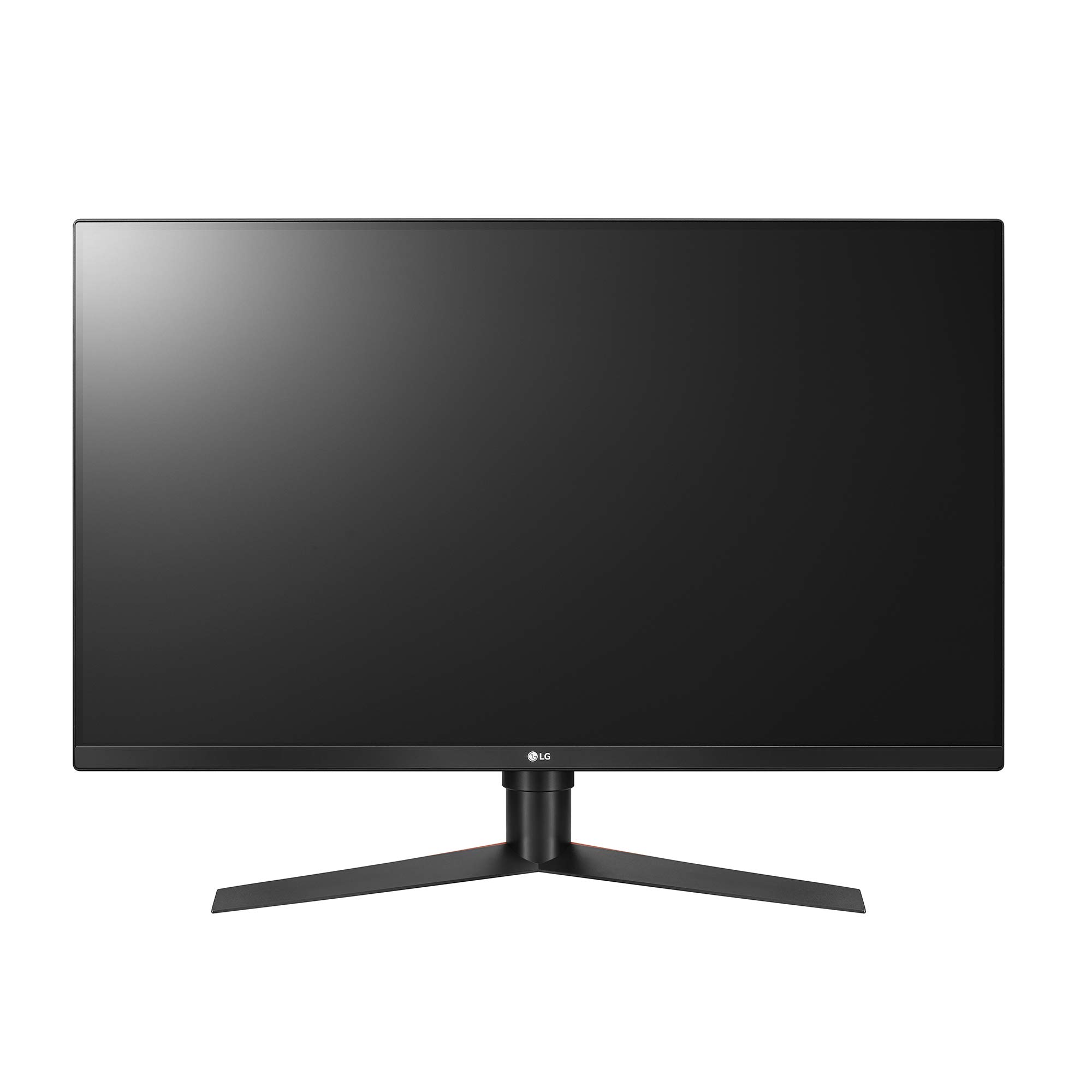


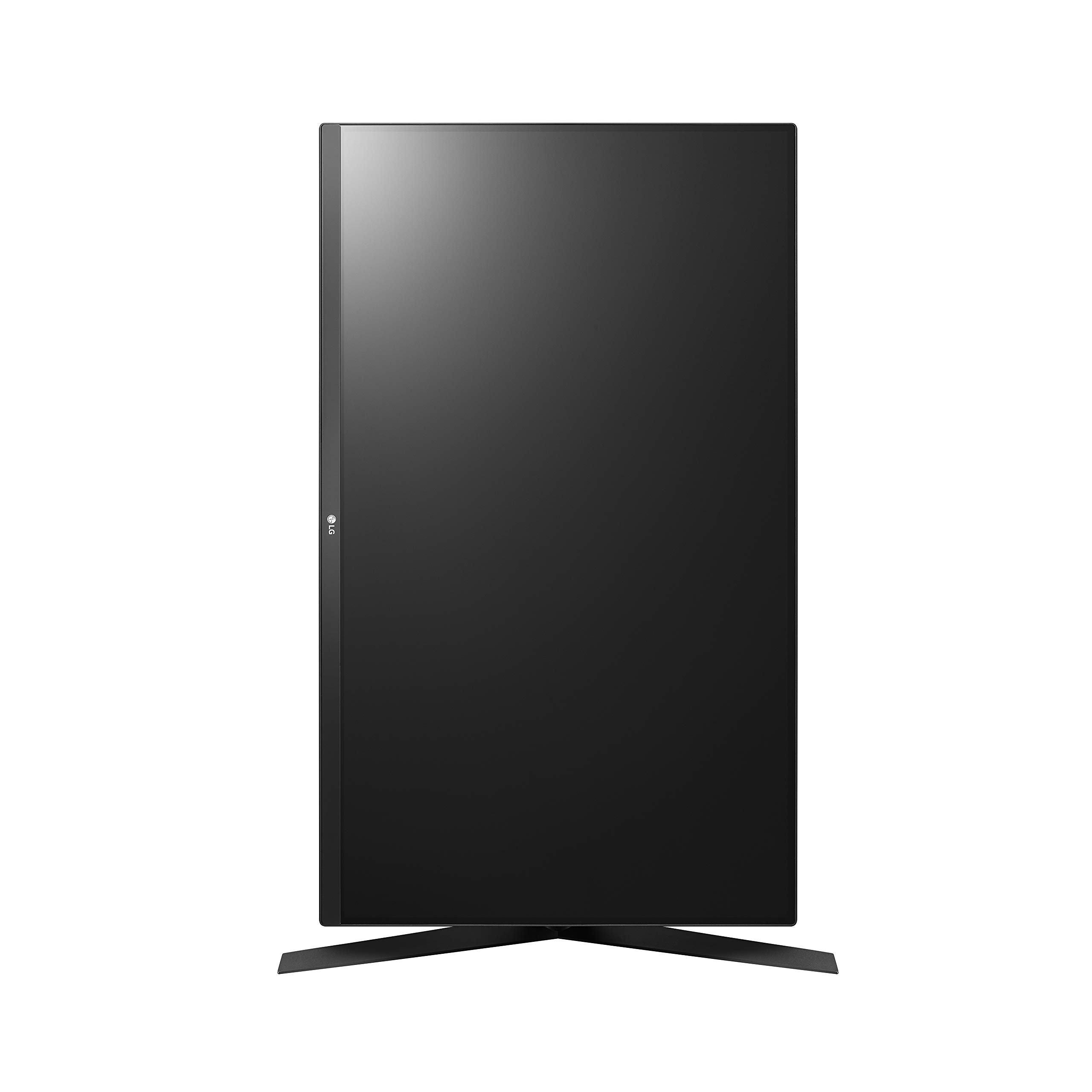
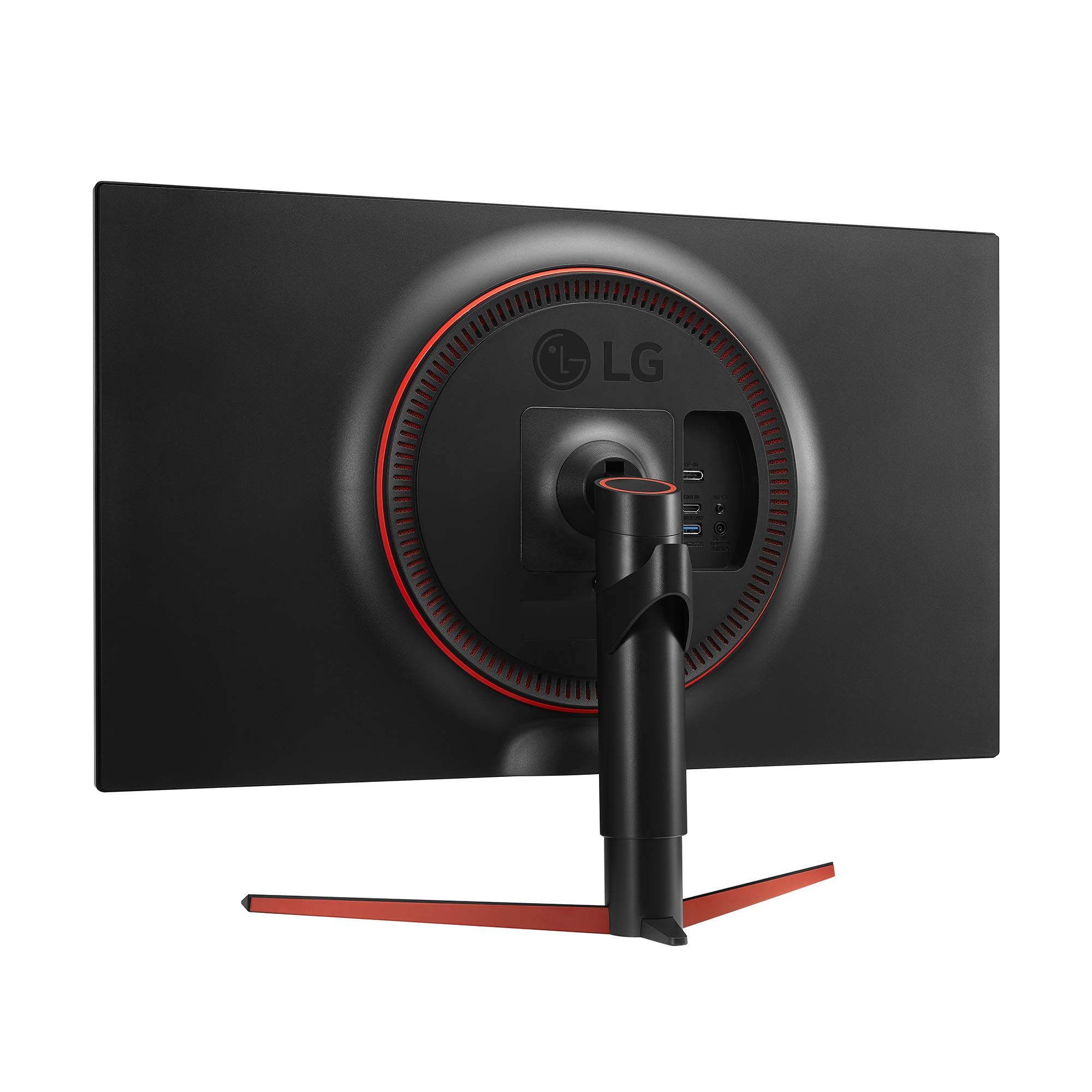

🎯 Level up your game with LG’s sleek 32" QHD powerhouse — because winning waits for no one.
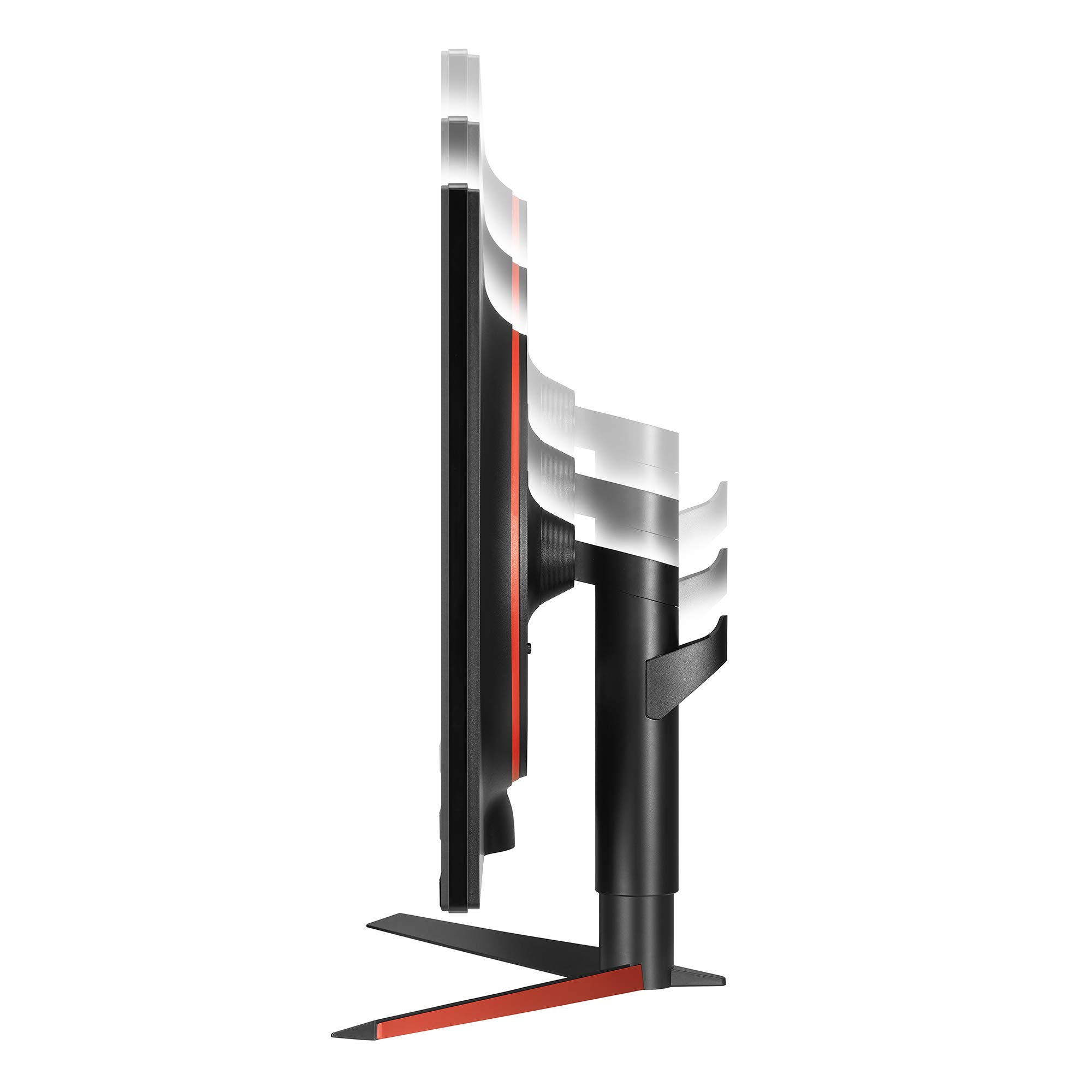
The LG 32GK650G-B is a 32-inch QHD gaming monitor featuring a 2560x1440 resolution, a blazing-fast 144Hz refresh rate (overclockable to 165Hz), and NVIDIA G-SYNC compatibility to eliminate screen tearing and input lag. Its VA panel delivers superior static contrast (3000:1) for deep blacks and vibrant colors, while the ultra-slim bezel and ergonomic stand adjustments provide a sleek, professional look and customizable comfort. Designed for serious gamers and professionals alike, this monitor offers a premium visual experience that outperforms many ultrawide and IPS competitors at a competitive price point.


| ASIN | B07LD9KTQ9 |
| Best Sellers Rank | #242,630 in Electronics ( See Top 100 in Electronics ) #4,759 in Computer Monitors |
| Brand | LG |
| Customer Reviews | 4.4 4.4 out of 5 stars (516) |
| Date First Available | December 13, 2018 |
| Item Dimensions LxWxH | 28.2 x 10.7 x 23.8 inches |
| Item Weight | 18.3 pounds |
| Item model number | 32GK650G-B |
| Manufacturer | LG Electronics |
| Max Screen Resolution | 2560 x 1440 Pixels |
| Product Dimensions | 28.2 x 10.7 x 23.8 inches |
| Screen Resolution | 2560x1440 |
| Series | 32GK650G-B |
| Standing screen display size | 32 Inches |
P**D
Big and Beautiful Top Notch Performing Panel with excellant uniformity and Static Contrast, a gamers dream.
This panel has excellent uniformity across the board, both colors and blacks/greys. The Pixel response times are far faster than the "5ms" advertised would lead you to believe. Particularly relative to the "1ms" response times advertised on other panels. Think of it this way: Those are the fastest response times and only ONE transition amongst literally millions... At 165 Hz a response time of 6ms would completely eliminate ANY blurring. And the response times are so fast on this panel that only high speed photography and fast on screen movements would even be able to capture any sort of evidence of blur. Ghosting from overshoot is almost entirely eliminated and can only be seen if you specifically find a environmental contrast like a dark object against a bright background and quickly move back and forth AND look very close to see it. There's no way you're going to notice this in games. So effectively this panel has no observable blurring or ghosting AND is 165 Hz so fast movements look SUPER fluid. The VA panel offers a night and day difference in static contrast relative to IPS and TN panels which normally have at maximum 1000:1 static contrast. This panel has a static Contrast of 3000:1. This is the total difference between the darkest dark on the screen and the lightest lights, and every shade in between. Not just blacks/greys/whites either, but the shading of colors too, which makes them POP. IPS and TN panels look washed out by comparison. And it has G-sync, a huger contributor to just how much this panel, a VA type that usually is known for smearing, completely eliminates it across all refresh ranges (due to it's ability to adaptively adjust its pixel overdrive). I was skeptical about G-Sync and high refresh before I bought this panel. G-Sync is real. The Adaptive Sync range is 1 FPS to 165 FPS. This is far beyond the capabilities of Freesync even in its best form. I've cranked up settings (5K+250% resolution) and played at 10-11 FPS, which although still only being a 10 FPS slide show, was also still smooth and playable. The only caveat I'd have with this panel is that the first one I received had a dead pixel just above the center on the screen. I cannot say this is due to generally poor quality control as most reviews have reflected otherwise. But it was there and there's no denying it. Which is why I'm so glad to have bought this panel on Amazon, who promptly sent me a new one which arrived two days after I made a ticket. I was allowed to keep the one I had until the new one arrived and return shipping was paid for by Amazon. I am happy to say that the new one is completely free of the defects of the previous one. And it was literally the next one on the assembly line. The serial number of every single component was exactly one number away from the defective panel. I would urge any consumer to promptly inspect all aspects of their product upon receipt no matter how glowing quality control reviews imply. In the end, this is a BIG and Beautiful display with functionality perfectly suited to PC gamers, particularly the overwhelming majority that are GeForce gamers, out there. It cost less than most UW displays and requires less GPU power to drive it, which only adds to the benefit that it's much higher refresh rate allows. It's uniformity and performance in terms of blurring/ghosting is far superior to even the very best UW displays. I find that having a bigger higher refresh 16:9 format display that allows you to flick back and forth quickly to take your environment in is far superior to an UW that forces you to move your head back and forth to truly take advantage of the panel's wider aspect ratio. Our eyes have a limited area were out vision is truly good enough to really distinguish elements anyway and having to move your head negatively effects both your immersion and your reaction time. Sitting back far enough from an UW to truly take everything in only makes everything so much smaller and harder to distinguish. UI interfaces on an UW's are extremely hard to take in all at once. I would urge anyone considering an UW instead of a 16:9 panel with the vastly superior performance of the LG 32GK850G-B to consider all these points.... For $800 it's really a great deal relative to other offerings on the market. The 32" Freesync 2 Samsung CHG70 is a truly awful performing panel cross the board, all the highs of the LG are starkly contrasted by lows on the Samsung, which I wanted badly to buy before I read the reviews.... UW's are universally poorer performing panels due to thew limits of their aspect ratio and the manufacturing process. IPS panels suffer from slower response times and washed out colors (little shade gradation), not to mention greyer blacks. TN's only offer almost completely meaningless improvements to response times while returning the same poor contrast as IPS panels in addition to poor colors and viewing angles.
E**.
unexpectedly good for gaming
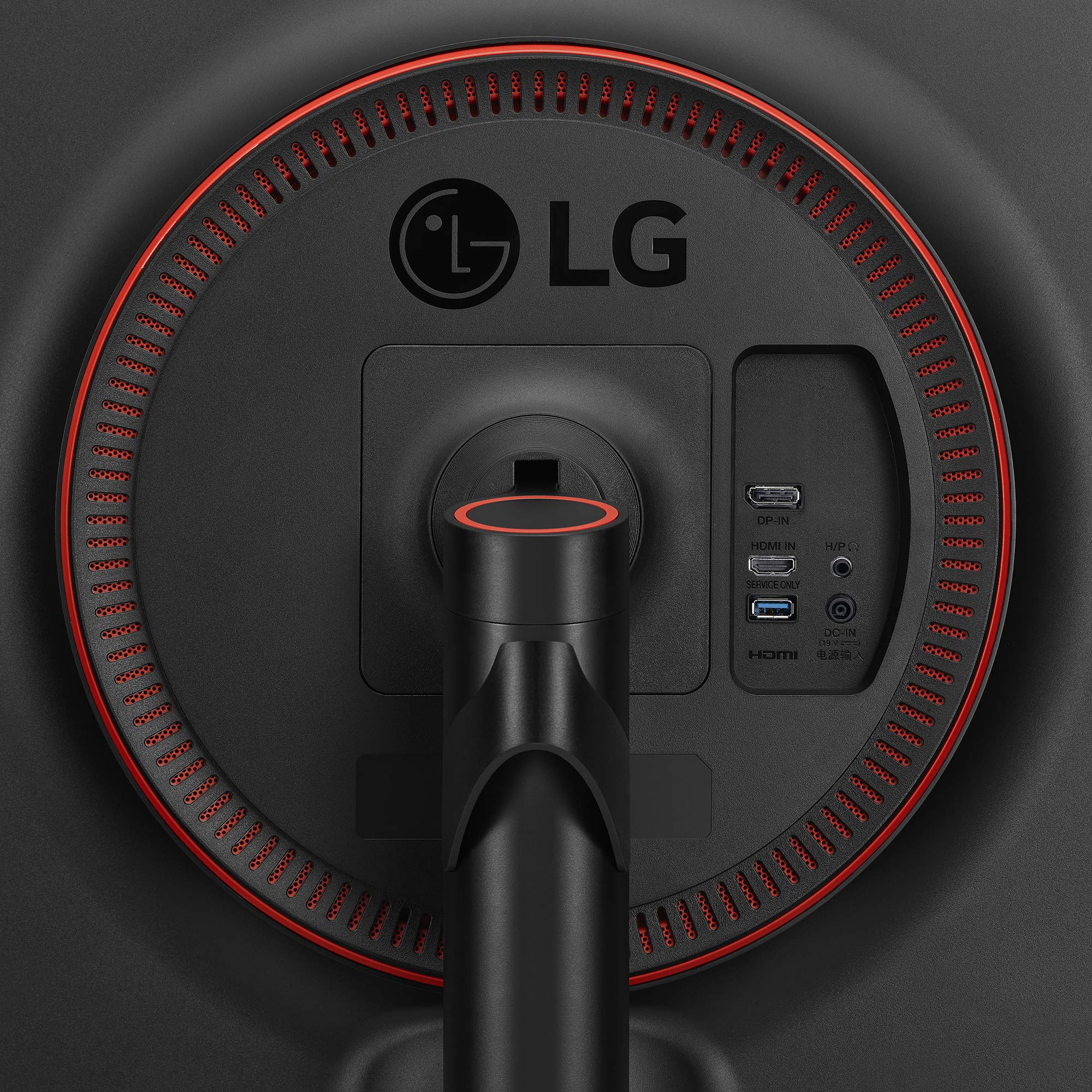
Edit (11/24/19): I've owned this monitor for over a year now. I've had zero problems with it. It still works and looks great. I paired this monitor with a NVIDIA GeForce 2070 for gaming. For several years I've been gaming on a 24" 1080p 60Hz monitor, and was curious what all the craze with high refresh rate monitors was, and to try out GSync. Higher refresh rate 4k monitors are new, and really really expensive, both for the monitor and the rig to utilize them, so I went with a 1440p monitor. I've been blown away. I didn't think the move from 1080p to 1440p would be that drastic, but it has been. Also, when I first set the monitor to 165Hz, even moving the mouse in the Windows screen was a "woah" moment. The combination of the increase in resolution and higher refresh rate has made me feel like I've been cheating myself in gaming the last few years that this technology has been out. If you've been on the fence about upgrading, I recommend it. I ordered this particular model over a similar Acer Predator, because this one doesn't have that gaudy design being pushed as "for gamers" that I noticed with almost all of the higher refresh rate "gaming" monitors. Even though this one was slightly more expensive, I felt it was worth it. The design of the monitor is sleek and professional. The build is very sturdy (no wobble except when you're moving it), moving the screen is smooth, and even though the screen can articulate 3 ways (without moving the base) it only moves when you want it to. At first glance, if you've been using a smaller monitor like me, you'll notice that this thing is huge. It takes a while to get used to it, but you do. I would advise setting this monitor back 18-24 inches from your face, so you don't feel like you're sitting in the front row of the movie theater. The display port cable (that you need to use to utilize the higher refresh rates) that comes with the monitor is a little short, so you might need to purchase a longer one unless your computer tower sits close to the monitor. The installation software/driver CD is, like most hardware installation CDs, kind of crappy, but it's easily fixed by visiting the LG website. To set up Gync, you have to enable it in the NVIDIA software screen that comes with the video card driver updates. To turn on the higher refresh rate for the monitor you have to enable it using the monitor settings screen, accessed by a joystick button on the bottom of the bezel. The monitor settings screen (what many call the OSD) will tell you when the higher refresh rate and Gsync is turned on; allow you to change response times and black correction levels for different kinds of gaming, movie watching, or for reading (low level blue light to reduce eye strain); change the brightness, contrast, and gamma; turn on/off a center screen target reticle, which can be red or green, and dot or cross; unfortunately there is no FPS counter in the menu. Navigating the menu and using the joystick button is easy. The button to the right of the menu button utilizes the LED bias lighting, or "sphere lighting" as described in the product review. The bias lighting works well and it's meant to help reduce eye strain while looking at a bright screen in a dark room. You can turn it on/off, change the color (red, blue, green, cyan, different kinds of white, and rainbow), and the brightness. Upon testing the panel for imperfections and dead pixels, I couldn't find any. It was a huge sigh of relief because purchasing computer monitors can be a lottery. That's another reason why I chose this monitor. Upon reading a lot of product reviews it seems VA panels have better quality control than similar gaming style IPS and TN panels. Across manufacturers, all IPS, TN, and VA panels are made by a select few companies, sometimes only one. The IPS panels are having a lot of problems with edge bleed, and I didn't want the infamous IPS glow, which makes dark scenes and contrast kind of crappy, even though IPS panels are supposed to be the best at color reproduction. TN panels are having a lot of problems with dead pixels, and I wanted better color reproduction and contrast than they offer. It seems I chose right, because this VA panel is awesome; no IPS glow, no edge bleed, no dead pixels, and the response time (4 or 5ms gray to gray) is fast enough that almost no one would notice it being faster (that TN panels offer). Sitting at least 18 inches away from the screen you won't notice a loss in quality along the left and right edges from the viewing angle being off, since this screen isn't curved. For gaming so far, I've played The Witcher 3, Doom (2016 version), Path of Exile, and Heroes of the Storm, all on max settings at 1440p and 165Hz. The increase in resolution and refresh rate made the experience with all of them more enjoyable. The only stutter in gaming I saw was with The Witcher 3, and that was only because hair works was turned on (a huge drain on performance), even then the average FPS was still around 60. With hair works off it jumped 15-30 FPS and the intermittent stutter was gone. Even with the stutter, I noticed no screen tearing in any game, thanks to Gsync. Furthermore, Gsync made all the games, regardless of FPS, noticeably smoother. Beware that even though this monitor doesn't come with speakers, the provided software/driver will recognize it as having speakers, which can have your system switch to using them, which it did for mine, meaning I had no sound. I had to manually disable the ghost monitor speakers in the Windows settings back to my normal speakers to get sound again. Overall, I highly recommend this monitor for gaming if you pair it with a beefy enough NVIDIA card and overall computer system. Using it for office work or watching movies, it will work and not be out of place, but it would definitely be overkill.
F**Z
L'esemplare che mi è arrivato è perfetto se non per un piccolo danno estetico sulla scocca in alto, una incisione di circa 3mm sulla plastica, non ho idea se di fabbrica o per via di un reso, ma l'imballaggio era integro. Pazienza, non si nota nell'uso e non rischio un cambio visto che lo schermo è perfetto. Premetto che vengo da un Dell Ultrasharp u2414h, un IPS da 24 pollici veramente ottimo. Come nitidezza non ho guadagnato nulla, anzi senza applicare dei fix (fate una ricerca su Win8DpiScaling se avete win10 e vi sembra che il testo sia un po' blurry) era peggio (colpa di win10 cmq), ora è identico, cosa da aspettarsi visto che con 1440p su 32" si hanno gli stessi DPI che su un 24" a 1080p. I colori sull'ips erano lievemente migliori ma quello è un monitor tarato in fabbrica, anche con questo LG una volta tarato bene non ci si può lamentare, la resa è molto buona (le impostazioni di tftcentral sono risultate ottimali per me). L'angolo di visuale del Dell era enorme, mentre con questo lg se non si sta abbastanza distanti si nota un cono di ombra, i lati dello schermo sembrano più scuri per via del ridotto angolo di visione. Per azzerare l'effetto bisogna stare a 90-100 cm di distanza, che nel gaming va bene ma per gli usi desktop è troppo per me. A dire il vero ci si fa l'abitudine in fretta, ma alle volte mi trovo a "ciondolare" a sx/dx la testa se voglio vedere bene un particolare a lato monitor. In compenso niente light bleed, e colori, neri e luce molto uniformi. L'illuminazione posteriore è quasi un difetto, nel senso che è una ottima idea ma mal sfruttata, c'è una scelta limitata di colori non particolarmente luminosi, un pelo in più di potenza e la possibilita di vere regolazioni rgb (cosa che, siccome una delle modalità sfuma tra i vari colori senza soluzione di continuità, sembra tecnicamente possibile) sarebbero stati i benvenuti. Invece c'è solo la possibilità di scegliere tra un po' di colori preimpostati (rosso, verde, ciano, magenta, bianco diurno, bianco naturale) e due modalità che alternano i colori suddetti. La luminosità non è elevatissima, specie purtroppo nei due bianchi. L'hub usb posteriore è relativamente comodo, ed ha la possibilità di attivare il fast charge a 1,5 ampere, cosa comoda per caricare tablet o telefoni senza sistemi proprietari tipo quickcharge ecc. in tempi accettabili. La base è un po' ingombrante specie in senso antero/posteriore, per via della forma e di uno spuntone posteriore lo schermo finisce per stare a circa 20cm minimo dal muro, cosa che se avete una scrivania normale da 60cm vi porta ad avere lo schermo un po' vicino. Sto infatti pensando di montarlo a muro, cosa semplice visto che è dotato di fori vesa standard 100x100. Tutti i "difetti" spariscono se si usa per il gaming, che è la vera vocazione del monitor ed il motivo per cui si becca comunque 5 stelle. Il cono d'ombra non si nota, i colori sono ottimi anche se non sparano quanto quelli di un IPS, ma li preferisco a dire il vero, sembrano più naturali. La frequenza di aggiornamento (da me settata a 120hz per minimizzare input lag e overshot, nonchè perchè si adatta naturalmente sia a video a 24 che a 30 fps) e il gsync sono di quelle cose che fino a che non le usi magari non ci fai caso, ma una volta provate non puoi tornare indietro. I 32 pollici a 1440p sono ottimali per me, un monitor grande e nitido senza dover cambiare la mia 1070, che tiene ottimamente il colpo, mentre con un 4k avrei dovuto upgradare tutto e rinunciare comunque spesso a framerate elevati. Ottimo anche per film/video. In conclusione sono molto soddisfatto, e lo consiglio a chiunque non se la senta di avventurarsi nel 4k e voglia un monitor ampio, nitido e veloce ad un prezzo abbordabile.
A**N
I waited a long time for this monitor: 31.5 inches, 144-165Hz and G-Sync. Must say that I use this monitor as the main device. Perfect for gaming. If you want to do video and photo editing with it, it should be said that you can use this monitor for "normal" home use. But you shouldn't expect miracles. Of course, this can't get to other UHD resolution and IPS panel in the market which will cost you 1.3lakhs. But it wasn't built for that. Also, a monitor at almost 32 inches doesn't have to be curved, in my opinion. I now have two of this size on the table and am very happy with it. The monitor is right in front of me and the size is just perfect for me. Positive: - no pixel errors - very well lit. - Colors are okay, (AMVA) Va panel is typical - G-Sync is a dream. Always had problems with tearing on Ubi-soft titles - 144Hz or 165Hz 😊 - 31.5 inches 😊 - short and clear menu tour (you can quickly find your way around) - Cables are all long enough for me (monitor is right next to the tower) Neutral: - yes, on the edges the picture looks a bit soft. You can see it very well on a white background. A curved display would probably help. But not disturbing for me. In the heat of the moment, you don't give it any meaning or it is not visible. - yes, the USB ports on the back (unfortunately for me) are not quite as suitable. I personally would have preferred a side mounting to quickly connect a stick or hard drive. But here too you can remedy the situation with e.g. a USB hub. - yes, the setting options for color, gamma, color profiles, etc. are very limited. Nevertheless, the picture is completely fine for me and that says someone who has a monitor with IPS panel with 100% sRGB coverage as a second device. - FPS indicator for displaying in the game is missing (I would have liked). But here I use MSI Afterburner and can, therefore, display even more data. - Different profiles cannot be created or saved. For me, however, the ready-made profiles are enough for gaming and nothing else this monitor should be able to do for me. It is a monitor for gamers and for me it fulfills it 100%.
P**E
Elegí este monitor para conectar una 1080ti. Creo que a día de hoy es muchísimo mejor combo 2K a 144Hz, que 4K a 60Hz. Después de varios días de prueba con bastantes juegos puedo decir que he acertado completamente, mientras juegas no te fijas en el detalle mínimo de cada píxel, sino en la suavidad de refresco. Y aunque me fijase en el píxel, la diferencia es casi inapreciable. Pero la diferencia entre 144Hz y 60Hz sí que se nota, y bastante. Aparte de mayor fluidez en los frames por segundo, puedes jugar todos los juegos en calidad de gráficos ultra. Esto tiene dos ventajas: al ser la resolución 2K, aparte de tener la máxima calidad gráfica, la tarjeta va super desahogada, no se calienta, los ventiladores trabajan a mitad de potencia, no hacen ruido y encima se alarga la vida útil de la tarjeta. Por todas estas razones creo que este monitor 2K es mucho mejor elección que los 4K actuales. La calidad de construcción de carcasa y soporte excelentes. Estuve mirando un montón de monitores y todos estaban construídos en plasticuzo de calidad lamentable. Este monitor puede parecer algo caro, pero rebosa calidad por todas partes. Aunque al principio puedan dar un poco miedo las 32 pulgadas, luego te acostumbras y empiezas a pensar cómo has podido vivir tantos años con monitores más pequeños. Éste tiene el tamaño perfecto para juegos, y ocio internet y tener abiertas varias ventanas de escritorio a la vez sin que se estorben. Se gana mucho en agilidad. Excelente calidad de color e imagen con bastantes posibilidades de ajuste, tiempos de respuesta, refrescos varios, intensidades de negro, etc Cero problemas ni de pixeles muertos ni de bleeding. El GSync se configura solo y se nota bastante. Las luces ambientales de la parte trasera, otro puntazo. Matrícula de honor a LG por este pedazo de producto, lo recomiendo totalmente, no sólo no defrauda, sino que emociona. Tardé mucho en la elección de monitor, pero sin duda mereció la pena el tiempo invertido.
J**.
I decided that, with the amount I used my PC, it was finally time to bring my monitor to the current age. I spent time looking through what I wanted in a monitor, and couldn't escape the fact that this has it all. The 144Hz is a very noticeable upgrade over 60Hz, to such an extent that you will notice even in browsing or scrolling documents. Of course gaming is where the refresh rate is most important, and the manufacturer overclock ensures you will never want for smoother gameplay. The 1440p resolution on top of 32" display size makes it simply feel like I have twice as much computer to use, and despite some concern for it being a bit too big, I feel like it is just the right size for immersion in whatever I use the computer for. The RGB lighting on the back isn't a necessarily big deal, but it is a neat thing to have and could suit some themes. So far, I have encountered only one problem; the stand is a bit wide. I needed to move my mouse mat off to the side to accommodate, but that is really throwing me off. I am going to get a different stand with a smaller base, but this monitor is VESA compatible, so thankfully that is an option. The "monitor lottery" always exists, and it is always worth preparing for a lemon with dead pixels or edge bleed, but LG seems to have good quality control, and mine seems to be free of any issues. The screen doesn't have the trendy curve, but flat is desirable in many ways. I prefer the flat screen because it is easier to show your screen to someone nearby, and there is still inherent risk in dependability of curved screens. Lastly, the G-Sync. This version is considerably more expensive than the FreeSync version, but G-Sync has advantages, and frankly it's easier to buy this than get the FreeSync version plus an AMD GPU if you already have NVidia. I'm happy with it, and there are videos available if you want some head-to-head comparisons in performance. In conclusion: this is the monitor for someone who spends hours per day at their desk, and has the money available to get the best. All of the details of today's monitors are captured in this monitor, and the LG brand is a good reassurance of quality control and costumer service over smaller companies; even Samsung seems to have a bit of a reputation for dead pixels at the moment. If you play games competitively, render 3D models, or simply spend a lot of time in front of a monitor and want something future-proof to be proud of, this is it; at least in my experience.
F**.
Un peu cher certes ... mais c'est pour moi le meilleur écran gaming en ce moment, et j'en ai essayé un paquet. Celui-là n'est pas absolument parfait, mais quand même il n'a quasi aucun des défauts des autres écrans gaming : quasi pas de fuites de lumière (grace à la dalle flat et non incurvée), pas de glow, contraste et les noirs nettement meilleurs que les IPS, uniformité correcte, les couleurs (sRGB) valables. Juste le joystick de réglage est pas terrible, mais sinon une fois réglé, cet écran est vraiment très très bon : meilleur que mes précédents écrans, donc meilleur que les 27" ASUS PG279Q ou 27" Acer Predator XB271HU (IPS glow + fuites sur les bords + uniformité horribles!), et meilleur que le Acer Predator 32" Z321QU (fuites de partout, mauvais overdrive / overshoot). Et sur celui-là l'overdrive (en Fast) est super bien géré, pas d'overshoot, à 120 Hz c'est parfait ! Juste parfait pour jouer ... et pour "travailler" aussi : les couleurs sont OK en sRGB (suffisant pour de la retouche photo ou montage vidéo casual), et la dalle plate ne déforme pas les fenêtres. Les angles sur le côté sont un peu juste avec du 32", les bords apparaissent un peu plus sombre, mais c'est naturel, ce n'est pas gênant, et c'est juste un peu plus sombre, sans changement de couleur (au contraire des dalles OLED par exemple où les côtés paraissent bleutés avec de l'angle). Bref foncez tant que ce modèle est dispo, y'a pas mieux !
Trustpilot
2 weeks ago
5 days ago