
DOWNLOAD THE APP


Customer Services
Copyright © 2025 Desertcart Holdings Limited
DOWNLOAD THE APP


🎥 Elevate Every Stream with Pro-Grade 4K Capture — Don’t Just Broadcast, Impress!
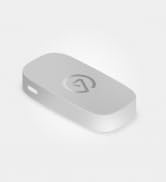
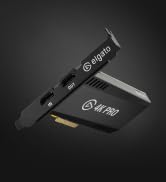
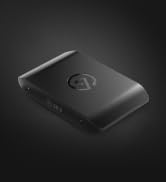
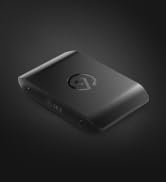
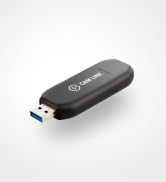
The Elgato Cam Link 4K is a compact, plug-and-play external capture card that converts your DSLR, mirrorless camera, or other HDMI devices into a professional webcam. Supporting up to 4K60 and 1080p60 video resolutions with ultra-low latency, it ensures crystal-clear, perfectly synced live streams and recordings on PC, Mac, and iPad. Ideal for content creators and professionals seeking top-tier video quality and seamless compatibility with popular streaming apps.





| ASIN | B07K3FN5MR |
| Batteries | 1 Lithium Ion batteries required. |
| Best Sellers Rank | 2,745 in Computers & Accessories ( See Top 100 in Computers & Accessories ) 4 in External TV Tuners & Video Capture Cards |
| Brand | Elgato |
| Colour | Black |
| Customer Reviews | 4.6 4.6 out of 5 stars (13,839) |
| Date First Available | 9 Nov. 2018 |
| Guaranteed software updates until | unknown |
| Included components | 1 product |
| Item Weight | 0.71 Ounces |
| Item model number | CAM LINK 4K |
| Original Release Date | 2018 |
| Package Dimensions L x W x H | 14.6 x 13.1 x 3.7 centimetres |
| Package Weight | 0.1 Kilograms |
| Part number | 10GAM9901 |
| Product Dimensions L x W x H | 8.1 x 3.1 x 1.2 centimetres |
| Style | Cam Link 4K |
| Warranty description | 1 Year Manufacturer |
J**S
Workds great and well worth the price
Well worth the money spent. I had already wasted money on buying two other cheaper brands. Couldn't get a good quality video out of them until I purchased this Elgato and I have no regrets. Quality really does come with the price and this product is top quality. I've already transferred two VHS tapes to 1080p 60fps digital video. You download the software from their website and it's very easy to use.
C**N
M50 camera to OBS.
Worked perfectly. Once I disabled my M50 camera auto shut off. The cam link to worked perfectly. Before I did that it kept on cutting off after a minute or two.
E**S
Good Bit Of Kit
Nice bit of kit to use for my stream camera. great video quality and very easy to set up. ive had no stability issues and it connects seamlessly to my ZVE10M2
B**N
its good, but dont use for extended periods of time.
the Cam Link 4K works very well once you have it all set up and working. Its simple to set up and the download software to capture what you need (i connected it to my Nintendo Switch to record gameplay) Works like a charm. The only problem is, that if you use it for more than an hour or so, the Cam Link 4K begins to struggle a bit and you will need to unplug and plug it back into whatever computer your using, to have it reconnect to whatever device you have set up. There is also a delay in sound, its rather noticeable. If you make your character move on the switch, the sound wont start playing, until your character has already taken 2 or 3 steps. And i cant seem to find a way around this. Not with the manual, not with youtube tutorials or customer support from the Elgato website. Apart from that, its good. easy to set up, runs very smoothly and no lagging or buffering problems for feedback video.
A**N
Great for using a nice camera as a webcam
Setup was super easy, and I was able to connect my Sony camera with ease with the Elgato software. I have noticed no lag or speed issues, and it's use with OBS and other streaming services is so easy.
R**S
Easy and quick to have it ready
It's such a good piece of hardware. Easy to install, no drivers needed and you can have your image setup right away. I use it to turn my gopro hero 5 black into a webcam, which is very nice to use (1080p 60fps) In case you need to modify some settings like contrast, saturation, hue and brightness, you can use the 4k capture utility or do the same on your preferred application (I use OBS Studio and I have more control of the settings for the webcam. As I don't have a pci express slot (I have an itx board with just one slot that I have my graphics card installed), this USB stick is very convenient. A little bit expensive in my opinion, but I haven't found anything similar in terms of quality
J**D
Great Capture Card at a Even better price
These Cam Links from Elgato are Great, I have now bought multiple of these and haven't had any issues with them at all. We have bought them for streaming and they are great for both Windows and Macs as with both operating systems, you can just plug them in and go. No drivers necessary or bloatware apps to get it working. Just plug it in, plug your HDMI source in and then use your favourite software. I can confirm it works with FaceTime, PhotoBooth, OBS, Livestream Studio 6 from Vimeo, Google Hangouts and Zoom. All in all they are great value for money when compared to the Blackmagic Mini Recorders that only work with Thunderbolt, so to have a device that you can plug into pretty much any modern computer is great, and I would highly recommend this product for anyone who wants to have a capture card for a camera or computer or whatever you want:)
J**J
Much better than cheaper alternatives
Have had this for a few years now before writing the review. I've got a couple of cheaper USB capture devices, and this knocks the spots off them. Pin-sharp video, low latency and very stable. If you need HDMI capture, this is the one.
A**A
عشان المنتج يشتغل لازم يتوصل ب مدخل usb3 مستقل، بجهاز امكانيات كارت الشاشة فيه عالية لو اتوصل على usb hub هيقرفك حرفيا ويفصل كتير، خاصة لو انت موصل هاردات او deck او حاجات تانية كتير. لو معندكش مدخل usb3 مستقل في جهازك مانصحكش تشتريه لو عندك المتطلبات، هتلاقي الجودة ممتازه الفرق بينها وبين ال capture card التقليدي الرخيص هو فقط في ال 60 frame لكن جودة الصورة مش بتفرق في حاجه، رغم ان السعر ١٠ اضعاف
J**.
Works as announced.
T**N
Setting this up with my Sony ZV-E10 was super quick and easy—it’s basically plug and play. The build feels solid and well-made, which is what I expect from Elgato products, and the price felt very reasonable for the quality you get. I’m a big fan of Elgato and have my entire streaming and WFH setup built around their products, so it fits perfectly into my workflow. The device works reliably, and the image quality is consistent with what I need for streaming and video calls. Overall, I’d recommend this if you’re looking for a reliable, high-quality, and affordable tool to upgrade your streaming or WFH setup.
A**R
Tout est dans le titre. Vous achetez un samsung nx500 en occase sur ebay (autour de 400€) en ensuite, avec ce "elgato cam link", cela permet de créer une "webcam" avec un "grand" capteur APS-C de très très bonne qualité à un prix défiant toute concurrence. Enregistrement en 4K 60 fps parfait avec zéro artéfact de compression. Avec la lentille du kit de base du nx500 (20-60mm avec f3.5/5.6), l'auto-focus sur vos yeux est aussi parfait sans focus breathing. Tout est direct et facile avec le samsung NX1 car il a une sortie "clean hdmi" en permanence. Pour avoir une image de bonne qualité sur la sortie hdmi du Samsung nx500 il faut apuyer sur le bouton enregistrement. Avec le petit "patch" du firmware du nx500 (gratuit et facile à installer: il suffit d'avoir une carte SD), j'enregistre aussi en 4K pendant des heures sans aucun soucis sur le nx500 (et surement aussi le nx1 mais j'ai juste un nx500 pour tester) (aucun soucis de température). C'est le super bon plan pour avoir une caméra de qualité professionnelle pour vos vidéos youtube "talking heads" à un prix défiant toute concurrence.
E**O
L'Elgato Cam Link 4K è uno strumento essenziale per chi vuole migliorare la qualità dei propri video, sia che si tratti di streaming, videoconferenze o produzione di contenuti. L'ho testato con la mia Sony Alpha ZV-E10 e sono rimasto colpito dalla semplicità di utilizzo e dalla qualità dei risultati. Design e configurazione La scheda di acquisizione è compatta e leggera, con un design minimalista che occupa pochissimo spazio sulla scrivania. Si collega direttamente al PC o al Mac tramite porta USB 3.0, e l’installazione è immediata: basta collegare il dispositivo e seguire le istruzioni sullo schermo. La compatibilità con DSLR, camcorder e webcam è eccezionale, rendendolo un prodotto estremamente versatile. Qualità video Il Cam Link 4K offre una qualità video impeccabile. Supporta risoluzioni fino a 4K a 30 fps e 1080p a 60 fps, garantendo immagini nitide e fluide. Durante lo streaming e le videoconferenze su piattaforme come OBS, Zoom e Teams, il miglioramento della qualità rispetto a una webcam standard è immediatamente evidente. Prestazioni Una delle caratteristiche migliori è la latenza bassissima, che garantisce una sincronizzazione perfetta tra audio e video. Inoltre, il dispositivo è stabile e affidabile anche durante sessioni prolungate, senza interruzioni o surriscaldamenti. Ho usato il Cam Link 4K per lo streaming di gameplay e per videoconferenze, ottenendo sempre risultati professionali. Compatibilità software Il dispositivo funziona perfettamente con i principali software di streaming e registrazione, come OBS Studio, Streamlabs, Zoom, Teams e altri. Inoltre, è compatibile sia con Windows che con macOS, offrendo massima flessibilità agli utenti. Pro: Qualità video fino a 4K30 o 1080p60, ideale per streaming e registrazioni professionali. Installazione semplice e immediata, anche per utenti meno esperti. Compatibile con un’ampia gamma di dispositivi (DSLR, camcorder, webcam). Latenza ridotta, perfetta per streaming in tempo reale. Compatta, leggera e facilmente trasportabile. Contro: Non include cavi HDMI nella confezione, che vanno acquistati separatamente. La risoluzione 4K è limitata a 30 fps (non adatta per chi cerca 4K a 60 fps). In conclusione, l'Elgato Cam Link 4K è uno strumento indispensabile per chi vuole portare la propria produzione video al livello successivo. Perfetto per streamer, content creator e professionisti delle videoconferenze, offre una qualità video eccezionale e un’esperienza utente senza intoppi. Consigliatissimo!
Trustpilot
3 weeks ago
2 months ago