Desertcart purchases this item on your behalf and handles shipping, customs, and support to Greece.
🚀 Power your pro build with MSI Z390-A PRO — where speed meets stability!
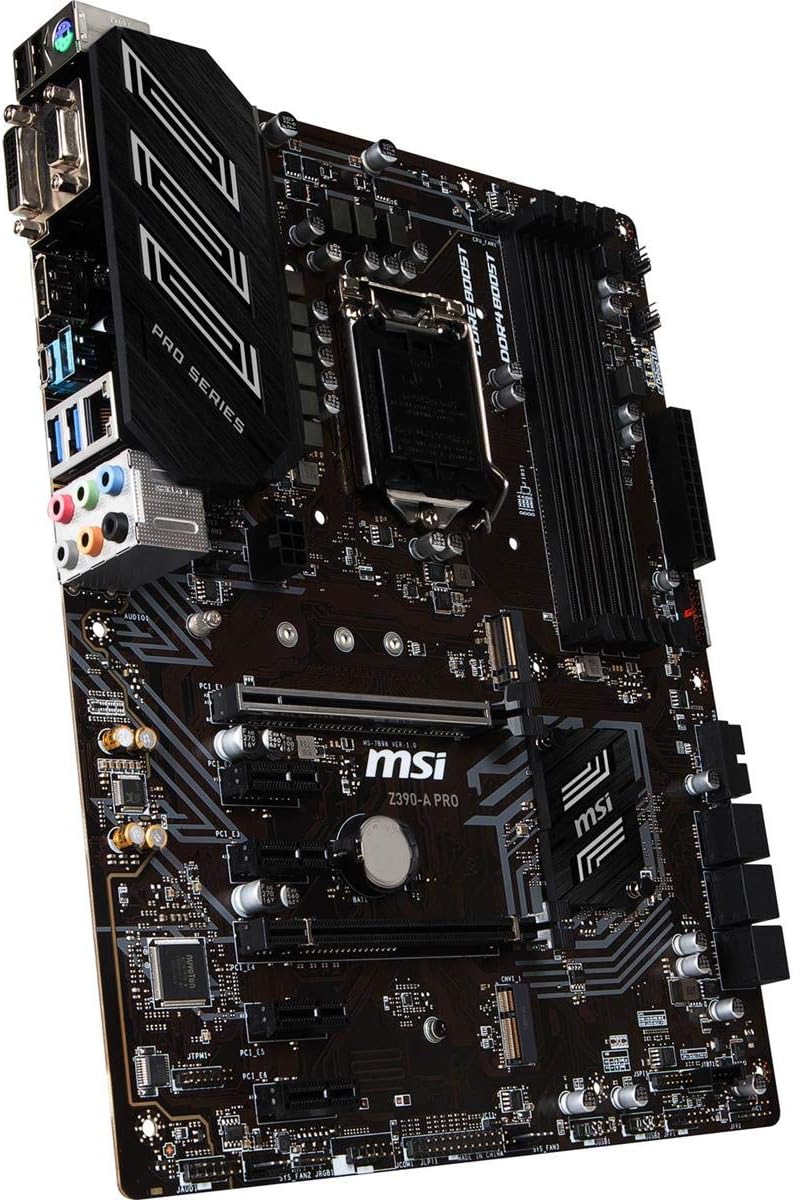
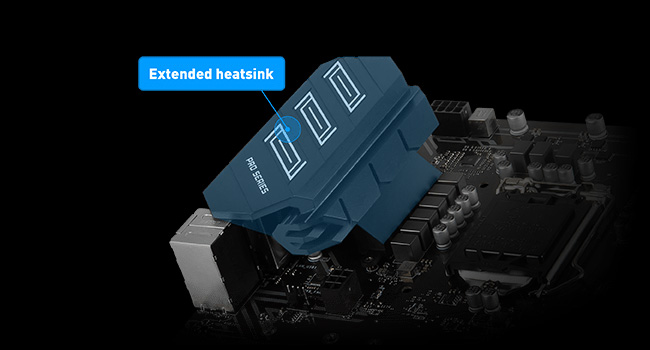
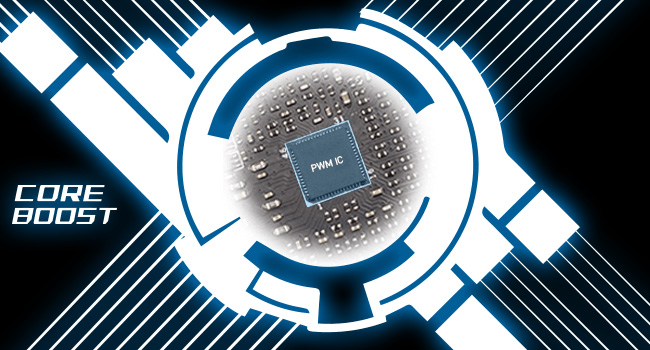
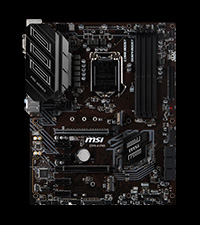
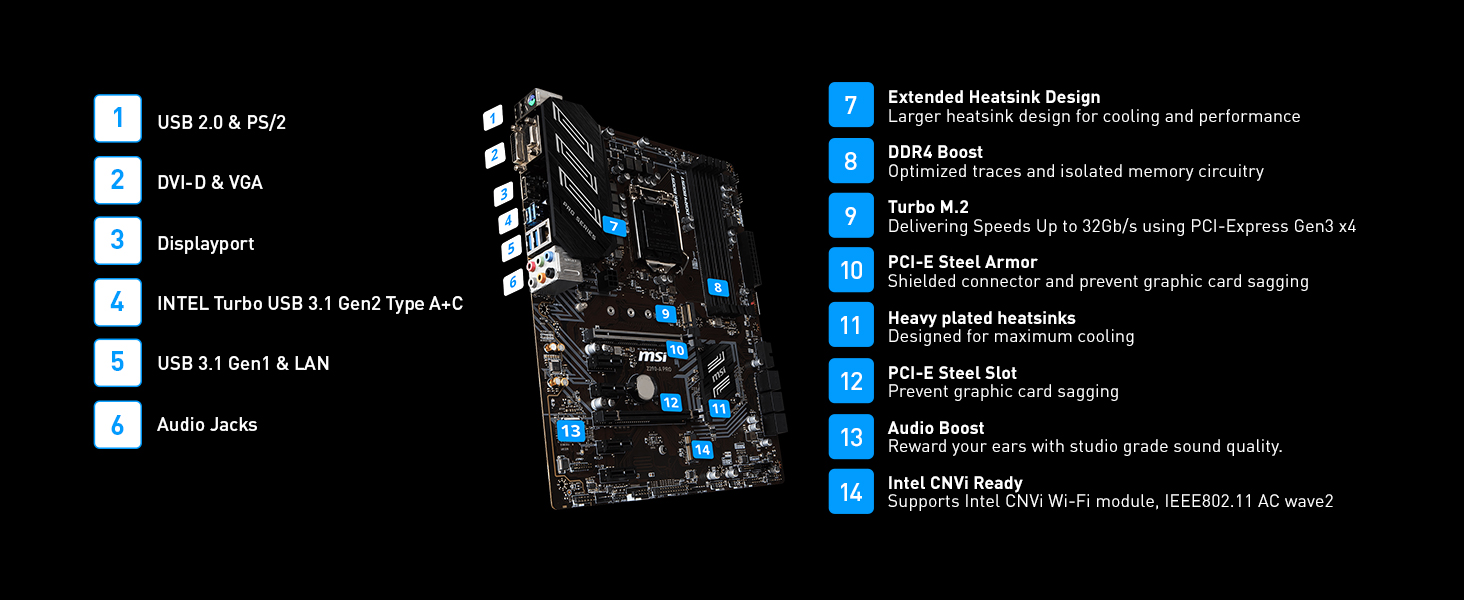
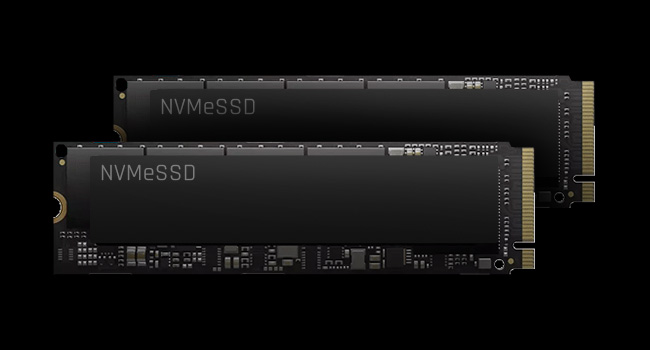
The MSI Z390-A PRO motherboard is engineered for professionals and gamers seeking robust performance with 8th and 9th Gen Intel Core processors. Featuring support for up to 128GB DDR4 RAM at 4400MHz (OC), Turbo M.2 NVMe SSD slots, Intel USB 3.1 Gen2, and multi-GPU capabilities, it delivers ultra-fast data throughput and reliable overclocking. Its extended heatsink and Core Boost technology ensure stable operation under heavy workloads, making it a future-proof foundation for high-end PC builds.


| ASIN | B07J6Z9KJ2 |
| Best Sellers Rank | #217 in Computer Motherboards |
| Brand | msi |
| Built-In Media | Gaming motherboard, cables and connectors, quick setup guide |
| CPU Model | Pentium |
| CPU Socket | LGA 1151 |
| Chipset Family | Intel Z390 |
| Chipset Type | Intel Z390 |
| Compatible Devices | Gaming Console, Personal Computer |
| Compatible Processors | 8th Generation Intel Core , 9th Generation Intel Core, Intel Celeron, Intel Pentium Gold |
| Customer Reviews | 4.6 out of 5 stars 3,724 Reviews |
| Global Trade Identification Number | 00824142169544 |
| Graphics Card Interface | PCI Express |
| Item Dimensions L x W x H | 9.6"L x 2.5"W x 12"H |
| Item Type Name | Z390-A PRO |
| Item Weight | 100 g |
| Main Power Connector Type | ATX |
| Manufacturer | MSI Computer |
| Memory Clock Speed | 4400 MHz |
| Memory Slots Available | 4 |
| Memory Storage Capacity | 64 GB |
| Mfr Part Number | Z390-A PRO |
| Model Name | Z390-A PRO |
| Model Number | Z390-A PRO |
| Number of Ethernet Ports | 1 |
| Number of Items | 1 |
| Number of Ports | 17 |
| Platform | Windows 10 |
| Processor Socket | LGA 1151 |
| RAM Memory Technology | DDR4 |
| Ram Memory Maximum Size | 128 GB |
| S/PDIF Connector Type | Optical |
| System Bus Standard Supported | SATA 3 |
| Total Number of HDMI Ports | 1 |
| Total PCIe Ports | 5 |
| Total SATA Ports | 6 |
| Total Usb Ports | 12 |
| UPC | 824142169544 |
| USB 2.0 | 6 |
| Warranty Description | 3 Years |
W**F
Amazing product! DOES come with M.2 Screw!
MSI Hits it out of the park again! Keep in mind that the "PRO" part of this model, not everything is beginner friendly, although MSI's technical support will happily help you with your build. I would say this motherboard has so many OC features that it would be a waste to use this without an unlocked (K model) CPU. All the 1-3 star reviews are people who either won't read instructions or don't want to call MSI support when they don't know what they did wrong. I paired this with i7 9700K, G.Skill 3600MHz RAM, GTX 1080 Ti, Samsung M.2 SSD and an acer 144Hz monitor. Everything worked great with minimal setup! First boot I opened BIOS and clicked XMP and this MB auto detected a good 3600MHz profile for my RAM. I have adjusted some settings in "expert mode" to make the CPU turbo boost all cores and disabled clocking down for AVX instructions (heat warning!). In benchmarks it maintains 4.85GHz across all cores at once on air cooling (stock limits to 4.6GHz all cores and AVX safety can drag it down more). FireStrike 3D scores improved 15% with max temps reaching 70C so there is even more room to OC. Notes that may help others avoid issues: The M.2 Screw is incredibly tiny and is in a very tiny bag that is easy to miss, but it is there. I even called tech support before I looked more carefully and found it in the box. The M.2 slot when in SATA Mode will take over SATA Slot 1. It will literally replace the slot in the BIOS. If you can't find a drive, that is probably it. The extra 6 pin on the motherboard near the PCI Express lanes are for if you are using two high power draw GPUs (e.g dual 1080 ti or 2080). With one GPU it is not necessary and will not affect performance. If you don't install from an up to date version of Windows 10, the ethernet port likely won't be detected or usable until you install the network drivers from disk or USB. This does not affect wireless. Windows 7 of course is not supported but that has nothing to do with the motherboard, it's the fact that no 8th gen intel CPUs will run windows 7. Any complaints about this are completely misdirected and should be going at Intel. PROS: Designed for OC and high performance gaming Tons of features for beginners and experts Lightning fast USB C 3.1 port in the back plus headers Builtin POST Speaker Mystic RGB headers Lots of headers! Easy OC ranging from no skill to expert level. Has OC settings specific to Intel's 9th gen chips XMP just works M.2 storage and M.2 bluetooth slots RAID Controller It's a motherboard from MSI Con: The only thing remotely negative about this is the noticeable (or almost loud) pop/click when the motherboard powers on. This is not worth a lower rating and it's not much of a con unless you are overly sensitive to computer noises. It's the sound of a solid relay activating to power on your devices and is reminiscent of many years ago when electrical components were overbuilt and could last for decades.
C**.
Great price for a Good buy.
I had bought this motherboard to upgrade my current system, I find it perfect for beginners, as you can buy an Intel Core i3 9100F for 80 dollars and you can easily run this system. This motherboard can handle up to 32gb of ram, it has plenty of headers for fans so you don't have to buy a fan splitter to fit all those fans in your case without having to worry about power. I also enjoyed the fact that the case power plugin was displayed on the motherboard making it easier to install this setup, perfect for new gamers or anyone trying to build their own pc. 1 of the cheaper boards but works just as well as any other out there, I definitely recommend the MSI Z390 A-PRO, and for new gamers, this is the perfect motherboard for anyone with an eighth gen processor but wanna save up for an i9, this motherboard will support up to an Intel I9 9900K. So get this board today for the best experience ever.
R**R
Nice Professional Board
I’m not a gamer. I use my machine mostly for processing videos and photos, for building large spreadsheets and for internet use.. When it came time to upgrade, I didn’t want to spend extra money on flashy lights or gaming features I wouldn’t use. This MSI board Z390 board is perfect for what I want to use it for. I replaced an older ZH77A board with it and the connections are all in the same place [mostly]. That made upgrading super easy. There were no surprises during install. Bolt the main board into the case, install the CPU and heat sink, then the connections for fans, drives and power. It took less than hour to build the new system and the board worked great right out of the box. I’ve built several machines with MSI boards and have had great luck with the boards. I expect to get 10 years out of this one before I’ll need the next upgrade.
R**N
Smoothest upgrade ever in 40 years of bulding computers
Upgraded from an early model Z370 series motherboard that didn't support series 9000 processors or ram faster than 2666 MHz. I was a little leery since I am running Windows 11 developer's preview version and didn't want to do a full clean install. But as it turned out, I had no reason to be concerned. The first boot into Windows went smooth as silk. My M.2 Intel SSD boot drive and the existing install were immediately recognized. Windows 11 found and installed all drivers without a hitch. I did have to update a couple of them but otherwise no issues. The next step was to see how easy it is to overclock. The documentation that comes in the box is limited to a graphic Quick Start sheet that is pretty much useless. But I located the manual on the website and gained enough info to get the job done. Novice builders beware. If you are new to building systems I would recommend a different board with better documentation. Also don't waste your time with Dragon Center, the manufacturer's Windows utility. That is about the most worthless piece of junk software I have ever seen. But I have turbo boost set to 4.8 GHz on my i5-8600K CPU. And I am only running 16 GB of 2666 MHz DDR4. But the benchmark scores are fantastic. And I haven't touched the CPU base clock yet. Price was great. Install smooth. Performance excellent. Next step, upgrade to 3200 MHz ram and eventually an i7-9700K. Update 3-7-2022 - Well, the prices on an i7-9700K are totally ridiculous but I found a sweet deal on a 9700KF so I grabbed it up. The only difference between the two CPUs is the KF doesn't have integrated graphics. I have a discrete card so that wasn't an issue. I am currently running OC'd at 5.0 GHz and my Passmark benchmarked over 35% higher than with the 8600K. Also have my memory running at 3060 Mhz instead of 2667. Temps don't exceed the mid 60s C running CPU-Z stress test. Not bad on an air cooler. Final note - I did switch back to Windows 10 Pro 64 bit. Still the way to go with Windows period.
J**S
Decent motherboard
I find this motherboard to be pretty well put together and nice. This was my first time building a pc and it was quite easy to install this everything was well labeled for me to plug everything into. Only thing i dont like about this is that i tried plugging my headset in the ports and it didnt work which resolved me into using the front ports which is honestly not a to big of a deal. But overall its not a bad motherboard, boots up fast, and has no problem running my games and stays decently cooled.
B**.
Awesome MOBO with great layout and looks
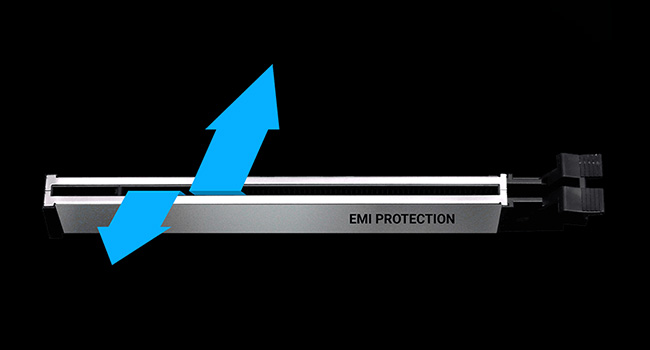
In the past I have stayed away from the more advanced motherboards on my PC build due to skepticism about actual performance but boy was I wrong. The user experience for this mobo is world's apart from standard non-gaming units and I don't think I will ever be going back. The reinforced PCI slots make a huge difference when you are cramming in your GPU and I have noticed MUCH better heat dissipation performance than with stock models using similar specs. The design is rather handsome on the whole and looks great in my glass case. The additional plugs for cooling systems, LED arrays, and other peripherals is a huge plus as well. My biggest favorite is the BIOS. My Alienware laptop came with a bog standard arrow key directed bios that could have - and probably did - come off of some cheap Dell motherboard but the interface on this BIOS is awesome. It has several utilities that make it great including a flashing program built into the BIOS and system monitoring software. Would buy again and will recommend to all of my friends. I may even buy some units for my eSports team setups.
E**C
Great Motherboard for the Price
Great Motherboard for the price. It has a solid build and good features / functionality. It is by no means cheap, but it is affordable. Let's get the obvious out of the road... I had the same issue with the M2 screw missing as everyone else. I ordered an M2 screw kit off of Amazon for $8.52 which I should not have had to do but it can't hurt to have a few extra M2 screws. The mb came with the usual mounting screws, standoffs, mb backplate / IO shield and I believe it may have had 2 sata cables. As far as the motherboard goes, it was a very smooth install. During the install, I added an NVMe drive (Crucial P1 500GB 3D NAND NVMe PCIe M.2 SSD - CT500P1SSD8) with no issues (besides the missing M2 screw). I flashed the MB to the current firmware. I used a Corsair Power Supply (Corsair CX Series 650 Watt 80 Plus Bronze Certified Modular Power Supply (CP-9020103-NA)). Adding the CPU and memory were "put it in and go" processes (with the exception of spending time to find stable overclocks after the build was complete). Installed an AIO Liquid CPU Cooler (CORSAIR HYDRO Series H100i PRO) due to overclocking. Backplate and Cooler Fit the mb with no issues. This mb runs very well!
C**.
Does the job and is working fine with relatively new tech
I replaced an older version of this same motherboard, and part of me expected to have issues. I did not. It still works with an i9 processor, and though it won't work with the latest PCIe SSD cards, it does work with some. Additionally, the socket type is supported for some i9 processors, which means it is capable of running with the latest processors. I think my primary concerns with the board were how it would handle my 7 fans I have for my case, but, again, that was not an issue. Overall, price point and standardization of the board make it a decent purchase for someone looking to get a board that works with near-top of the current specs of gaming machines. It is affordable and allows you to spend that money on some of the pricier components such as graphics cards or processors.
L**D
space between motherboard and tower case
Had some difficulties with space between motherboard and tower case, making it difficult to install video card, so I bought a GIGABYTE Z390 AORUS PRO Wi-Fi (Intel LGA1151/Z390/ATX/2xM.2 Thermal Guard/Onboard AC Wi-Fi/RGB Fusion/Gaming Motherboard) a better motherboard.
J**E
Does what it says on the Tin
Bought this a s replacement board for my 8th gen I7 as after 2 years my Gigabyte board decide to not work on PCIE x 16. As this was a maintenance replacement I wasn't expecting much but was surprised by the performance. The vendor was extremely friendly and customer oriented and gave great pre-sales advice on this product. 5 Stars to the seller for being honest and helpful.
V**R
It's too good, but still you must read my review.
I am using it for the last 3 & half years and I found it a very good motherboard but there is a small issue, it is not with the Motherboard actually but it is with brand-provided specifications. The Brand says 2 x16 PCIe slots & then in (), they write x4 x16. People often get confused by this because most people think they getting 2 x16 but actually they are getting 1 x16 & 1 x4 PCIe. So if PCIe slot matters to you then think about it before buying. Rest all perfect as I wanted. In my case, I wanted to use more than 1 M.2 nvme ssd and this motherboard already had 1 slot so no issue but later when I wanted to use another m.2 nvme then I faced an issue only because PCIe slot. I am using x16 slot for Graphic Card and it is necessary to use it on x16 so now remains x4 and because of it, I can use only 1 nvme instead of more than 1 because 1 nvme needs x4 speed to work so if 2 nvme than need x8 and GB/TB size doesn't matter. (Note = we can use nvme through SSD to pcie adapter only if want to use more than 1 nvme).
B**L
يدعم كسر السرعة
المنتج ممتاز جدا يدعم كسر السرعة اذا عندك معالج يدعم الكسر من نوع LGA1151
P**E
Ottima motherboard, io la uso per giocare in coppia con un i5 9600k e non ho avuto problemi.
In generale è un ottima scheda madre, a tratti sottovalutata perché la trovo molto stabile. Unica pecca é che nella scatola non ci sono le viti ed i piedini per il montaggio, quindi bisogna procurarseli a parte.
Trustpilot
2 weeks ago
2 days ago