Desertcart purchases this item on your behalf and handles shipping, customs, and support to Greece.
📸 Scan smarter, not harder — elevate your digital archive game!
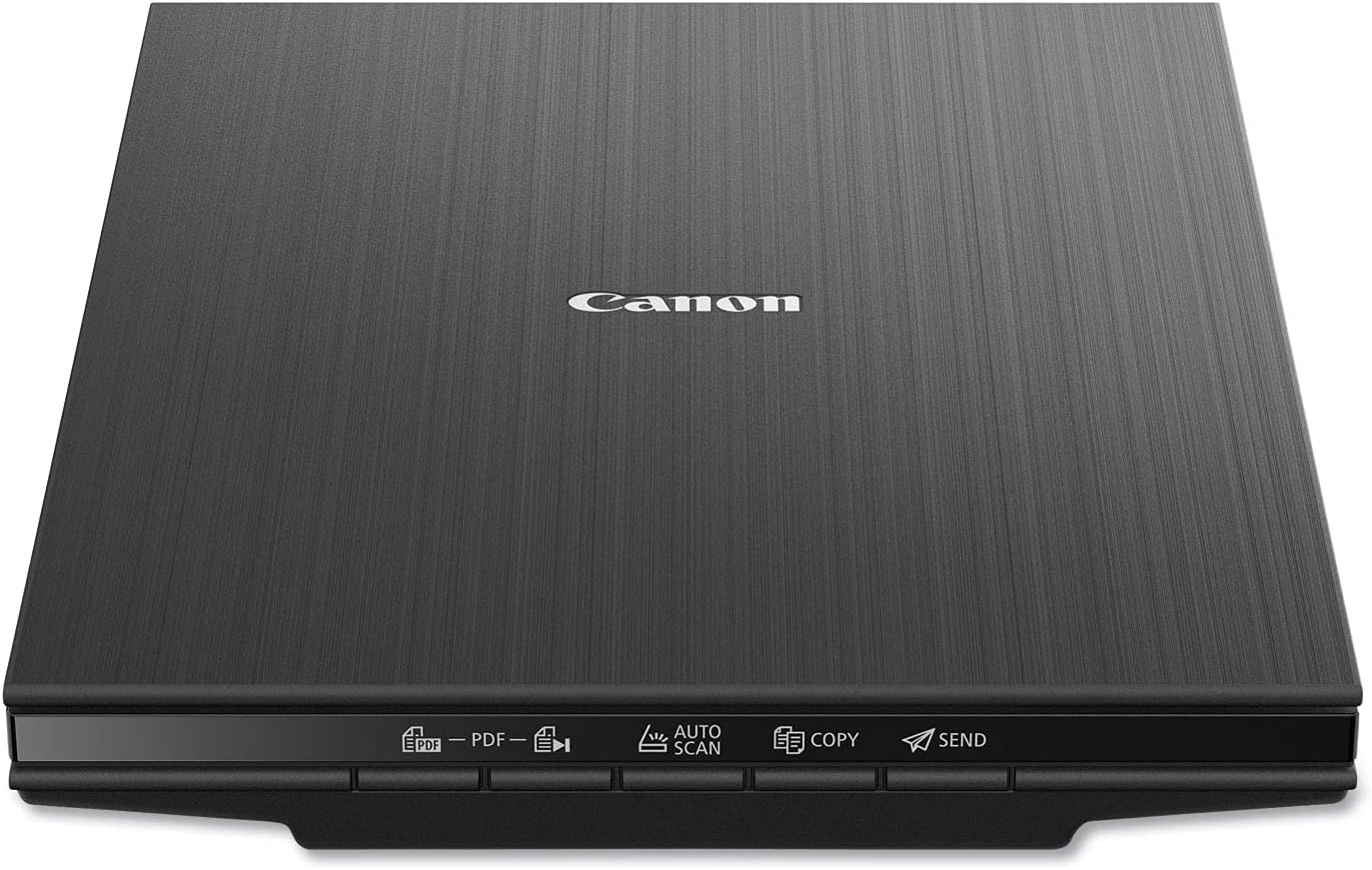
The Canon CanoScan LiDE 400 is a slim, lightweight flatbed scanner delivering ultra-high 4800 x 4800 dpi resolution. Featuring lightning-fast 8-second scans powered by a single USB Type-C cable, it offers intuitive EZ Buttons for effortless document and photo digitization. Ideal for professionals seeking premium quality scans with minimal setup, it supports multi-page searchable PDFs and advanced image enhancements like color restore and dust removal—all in a sleek, portable design.


| ASIN | B07G5YBS1W |
| Best Sellers Rank | #3,045 in Office Products ( See Top 100 in Office Products ) #1 in Flatbed Scanners |
| Brand | Canon |
| Built-In Media | CanoScan LiDE 400 Color Image Scanner, Setup CD, USB 2.0 Type-CTM Cable (USB A to Type-C), Vertical Stand (Clip-on) |
| Color Depth | 48-bit |
| Connection Type | USB |
| Connectivity Technology | USB |
| Customer Reviews | 4.1 out of 5 stars 2,616 Reviews |
| Global Trade Identification Number | 00013803306521 |
| Greyscale Depth | 16-bit |
| Item Dimensions D x W x H | 7.7"D x 0.4"W x 14.5"H |
| Item Type Name | CanonScan LiDE 400 Slim Performance Scanner |
| Item Weight | 3.6 pounds |
| Light Source Type | LED |
| Manufacturer | Canon USA Inc. |
| Media Type | Letter, Photo |
| Minimum System Requirements | Windows 7 |
| Model Name | CanoScan |
| Optical Sensor Technology | CIS |
| Product Dimensions | 7.7"D x 0.4"W x 14.5"H |
| Resolution | 4800 |
| Scanner Type | Document, Photo |
| Standard Sheet Capacity | 1 |
| UPC | 013803306521 |
| Unit Count | 1 Count |
| Warranty Description | 1-Year Limited Warranty with InstantExchange Program. |
J**H
Highly rated and usable scanner
Scanner is working well to scan photos at 600 dpi. The scanner software separates the photos into separate files and copies them to the folder of my choice on the computer. I'm saving them in jpeg fornat and post-processing the scans. The scanner is also used to make PDF files of documents, and they are OCR usable. It is always 'on' and takes only seconds to warm up for the sans. My only issue is desiring a longer USB cord so I can get the scanner farther away from the computer.
J**E
Works Well with Linux Mint with the Correct Software
I needed a flatbed type portable scanner I could use with my laptop when away from home. This one seems to meet that need for me (I haven't traveled with it yet). Since I use Linux Mint, the Canon software wouldn't work (shame on you, Canon, for not making Linux compatible drivers!), so I can't comment on how well the scanner works with Canon's software. I already use Hamrick's VueScan software on my other two scanners, a Canon 9000F flatbed scanner, and a Fujitsu ix500 duplexing, ADF scanner (both of which are NOT what I would consider portable!) and it works well with this scanner once I updated it. I haven't tried to use any of the scanners buttons since Vuescan easily and conveniently does it all from within the software. When I first tried to use the scanner with Vuescan, I went nuts trying to get the software settings to work the way I needed. It then dawned on me that I hadn't updated VueScan in quite a while since "nothing was broke so don't fix it." After I updated Vuescan (although the .deb version would probably work, the tarball—.tgz—version, when extracted, had a simple to use installer that automagically updated the current installation without changing the settings), everything started working perfectly. Another reviewer reported getting good results with the free to use xsane. The first time I used it, I noticed that it was hard to slide paper over the platen. I lightly moistened a microfiber cloth with water and gently wiped down the platen. After that, paper easily slides across the platten. The stand for the scanner is a joke. Trying to position a document or whatever on the scanner while it is in the stand will be awkward at best. One will have to be really hard up for space to find it useful. I put mine in the drawer of items that will never see daylight again. Also, my Canon 9000F uses the upper right corner has "home" for locating documents on the platen. The LiDE 400 uses the lower left corner as "home". This will take a bit of getting used to. Now for the pros and cons. Pros: 1. Inexpensive 2. Compact for a flatbed scanner that can handle up to letter size documents. 3. Lightweight 4. Runs off USB power so no power cords needed. (Canon says USB 3.0 is necessary for this scanner but I was able to run it just fine off a USB 2.0 port on my laptop; your "mileage" may vary.) 5. When using VueScan and the settings have been sorted out, it's easy to use. 6. Good quality scans. 7. 48" long USB cable Cons: 1. Anything being scanned must fit flat on the platen to be fully in focus, unlike my Canon 9000F which can focus on parts that may be as much as 1/2" from its platen (for my intended use, that will not be a problem). 2. It's noisier than my other scanners (not a big deal for me). 3. The lid is flimsy. This will be a problem when transporting the scanner since the lid won't be able to protect the glass platen unless precautions are taken to protect them (I've ordered a larger laptop bag so I can safely carry the scanner in the same bag with my laptop). 4. The lock slide on the bottom is stiff to move. It has to be locked when transporting the scanner and unlocked when using it. Being on the bottom of the scanner, it will be easy to forget to reset it every time the scanner is transported and set up for use. 5. 48" long USB cable (whether that is a pro or con will vary from person to person). For me, the cons were not enough for me to remove any stars from the rating. It should perfectly meet my needs. I do a lot of scanning (including some hard to scan items) so I wouldn't want to use this as my go-to flatbed scanner at home, especially since my old 9000F is still going strong but, for occasional use, the LiDE 400 should last me a long time. BTW, the description is wrong; it's 1.75" x 9.875" x 14.5".
P**N
great scanner especially for the price with great photo reproduction. 4800dpi requires setup
I love this scanner, but I'll start off talking about a certain aspect because I did see a lot of reviews saying you can't scan at 4800DPI or you are limited to a tiny image. After some trial and error, I found out you can do 4800 DPI. The limitation of the ScanGear software (included with the scanner) is apparently memory. But oh well. The image cannot exceed 50,000x50,000 pixels or 4GB. so that means the biggest image I was able to scan at 4800 DPI is 6.7 inches x 9.20 inches which is just below 4GB in size for a JPEG. I shouldn't have any limitations because my PC has 128 GB of RAM and 80 TB of storage but oh well. Note that this 6.7 inches x 9.2 inches is the output resolution. The input can be whatever can fit on the glass (example, 8.5 inches x 11 inches). In order to get to 4800 DPI, if you want to use the included Canon software, you have to use ScanGear. It doesn't appear to be available in Canon's other scanning modes. If you use a paid commercial scanning software like Vuescan, maybe this 4800 DPI memory limitation doesn't exist because the hardware can do 4800 DPI. Here's the key point, you have to go to the settings for ScanGear and select the checkbox for "Enable large image scans". I don't know why this is even an option. Whoever wrote the software should just allow for large image scans because it's only going to confuse people. If you don't set this checkbox, the biggest image you can scan is something like 14000x10000 pixels which means at 4800DPI, the biggest image is something like 2 inches x 2.5 inches. Once the setting is saved, go to ScanGear to scan the image. TYPE 4800 into the resolution box (don't use the dropdown arrow). Set max scan to 6.7"x9.2". That will produce a 4GB data file. If you're expecting to scan a 4800DPI 6.7"x9.2" TIFF image, you would probably need terabytes of RAM because it doesn't scan to your storage. It scans into your memory and then saves that image to disk. Considering a lot of users have only 8GB or 16GB of RAM, scanning a 4800DPI TIFF image isn't really feasible. Then you will be able to scan at 4800DPI. Remember, this 6.7"x9.2" is the output resolution. The input can be the full size of the scanner glass. For example, you put on a 8.5 inch x 11 inch paper. and then the output is 6.7"x9.2". And the last aspect of 4800 DPI scanning is how long it takes. This is not the seconds of scanning you get with 300 DPI or 600 DPI. No, this is many minutes. You really have to realize whether 4800 DPI is worth it to you. If you're scanning a printed photo, 4800 DPI won't really make it better. you're at the limit of the print. 4800 DPI aside, how is this scanner? It's super thin as a scanner. You can put books or whatever on the glass (platen). I thought about the Epson photo scanner where you can feed pictures. But then I realized it was $600 and that you can't scan books and non-fed sheets and it was limited to 600 DPI. This Canon is super fast at more normal resolutions (300, 600, 1200, etc.). It comes with a stand so you can have the scanner vertically positioned while scanning! Not sure how useful that is but it is neat to see it scanning something while vertical. The color reproduction and the scanner features are top-notch. I totally recommend this if you're scanning at 2400 DPI and below. I bought it mostly for photo scanning. For photos I plan to share through social media or email, I'll probably scan at 300 DPI or 600 DPI (that I then compress down) because email's limit is 25MB which is something like 7000x7000. I know the JPEGs I output out of photoshop from my digital camera are 45 megapixels (8192x5464 resolution) and 31.5MB in size so already too big for email or social media. If your main thing is scanning everything at 4800DPI, then I would suggest getting something else. For photos I'm going to print, I'll probably scan at 1200 or 2400 DPI. But if you'll only occasionally use 4800 DPI, then this can totally do it and do it well (as long as you're below 50000x50000 resolution). I just scanned a 32162x44160 which ended up being a 410 MB JPEG. It took about 20 minutes (ballpark estimate). Note that if 4800 DPI was seamless and was selectable from a dropdown menu, I would've given this scanner 5 stars. But for making it a hassle, I knocked off a star.
A**R
Economical, Fast
First look after a few days. Running from Mac Studio, MacOS Monterey (now Sequoia at the time of the update below), Preview app. Downloaded the SW from the Canon site. The 400 replaces a 100 I’ve been using for 20 years on Power Mac computers which has no “modern” support available. SW loaded and installed the import function in Preview (similar to the Scangear CS on the Power Macs). The 400 is considerably faster. The preview scan is now called overview and takes about five seconds for a full-platen scan. The scanner will scan at up to 4800 dpi, which is way overkill even for reflective art and is time-consuming. Bit depth is either 8 or 16 bits, selectable in the Preview import window by the target format of the scan. Scans at 300 dpi, ideal for documents, are blazing fast, about the same time as the overview scan for full platen scans. Reflective art should be scanned at 600 or 1200 dpi and there seems to be little loss in information and the color is reasonably close. I’ve not done a lot of picture scanning so far, but initial results were quite good. Pictures show import function for Preview, formats available, automatic selections available (I leave that turned off, so far), the rudimentary manual corrections and a 600 dpi scan of the front cover of a 1969 ASC manual. At present, I am pleased with this product, as it is an excellent replacement for the Lide 100, working with the newer computers with improved speed and convenience. UPDATE: So I’ve been using this unit for over a year now and it continues to please. I recently added PhotoShop to the mix and find that the unit seamlessly appeared in the import from device capability of PhotoShop. The import control is the same as found with Preview, so it’s the Canon SW making it work. Scans are very good and faster to correct with PhotoShop, so I feel I still have a winner on the desk.
G**N
Great Canon Lide 400 Scanner BUT note the SERIOUS CAUTION in my Review
Works Great! I've scanned scores of photos using 600 dpi and am very pleased with the simplicity and results. Scanned a few documents with similar opinion. EXTREME CAUTION: Access the Canon Website for Driver download and Product registration by typing ij.start.canon in the address bar and not into a browser search. I typed it into a Google Chrome search instead and came upon a Canon site for Driver download that unknowingly took me to ij.start.cannon (note the mispelling). This is a very legitimate looking Canon site. When I entered the scanner model I received an error code and a phone number to resolve the issue. The phone number took me to a third party called MS Assistance LLC, who told me that they represented Canon and that the error code meant that I could not download the driver because I had foreign ip addresses connected to my network. I believed them and paid them $100 to connect to my computer and fix the problem. They then downloaded the driver to my computer for me. Then they told me that I needed a product called Network Privacy Shield to protect me from foreign invaders in the future. I believed them and paid another $199.99 for the software that they downloaded for me while still tied to my computer. Days later, my sister told me that Canon would never operate this way and that I needed to call Canon. I called Canon and was told that they had no knowledge of this company MS Assistance or of the error message that I received. While on the phone, they directed me to type ij.start.canon into the address bar and that took me to the correct Canon webpage that had my driver to install AND product registration that I hadn't even thought about before. Regarding the supposed Network issue, Canon told me to talk to my Internet provider. Charter-Spectrum told me that I should NEVER allow anyone to connect to my computer over the phone and that who knows what files they could have stolen when connected. They said that I needed to take my laptop back to Apple to see if any malware or damage was done. I have found that the software Network Privacy Shield is a Google Add-In available on the Google Store and it is made by driversandshield.com. I called driversandshield.com and asked a question about the legitimacy of their product Network Privacy Shield protecting against foreign IP addresses connecting to my computer network and then called MS Assistance at their phone number and asked the same question and the person said that 'I just talked to you and answered that question'. MS Assistance IS also driversandshield.com; the maker of Network Privacy Shield. They are one in the same. MS Assistance LLC operates out of an apartment in an apartment building in Austin TX and driversandshield.com supposedly operates out of an apartment in an apartment building in St Cloud MN. Do you think this is a SCAM?
L**S
Great scanner!
Easy to set up and works great! I use this scanner with a HP notebook computer running Windows 11. The only drawback I have found is that it did not function when I plugged the USB cable into a USB hub. This computer only has two USB connectors, one of which is taken by the connector for a wireless mouse. When I switched the scanner's USB cable to the connector on the computer, it worked fine. This is the best moderately priced flat bed scanner that I've owned.
G**N
Amazing scanner for the price -- doesn't support copy to network printers
Great scans, complete flexibility to control scanning resolution, color bit depth, select the region of the page in a preview, scan directly to preferred art apps, etc. In advanced mode, you can even tune the saturation based on the darkness of the area of the page (shift the brightness curve). In terms of function, it does it all for a flatbed scanner. It would be a solid scanner at twice the price. I upgraded from a much, much older Canon scanner that I've had for years, since when Windows XP was still new. With the last update to Windows 10, I couldn't get it to work with Windows anymore, so finally broke down and upgraded. If this has a fraction of the reliability of my last Canon, this will prove to be an incredible deal and a great investment. Of course at this price: it does not have a document feeder or an attachment for scanning film negatives. And without a document feeder, it can't scan both sides of the page. Those would be nice features, but they would also make it much larger, bulkier, and more expensive. It is wonderfully compact, barely larger than the paper it scans. With the new USB3 connection, it's super fast (takes less than half the time to scan a page as the old Canon scanner it replaced). And because it runs over USB 3, it doesn't need any separate power source, so 1 cable connected to the computer does everything. Negatives: 1. MOST SERIOUS: For the Copy function, it didn't list all of my printers. It seemed to ignore network printers. This is bad and I almost docked a star for this, but at least for me, I don't print or copy very often, so this is torelable. My workaround is to scan to another program, then print from that program, but that's admittedly a pretty poor solution. I hope Canon fixes this. 2. Software defaults were not what I wanted, so I had to manually change default save locations and apps 3. I wish it were just a little bit bigger so it could at least hold Legal size paper 8.5" x 14", but it only goes to 8.5" x 11.7" (so only up to letter and A4).
R**O
Yellow Chromatic Abbreviation LoCA,
The Photographer’s Dilemma: A Review of the Canon CanoScan LiDE 400 As a long-time Canon shooter, I’ve built my workflow around a simple principle: control. Control over light, control over focus, and control over the final pixel. It’s why I’ve invested in the R5 body, a suite of L-series lenses, and a proper set of studio lights. So, when the task of digitizing a vast family archive of photos and documents arose, I approached the Canon CanoScan LiDE 400 with both curiosity and a healthy dose of skepticism. Could a sub-$100 appliance truly satisfy someone accustomed to scrutinizing images for a living? The answer, I found, is a resounding and definitive no. While the LiDE 400 is a brilliant piece of consumer electronics for the masses, for the discerning eye, its optical compromises are a dealbreaker, especially when a far superior solution is already sitting in the camera bag. The LiDE 400: A Masterclass in Convenience First, credit where it is due. The design of the LiDE 400 is nothing short of excellent. It is impossibly thin, requires only a single USB-C cable for both power and data, and comes with a clever vertical stand to all but disappear from your desk when not in use. The front-facing “EZ” buttons make scanning a document directly to a multi-page PDF a thoughtless, one-touch affair. For 95% of users who simply want to get a photo from a shoebox onto Facebook or turn a receipt into a digital file, this scanner is the perfect tool. It is fast, efficient, and utterly foolproof. My appreciation, however, began and ended with its convenience. The moment I started critically examining the output, the photographer in me began to wince. The most glaring issue is the scanner’s struggle with chromatic aberration. On any high-contrast edge—the sharp line of a black-and-white portrait, the text on a document, or the branches of a tree against a bright sky—a telltale color fringe appears. It’s a soft, but distinct, bleed of yellow and red that pollutes the clean lines of the original. This is a classic sign of a simple optical system failing to resolve all wavelengths of light to the same focal point, a compromise made to achieve its slim form factor and low price. Furthermore, the scanner’s Contact Image Sensor (CIS) technology, while enabling its compact design, is unforgiving. It possesses an extremely shallow depth of field, meaning anything not in perfect, flat contact with the glass becomes soft and out of focus. This also introduces what appears to be Longitudinal Chromatic Aberration (LoCA), where the plane of sharp focus differs slightly for different colors, contributing to a general lack of critical sharpness and a subtle muddling of color fidelity, especially in out-of-focus areas. The Superior Alternative: The Toolkit I Already Own This is where the argument pivots from convenience to quality. For me, these optical flaws are not something I have to live with. My Canon R5, paired with the RF 100mm f/2.8L IS USM Macro lens and a pair of studio strobes, isn't just a setup for taking new photos; it’s a world-class digitization machine that systematically eliminates every single one of the scanner’s weaknesses. 1. The Lens: The Heart of the Matter The RF 100mm Macro is an L-series lens for a reason. It is an optical masterpiece engineered for a flat field and near-zero distortion. Most importantly, it is packed with UD (Ultra-low Dispersion) glass elements specifically designed to combat chromatic aberration. When I capture an image of a document, the lines are clinically sharp and pure black, completely free of the color fringing that plagues the scanner. The lens resolves detail at a level the scanner’s simple optics can only dream of. 2. The Light: From Fixed to Flawless The scanner’s single, fixed LED light bar is a brute-force tool. My studio lights are a scalpel. By placing two strobes in softboxes at 45-degree angles to the document, I create a pool of soft, even light that is perfectly consistent and, critically, glare-free. Glossy photos that would produce harsh specular reflections on the scanner are rendered perfectly. I can control the quality and color temperature of the light to ensure a faithful, color-accurate reproduction that the scanner’s built-in LEDs cannot match. 3. The Sensor and the RAW File: The Final Word The 45-megapixel full-frame sensor of the R5 captures a digital canvas of immense detail. But the true power lies in the 14-bit CR3 RAW file. The scanner delivers a pre-processed image where the color, contrast, and sharpening have been “baked in.” The RAW file is the pure, unadulterated data from the sensor. It gives me the ultimate flexibility to set a perfect white balance, recover every last ounce of detail from the shadows and highlights, and grade the color to be an exact match of the original artifact. Conclusion: A Compromise I Don’t Need to Make The Canon CanoScan LiDE 400 is not a bad product; it is an excellent product for its target audience. It prioritizes ease of use and affordability above all else. But for a photographer, it represents a step backward—an acceptance of optical flaws that we spend thousands of dollars on gear to eliminate. The scanner is an appliance; my camera system is a toolkit. It allows me to apply the same standards of quality and control to preserving the past as I do to creating new work. The choice is clear: for anyone who has already invested in a professional-grade camera and lens, the path to superior archival quality is already in your hands.
I**B
Flatbed scanner
Scanning paperwork, extremely happy with it portability
V**K
Flatbed scanner.
Best flatbed scanner I have ever used. Very simple to use and works great with Windows 11 computer.
A**R
Great Product worth the money
I could install the SW and start using with no issues. It is a simple, elegant, good quality, efficient scanner and a great value for the price. Allows to scan to JPEG or PDF. Also allows you to scan multiple pages into a single PDF file. Product came in a wrapper with no damages to the box.
R**S
👌🏽 great value
Fantastic performance, never had a flatbed scanner perform this efficiently and easily.
J**Z
Excelente escáner.
Excelente escáner. Funciona muy bien. Excelente calidad. De buenos materiales. Lo recomiendo.
Trustpilot
4 days ago
1 week ago