Desertcart purchases this item on your behalf and handles shipping, customs, and support to Greece.
🚀 Elevate your home network game with Mikrotik hAP lite Classic!
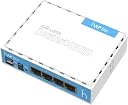
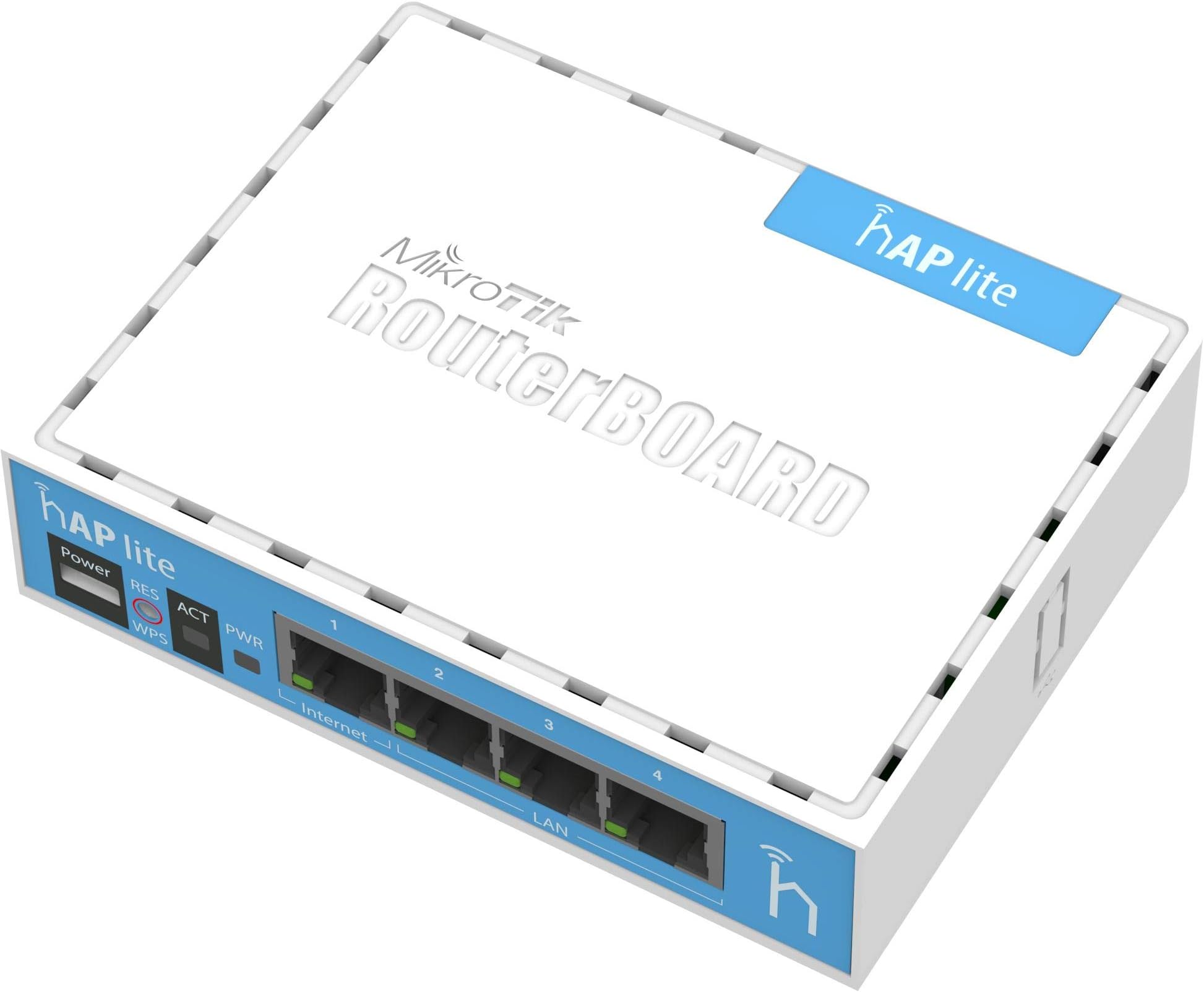
The Mikrotik hAP lite Classic RB941-2nD is a compact, high-performance wireless access point designed for apartments, homes, and offices. Featuring a 650MHz CPU, 32MB RAM, dual-chain 2.4GHz Wi-Fi, and four Fast Ethernet ports, it supports easy WPS connectivity and runs the powerful RouterOS for advanced network control, bandwidth shaping, and security.
| Antenna Location | Home |
| Antenna Type | Internal |
| Asin | B00UR758BM |
| Best Sellers Rank | #29,954 in Computers & Accessories (See Top 100 in Computers & Accessories) #29 in Wireless Access Points |
| Box Contents | Router , Adapter , Manual |
| Brand Name | Mikrotik |
| Colour | white |
| Compatible Devices | Tablet |
| Connectivity Protocol | Wi-Fi |
| Connectivity Range | 12096 Square Feet |
| Connectivity Technology | Wi-Fi |
| Control Method | App |
| Coverage | Up to 150 feet indoors, 300 feet outdoors |
| Customer Reviews | 4.5 4.5 out of 5 stars (749) 4.5 out of 5 stars |
| Data Transfer Rate | 10100 Megabits Per Second |
| Frequency | 2.4 GHz |
| Frequency Band Class | Dual-Band |
| Global Trade Identification Number | 00609722638050 |
| Has Internet Connectivity | Yes |
| Is Modem Compatible | No |
| Item Type Name | Router |
| Item Weight Unit Of Measure | 250 Grams |
| Lan Port Bandwidth | 100 Mbps |
| Manufacturer | MikroTIK, MikroTIK |
| Manufacturer Contact Information | MikroTIK |
| Manufacturer Part Number | RB941-2ND |
| Maximum Upstream Data Transfer Rate | 100 Megabits Per Second |
| Model Name | RB941-2nD |
| Model Number | RB941-2nD |
| Number Of Ports | 4 |
| Operating System | RouterOS |
| Other Special Features Of The Product | WPS |
| Ram Memory Installed | 32 MB |
| Security Protocol | WPS |
| Upc | 708747431650 609722638050 680665927708 |
| Voltage | 220 |
| Wi Fi Generation | Wi-Fi 4 |
| Wireless Compability | 802.11n |
User
A nice Access Point
Good Working well
User
Technical help and installation support service for advance networking products PAN India.
this is the best router for commercial use. if any1 of you want to do its configuration for best performance or for any special feature, so e provide remote and onsite services for WiFi Hotspot solutions, WiFi Voucher System configuration in this type of routers. we are also available on amazon for such networking products sales and services. you can contact us on 9021387171 for any remote support in advance networking.
User
Very good
Very good
User
Nice product cheap and best.
This product is good. But seller sent wrong item.
User
Terribly Disappointed Amazon
Terribly Disappointed..The box was damaged. Open when received.The router seems used.. The reset button doesn't work.The charger is damaged.This is too many times that amazon has let me down..Time to move to other online shopping sites
User
Impréssionnant
Je l'ai acheté car pendant mes vacances d'été j'ai pus me connecter sur l'un des Mikrotik qui avait a la plage. J'ai sus entré en tant qu'administrateur. Il y a tellement de paramètres. TOP !Je l'ai acheté pour avoir plus d'expérience dans le réseau. Je dirais que ce WiFi conviens a une personne qui connait rien en informatique. Et ce produit est Plug and Play ça veut dire que des que l'appareil est en fonction et branché par un câble RJ5 il fonctionne directement. attention a ne pas avoir la même adresse ip : info l'adresse ip de ce Mikrotik que j'ai reçus est le 192.168.88.1 pour ceux qui se le demande. Pour info je l'ai su grâce a l'application fing qui permet de scanner les réseaux connecté. 5/5 et en plus minuscule !
User
Mikrotik
Produto bom!! Gostei
User
good for small use
working fine
User
Rapporto qualità, caratteristiche, prezzo difficile da battere
Un prodotto molto completo, con caratteristiche per tutti i gusti e necessità.Ha talmente tante opzioni e configurazioni possibili, che ad una prima occhiata è davvero semplice smarrirsi.Dopo aver analizzato l'interfaccia, ci si accorge, anche con l'aiuto della guida online (quando non si sa ad esempio che cos'è "CAPsMAN" e simili) che alcune sezioni possono essere tranquillamente ignorate SE non utilizzate.RouterOS è un sistema proprietario; ho avuto qualche problema con la current version 6.41; funzionava davvero male per creare un "PTP Bridge AP" (Point To Point Bridge Access Point), sono DOVUTO PER FORZA tornare al canale "bugfix only" versione 6.39.3 e resettare le impostazioni, per far funzionare questo apparecchio come punto di accesso wireless attraverso una lan cablata e riuscire ad accedere correttamente alla gestione via web.CONSIGLI:Immagino che molti vorranno creare un semplice access point via LAN.Ad esempio in questo caso, basta usare le configurazioni rapide (Quick Set), PTP Bridge AP;Ho messo un IP STATICO fuori dal range DHCP del modem-router principale (consigliato);Gateway e DNS con IP del modem-router principale (nel mio caso il DNS era un server pi-hole);Nella stessa pagina impostare anche il Wi-Fi a piacere;FATTO.Insomma, per le configurazioni base non è neanche così complicato grazie ai preset.Ho disattivato alcuni servizi che non utilizzo nella sezione IP e disattivato il WPS nella scheda Wireless.A questo punto con tutta calma e se vi interessa, potrete fare degli approfondimenti online per vedere se ci sono delle opzioni che potrebbero essere interessanti da implementare nella vostra rete.Dato il prezzo onesto mi sento di consigliare ampiamente il dispositivo; ripeto, ho avuto solo qualche noia con il software ma rimanendo ad una versione precedente stabile e corretta (canale bugfix) non ho avuto più nessun imprevisto.Probabilmente il canale current è troppo ""instabile"" in un certo senso (o almeno nel mio caso).Sinceramente cambia poco nulla tra le versioni e preferisco la stabilità.Segnale Wi-Fi buono.CONSIGLIATO(allego foto con la router board interna)
User
Non-standard wifi configuration, no support from the forum. You need to spend a lot of time researching wireless protocols.
Can't get better for the price, and although I have plenty of wireless experience this device would not talk to sonos play 3 unless wireless N was off, and then my macbook refused to connect. Didn't get much help from the forum. With a little persuasion these can run openwrt which I find far better to use, but then you won't learn the firmware which although highly complex, has every feature you could possibly think of. 5v .8a micro usb power is convenient, and will run happily from most devices USB port.Update Jun16. After my own router packed up, this was all I had. Plugged in, figured out port forwarding (NEVER via the web interface - command line only) and it has easily been the most reliable router I have used. There was a huge software/firmware upddate to 6.35.1 which fixed the wifi issues. It has been up for 4 months without a single problem. Very efficient wifi - Outperformed a RT-N66U with tomato. It's running from a USB port in the back of a DVD player.Although I find these things a bit bonkers configuration-wise, just find out what you need to do. portforwarding port 514 to 192.168.0.14 from the external web is as follows:/ip firewall nat add chain=dstnat dst-port=514 action=dst-nat protocol=tcp to-address=192.168.0.14 in-interface=ether1Open the web interface's own command prompt, type that in and that's it. Nothing else. It simply works. Try that with your dlink/linksys/belkin jokers and it won't be as simple.Get one as a spare - Same price as 3 pints of poncy bitter up town.
Trustpilot
3 weeks ago
1 month ago