
DOWNLOAD THE APP


Customer Services
Copyright © 2025 Desertcart Holdings Limited
DOWNLOAD THE APP

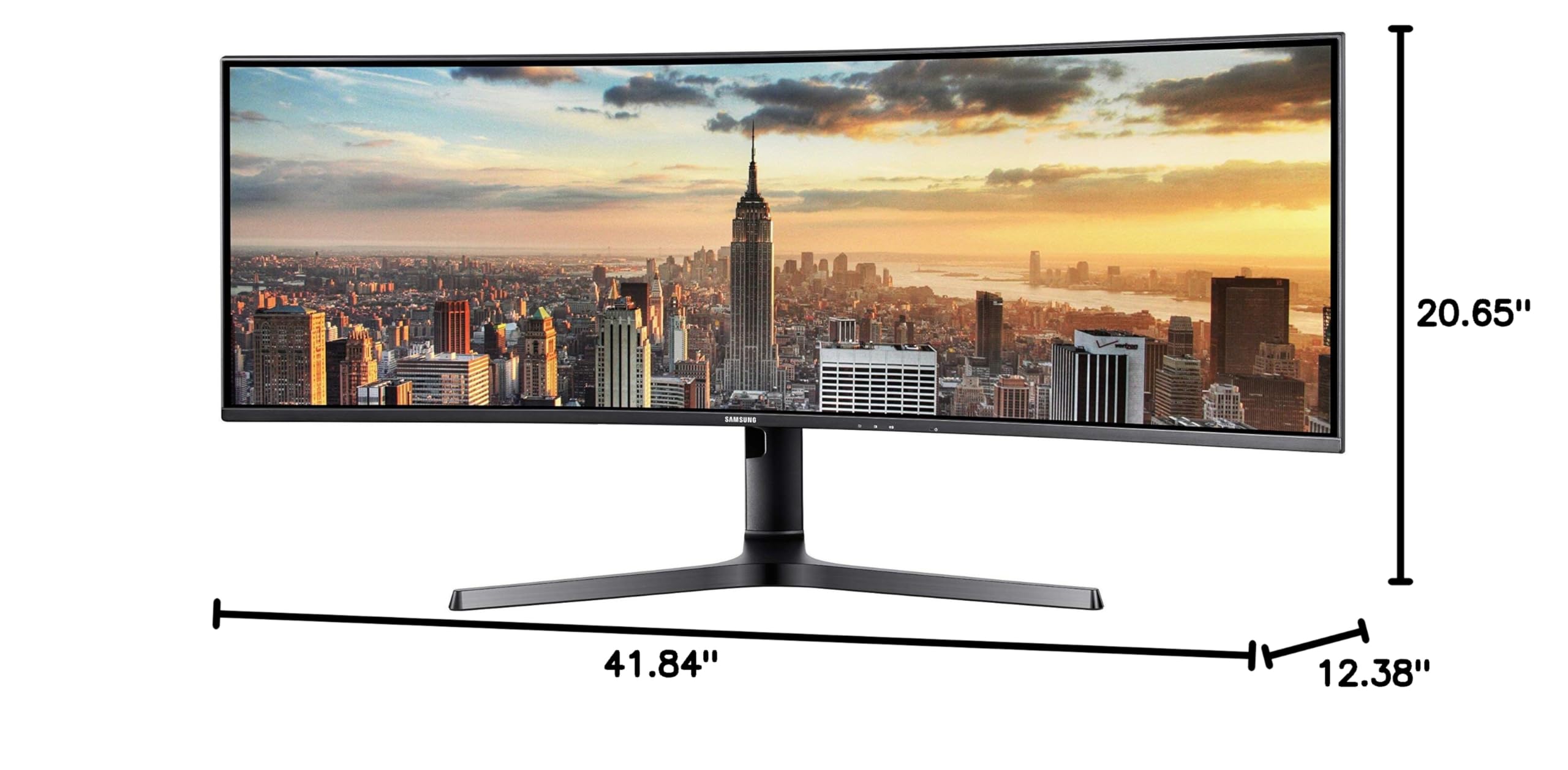
🚀 Elevate your workspace with the ultimate ultra-wide powerhouse!
The Samsung CJ89 is a 43-inch curved UltraWide monitor with a 3840x1200 resolution and 120Hz refresh rate, designed to replace dual monitors with a seamless, bezel-free experience. Featuring Picture-by-Picture mode, a built-in KVM switch, and dual USB-C ports for power and data, it’s engineered for efficient multitasking and sleek connectivity in professional environments.


| Standing screen display size | 43 Inches |
| Screen Resolution | 3840x1200 |
| Max Screen Resolution | 3840 x 1200 |
| Number of USB 2.0 Ports | 2 |
| Number of USB 3.0 Ports | 3 |
| Brand | Samsung |
| Series | LC43J890DKNXZA |
| Item model number | LC43J890DKNXZA |
| Item Weight | 35.5 pounds |
| Product Dimensions | 41.8 x 20.6 x 12.3 inches |
| Item Dimensions LxWxH | 41.8 x 20.6 x 12.3 inches |
| Color | Black |
| Manufacturer | Samsung Electronics DAV |
| ASIN | B07CT1T7HH |
| Is Discontinued By Manufacturer | No |
| Date First Available | April 27, 2018 |
T**2
Outstanding Monitor
If I could summarize my review of this monitor in one word it would be outstanding. I have used several monitors from several different manufacturers and the Samsung CJ890 monitor is the by far the best! So why is the CJ890 Ultra Wide 43” monitor the best?Pros• Packaging: The monitor came shipped in the usual box however, it was packaged so well that even a careless delivery person would not have been able to damage the monitor.• Setup/Inside the Box: The setup was really easy and even allows the user to put the monitor without taking out of the box. I was able to secure the stand on the monitor while the monitor was in the box which will make sense to the buyer as the monitor is so big, manuvering the monitor is a little awkward without the stand/base attached. The box came with everything you need to connect two devices. It came with the power cable, a HDMI cable and a USB C to USB C cable. The stand allows height adjustment and swivel adjustment. Bottom line is that setup was a breeze. Plug in the monitor and cables and away you go. I plugged in a Surface Book Pro and a Galaxy Book and both worked flawlessly with this monitor.• Picture: The picture quality on this monitor is unmatched. I have streamed movies, watched TV and worked with several office applications and the picture is simply amazing. The Eye saver mode is also a major plus.• Sound: The sound is unexpectedly great. Do not expect movie/theater room type sound but for a computer monitor the sound is well above acceptable.• 2 monitors in 1: Being able to have 2 monitors in one with this picture quality puts this monitor in a class by itself.Cons• Cost: This unit new is $900…kinda steep for a computer monitor if using it only for work applications.Overall, this is an outstanding monitor and would highly recommend the CJ890 based on the picture quality and the space it is saving on my desk. While the $800 price tag is a little steep, you have to consider what you are getting. Not having two monitors with cords going everywhere has made my workspace more enjoyable…plus the monitor just looks so cool on my desk.
L**A
AWESOME Monitor!!
Samsung CJ89 is a very good monitor. It is a ultra wide 32:10 42" monitor. It is a impressively wide double full-HD resolution monitor. It just like two full HD monitor put together side by side. It has very has good picture quality, wide color gamut and high native contrast ratio with HDR support. It has 120Hz refresh rate, much more then the needs of office use. With high refresh rate, I can feel very low lag even I just use it for office use case. When I scroll up and down the word document. It works very well, even long time usage, my eye feel much better than my older monitor.It come with factory color calibration data. I never saw this kind of data in my past monitor purchasing experience.You can connect two video cable to monitor, your laptop will detect two full HD monitors. It is like two full HD monitor together side by side "NO EDGE"....THIS is AWESOME feature!!!! I can use half monitor for coding and another side for reading document, email, or bower website with "NO GAP" in between. I put my older Monitor in vertical, I can look the trace, writing email and coding at the same time without arrange monitor.Another AWESOME feature is creating huge and complex Excel sheet...I can create a huge table and see the column from A to BG at the same time. And, I can create a very complex formula without change the line. This advantage improve me a lot of working efficiency.The 1800R curve provides just the right viewing angles when you sit right in the center of the monitor. It is not suitable for discussing issue with colleagues. The 3840 X 1200 resolution is kill my colleagues's monitor during screen sharing in the meeting. From their screen, everything become very small. But, this is not the fault of this monitor. You can just switch dual monitor mode, this issue will be resolved. And, you got another free screen during meeting.It also has build-in speaker, the sound quality is also very good. And, it is build-in in the monitor. It saved me lot of desk space. The signal is transmit via HDMI cable. It is also good for watching movies.I also tested eye protection mode. The screen look darker, I will use it before i went to my bed. But, I disable it during working hours.The another drawback is the its leg, the leg is putty long. You can need a big desk for it. But, you can use wall mount to resolve this problem. Its leg build-in cable management feature. But, I plan to purchased a wall mount for it.It has 1 HDMI and 1 display port connectors. No, any DVI or D-SUB connector. With this high resolution, I will suggest to use HDMI or display port connector, not D-SUB. It also has adjustable tilt and high leg, but, you don't have much room on left or right adjustment. If you are not the central, the screen quality will become very bad.In overall, this is best screen in my life now. Even it is a gaming monitor, but, it is very suitable for office use.
T**H
Samsung 43" CJ890 Is an awesome monitor with ton's of capabilities!
I've been using this monitor since Feb 2020. I continue to push the monitor's functionality. The USB hub is awesome. I originally had my macbook pro (2013) going to a multi port dock and that into my monitor via HDMI. I could access all of the peripherals and external SSD Drive easily through the USB hub. I recently bought a new Macbook Pro with Thunderbolt ports and wanted to ditch the multi dock and go straight to the monitor. I wanted the quicker response the the USB Hub, to charge my mac and reduce the number of cables. I was so happy when it all worked using the included cables with the monitor. I have since found a longer thunderbolt cable and have had great success. This monitor is clear, fast and responsive. I use this for business as well as recording in my studio. The size is perfect for me and I like that it has the Split screen and PIP functionality but I do not use this very often. The built in speakers are not half bad for monitor speakers. It has great cable management as well. If you are looking for a ultrawide monitor with a ton of options, this has everything. I highly recommend it.
Trustpilot
3 days ago
3 weeks ago