


🚀 Elevate your home network with speed and security that keeps you ahead of the curve!
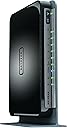
The Netgear N750 Dual Band Gigabit WiFi Router (WNDR4300) offers combined wireless speeds up to 750 Mbps across dual bands, four ultra-fast Gigabit Ethernet ports, and advanced WPA2 security. Designed for medium to large homes, it supports ReadySHARE Cloud and printer sharing, making it ideal for HD streaming, multiplayer gaming, and multiple device connectivity with reliable, interference-free performance.


| Antenna Location | Home |
| Antenna Type | Fixed |
| Asin | B008HO9DK4 |
| Brand Name | NETGEAR |
| Compatible Devices | Laptop, Personal Computer, Smart Television, Tablet |
| Connectivity Technology | Ethernet, USB, Wi-Fi |
| Controller Type | Switch |
| Customer Reviews | 4.2 4.2 out of 5 stars (3,189) 4.2 out of 5 stars |
| Data Transfer Rate | 750 Megabytes Per Second |
| Frequency | 5 GHz |
| Frequency Band Class | Dual-Band |
| Global Trade Identification Number | 00606449084528, 30606449084529 |
| Item Part Number | WNDR4300-100PES, WNDR4300100PES |
| Item Weight | 448 Grams |
| Manufacturer | Netgear |
| Manufacturer Part Number | WNDR4300-100NAS |
| Model Name | Netgear N750 |
| Model Number | WNDR4300-100NAS |
| Number Of Ports | 5 |
| Operating System | RouterOS |
| Ram Memory Installed | 128 MB |
| Security Protocol | WPA-PSK |
| Upc | 606449084528 |
| Wireless Compability | 5.8 GHz Radio Frequency, 802.11a/b/g/n |
User
Neat and uncomplicated
I plugged this in straight from the box and wired up my network again (I was previously using an old Netgear router). It worked straight away without any need for tweaking. The only changes I had to make were to the various security settings, but this was straightforward and worked without a hitch. The admin interface is really good.I bought this to try and improve the WiFi performance as the router is advertised as suitable for medium to large houses. The improvement was not spectacular, even though my house is a very modest detached and the neighbourhood does not have to much 'competition' from other networks which might causes interference - so 4 stars instead of 5. Perhaps the siting of the router isn't optimum, so I really should do a bit of experimenting, but I am constrained by the existing network wiring that I don't want to move. Even so, the WiFi does seem more robust.The big surprise was the wired performance. I have a 20Mbit connection to a cable network and speed tests have always shown that I rarely got a 20 Mb performance - usually 12-16Mb. With the new router every test I have done so far show the wired network achieving at least 19Mb, and often slightly in excess of 20Mb.
User
Good but prone to "Crying Wolf"
My WNDR 4300 log file is filled with many , apparently spurious, "DOS[ack] attacks". The WNDR 4300 "probably" generates these ( mostly ? ) spurious log entries from "apparently innocent internet errors" generated by "Facebook,Google etc ".These "spurious entries" are generated to show how good the WNDR 4300 is at defending the user against internet port attacks.Believe me, these log entries, far from demonstrating the power of the WNDR 4300, have induced a state of paranoia!Outwith the log files, the WNDR 4300 is a very simple to use, fast router. For home use, the WNDR is adequate , simple to set up, and offers a very good Upnp ( "Genie" ) server , and a network USB port!
User
2.5 & 5 GHZ ROUTER BY NETGEAR
The router fixed my WIFI problems getting movies from Amazon to my TV. The amazon movie people said the problem was a software problem with my new Flat screen. The router start up procedure went well and router worked fine 3 weeks. the 2.4Ghz output died and so did my WIFI Canon printer. I tried the Netgear chat line and they got the 2.4Ghz working by swapping out transmitters (according to the chat line) but were not able to get my Canon printer to work.I contacted Canon and they sent me to a service that failed to get the printer to work. I then was told that they had a premium service that could help me. I went to them and they found the operating system printer software (not the drivers) had been corrupted by the Netgear chat line instructions that I had followed.After fixing that all worked for a while but then the system started to stop for no reason. I would have to reboot. This seemed to be caused by my Galaxy S4 with WIFI turned on. The S4 would go dark and the computer would stop. Also my RF mouse was acting funny.The final fix was to lower my computer CPU speed a tiny bit and all was well. I believe that the robust output of the Netgear router was swamping the USB receivers on the system and that the system was running at top speed.The Router has changed the download time for a movie 8 to 10 minutes and maybe not at all to a fast 30 second download with no problems.It is very easy to control guest wifi with the Genie program. The one push security button worked with my TV so I did not have to push the remote keys you know 1=a 1=b 1=c which is a pain.The 5Ghz output remained stable at the other end of my house at all time that I checked ( with the S4 you can get a RF sensing ap that show a graphic picture of the RF signal from the router).My over all opinion is the Hardware and software are the best I have seen so far but the Tech support is all about messages and chat lines, No people to talk to. That makes for an awkward conversation like "how do you know the signal is not at the TV your TV may be broken" When you try to explain that you have an RF signal meter in your cell phone.The router also allows me to print from my cell phone.The 3 cable hook up makes it easy to connect. All in all if the 2.4 continues to work I will be very happy with the Netgear router.
User
Diseño elegante y administracion eficiente
Es muy sencillo de configurar, las bandas duales funcionan muy bien, el rango de mi wifi mejoro notablemente. Lo malo es que no lei bien y pensé que manejaba el Qos independiente para cada dispositivo limitando el ancho de banda. En general muy buen equipo.
User
Muy buen router
Lo llevo utilizando algo más de un año y nunca ha dado ningún problema, es rápido, estable, ligero, y de bajo consumo.Lo tengo conectado en el salón de casa a un extensor de conexión por cable a través de la corriente (TP LINK ASIN: B00ADW9R22) desde el router principal Telecable que está en otra habitación. Con la peana vertical, detrás de la TV no ocupa casi espacio.Proporciona dos nuevos puntos Wi-Fi (2,4 Ghz y 5 Ghz) para conectar smartphones, tablets, portátil... y 4 puertos Gigabit 10/100/1000 donde tengo conectados el deco de Telecable, la Xbox One y una Samsung Smart TV.Todo lo que necesitaba en mi pequeña red doméstica. Fantástico.
User
Fantastic Router!
My previous router Netgear JNR1010 had served me well for 3 years. It is a very basic and cheap router. It worked very well. As the wireless connections increased to more than 3 devices, internet disconnection became the norm! For months, I would reset the router every 15 - 20 minutes to restore the internet without knowing what the real issue was. I thought it was an ISP problem. Finally I figured out that this basic router couldn't handle those multiple connections. So I've decided to buy one that could handle all those connections.I zeroed in to this router after reading some tech reviews that gave positive feedback on this router. Setting up the router is very simple. Once you connect any device (wireless), the device will open the Netgear page or you can manually type routerlogin.net in the browser to access that page. Then you have to simply choose the setup options it displays. The default password will be at the router's bottom. You can change that password within the options. Once everything is done, the WIFI is set. This entire process takes only a few minutes.This router is really good! I live in a first floor flat that is about 1250 Square Feet. This router's range is more than enough to cover the entire flat. I was also able to access the router 30 - 35 meters away from the flat. For a home user, it's range is quite powerful. Multiple connectivity is awesome. This is a dual band router that enables the usage of 5 GHz band for watching videos, which will ensure trouble free streaming. The other 2.4 GHz band can be used for general browsing. This router also has an USB port through which an external HDD or a Pen Drive can be connected and then accessed via WIFI. It's a nice feature and gives you the option to access additional storage. This router is wall mountable! It can also be set up horizontally or vertically on the surface.This router doesn't support BEAM FORMING technology. Unless you work at home or you do some seriously important stuff, you will not need this new technology. This technology costs a few thousands more than the old technology. All that extra money can be saved with this router. Besides BEAM FORMING technology can cause much more exposure to high RF as it concentrates the signals onto the connected device. As I said before, go for this technology only if you really need it. In a sentence, this is the best router in the market sans BEAM FORMING technology!NOTE: There will be some differences if the unit is an import.
User
Reliable, Great Range
Nice reliable router, good range, like the user interface and options
Trustpilot
2 months ago
2 weeks ago

