







dks-wi9erwqew3w4r1032ter
Product ID: 722957153
Details
- BrandLogitech
- Compatible devicesPC Laptop
- Connectivity technologyUSB-C
- Hand orientationAmbidextrous
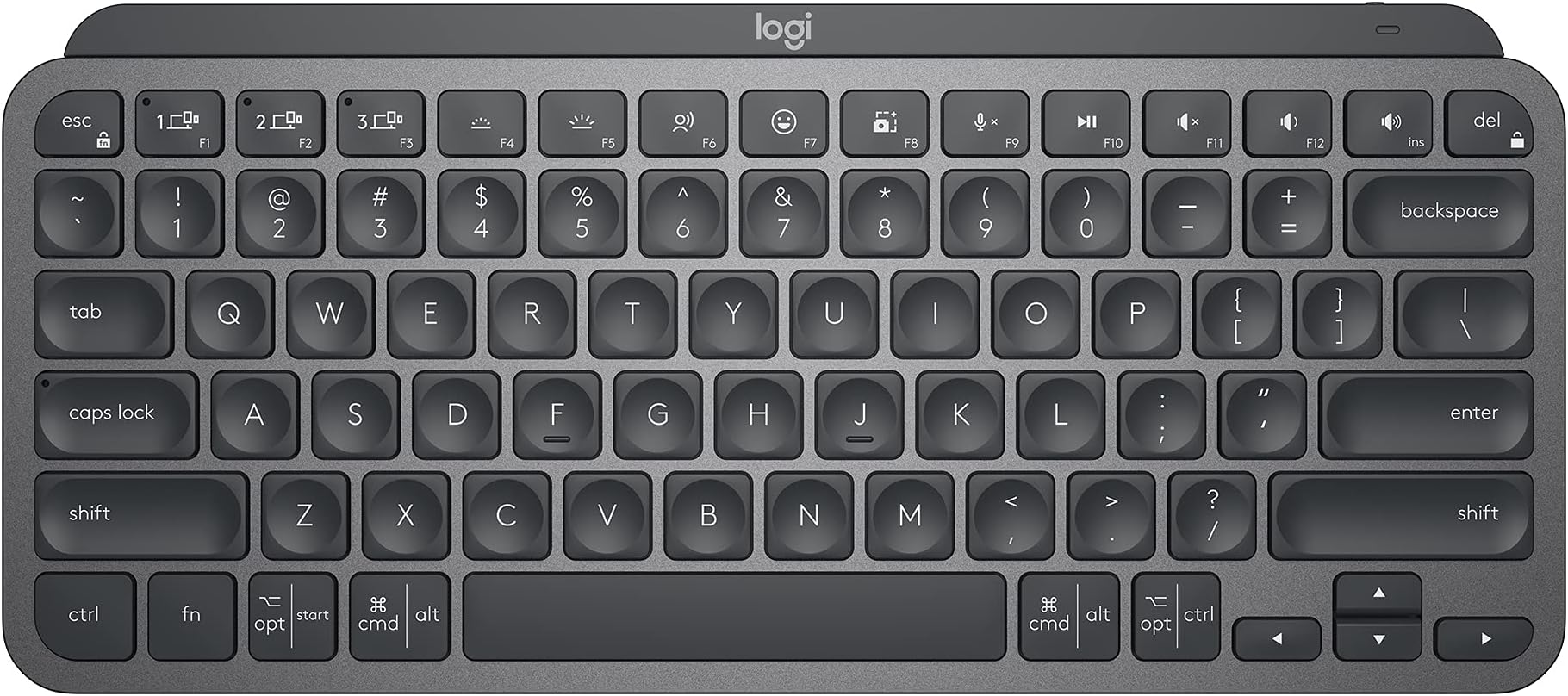
- Keyboard descriptionMembrane
- Keyboard layoutQWERTY


| Asin | B098JPSVKY |
| Brand Name | Logitech |
| Button Quantity | 34 |
| Compatible Devices | PC, Laptop, Smartphone |
| Connectivity Technology | USB-C |
| Customer Reviews | 4.5 4.5 out of 5 stars (2,914) 4.5 out of 5 stars |
| Hand Orientation | Ambidextrous |
| Is Electric | Yes |
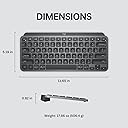
| Item Weight | 680 g |
| Keyboard Description | Membrane |
| Keyboard Layout | QWERTY |
| Language | Spanish |
| Manufacturer Part Number | 920-010388 |
| Model Number | 920-010388 |
| Number Of Items | 1 |
| Number Of Keys | 104 |
| Upc | 097855169570 |
User
Perfecto para el día a día
Este teclado es uno de mis favoritos. Previamente habia comprado la version en blanco en español pero para programar me gusta más el layout en inglés y como vi en las reviews que venia en ingles (aunque en la publicación diga lo contratio).El teclado es bastante cómodo, por el formato compacto se adapta muy bien a espacios reducidos e incluso es bastante portable.Las teclas se sienten muy bien al tacto, escribir es una experiencia bastante agradable.Al ser la version Business trae el receptor logibolt lo cual ayuda bastante si cuentas con otros dispositivos Logitech.
User
Really awesome keyboard for developers
I've been doing software development for three decades and this is by far the best keyboard I've ever owned. The best way I can describe the MX Keys Mini is that it's... smooth. The key response is exactly what I'm looking for, with just the right amount of travel and push required. It's pretty quiet while typing - very similar in feel to what you'd get on a good laptop keyboard. The battery life is plenty good - while I can't *quite* make it two weeks on a charge (usually need a charge a day or two before two full weeks), if I charge this up every weekend I'm good for the upcoming week, and I can typically get to a full charge in less than an hour.Bluetooth setup is a breeze and connectivity has been solid. I've been using this keyboard for five months now without a single drop or connectivity issue. The delay when hitting the keyboard for the first time (I assume it "sleeps" in some fashion) is barely noticeable. The unit itself has some "heft" to it - it just feels well-made and solid.Overall, I can't think of a thing I'd actually change on this keyboard. There are cheaper keyboards out there, but in looking at this from a quality-for-price perspective, I'm ok with the expense for the quality you get. The only outstanding question is how this holds up over time - i.e. years 2, 3, 4...Overall, I highly recommend this keyboard./** Update **/ I'm 15 months in now and this keyboard is still like new. All the keys still work as expected and there isn't a spec of wear on the letters or numbers on the keys. Can't recommend enough...
User
Excelente producto
Recomendado muy buena calidad, le dura mucho la carga, me a ayudado mucho en mi trabajo
User
Premium Keyboard That’s Worth Every Penny!
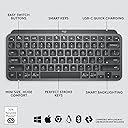
I’ve gone through so many keyboards, trying to find the perfect one. Cheap ones, mid-range ones—you name it. Every time, there was always something off. The keys felt mushy, the build was flimsy, or the typing experience just wasn’t satisfying.Then, I got the Logitech MX Keys Mini—and wow. This is by far the best keyboard I’ve ever used. The keys are smooth, responsive, and feel premium with every press. The build quality is solid, and the compact design is perfect for any setup.And the backlit? Absolutely amazing. The moment I bring my fingers close to the keyboard, the light automatically turns on—it feels so smart and effortless! Plus, the connection to my Mac is super smooth with no lag or issues.Yes, it’s a bit pricey. But trust me—when choosing a keyboard, don’t go cheap. Pay more, get a premium one like this, and you’ll never look back. Absolutely worth it!
User
Top Notch!
I have owned multiple wireless keyboards over the years, and this is hands down the best one I have used. The Logitech MX Keys Mini strikes the perfect balance between performance, comfort, and design. From the moment I started typing, it felt responsive, smooth, and incredibly satisfying. The keys have a great tactile feel with just the right amount of travel, making long typing sessions comfortable and accurate.The compact layout is ideal for a clean and efficient workspace. It saves desk space without feeling cramped, and everything is laid out thoughtfully. I was worried about losing functionality by going smaller, but that has not been an issue at all. The keyboard connects quickly and reliably via Bluetooth, and switching between devices is seamless, which is a huge plus when working across multiple devices.The smart backlighting is another standout feature. The keys illuminate automatically when your hands approach, and the lighting adjusts perfectly to the room brightness. It looks sleek and modern while also being very practical in low light environments. Battery life has been excellent, and I rarely have to think about charging it.Build quality is top notch and feels premium. The keyboard stays firmly in place while typing, and there is no flex or cheap feel. Everything about it feels well engineered and intentional.If you want a compact wireless keyboard that delivers comfort, precision, and a polished design, this is absolutely worth it. Logitech really nailed it with the MX Keys Mini, and I would not hesitate to buy it again or recommend it to anyone looking for a high quality wireless keyboard.
Trustpilot
2 weeks ago
2 weeks ago