๐ฎ Elevate your gaming desk setup โ dock, charge, and conquer in 4K clarity!
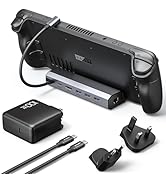
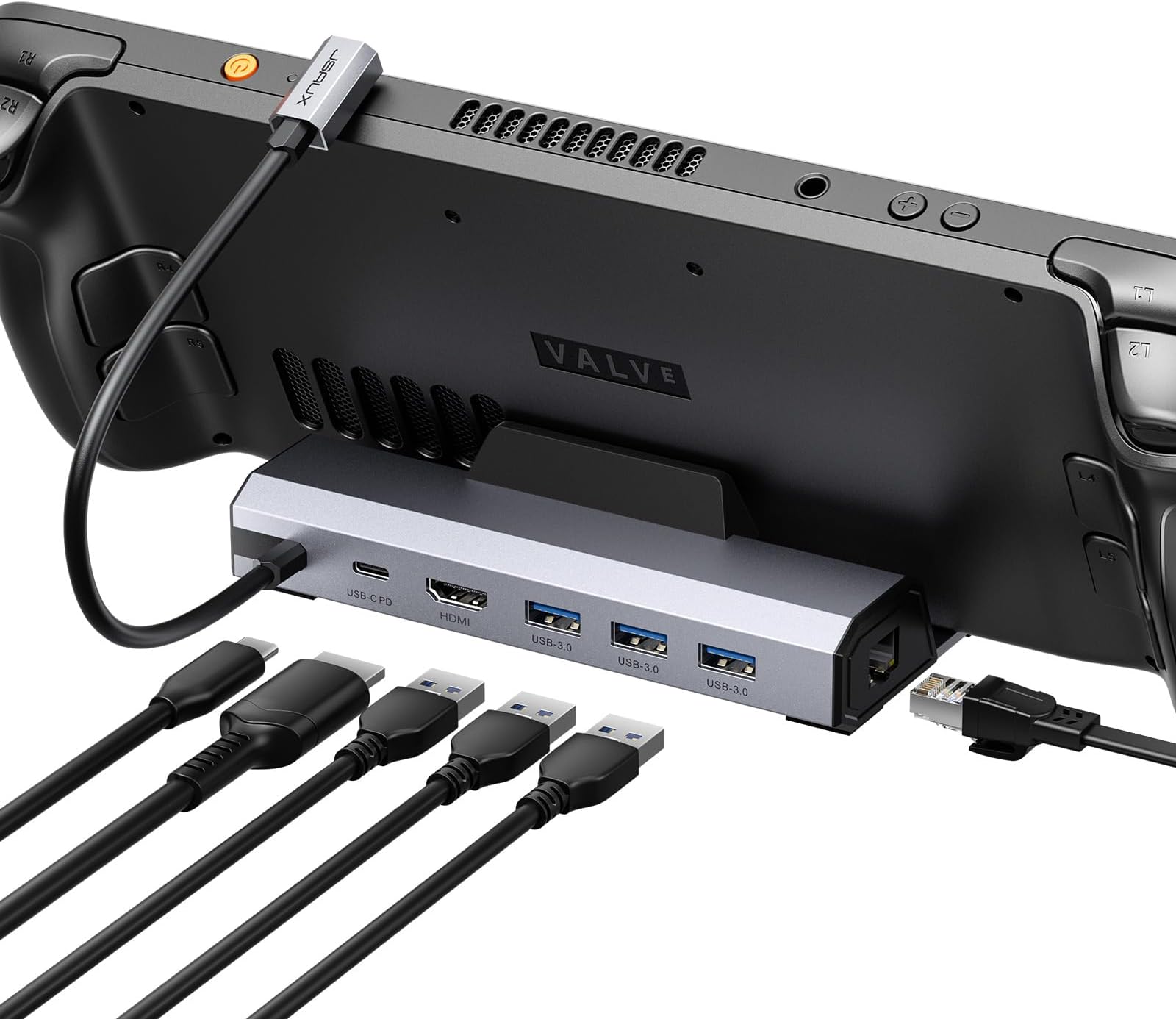
The JSAUX 6-in-1 Docking Station (model HB0603) is a premium accessory designed for Steam Deck OLED, ROG Ally, Legion Go, and MSI Claw. It features a 4K@60Hz HDMI output, gigabit Ethernet for ultra-fast wired internet, three USB 3.0 ports, and a USB-C port delivering up to 100W power for rapid charging. Combining hub functionality with a stand, it transforms your handheld console into a desktop powerhouse, enhancing productivity and immersive gaming with seamless connectivity and power delivery.


| ASIN | B0B7HVZNMB |
| Brand | JSAUX |
| Brand Name | JSAUX |
| Colour | 6-IN-1 |
| Compatible Devices | Valve Steam Deck /Steam Deck OLED, ASUS ROG Ally, Lenovo Legion Go, MSI Claw |
| Customer Reviews | 4.4 out of 5 stars 4,018 Reviews |
| Hardware Interface | Ethernet, HDMI , USB 3.0, USB Type C |
| Item Dimensions L x W x H | 32L x 109W x 153H Millimeters |
| Item Weight Unit of Measure | 170 Grams |
| Manufacturer | JSAUX |
| Manufacturer Part Number | HB0603 |
| Model Number | HB0603 |
| Number of Ports | 6 |
| Product Dimensions | 32L x 109W x 153H Millimeters |
| Total HDMI Port | 1 |
| Total USB Ports | 4 |
| Unit Count | 1.00 Count |
| Wattage | 100 Watts |
A**N
Funciona super bem
Muito bom. Atendeu bem as minhas expectativas.
A**L
Works flawlessly for Steam Deck
Note: This is a Day 1 review. Once I've received it I've been playing on it for a straight 10 hours, no issues whatsoever on 2K monitor and on 4K TV, no input lag. Something to have in mind: 1- This is only for Steam deck, any other devices might cause it power issues. 2- it's recommended to use the original 45W power plug, so don't exceed the limit as the power regulator might burn something. 3- it gets warm after a long hours of heavy play, but there was no problems so far. ุงุฐุง ู ุนู ุณุชูู ุฏูู ุงูุตุญู ููู ุงุฐุง ุชุจู ุดูุก ู ุถู ููุ ุบูุฑ ูุฐุง ููู ุฎูุงุฑุงุช ุงูุถู.
A**T
Versatile and Reliable Docking Station - Perfect for Steam Deck, ROG Ally, and Work Laptop
The JSAUX Docking Station has proven to be an exceptional addition to my setup, accommodating my Steam Deck, ROG Ally, and work laptop with ease. I have absolutely no complaints about this versatile docking station and highly recommend it to anyone in need of a reliable solution. Allow me to share my experience and highlight its notable features. First and foremost, the build quality of this docking station is remarkable. It feels sturdy and well-constructed, providing a sense of durability and reliability. I have confidence in its ability to support and protect my devices during use. The docking station's Ethernet functionality deserves special mention. The connection is lightning-fast, allowing for seamless online gaming experiences and speedy downloads. Whether it's for multiplayer sessions or streaming content, the Gigabit Ethernet ensures a stable and lag-free connection. One of the standout features is the compatibility with both the Steam Deck and ROG Ally. This versatility is incredibly convenient, allowing me to dock and charge either device effortlessly. The docking station accommodates the unique requirements of each device, providing a seamless connection and charging solution. I must point out that while using the docking station with my ROG Ally, I encountered a "not compatible charger" error, resulting in the device not receiving the full 30w charging profile while docked. However, after conducting thorough research, I discovered that this is likely a software issue with the Ally itself, and not a flaw in the docking station. Therefore, I don't deduct any points from my rating for this particular compatibility hiccup. In addition to gaming devices, I also utilize this docking station for my work laptop. The convenience of consolidating multiple cables into a single USB-C connection has been a game-changer. Previously, I had to manage five separate cables, but now, with this docking station, I enjoy a clean and clutter-free workspace. The ease of grabbing my laptop and going has been a significant time-saver. In summary, the JSAUX Docking Station is a versatile and reliable solution that caters to the needs of Steam Deck, ROG Ally, and work laptop users. The sturdy build, lightning-fast Ethernet, and seamless compatibility make it a standout choice for docking and charging multiple devices. While the ROG Ally compatibility issue exists, it's important to note that this is likely a software-related matter and not a fault of the docking station itself. With this in mind, I wholeheartedly recommend the JSAUX Docking Station to anyone seeking a cleaner, more efficient setup for their devices. Experience the convenience and simplicity of this docking station, and elevate your gaming and work experiences to new heights.
C**O
Recomendable
Muy buena calidad y funcionalidad, solo me hubiera gustado que el puerto ethernet estuviera en la parte trasera aunque quitaran un puerto Usb.
M**4
Minor issue that is very easily fixed, does not change the quality of this dock
Let's get the meaning for my title out of the way - I am not sure why this happens, and others with this exact dock have commented, that often when plugging in the dock to the Steam Deck, with USB drives already attached and power connected to the dock, the USB drives cease to be detected. Power is being delivered to the Steam Deck, but the USB drives are absent. ?? Unplugging and reconnecting the power to the dock fixes this instantly, but otherwise it's an odd behaviour. All USB drives work flawlessly (aside from the above random behaviour), power gets delivered to the Deck without issue, HDMI is transmitted to my TV with crystal clear image and sound and the dock itself rests comfortably in the cradle. One thing I've not been able to test is the Cat5 network cable socket, since I exclusively use wifi to provide internet in my house. The build quality of the dock is perfect, the rubber bumpers in the cradle carry the Deck with comfort and show no obvious signs of movement or falling over. One thing to keep in mind with this dock, is the Steam Deck's weight far exceeds the weight of the dock and so it is quite easy to topple both the Deck and the dock when attempting to pick up the Deck. One other thing I'd like to mention is the connector to the Deck itself - the connection is VERY strong, and requires decent strength to unplug. Maybe this was intentional? Even so, it's nice that it's on a 90 degree right angle so you have less chance to bump it and break the USB C port on your Deck.
Trustpilot
5 days ago
1 month ago