
Desertcart purchases this item on your behalf and handles shipping, customs, and support to Greece.
๐ Elevate your home network to WiFi 7 speed and securityโbecause buffering is so last decade.
The NETGEAR Nighthawk RS140 is a cutting-edge dual-band WiFi 7 router delivering up to 5 Gbps speeds and coverage for 2,250 sq ft. Designed for busy homes with up to 80 connected devices, it features a powerful quad-core 2.0 GHz processor, MU-MIMO, OFDMA, and multi-gig wired ports. Compatible with most internet providers, it offers advanced security with automatic updates and NETGEAR Armor protection. Manage your network easily via the Nighthawk app for seamless control anytime, anywhere.
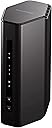
| ASIN | B0F114274T |
| Antenna Location | Business, Gaming, Home |
| Best Sellers Rank | #65 in Computers & Accessories ( See Top 100 in Computers & Accessories ) #8 in Computer Routers |
| Brand | NETGEAR |
| Built-In Media | One (1) 12V/2.5A power adapter, One (1) 2m Ethernet cable, One (1) WiFi 7 Dual-Band Router (RS140), Quick start guide |
| Color | Black |
| Compatible Devices | Gaming Console, Personal Computer, Security Camera, Smart Television, Smartphone |
| Connectivity Protocol | Wi-Fi, Ethernet |
| Connectivity Range | 2250 square_feet |
| Connectivity Technology | Ethernet, Wi-Fi |
| Coverage | 2250 square feet |
| Customer Reviews | 4.3 out of 5 stars 454 Reviews |
| Data Transfer Rate | 5000 gigabits_per_second |
| Frequency | 5 GHz |
| Frequency Band Class | Dual-Band |
| Item Highlight | Reliable Performance, Easy Set Up, 80 devices, 1ร 2.5G + 3ร Gigabit Ports, Dual Band, BE5000 |
| Item Weight | 1.49 kg |
| LAN Port Bandwidth | 1000 [NO] |
| Manufacturer | NETGEAR |
| Maximum Upstream Data Transfer Rate | 5000 megabits_per_second |
| Mfr Part Number | RS140-100NAS |
| Model Name | RS140-100NAS |
| Model Number | RS140-100NAS |
| Number of Items | 1 |
| Number of Ports | 4 |
| Operating System | Linux |
| Other Special Features of the Product | Internet Security |
| Router Firewall Security Level | Advanced |
| Router Network Type | Hybrid |
| Security Protocol | WPA3 |
| Special Feature | Internet Security |
| UPC | 606449173758 |
| Unit Count | 1 Count |
| Voltage | 12 volts_of_direct_current |
| Warranty Description | 1 Year Limited |
| Wi-Fi Generation | WiFi 7 |
| Wireless Communication Standard | 802.11.be |
| Wireless Compability | 802.11.be |
J**X
Love it
Fantastic product. I swear by the nighthawk. Easy to connect and fantastic range in my home. It accommodates a huge amount of devices and the speed capability is wonderful. Compatible with all my devices and with my security system it's absolutely fantastic. It comes with a security feature if you're interested in that.
C**E
Excellent WiFi Home Router
I spent some time doing research on both modems and routers, including speaking with several IT professionals. I ended up landing on this Nighthawk after many recommendations. This router was a breeze to set up and paired perfectly with my new Motorola B12 cable modem. The step by step instructions in the app made it very easy; the performance and user-friendly experience is really nice. You can easily view all devices connected to the network, configure a separate guest network, run a Speedtest directly from the modem, and more. 2.4 and 5 GHz are automatically configured based on the devices connected. I used the same SSID / Login/ network name from my previous WiFi router and all devices connected seamlessly to the new Nighthawk. I am very pleased with the purchase!
A**D
Woo Hoo! Easy Peasy!!!!!!!!
This is a review of using the NETGEAR 8 Port PoE Gigabit Ethernet Easy Smart Managed Essentials Switch (GS308EP) to allow me to switch from an old router to the NETGEAR Nighthawk Dual-Band WiFi 7 Router (RS140) with no down time for my care receivers. Super simple. Was able to plug it in to 120v, unplug the router from the modem, plug this into the modem, then plug the router into this NETGEAR switch and WHILE 'Sling' was streaming with only about a five second pause in streaming and then it continued. After than I was able to use an open port on the switch to plug in the NETGEAR Nighthawk Dual-Band WiFi 7 Router RS140 and spend about 20 minutes getting that configured. After that I reconnected my 10 devices to the new router and threw away my old Tenda router which has seriously compromised security with a open back door for hackers denial of service attacks. Just a note, the router would not allow connection with the default password written on the bottom. I had to change it in the phone app and it worked like a charm. Just an FYI if you're planning the same thing. I'm a 70 year old caregiver for my 88 year old senile sister and my 68 year old fiance, so keeping them happy with their devices while I upgraded was paramount. Mission accomplished, plus I have more open WAN ports for a future outdoor wifi planned for later this year. The setup was so simple on this that I didn't even need to download and read instructions. I just used the QR code on the bottom of the router and downloaded the NETGEAR setup app from the apple store and it did the rest. It DID take 10 minutes while some sort of security protocol was being performed and I thought it had hung, but I just played a game while I waited and Voilร I was up and running. Response time and throughput are amazing. I am stoked!!!! No dropped signals at all in the past three days as some of the negative reviews show. Crossing my fingers that they just got a lemon and I didn't.
J**A
Installing via app is iffy, otherwise works great, gives me room to grow!
I had trouble using the app for setup, but a call to Support helped. Addressing the router directly (the only way I've ever set up a router before) was the remedy, and we had it set up quickly that way. I would recommend, if you try using the app and it keeps saying there's no internet connection, just go directly to 192.168.1.1. Once set up, the router is working great, giving me the full speed I've been paying my ISP for all this time and not getting with the old router. I set the SSID and password the same as before, so all my devices could reconnect automatically and seamlessly. A few had to "forget" and re-add the connection, but then no issues. The range covers my 1600 sq. ft. apartment (from one side, as I wasn't able to position it more centrally for a number of reasons). I'm really happy I replaced my old (different brand) router with this one. I had been struggling with a lack of speed and reliability for a long time, not realizing it was the router, not the ISP. All my devices are much happier now, streaming works great, and anything else I want to do online while also streaming works just fine too. It's really a little more than I need, but that makes me think there's room to grow, as a gadget geek like me is likely to accumulate more connected devices and activities over time.
G**G
Constant dropouts and speed fluctuations
Ordered one and it died in less than a week. Ordered a replacement. It constantly drops the signal causing me to lose WiFi on all my devices. On my phone it will say cannot connect using current security settings even nothing has changed. Then it will connect and say no internet. I have to disconnect and connect several times or toggle WiFi on and off before it works for a few minutes. Sometimes it says I need to login into the network and throws me into the Netgear login page. That happens on phone and computers. Even when it's working, the speed drops to half or less just being ten feet away but within the line of sight, or the same device, in the one location will returns wildly different speed results taken seconds apart. I have four Netgear mesh extenders and it won't communicate with them even when I reset them and re-enable them on the newtork.
S**N
Good Product
I was very happy with NETGEAR products. My router lasted 20 years. So I decided to buy another one. Right out of the box things were different. All I did the for first one was plug it in. This time I had to download an app. I had to spend time registering. I'm a victim of a stroke, this isn't easy. I often have to call a help line to get someone to walk me through it. On line messaging don't work because my right hand doesn't work. However after about two hours I got it working. I haven't had any trouble with it. It's a fine product.
S**T
Good Value, easy setup and good range
Easy setup. The router speed is excellent and it has good range
M**S
Easy install
Works well
Trustpilot
1 month ago
1 month ago