Some deliveries may take a little longer than usual due to regional shipping conditions.

DOWNLOAD THE APP


Customer Services
Copyright © 2025 Desertcart Holdings Limited
DOWNLOAD THE APP

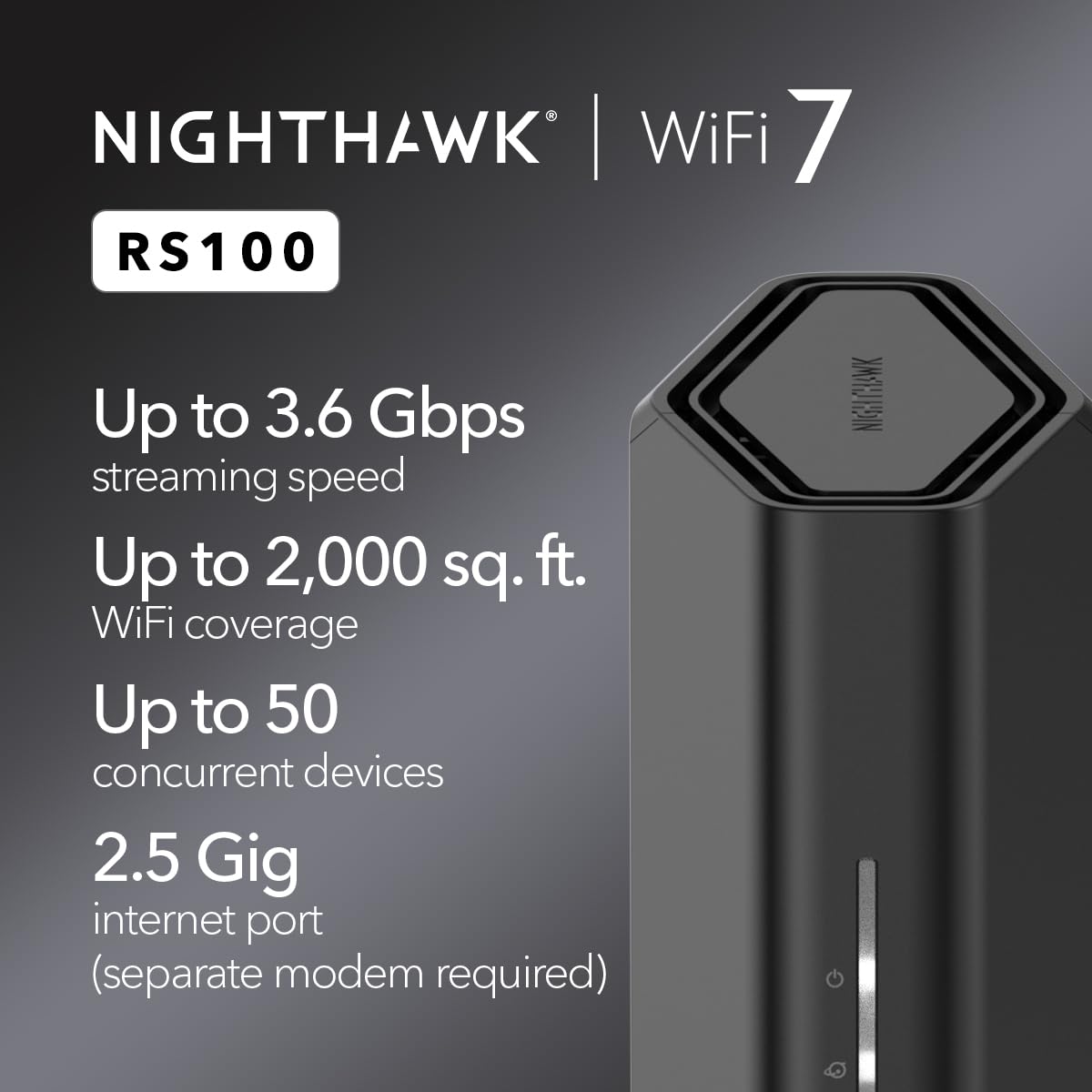


🚀 Upgrade to the future of WiFi — faster, smarter, and built for your connected lifestyle!
The NETGEAR Nighthawk RS100 WiFi 7 Dual-Band Router delivers cutting-edge wireless speeds up to 3.6 Gbps, covering up to 2,000 sq. ft. and supporting 50 devices simultaneously. Featuring a 2.5 Gigabit Ethernet port for multi-gig internet plans and enhanced security with NETGEAR Armor, this router is designed for seamless streaming, gaming, and smart home connectivity. Its sleek design and easy setup make it an ideal upgrade for professionals seeking reliable, high-performance networking.




| ASIN | B0DWQK25DW |
| Best Sellers Rank | #464 in Electronics ( See Top 100 in Electronics ) #4 in Computer Routers |
| Customer Reviews | 4.3 4.3 out of 5 stars (2,093) |
| Date First Available | February 12, 2025 |
| Item Weight | 1.83 pounds |
| Item model number | RS100-100APS |
| Manufacturer | NETGEAR |
| Product Dimensions | 10.7 x 7 x 5.1 inches |
D**.
A great router at a great price!
My NETGEAR - Nighthawk RS100 Dual-Band Wi-Fi 7 Router. was easy to setup and I added 11 device within minutes. It even allocates WIFI devices as you add them for load balancing. The dashboard is impressive and provides a traffic meter, speed tests, WIFI settings, security and support and a device list that can manage individual devices. A great router at a great price point.
B**N
Excellent Wi-Fi 7 upgrade — fast, stable, and worth it
I recently upgraded to the NETGEAR Nighthawk RS280S, and it has been a huge improvement over my old ISP-provided router. Setup was quick through the app and I was online within minutes. The speed difference is immediately noticeable. I’m getting much higher download and upload throughput, lower latency, and far more consistent performance across all my devices. Streaming 4K video, gaming, large downloads, and multiple phones/tablets running at the same time no longer slow anything down. Coverage is excellent too. Signal strength is strong throughout my entire home, including areas where my old router used to struggle. The 5 GHz and 6 GHz bands handle heavy traffic really well, and devices stay connected without random drops. I also like the 2.5-gig port for faster wired connections and future-proofing. Everything feels responsive and stable, even with lots of devices connected at once. It just works, which is exactly what I wanted. Overall, this router delivers great performance, easy setup, and reliable coverage. Definitely worth the upgrade if you want faster Wi-Fi and better stability.
B**S
NETGEAR Nighthawk BE9200 WiFi 7 Tri-Band Router (RS280S)
NETGEAR Nighthawk BE9200 WiFi 7 Tri-Band Router (RS280S) By BJennis 12345 Amazing Router, Setup was quick and simple, less than 15 minutes to complete Once I switched devices from Internet provider modem to Nighthawk everything was incredibly faster. Before, .7 download, 13.2 upload After, 34.66 download, 54.64 Upoad Also coverage was great, router on 2nd floor and device in basement. Before could barely connect with internet provider modem, After connection was great - device speed was similar to devices on 2nd floor near the Nighthawk
A**S
Good 2.4/5Ghz performance for the price. Disappointing 6Ghz band.
Recently purchased and set up this router for my home, and here are some thoughts. First of all, on the specs themselves, I thought this was a steal at $188, compared to the RS300 at $280. I did a lot of research and these are practically identical routers, the only difference being the 2.4Ghz band does not support WiFi 7, so it's 500Mbps instead of 600Mbps, which seems completely trivial. Anything you need high speed for should be using the 5Ghz or 6Ghz band anyways. Setup: I did run into an issue when setting it up. After it asked me to name the network, it then needed a firmware update. The firmware update completed fine but the network name reverted back to the default name, even though in the Nighthawk app it still showed the new name I gave it. The only way to fix this was to turn off the smart connect feature that merges all the SSIDs into one, and once there were three different SSIDs, the names showed up correctly. Performance: So far the performance is good, but hasn't blown me away. The range for the 2.4/5Ghz bands is pretty much the same as the cheap TP-Link AX1800 that this replaced. The 6Ghz band range is terrible. There's no other way to put it. It pretty much only works in the same room. I was sort of expecting it to be worse based on what I've read online, but it's worse than I thought. Additionally, it's actually a littler slower than the 5Ghz band on the one device I have that currently can use the 6Ghz band, which is my new phone I just got that has Wifi6E. I tested both bands while standing right in front of it and the 5Ghz band outperformed the 6Ghz band by about 5-10%. I bought this for future proofing, so we'll see if Wifi7 devices will work better with it in the future. My desktop PC has a wireless AC card in it and was able to max out my internet's bandwidth at 800Mbps on the 5Ghz band no problem, so that was great (I upgraded my modem at the same time, which was previously bottlenecking me to 130Mbps no matter the device or band). Other: I have noticed at times that my phone will connect to the 2.4Ghz band instead of the 5Ghz band, so I made my phone forget the 2.4Ghz SSID to force it to always use the 5Ghz band. I suppose if the smart connect feature had worked, it would have fixed this (but I can't say since I never got to test it out). Conclusion: Definitely not perfect, but still good overall for the 2.4/5Ghz bands. For the price, I think it's a good deal and hopefully will work well with Wifi7 devices in the future.
B**N
Easy setup, works well.
Title: Easy setup, good coverage Description: The basic router setup was simple and I was up and running in under 10 min. It's been working for about a week now and speed is great, coverage is adequate for my home.
K**B
Great Router
Our RS500 replaces a Netgear XR500 that is no longer supported. WiFi connections to the XR500 were also beginning to exhibit connection issues and performance degradation. These problems have cleaned up with the RS500, which has no trouble delivering our ISP's 500Mbps up/down over WiFi and wired connections. Ping latency is 7ms with a wired connection and 9ms with a WiFi connection. Installation and setup was easy, and I preferred to use a web browser instead of the smartphone app. The RS500 supports 2.4Ghz, 5GHz and 6GHz WiFi channels, WiFi 7, and has a 2.5Gbps WAN port, one 2.5Gbps LAN port and three Gigabit LAN ports. One minor issue occurred during setup when it checked for a firmware update and reported that I had the latest firmware. After completing setup and signing in as admin, I found that the router firmware was not the most recent and needed an update. We've only been running the router for a few days now, but so far everything is stable and working well, with no hints of any functional or performance issues. I would definitely recommend the RS500, particularly at the currently available 25% discount price.
G**E
Excelente!
H**R
Exellent
R**.
El soporte de la Netgear esta en la India, no hablan español, apenas hablan ingles, y forzosamente quieren tu nombre, apellido y correo electronico para tomar tu llamada. Si no das esos datos, te cuelgan. Netgear ahora se dedica a la venta de datos personales, ya que no hacen routers que sirvan. Compre este router por que la pagina de netgear insiste que puedes configurar un cliente VPN directamente en el router. Esto es categoricamente FALSO. El submenu que su misma documentacion indica, NO EXISTE dentro de este router, ende, NO ES POSIBLE configurar una VPN. Falla seguido. De la nada mis servicio deja de navegar. No indica falla o perdida de señal, o un timeout. Simplemente deja de cargar lo que sea, ya sea por wifi o por ethernet. El problema se soluciona inmediatamente conectando directamente al modem de mi provedor de servicios. Si, es cierto. Es Wifi6, pero solo para dispositivos mobiles. Mi PC tiene una tarjeta de red que tambien es wifi6, y por ninguna razon el router solo le permite una conexion tipo 802.11n, lo cual te limita a 200Mbps. No hay forma de conectar mi PC en 802.11ac o 802.11ax. Curiosamente, al compartir datos con mi celular a la misma PC, esa conexcion SI ES 802.11ax. Es decir, no es un problema con la PC, ni con el celular. El router simplemente limita las conexciones de PCs a 802.11n, y no hay forma, no hay manera de forzar al router a utilizar 802.11ax. Y por alguna razon todo quieren que sea por su jodida app.
I**O
A brilliant piece of kit ... fast and smooth with plenty of gear hanging off it
R**L
I have had endless problems with this router. Its auto selection of 2.4 GHz or 5 GHz signal confuses my Apple Watch and iPhone. So I turned that feature off and renamed the two networks separately. Now it recognises the faster network but keeps dropping out and eventually won’t let me connect to it. Furthermore, where once I could get a signal anywhere in the house, to connect some things I need to be sitting tight next to the router. After that I can go anywhere in the house or yard and it’s ok. This router tries to be too fancy and it’s giving me a headache as every day I need to reconfigure settings to get it to work properly.
Trustpilot
2 weeks ago
2 months ago