Desertcart purchases this item on your behalf and handles shipping, customs, and support to Greece.
🚀 Elevate your storage game with pro-grade speed and stability!
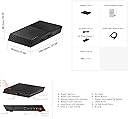
The Asustor FLASHSTOR 6 Gen2 FS6806X is a 6-bay all-flash NVMe NAS powered by an AMD Ryzen quad-core CPU and 8GB DDR5 ECC RAM. Featuring six PCIe 4.0 M.2 NVMe SSD slots, dual 10GbE networking, and USB4 connectivity, it delivers enterprise-level performance tailored for demanding professional workloads like 4K/8K video editing, virtualization, and high-speed data transfer. Its silent, all-flash design and flexible RAID support make it ideal for creative studios and business environments seeking scalable, reliable, and ultra-fast network storage.


| ASIN | B0DKJG5QXS |
| Best Sellers Rank | #111 in Network Attached Storage (NAS) Enclosures |
| Brand | Asustor |
| Built-In Media | Quick Start Guide |
| CPU Model Number | V3C14 |
| Cache Memory Installed Size | 8 GB |
| Cache Size | 8 GB |
| Color | Black |
| Compatible Devices | Server, Desktop, Laptop |
| Connectivity Technology | Ethernet, USB |
| Customer Reviews | 3.6 out of 5 stars 53 Reviews |
| EU Spare Part Availability Duration | 10 years |
| Global Trade Identification Number | 04710474831685 |
| Graphics Card Interface | Integrated |
| Graphics Coprocessor | Gráficos integrados |
| Hard Disk Interface | NVMe |
| Hardware Interface | Ethernet, USB |
| Item Dimensions | 12.2 x 12.99 x 3.54 inches |
| Item Weight | 775 g |
| Manufacturer | Asustor |
| Memory Clock Speed | 4800 MHz |
| Memory Speed | 4800 mt_s |
| Model Name | FS6806X |
| Model Number | FS6806X |
| Operating System | ASUSTOR Data Master (ADM) |
| Personal Computer Design Type | Computer Tower |
| Personal computer design type | Computer Tower |
| Power Plug Type | Type G |
| Processor Count | 4 |
| RAM Type | DDR5 RAM |
| Style Name | Flashstor Gen2 |
| Total Usb Ports | 5 |
| Unit Count | 1 Count |
D**R
Phenomenal Device!
I have been running a plex server for years on my desktop PC. I got the dreaded message from MS that Windows 10 was dying soon and my PC did not meet the minimum requirements to run Windows 11. I have been looking at NAS solutions like Synology and QNap. While these are definitely an option, I ran across the ASUStor on Amazon and then jumped to YouTube to do some research. Thank you guys over at NASCompares! Great info and guidance. Then I discovered how much SSD prices have fallen and well, decision made! I dove in to this ASUStor Flashstor Pro Gen 2! I chose to go with six 4TB drives in raid 5 to start with. Still have 6 slots that I can expand into for future needs! I chose to go with the ASUStor heat sinks for an additional $29 and 6 TeamGroup MP44 4TB SLC Cache gen 4x4 SSD drives to round out my initial setup. First I have to say, make sure you cross reference the drives you choose, with the ASUStor compatibility guide online. This is critical. Next, the Flashstor 12 Pro Gen 2 was super easy to open up and add the drives and heat sinks to. Took about 10 minutes total and boom, powered on and ready to rock and roll. Quick note here, you may want to log into your router and find the DHCP address assigned to your Flashstor, you will need this so you can connect to the web interface! Setup was super quick with the ASUStor ASM! This software is freaking amazing and very intuitive! It basically walks you through the process to get your drives configured and they have their own App Store! Super easy to find apps you will need. It has everything from Container Software to back up software to streaming media software. Amazing job here ASUStor! Be warned, 24Tb of SSD is a lot, even with the AMD Processor, it is gonna take awhile to complete. Good news though, you can actually start loading the apps you want while it is doing its thing after a certain % complete on the raid! Nice touch there! Again, my plan was to replace my aging PC I stream Plex from. Here is where it gets a little frustrating, the Plex App was difficult to actually get working. So much so, that as I dug in on researching the issue, I discovered that Plex actually generates a ton of bloated traffic on your network! What the heck Plex!? I have a lifetime pass with them, but this really made me second guess my choice of Plex… yep I wound up switching to Jellyfin and the Flashstor had the app available in their store and it was super quick and easy to setup and get running. Again, phenomenal job here on third party apps and availability in your ASM tool! The quality of this hard ware is amazing! It feels pretty well made and they have done a lot to dissipate the heat in a passive system! They have built in monitoring in the ASM and you can track the health of your raid(s) with real time temperature monitors for the SSD and Processor. They offer dual 10gb Ether ports and ECC RAM support. The RAM comes at 16gb (single stick) with the initial device. This is easily expandable to 32gb, and I recommend you jump on that quick! It will really improve streaming performance when you get a few people in your house streaming to their various devices. This thing is super quiet too! Say goodbye to jet engine sounding NAS in your house! This bad boy is so quiet! Benefits of no mechanical drives and massive power requirements! To sum this up, I was very impressed by this device and would recommend to anyone looking to venture out into the world of NAS for backup solutions and/or streaming. A little bit pricey for the initial setup, but you can grow as you go and need because of the expandability this device offers!
S**.
Think twice before buying Asustor FLASHSTOR 12 Pro Gen2 FS6812X, 12 Bay All M.2 SSD NAS
UPDATE July 2025: . After owning this device for few months (it wasn't actively used after initial transfer of about 12TB worth of data to it for backup/DR recovery purposes), time to update the original review below. Asustor FLASHSTOR 12 Pro Gen2 FS6812X is ridiculously overpriced for this lightweight flimsy plastic box and internals. It is running hot on fans set to Auto but at least it is very quiet. I've seen my SSDs hitting 70°C (50-55°C while idle) and the CPU/system reports about 55°C during normal use which is a bit high for my liking. What you have to be aware that this NAS is very picky about the memory (especially ECC memory) so even if the NAS boots up and ADM works it doesn't mean that it may not have some weird problems such as random crashes. Run the memtest and keep the OEM memory module until you're sure the upgrade memory works as Asustor support will put all blame on it if your NAS crashes. Asustor sells two brands of memory only - their own and PHS-branded memory that is listed as compatible which limits our choice for memory modules from popular brands such as Crucial, Kingston, OWC or Nemix that cost 3 times less. So the 600 USD upgrade cost to 32GB ECC memory (to get a matching pair of 16GB ECC SODIMMs) will cost you almost the half of the current price of FS6812X!!! It is plain and simply ridiculous and completely unjustified. I can have the same 32GB ECC memory from Nemix for 150 bucks, or Kingston for 200. Another thing to be aware is that because of limited PCIe lanes engineers had to make hard decisions how to spread these between all internal slots. As a result, not all SSDs you're going to install on this NAS will get the same speed regardless what SSD you're using: these installed on port #9 and #10 will be limited to around 800-900Mbps simply because these Gen 3x1 ports theoretical maximum bandwidth is 1 GB/s: Port #1: Gen 4x4 Port #2 through 4: Gen 4x2 Port #5 though 8: Gen 4x1 Port #9 and 10: Gen 3x1 Port #11: Gen 3x2 Port #12: Gen 3x4 So it makes no sense to use fastest possible NVMe SSDs for this NAS - they simply can't reach their maximum speed except when used on Gen 4x4 slots and even then the bottleneck will be 10GbE LAN interface. Rather, use single-sided and most power efficient ones. Asustor support is slow to respond. I have an open ticket regarding the crashes for 7 days (most of the troubleshooting I did on my own) and the only thing the support did was to downgrade the ADM to older version. I am also awaiting the support to troubleshoot the issue with Network LED light on top of the unit that is off when LAN1 or LAN2 is connected to 10Gbit switch port (it is lit if the port is 2.5GbE). I noticed this issue on ADM 5.0.0.RJG2 but it could be from earlier version of software. I will revisit this review later once these issues are resolved one way or another. I am also waiting to Asustor support to provide instructions on how to roll back to previous version of ADM without opening a support ticket. Asustor support insists the NAS should be online, tied up to Asustor ID (which means it should be authenticated against my account), and root level credentials provided to support person so they can "prepare" the NAS prior to rollback. I do not want to wait days every time I want to switch ADM version so it has to be a way to do so over SSH offline once I have the desired ADM image downloaded. I have a ticket open with Asustor regarding this. Honestly, I regret this purchase, at least at this price. Specs-wise, this should be a decent NAS but cheap and flimsy plastic housing, crippled hardware, insufficient cooling, plastic pins that hold SSDs in place that easily break, ugly "modern" industrial case design, and some compatibility problems paired with slow and inactive support are not really building confidence in this model and brand as a whole. ------------------------------------------ NOVEMBER 2024 initial review: ------------------------------------------ This initial review is for Asustor FLASHSTOR 12 Pro Gen2 FS6812X, 12 Bay All M.2 SSD NAS purchased in Nov. 2024. I was looking to add all-flash NAS to my venerable (mixed HDD+SATA SSD + U2 NVMe) QNAP TS-h973AX, mainly to find a use for 12 2TB Samsung 970 EVO/EVO Plus SSDs I had left from my previous homelabs and laptops. Gen 1 of FLASHSTOR had only one 10G network port that was too risky to my liking and very underpowered CPU so when I saw that there is a Gen 2 FLASHSTOR that has much more potent AMD QC Ryzen CPU with 20 PCIe lanes and two 10Gbit interfaces I decided to try it out. There are not many devices for all-flash storage in this price range anyway (and I think the 1.5 Cleveland banknotes I paid for it is ridiculously high price for this lightweight plastic) but it works well with above mentioned SSDs and it is much quieter than my QNAP filled with 5x 18TB WD HDDs, two 8TB SATA SSDs, and two 15TB Micron U2s. The FS6812X came with single DSL 16GB DDR5 5600 CL46 ECC memory stick (D5XH2G081SH56B-BC) which I upgraded to 2x Kingston Technology 16GB 4800MT/S DDR5 ECC CL40 SODIMM 1RX8 Hynix A (KSM48T40BS8KI-16HA) (WARNING: this memory may not be 100% compatible as I experienced systems crashes I am still trying to troubleshoot) could as I think will be the proper configuration to have a few applications and containers running on this NAS. Please note that FS6812X uses ECC DDR5 which is a good think if one cares for their data (standard DDR5 has some error correction but not the full ECC). Whole NAS feels cheap, well, because it is made of plastic (I feel the power supply is heavier than the NAS itself) and it is getting pretty hot even with fans running on Auto. I wish it had a metal frame with some plastic for longevity since I am used to Synology and QNAP devices that last well over 10 years, and I am not sure if ASUS will not disintegrate much sooner. You'll definitely need Asustor AS-HK1 M.2 Heatsinks since even PCIe Gen 3 M.2 SSDs are getting hot (I saw them hitting 70C while running initialization or intensive R/W). You can adjust the brightness of all LEDs on the NAS, or turn them off completely if you have the NAS serving you MKVs in your living room :-) ADM v.5x is relatively polished and although it cannot compare to Synology's DSM and QNAP's QuTS hero, it serves the purpose and allows you to manage the storage with ease. Some people are even installing custom OS so having a choice is always welcome. Speaking of memory, this reminds me that this device supports (officially) 64GB ECC DDR5 but I saw that some folks tested and confirmed that it works with 96GB DDR5 (non-ECC). I can't image what they'll be using so much memory for on this systems (since the CPU is quad core and not that powerful to run multiple virtual machines and 300 containerized applications) but hey, who knows, it might be good for something that does not require too much compute but will benefit if loaded into the RAM for faster access. Some people complain about this NAS not working with Mac over Thunderbolt 4. Well, it is NOT TB4/USB4 enclosure, it is a NAS (network attached storage) so does not expect it to work and show you your file shares by directly connecting it to your Mac via TB4 cable! I do not have any numbers yet about speed in this configuration as I literally just assembled the NAS and set one 20TB RAID5 volume on it. I hope I can return back and update this review once I have used the NAS for a while.
A**M
Great... so far
So far everything works good. It's expensive NAS but depends on your priorities. I needed something really quiet and I think this device achieves that. That being said you still can hear electronics but I keep it where I keep other devices (e.g. router) and it is not disturbing me at all (although it's other room where I watch movies. Functionality wise is not the same as mature SW from other vendors. However, it has everything what I need so can't complain. The only downside I do believe that NVMe heatsink should really be included and not sold separately. If something changes in next months of usage to be negative I will update my comment
C**Y
Works better than my best hopes
The FS6812x gen2 is an excellent upgrade to the FS6712x. I appreciate the extra CPU capability and more Ram. I have 4 FS6712x with 96TB of SSDs and maximum supported memory (running on the network for over a year). I also have 2 FS6812x with 96TB of SSD and maximum memory. I also use UNRAID NAS on 2U Dell r730 servers. From my Macintosh computers I/O to UNRAID is painfully slow. I copied the complete file structure and files from UNRAID to my FS6712x. From my Macintosh computers the FS6712x and FS6812x over a 1 GBS network (AFP turned on in settings) are almost as fast and the Macintosh internal drives (much faster than accessing the same files on UNRAID). I could not be happier. My FS67/6812x Asustor devices are fast and reliable. I have no issues with WOL ever. FYSA, I connect to the network from a wired (ethernet cable) mac as well as wifi macs. Same result in accessing files. I am upgrading my network to 10GBS so I expect the wired Mac (10GBS) will see even faster access over the network. I recommend these to everyone who is interested in a NAS.
C**X
Build it yourself. This is awful.
Take it from someone that wasted 1,400$ (before tax) on this hunk of junk. I have installed debian, ubuntu, endeavouros, arch (before the easy way was made), and dabbled in virtual machines, docker, and LLMs. I've even installed nvidia drivers with the cuda tool kit. That seems like a back rub and a free milkshake compared to trying to get this POS to do anything. At ALL. out of 12 m.2 ports, 5 are gen3, meaning its terrible. the split between 4x4, 4x1, 4x2, 3x2, 3x3, 3x4, 3x1 makes this an absolute nightmare. NO VIDEO CARD means you have to have half an IT lab and half their budget to get this thing to DISPLAY. Just to get a video output. ATX power supply, spare graphics card, about 4 adapters, JUST TO MAKE SURE IT BOOTS. It says other operating systems are "allowed" much like how you are "allowed" to use a different ink cartridge in an HP printer. TrueNAS only works with an outdated and insecure version with fixes from a random source, only found on obscure internet forums. If you found this product through searching for the right fit, this isn't it. Build it yourself, and it will be easier, more reliable, faster, and more fun. Go to the zoo every week for a year instead of buying this. The lion might do a cool roar. Algorithm words here : terrible value. terrible build quality, frustrating to setup, connectivity is trash, power consumption, noise level.
J**K
Great value for the money
This is a great NAS. I have both the Gen 1 and the Gen 2. Like them both. I keep them on 24/7 and they have been a work horse. I have not had any issues with them as far as compatibility etc. Everything I have needed it to do, it has done. These have converted me to M.2 drives. I was a little hesitant because I have had some bad experiences with M.2 drives. So far so good. I did put on the recommended heat sink. After 6 months of use, the thermal paste had not bonded to the drives. Telling me these stay plenty cool. Could probably do without the heat sink on the drives.
M**S
A solid performer with exceptional speed when used with 10G network switches
Performs exceptionally well. Recommend you add an additional 16GB or 32GB of internal RAM. Very high speed 10G network connections work well. Good internal cooling. Solid web-based interface.
R**O
Died after 6 months LOST EVERYTHING
Terrible product. Died after 6 months. Network port died, support said I had to reset to fix, nothing. Now struggling with getting warranty support. should have done with a reputable brand lesson learned. $999 and more importantly all my important files down the drain. shame on me for trusting and not backing up.
W**F
Doesn't work with mac! USB4/Thunderbolt is useless
the USB4/TB4 port DOES NOT WORK with a mac, really disappointed as it was not mentioned ANYWHERE.
H**Z
ganz großes Kino - Perfektes NAS für Audiophile
PERFEKT - für meine Zwecke. Ich wollte eine leise, schnelle Möglichkeit meine Musiksammlung im haus Streamen zu können (roon) und eine Ablage für Daten zur Verfügung zu stellen. Das Lüfterlose Gehäuse ist für Musik-Fans ideal, das Ding ist schnell und zuverlässig, die Verwaltung easy, Applikationen laufen darauf problemlos und der Medienserver im Haus ist supper. An die Grenzen der Perfomance bin ich im Hausnetz noch nicht gekommen. Ich habe nur gesehen, was da drin steckt, als ich den Roon-Index aufbaute, der dauerte von USB-Disk gute 3 Tage und mit dem Flashstor jetzt gerade mal 25 Minuten. Verglichen mit allen HighEnd Musik-Servern ist der Flashstor echt günstig.
M**S
Asustor ADM is better than expected!
I had a Synology DS220+ before this one, and I was getting realy tired how much noise it was making with its spinning HDDs even though I put it in a closet and added some sound proofing you would hear it making noises, so I have been looking for quite some time to upgrade to a full SSD NAS and after a lot of thought I decided on this Flashstor from Asustor and I was a bit worried that from what I heard that Synology DSM is so userfriendly and good and no other NAS comes close to to Syno software. That is so wrong, I frigging love Asustor ADM. it feels really good and I have no problems navigating it. And finally no more HDDs sound from the closet, all silent and nice. And the speed of the SSDs setup is just so good, my NAS is now finally super responsive and I feel like I can host more things on it and realy use.
A**I
Excellent Performance!
If you are looking for a best performance in a reasonable price, Asustor FLASHSTOR 6 Gen2 FS6806X is the device to go. I just tried a few things so far, I will update this review later. + Easy installation of SSDs and initialization of the NAS + Fast PCIE Gen 4 NVME interface + Fast 10gbps network interface + Fast CPU, never seen it above 10% (most of the time, it is around 1%) + You can install several apps, all run smoothly - It could have a better user manual and tutorial videos (it comes with Gen1 User Manual) - I dont like the red LED on the side, it looks like a gaming device not a professional device.
A**E
Flashstor met beperkingen
geen Wake on LAN... Gebruik HP laptop (655 g11) en krijg via thunderbolt maar een snelheid van 400 MB/s. Ik weet niet of het aan laptop of Flashstor ligt. Verschillende kabels geprobeert. Software is vrij goed (komende van Synology (die is qua software uiteraard wel beter maar dat stoorde me niet - de basis is ok).
Trustpilot
5 days ago
4 days ago