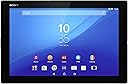
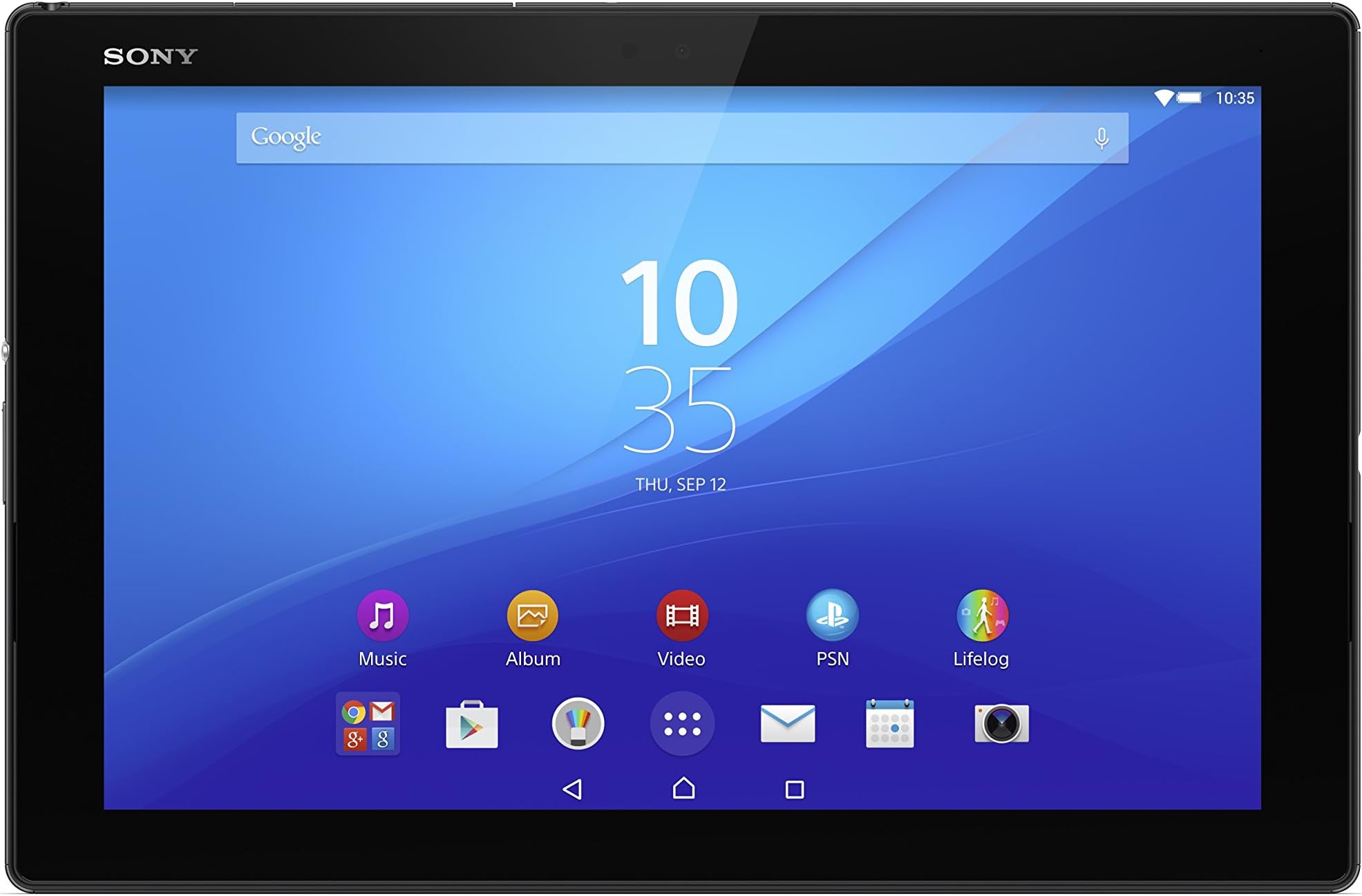
Sony Xperia Z4 10.1 inch Tablet with Keyboard (Qualcomm Snapdragon 810, 3 GB RAM, 32 GB Storage, WLAN, BT, Camera, Android 5.0) - Black : desertcart.co.uk: Computers & Accessories Review: Great Powerful Tablet for Work or Play! - I have had the Sony Experia Z4 Tablet for a couple of weeks now and I am very pleased with it so far. The Experia Z4 is very Light, Thin, Waterproof and a very Portable machine. It does most things well. Whether it be Browsing on the Internet, or Watching YouTube Videos the Screen shows Great Detail as well as Good Speed. The Music playback is also really Good and even Better with a pair of headphones or earphones. Worth looking at the Settings Menu in more Detail if you like Listening to Music. This is a Great Walkman and there are many Sound Options Available! For Work Microsoft Office and a nice Keyboard that is easy to use plus various Good Software that comes with the Tablet for different tasks. My Main Concern is that the Battery Charger it comes with is far too weak to charge the machine up! I would advise a stronger Charger and even then it only really Charges properly when the Tablet is Fully Turned Off. Once Charged though the Battery does last a Good few hours with ease. I already have the Samsung Galaxy Note Pro 12.2 which if you like a Bigger, Top Quality Tablet, this to me, is Still the Best Tablet made to date. (Now Sadly Discontinued) The size of the Screen helps me with the Disabilities I have But the Sony is a clear competitive, more Portable Tablet and with the Sony Case makes it an Easy Tablet to use. Sony have raised their stakes with this Experia Z4 and made a Really Serious Tablet to Take Home with you, should you wish! Review: From UK to Canada! - Ordered this product on the October 27 and came delivered via Canada Post on November 5 even though the estimated time was November 16!! (regular/standard shipping option for me) Delivered with no problems. What you see at check out is what you pay as everything(tax/duty charges) is shown before you check out. First time buying something expensive online / over seas and I'm not familiar with the whole tax and duty charge thing. Was a nice experience buying it from desertcart UK. Only way to get a z4 tablet for North Americans as this product is not available to us was buying from eBay via Asian sellers or UK sellers. Was really glad that desertcart UK was selling this and ships world wide. What came in the box? Tablet and keyboard Front regular screen protector UK charger adapter with micro USB cable Otg Cable The tablet is very fast and great for watching videos with its 2 front facing speakers. Long battery life especially with Stamina mode on. Decent front and back camera does the job. Back of the tablet is like a matte little rough kind of feel which gives the hands a nice grip. The keyboard is sturdy and is very light like the tablet. Don't let other negative online reviews about the keyboard discourage you from getting this bundle. The keyboard is not as flimsy as they say. If you actually put like 10 pounds of force into bending it I'm sure it will snap in half, though that literally applies to all other keyboards no? People may complain about the keys being too close, but I don't know what they were expecting as the keyboard size is flushed with the tablet giving it that laptop feel. The keyboard connects via Bluetooth with ease and charges via micro USB. The mouse track pad is alright. I'm not use to the track pad being a button as well. Combining/inserting the tablet and keyboard together requires a little force. Don't be scared! This is due to the keyboard having 4 rubber (2 front and 2 back) in the keyboard hinge to hold the tablet sturdy without falling out even if you flip it upside down and give it a wiggle it won't fall out! Detaching the tablet from the keyboard will too require a little bit of force. Only con about the keyboard for me would be that due to the tight grip when attaching/detaching the tablet, it will leave 2 rectangle faded marks on the back of the matte finish due to the 2 rubber back grip in the keyboard hinge. I have only owned this for 3 days and it has happened to me. I read on the Sony talk forums that another user had this too. So what is recommended would be to get a screen protector for the back of your tablet to prevent such marks from appearing. I just wiped/rubbed off? the faded marks but under light conditions and at an angle I can still see it. So for now I won't be docking it with the keyboard until my back screen protector comes in. What I have also read and according to the picture that a user posted on the xda forum, using a tempered glass screen protector while having the tablet docked into the keyboard will break the tempered glass screen protector as the fit was too tight. However another user said using a. 3mm size one was fine. I think I have read some reviews on the desertcart review section for. 3mm ones where users said was fine too. For now I'll just stick with the plastic one that came in the box. Loving the tablet so far and was worth every penny. This tablet and keyboard bundle still deserves a 5 star from me. 5 star for desertcart UK support chat too!


| ASIN | B00XJK7TPW |
| Age Range Description | Adult |
| Aspect Ratio | 16:10 |
| Battery Average Life | 17 Hours |
| Battery Cell Type | Lithium Ion |
| Battery Power | 17 Hours |
| Brand | Sony |
| Brand Name | Sony |
| Camera Description | Front |
| Colour | Black |
| Compatible Devices | Keyboard |
| Configuration | Tablet with Keyboard |
| Customer Reviews | 4.4 out of 5 stars 83 Reviews |
| Digital Zoom | 8 x |
| Display Refresh Rate in Hertz | 60 |
| Display Type | OLED or AMOLED |
| Display resolution maximum | 2048x1536 |
| Front Photo Sensor Resolution | 5 MP |
| Generation | 4th Generation |
| Graphics Description | Integrated |
| Hard-Drive Size | 32 GB |
| Hardware Interface | MicroSD |
| Human Interface Types | Keyboard |
| Included Components | Keyboard |
| Item Weight | 390 g |
| Lithium Battery Energy Content | 6000 Milliamp Hours (mAh) |
| Manufacturer | Sony |
| Manufacturer Part Number | 1294-9064 |
| Maximum Display Resolution | 2048x1536 |
| Memory Slots Available | 1 |
| Memory Storage Capacity | 32 GB |
| Memory storage capacity | 32 GB |
| Model Name | 1294-9064 |
| Model Number | 1294-9064 |
| Model Year | 2015 |
| Model name | 1294-9064 |
| Native Resolution | 2048x1536 |
| Network Connectivity Technology | Bluetooth, Wi-Fi |
| Number of Items | 1 |
| Number of Packs | 1 |
| Operating System Family | Android |
| Operating Systems | Android 5.0 Lollipop |
| Operating system | Android 5.0 Lollipop |
| Other Special Features of the Product | Waterproof |
| Processor Brand | Adreno 430 |
| Processor Description | Qualcomm Snapdragon |
| Processor Speed | 2 GHz |
| RAM Memory Installed | 3 GB |
| RAM Size | 3 GB |
| Rear Webcam Resolution | 5 MP |
| Screen Size | 10.1 Inches |
| Screen size | 10.1 Inches |
| Set Name | Sony Xperia Z4 Tablet with Keyboard Bundle |
| Size | 10.1 inches |
| Specific Uses For Product | Entertainment |
| Style Name | Xperia Z4 Tablet Black WIFI with BKB50 keyboard |
| Total USB Ports | 1 |
| Unit Count | 1.0 count |
| Video Capture Resolution | HD 720p |
| Warranty Type | Limited |
| Wireless Compability | 802.11g, 802.11n |
| Wireless Technology Type | 3G;4G;Wi-Fi |
T**J
Great Powerful Tablet for Work or Play!
I have had the Sony Experia Z4 Tablet for a couple of weeks now and I am very pleased with it so far. The Experia Z4 is very Light, Thin, Waterproof and a very Portable machine. It does most things well. Whether it be Browsing on the Internet, or Watching YouTube Videos the Screen shows Great Detail as well as Good Speed. The Music playback is also really Good and even Better with a pair of headphones or earphones. Worth looking at the Settings Menu in more Detail if you like Listening to Music. This is a Great Walkman and there are many Sound Options Available! For Work Microsoft Office and a nice Keyboard that is easy to use plus various Good Software that comes with the Tablet for different tasks. My Main Concern is that the Battery Charger it comes with is far too weak to charge the machine up! I would advise a stronger Charger and even then it only really Charges properly when the Tablet is Fully Turned Off. Once Charged though the Battery does last a Good few hours with ease. I already have the Samsung Galaxy Note Pro 12.2 which if you like a Bigger, Top Quality Tablet, this to me, is Still the Best Tablet made to date. (Now Sadly Discontinued) The size of the Screen helps me with the Disabilities I have But the Sony is a clear competitive, more Portable Tablet and with the Sony Case makes it an Easy Tablet to use. Sony have raised their stakes with this Experia Z4 and made a Really Serious Tablet to Take Home with you, should you wish!
H**G
From UK to Canada!
Ordered this product on the October 27 and came delivered via Canada Post on November 5 even though the estimated time was November 16!! (regular/standard shipping option for me) Delivered with no problems. What you see at check out is what you pay as everything(tax/duty charges) is shown before you check out. First time buying something expensive online / over seas and I'm not familiar with the whole tax and duty charge thing. Was a nice experience buying it from Amazon UK. Only way to get a z4 tablet for North Americans as this product is not available to us was buying from eBay via Asian sellers or UK sellers. Was really glad that Amazon UK was selling this and ships world wide. What came in the box? Tablet and keyboard Front regular screen protector UK charger adapter with micro USB cable Otg Cable The tablet is very fast and great for watching videos with its 2 front facing speakers. Long battery life especially with Stamina mode on. Decent front and back camera does the job. Back of the tablet is like a matte little rough kind of feel which gives the hands a nice grip. The keyboard is sturdy and is very light like the tablet. Don't let other negative online reviews about the keyboard discourage you from getting this bundle. The keyboard is not as flimsy as they say. If you actually put like 10 pounds of force into bending it I'm sure it will snap in half, though that literally applies to all other keyboards no? People may complain about the keys being too close, but I don't know what they were expecting as the keyboard size is flushed with the tablet giving it that laptop feel. The keyboard connects via Bluetooth with ease and charges via micro USB. The mouse track pad is alright. I'm not use to the track pad being a button as well. Combining/inserting the tablet and keyboard together requires a little force. Don't be scared! This is due to the keyboard having 4 rubber (2 front and 2 back) in the keyboard hinge to hold the tablet sturdy without falling out even if you flip it upside down and give it a wiggle it won't fall out! Detaching the tablet from the keyboard will too require a little bit of force. Only con about the keyboard for me would be that due to the tight grip when attaching/detaching the tablet, it will leave 2 rectangle faded marks on the back of the matte finish due to the 2 rubber back grip in the keyboard hinge. I have only owned this for 3 days and it has happened to me. I read on the Sony talk forums that another user had this too. So what is recommended would be to get a screen protector for the back of your tablet to prevent such marks from appearing. I just wiped/rubbed off? the faded marks but under light conditions and at an angle I can still see it. So for now I won't be docking it with the keyboard until my back screen protector comes in. What I have also read and according to the picture that a user posted on the xda forum, using a tempered glass screen protector while having the tablet docked into the keyboard will break the tempered glass screen protector as the fit was too tight. However another user said using a. 3mm size one was fine. I think I have read some reviews on the Amazon review section for. 3mm ones where users said was fine too. For now I'll just stick with the plastic one that came in the box. Loving the tablet so far and was worth every penny. This tablet and keyboard bundle still deserves a 5 star from me. 5 star for Amazon UK support chat too!
M**N
Fantastic tablet with amazing screen and great battery life
This is my third Android tablet and far and away the best I've ever had (the first was admittedly the Motorola Xoom, one of the first ever Android tablets so not much of a comparison, but the second was Google's own Nexus 7). The first thing you'll notice about the Z4 when you take it out of the box is its weight, or rather lack of it. Compared to other tablets I've used it's like a feather. I tend to do a lot of web browsing and watching films on the go and at no point has it felt uncomfortable. Holding it in one hand while using the touchscreen is no problem whatsoever. The screen itself is fantastic. As above, I watch a lot of films on it, many of which are in HD and on the Z4 they look amazing. Colours really stand out and the screen is still visible in moderate sunlight. It can be difficult to see in bright sunlight but that's a problem I've had with every tablet and phone and one which nobody seems to have solved outright. In terms of battery, I've found it to be sufficient for purposes. I can watch a film or two with the screen brightness of maximum (if you're paying this amount of money for such a good screen why waste the quality?), do some light web browsing and listen to several hours of music via headphones (with the screen turned off) and still have battery left when I come to charge it at the end of the day. In terms of apps it has full access to Android Play although my only criticism is the bloatware that Sony builds in which cannot be uninstalled. I tend to disable those apps from the settings so that they don't show up in the app drawer and get in the way. No big deal. If you have a PlayStation 4 then the Z4 comes with RemotePlay built in. This allows you to connect to your PS4 over WiFi and remotely access it, whether to browse media or play PS4 games. This works fantastically in my experience and plays games with little to no noticeable lag. Touchscreen play for PS4 is less than ideal but if you have a PS4 Dualshock these connect via Bluetooth for easy gaming. Over here in the UK we have no choice about the bundled keyboard, which I think is an optional extra elsewhere. This drives up the minimum price and I found this an annoyance when deciding to take the plunge, although now I have it I find myself using it a lot more than I expected to and am actually quite happy that I have it. The tablet slips into a grip like protrusion at the back of the keyboard, where the angle can then be adjusted to whatever suits best. The tablet connects to the keyboard via Bluetooth (both devices have NFC so simply touching them the first time pairs them). When connected, the tablet turns into "laptop" mode, which introduces a Windows-like start menu, and a customisable list of favourite apps along the bottom. The mousepad works fine, with adjustable sensitivity. I find it works well for some functions (such as selecting a precise position in a word document) but less so for others, such as general navigation, but you can switch between touchscreen and mouse by simply using either so you get the best of both worlds. The keys on the keyboard are relatively cramped, which is to be expected from this size device. However, I've used it many times for writing word documents and emails, and after a few minutes of initial adjustment I've had no problems to speak of. It includes hot keys to adjust things such as device volume and turn the screen on and off, which are particularly useful when I use my tablet as a music player on my desk at work. I've opted for the WiFi only version, which was a bit of a gamble for me as I've only ever used 3G/4G tablets previously. Considering the price difference between the two models, it isn't a decision I've regretted. Films and articles are downloaded before leaving the house, and if there's any browsing I want to do when I don't have a WiFi connection then I can always tether the device to my phone. (Speaking of which, if you have an Xperia phone there is an app called Xperia Connect which manages all of the Internet sharing for you through NFC). Overall I'm incredibly pleased with the Z4 and would definitely recommend it. The price is steep but the product is premium and made especially good value if you use it in coordination with the Sony ecosystem such as Xperia phone and PS4. I'm happy to answer product questions if the review hasn't covered particular areas.
P**T
The second pad was acquired because of design improvements including better WiFi connection
I have had this pad for only a few weeks. Thus, I cannot comment on its durability. Yet, it has a solid feel boding well and its innards have not misbehaved. The technical specification is superb and performance is fully within that expectation. If the foregoing were the only consideration I would not hesitate awarding five stars. After a brief digression I shall explain why a star has been withheld. Hitherto, I bought two high specification pads with detachable keyboards from Asus. The second pad was acquired because of design improvements including better WiFi connection. This pad met my needs admirably and would continue to do so had it not been accidentally damaged. My intention was to replace it with exactly the same model or the next generation should such be extant. My, then current, model was no longer available from trustworthy outlets. Also, no successor model was available although one was promised. Details about the successor were sparse, mainly rumour. Eventually, it emerged that Asus was offering a new pad (with keyboard) of enhanced specification. There was a snag. The new pads come with a bundled-in Windows operating system. I long since had eschewed over-priced, bloated and security-weak Microsoft products. Linux (currently openSUSE 13.2) and 'open source' in general are my preferences. The Sony Z4 was not yet on the UK market. It took a while to identify it as potential worthy successor to my Asus pad (still usable in restricted manner). Then there was uncertainty about when/if it would be available for purchase given that an even grander version is near production. I was almost put off buying the Z4 by the fact that one of its lauded virtues is pre-installed Microsoft Office software. No way was I going to meet the, anyway, somewhat inflated price of the Sony pad if a component of the price was going to Microsoft for a product I would never willingly buy. Investigation revealed that the "free" software is, as I suspected, merely a cut down version giving a taster of wonders to be expected should one be foolish enough to take out a subscription (look on Google PlayStore). It is so cut down that it lacks a spelling checker. The foregoing tacky product placement is one contribution to star demotion. Another contribution arises from the very poor documentation/instructions coming with the device. In the box were tiny, small print, multi-language instructions wholly unfit for purpose. The online documentation, if one can reach it, covers functioning of the pad but says nothing about the process of establishing connection with the keyboard. The keyboard, apparently, is a separate product not routinely bundled with the pad (or telephone). Fair enough but I found no pointer to information about making a Bluetooth connection. Trial, error and Chaucerian invocations eventually did the trick. The final contributor to star reduction, and Sony is damn lucky not to end up with three stars, is lack of information about external drive (mini-SD) card configuration. I inserted a SD card used with Asus equipment and for a while all went well. The previously installed files were accessible. Trouble began soon after I used an inbuilt Android feature to shift data for some applications from internal to external storage. An inexplicable crash of Firefox occurred after which the SD card was not visible to Android. Neither rebooting nor a reset to factory conditions (done on the erroneous assumption that somehow a low level software bugger-up had taken place) made any difference. Reformatting the SD card from a PC led to it being usable for a while. Eventually it again became unrecognisable by the OS. Enquiry has led me to believe that this time wasting fiasco (I still ponder reduction to three stars - Sony beware) arose from SD card format incompatibilities of applications designed for earlier versions of Android associated with not using FAT32. Suffice to say, a brand new FAT32 SD card now works OK. However, I don't want to be restricted to using FAT32 and files sizes too small for modern high definition video. I accept that Sony is caught between the capabilities of its device and limitations set by the Android OS together with residual non-backward-compatability between Android versions. Yet, if Sony had thought to give sound advice to its customers it would have provided information about suitable SD formats and pitfalls associated with them. So, Sony fails badly on documentation. Moreover, it would be foolish of Sony to rely on cheap options such as user fora. Well written documentation reduces the need for other forms of initial user support. THAT SAID: I don't regret buying this, somewhat overpriced, device.
C**G
Definitely worth the money
Superb tablet, unbelievably light and very fast. Don't believe the tech reviewers who tell you the keyboard is difficult to connect, I'm not 'techy' but it took me less than 2 minutes to connect it. I've also seen moans about it being too small, well what do you expect on a 10" tablet but a 10" keyboard! You can use the keyboard as a cover as it folds shut, but it increases the weight if you are carrying the tablet. I bought the Sony cover with stand that's reduced on amazon at the moment, fits beautifully and looks very sleek. Had a Samsung before and it is positively ancient compared with this, handy if you have a Sony phone as well, as transferring is so easy using the android beam, can also mirror with my Sony TV. Definitely superior to the ipad air and really not much difference in the price, plus at least you can increase the memory on the Z4, always my problem with the ipad that you can't expand the memory. Overall brilliant tablet and a joy to operate, preloaded with Microsoft and loads of useful stuff. The screen is stunning but I would advise keeping the screen brightness low as it does drain the battery if you have it too bright. The camera is perfectly adequate if I want to take really good photos I use my camera (also Sony) which helps as I can transfer photos directly to the tablet with the android beam. Couldn't recommend this tablet highly enough, sleek, fast and beautiful.
E**S
Lovely Device well worth the Flagship Status
This is a stunning device. From the moment I took it from the box and realised how light it was to having run it daily for the last three weeks. I have been a fan of Sony Xperia devices for a while I also have an Xperia Z phone. This purchase took considerable thought as I am in Eurozone and the Sterling exchange pushed the price quite high, and I was not convinced about the keyboard, however I took the plunge and I dont regret it. Yes the battery is slow to charge but the battery lasts well on fairly heavy gaming use. Out of interest i watched a few Youtube videos and played a few songs on Spotify just to get a feel for the sound quality and while its not going to replace my stereo it was very acceptable. I am typing this review using the bluetooth keyboard provided which I only started to use yesterday and its lovely! Now I am female and smallish fingers so it might suit me better than people with large fingers but I find it very usable and I have seen some comments on not getting feedback on the key press I don't have this issue. Excellent and if your wallet can stretch to this I recommend it.
R**L
Superb tablet, hobbled keyboard
I have absolutely no regrets on the tablet, this is a fabulous piece of kit and a pleasure in every way. Given that the keyboard is a non-negotiable part of the deal in the UK, and disproportionately priced compared to the device, I would have imagined it would at least be on par. They have hobbled the keyboard by messing with the layout, the very layout that is depicted in the product description by which a purchase is decided. It's what Amazon would call a 'material difference' that qualifies for a refund (that includes return postage). The image on Amazon shows the standard-sized right shift key next to the /_? key, but on the keyboard sent it has been squeezed on the far right of the layout as a downsized key. The result of this is that you are more likely to hit the 'up arrow' than the shift key, throwing the cursor out of place and slowing the process down dramatically. Other keys are also in 'propietary' positions, so you basically have to retrain your whole thought process to relearn a non-standard layout. It's enough of a departure to downsize your typing action to conform to the smaller size, unavoidable but manageable, but the whacky layout is unforgiveable. And misleading as compared to the image on Amazon - why, why, why?? Ridiculous, cos the keyboard is lovely action, high quality, but fundamentally broken unless you prod keys and don't touchtype. So, tablet 5, keyboard 1, average 3. Update 2/12/15: I contacted Amazon about this inferior keyboard, and they immediately sent out a replacement, but sadly the keyboard was exactly the same nonsense - so both of them returned. Also been in touch with an established outlet, who maintain that all of the main suppliers (including Amazon) order from the same distributor, and all of them have been supplied with the same non-standard keyboard. Sony, meanwhile, maintain that the keyboard that they supply looks exactly like the Sony promo image that everyone is using (but nobody has the product depicted in it), and further that if the keyboard doesn't look like the promo then it's not a BKB50. What on earth is it then? Makes you wonder if the tablet is an SGP 712. Sony don't care what is being supplied under their brand, and 'can not comment on where suppliers have purchased their products or what they are providing, however if they are different from the image we have supplied, then it is not a Sony Xperia BKB50'. I think that the keyboard supplied is some prototype that is being palmed off on UK consumers. I've given up with the UK source of supply and have ordered the tablet from Germany 'without' keyboard, because I'm not paying premium price for some toy. Tablet 5 stars by the way, bundle and confidence in it 1 star. What a joke and a hassle!
T**Y
My first tablet, and I love it.
This my first tablet, so I can't say whether the Sony Xperia Z4 is a better or worse choice than a tablet made by anyone else. What this is, is a review written by someone who has used a number of Android smartphones and who has now taken the plunge and got himself a tablet. And though I had a few initial irritations, after over a month's use I've got used to the tablet and am now extremely happy with it. The technical specifications of the tablet are widely available; indeed, they're further up this page under the description of the tablet, so I shan't repeat them. This is more about the look and feel of the thing, how easy or difficult I have found it to use, what's been good and what has been less so; and I hope that's useful for you. So, on we go. The tablet came with a keyboard - when I ordered it there wasn't a choice about this - and I'll comment on that later. The first thing I noticed about the tablet was just how thin it was; this was commented on in the reviews I read prior to ordering but it was still something of a surprise when I opened the box. It feels stable enough in use - no noticeable flex or bend, it sits easily in the hand and it's survived me mistakenly sitting on it when it was on the sofa - but it really is surprisingly narrow, and very light too. It arrived partially charged (about 70% full) which was useful as I didn't need to wait to get started. The on/off switch is on the left hand side of the screen if you hold it in landscape mode and doesn't protrude much; just enough to let you feel it easily, but not so much that it catches on things. Then there were a few annoying things. I had a small problem putting a micro SD memory card in; the cover for the slot has such small gaps around that I couldn't get it open with a fingernail. Instead I had to, very carefully, use a small screwdriver to prise the cover open. Once the memory card was in, I also had to press it down with the screwdriver to get it to lock in place. After that, the cover slotted back in place very easily (it irritated me at the time, but since I only had to do it once that's worn off). The screen is covered by two plastic films. The instruction manual suggests taking one off and leaving the other in place, which isn't the sort of thing I'd expect on a tablet with the premium price this has. A number of reviews have commented that the tablet doesn't have the tough gorilla glass found on other top-end devices and I think it would be better if it had. As it was I left both plastic films in place and the tablet works just fine with them there. After that though, things have all been good. Set-up was straightforward and though Google tried to put every app I've ever used onto the tablet, which was annoying and meant I had to stop things uploading, delete some and add some others, this is a fault caused by Google not by the tablet. I found the interface Sony have put on the tablet easy to use; not too intrusive and though there are things they've added I'm unlikely ever to use, it's not a big issue for me. The screen is bright and colours are good, and though it can be a little difficult to see in strong direct sunlight, I'm never likely to try and use it in such conditions. I've used the tablet to watch a couple of programme through the BBC iPlayer app and these generally work well. The first one I tried to watch stopped playing for no apparent reason a couple of times, but when I started watching again the programme resumed just a few seconds behind the point at which it has stopped, which was good. The second programme was just fine. I also used the tablet to watch a film purchased through Google play. I used the tablet to connect to my TV through the wireless router in the house and this was fine; the film looked great but if I'm being super-critical, the dialogue was just a tiny bit behind the image. Not enough to be annoying, and this may be the fault of connecting things wirelessly rather than of the tablet, but it was enough for me to notice. When I'm next on holiday I'll load up a few films to watch on the tablet and I think that'll work very well. The sound from the tablet is great, whether through headphones or the tablet's speakers; while I was watching one TV programme the sound seemed to be coming from a soundstage that extended wider than the tablet's screen, with good stereo separation too. I'm not sure where the speakers are inside the tablet, but they're pretty good. The cameras on the rear and front of the tablet are perfectly useable; not outstanding, but that's not an issue for me as I'm unlikely ever to use them for anything other than snaps. There are a range of fun and creative modes available to explore and even a manual setting, so you have options to do more than just take snaps should you want to. I suspect that all of this would be more use on a phone than a tablet, but it's good that the capabilities are there. Whilst we're on photos, I've been using the tablet for some photo editing with Lightroom on Adobe Creative Cloud and this works very well on the tablet. It's not the equal of using a desktop PC for anything complex, but for general post-processing it's fine. And then there's the keyboard. I would have been unlikely to buy one had I been able just to buy the tablet but since I didn't have a choice, I've got one; and from this unpromising point of view and some initial problems getting the tablet to recognise it, I've come to like it a great deal. It was a pain getting it connected and the supplied instructions didn't help much either. With bluetooth turned on, the tablet would recognise that the keyboard was there but then fail to connect. I eventually got the tablet and keyboard to talk to each other by telling the tablet what kind of keyboard layout I wanted: this was extremely irritating at the time but now the two are now playing happily together. The keyboard itself is very slim; slimmer even than the tablet. Despite this the keys have a reasonable depth of travel so that you aren't left wondering whether you've pressed something or not. The main problem I have with the keyboard is caused by my fingers being on the large side, so sometimes I inadvertently press two keys together and this means that spell-checking is a must (I do apologise if I've missed anything, as I'm writing this using the tablet and keyboard). If I'm being picky, the shift key on the right hand side of the keyboard is awkwardly placed by the direction arrows which makes it difficult to press accurately; if you're more than just a two- or four-fingered typist (which is about my level) this may cause you problems but I'm not that accurate so it's only an infrequent issue for me. The trackpad is fine, at least once you've realised that there are right-click and left-click options available at the bottom of the trackpad, you just can't see them. But on the whole I like the keyboard, which I have used to type this review, and together with the tablet you have something that can be a tablet when you want it, and something like a touch-screen enabled netbook when you want that too. The keyboard and tablet can also be folded closed too, so the keyboard makes a cover for the tablet. One further point to note about the keyboard; though the tablet is waterproof, the keyboard isn't. If you plan to use the tablet in the bath (which I won't) or the kitchen (which I have) then take the keyboard off first. So after a month or so's use of the tablet, I'm very happy with it and suddenly that premium price seems like money well spent. At first I rated this as four-and-a-lot stars but now I'm happy to give this the full five. As someone new to tablets this, together with the keyboard, has seen me using both phone and desktop PC a whole lot less. I'm very happy with it and if, like I was, you're looking for a first step into tablets and are willing to invest a not-insubstantial amount of money, give this one a go. If you're more familiar with tablets and looking for a new one, then I'm sure you'll have a range of questions about this that I didn't, but you might want to have a look at this as your next step. In the short time that we've been together become my new technology best friend, and it might well become yours too.
Trustpilot
2 weeks ago
3 weeks ago