🚀 Elevate your home network to pro-level speed and security — don’t get left buffering!
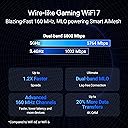
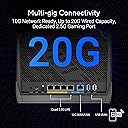
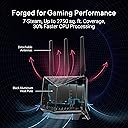
The ASUS RT-BE86U is a premium WiFi 7 router delivering ultra-fast 6.8 Gbps dual-band wireless speeds and a powerful 10G WAN/LAN port for up to 20G wired throughput. Powered by a 2.6 GHz quad-core CPU, it supports advanced AI WAN detection, seamless AiMesh expansion, and robust security with lifetime AiProtection Pro. Designed for gamers and professionals demanding top-tier connectivity and network segmentation, it covers up to 2750 sq. ft. in a sleek, vertical form factor.


| ASIN | B0DGZZJ996 |
| Antenna Location | Business, Gaming, Home |
| Antenna Type | Fixed |
| Best Sellers Rank | #298 in Computers & Accessories ( See Top 100 in Computers & Accessories ) #28 in Computer Routers |
| Brand | ASUS |
| Built-In Media | RJ+-45 Cable, RT-BE86U router, Warranty card, power adpater, quick start guide |
| Color | BLACK |
| Compatible Devices | Laptop, Personal Computer, Smartphone, Tablet |
| Connectivity Protocol | Wi-Fi |
| Connectivity Range | 2750 square_feet |
| Connectivity Technology | Wi-Fi |
| Control Method | App |
| Controller Type | App Control |
| Coverage | 2750 square foot |
| Customer Reviews | 4.0 out of 5 stars 359 Reviews |
| Data Transfer Rate | 6800 megabits_per_second |
| Frequency | 5 GHz |
| Frequency Band Class | Dual-Band |
| Item Dimensions L x W x H | 12.4"L x 9.3"W x 3.5"H |
| Item Weight | 1.9 pounds |
| LAN Port Bandwidth | 10 Gbps |
| Manufacturer | ASUS |
| Maximum Upstream Data Transfer Rate | 10000 megabits_per_second |
| Mfr Part Number | RT-BE86U |
| Model Name | RT-BE86U |
| Model Number | RT-BE86U |
| Number of Antennas | 4 |
| Number of Items | 1 |
| Number of Ports | 5 |
| Operating System | ASUSWRT 5.0 |
| Other Special Features of the Product | Access Point, AiMesh Node, Media Bridge, Repeater Mode, Alexa Compatible, VPN included |
| Router Network Type | Dual-Band |
| Security Protocol | WPA2 |
| Special Feature | Access Point, AiMesh Node, Media Bridge, Repeater Mode, Alexa Compatible, VPN included |
| UPC | 197105581432 |
| Unit Count | 1 Count |
| Warranty Description | 3 years warranty |
| Wi-Fi Generation | Wi-Fi 7 |
| Wireless Communication Standard | 802.11.be |
| Wireless Compability | 802.11.be |
M**.
It isn't cheap, but it is really nice
I always chuckle at router reviews, or reviews of any computer product. So many people write scathing reviews, but I never have problems. My old router was nine years old and even though it wasn't popular or highly rated I never had a problem with it. It just worked. I only replaced it because the security was outdated. This Asus RT-BE86U is the same. It worked from the start and I have had zero problems with it. I was a little worried that the configuration UI would be complex and have a steep learning curve, but it doesn't. General use home configuration was super easy and I liked the look and feel of the UI. Buy this if you want something a cut above the entry level units.
B**G
Works perfectly! A great upgrade.
I recently upgraded to 2 Gbps internet service, and realized that the WAN port on my prior router (ASUS RT-AX86U) was limited to gigabit and couldn't handle the connection. This router has all 10 Gbps ports that are also compatible with 2.5 Gbps, and had the same form factor (upright, 3 antennas) that I liked, so I bought this. The GUI was exactly the same as my prior router and setup was a breeze. I set up my main Wi-Fi 7 network, a separate IoT network, and also a guest network. It was also nice to be able to download QR codes for the Wi-Fi connections that I printed and put on my refrigerator for my guests to easily connect without having to bug me for the SSID and password. I use some of the advanced features many users might not use (router-level VPN, QoS for video, guest network isolation, the gaming port) and frequently stream very high resolution video from my NAS wirelessly to my Roku and VR headset. Everything performs perfectly and I have no dropouts or weak spots in my home. An excellent purchase that I anticipate using for the next 5 years or so.
R**R
Horrible product from the start!
I'm giving this thing one star for now because I just spent an hour and a half working on it to get it back up and running after its first firmware update. After the initial update, half of my devices wouldn't see the wifi network. Rebooting didn't help. Which, btw, rebooting doesn't just reboot the product once. It has to reboot 3-5 times whenever it says it's rebooting. Then, when it comes back online, the wifi network has to disappear and reappear and reconnect 3-5 times as well before I can even get to an admin page or have the app connect to it. After an hour and a half of troubleshooting: saving settings, factory reset, reboot reboot reboot reboot reboot, restore settings, all 3-4 times, the same issue was occurring. I finally figured out that the admin password requirements changed with the firmware update. My original password didn't meet them. Well I thought obviously the admin password wouldn't affect the ability for devices to see the wifi network because, well, why would it? I reset the admin password to align with the new password requirements, then reboot reboot reboot reboot reboot, and lo and behold everything connected again. It goes without saying the admin password should not have anything to do with devices seeing the wifi network, but here we are. I will update the one-star review if I never have to go through all this b.s. again! Update: Well it's been 20 minutes and guess what. Half my devices can no longer see the wifi network AGAIN, and they disconnected. I think it may have rebooted AGAIN, but I wasn't monitoring it to notice. I don't even know if I'll waste my time getting a replacement. Update: Turning off wifi-7 seems to have fixed the wifi network not showing for many of my devices. All the devices that did connect when the issue was occurring appeared to be using the 5gHz band. Final update: Wifi networks disappeared again. So I factory reset it one last time and configured it from scratch instead of restoring from saved settings. After an hour the issue occurred again. I'm done! And get this. There isn't even an option to replace the device, only return it for a refund. ASUS doesn't even have enough confidence in their own devices to think maybe the problem could be just the one device. I won't buy their brand again.
M**O
perfect replacement
Replaced rt-ax86u that pooped out. Network back up and better than ever. Install was quick and seamless .Works well with legacy AX & AC routers on a mesh network.
M**K
Great router, handles VPN traffic effortlessly
Upgraded from an older TP-Link that couldn't handle running a VPN at the router level. Setup took a little trial and error over the first week and a half to get all my settings right, but it's super stable now. The VPN Fusion feature is smooth—honestly, generating the config token from my VPN service was more of a headache than setting up the router itself. Worth it if you need the extra processing power.
M**.
Excellent Standalone Performance — Rock Solid and Reliable
I’ve been really impressed with the ASUS RT-BE86U. I’ve deployed several of these in single-router setups (no nodes yet), and every one has been completely stable and dependable. Setup was straightforward. I always update to the latest firmware right away, and each install has gone perfectly — no connection drops, slowdowns, or random issues. Most of these homes have around 20–30 devices connected, including phones, TVs, Google smart devices, and the occasional gaming PC. The RT-BE86U handles everything effortlessly with solid speed and coverage throughout the house. The only small change I’ve noticed compared to the AX86U Pro is the rearranged GUI — some of the Wi-Fi settings have been moved under the “Network” section. It’s a bit different and took a minute to get used to, but once you know where everything is, it’s not a big deal. Overall, the RT-BE86U has been flawless as a standalone router. It’s fast, reliable, and a great upgrade for anyone wanting top-tier Wi-Fi 7 performance without headaches.
D**I
Unstable. Randomly drops WiFi connection
UPDATE: After returning for replacement, expert advice on setup and ASUS updating the firmware, this router has returned to the quality performance that I have been accustomed to from ASUS. It has been running for several days now without a single WIFI drop. I have updated to 4 stars. I won't give 5 stars because of all the hassle I have had to go through. The product should be good to go right out of the box. I had an ASUS RT-AC86U for 7 years that performed flawlessly for 7 years until I got up one day and it had died. Because of my past experience with Asus quality products I bought the ASUS RT-BE86U BE6800. It has been very disappointing. It constantly would drop WiFi connections over and over. I have spent the last week using ChatGPT to help configure and diagnose this unit but the best I could achieve was only dropping 2-4 times a day for 30-60 seconds before reconnecting. Results were: To rule out configuration or environmental factors, I have already performed: • Full factory reset • Full WPS-button hard reset with cold boot • Reconfiguration from scratch with minimal services • Operation in Router Mode and Access Point Mode • Manual static channel assignments (2.4 and 5 GHz) • Smart Connect disabled • OFDMA, roaming assistants, and advanced features disabled • WAN bypassed/isolated; issue persists with no WAN involvement • Manual device reconnections • Tested with a single client only • ISP modem/router stable with no WAN drops Wi-Fi failures occur regardless of load, time of day, or number of connected devices. Based on repeated WL subsystem crashes, DMA dumps, “dying gasp” deregistration, and full chip reinitialization, this unit appears to have a hardware-level defect (radio module, memory, or power subsystem). I am returning this one for another to see if it works any better. If not I will be buying something different. Not sure if it will be ASUS.
D**A
Perfect router for power users and home automation fans. Just buy it !
Perfect in every way. Just like most other ASUS Routers - But this specific model allows you to segment all your IoT (home automation) devices and deny them access to your local network. No more Chinese snooping ! I have about 72 devices total running on this unit now with zero issues. Highly recommended for power users !
A**D
highly recommended
I always use ASUS routers and this is my third one so far, Highly recommended, Price wasn't that bad for the features it has.
M**.
Super fast wifi connectivity!
This router is incredible! All our devices that support wifi6 are hitting 900mbps+ transfer rates when on the same floor as the router. Reception is amazing on the other floors as well (averaging 300-600mbps). The setup was very quick and easy. I have not had a chance to play with all the configuration parameters however it does have all the features I need to limit and block websites on my kids’ devices. Overall, the web server configuration has a nice interface with lots of advanced features to ensure your network is secure yet super fast. Although this is not the least expensive router, you definitely get what you pay for in performance and value. Definitely a next generation wifi router compared to my old TP-Link Archer AX73 which was extremely unreliable.
A**O
ROUTER 100% RECOMENDADO
Es una maravilla de router!!! Altamente recomendable, vale cada centavo que pagas, protege tu red de una forma que uno no se daba ni cuenta que estabas siendo infectado o seguido. la configuración es facil si sabes solo un poquito, Le conecte un SSD y lo ocupo como un NAS accediendo a mi disco de manera remota VPN. Funciona más que excelente. Lo recomiendo ampliamente, el envío fue rápido y el ASUS llegó impecable, VENDEDOR 100% RECOMENDABLE. GRACIAS.
M**L
Fácil de instalar, muy potente.
Sorprendentemente fácil de instalar y controlar. Tiene mucho rango, atraviesa paredes para generar conexiones estables.
S**O
Very good. Registration problems
Something take my attention: when I did register the router the expiration date was setup to 2029-01-10 even the box indicated 3 years, so it should be 2029-05-09 purchase date mai and not January. It is possible this router was used and registered before by another person?. that means ASUS resell the routers when they are retourned without verification and delete previous registration? On the papers this router is one of the best on the market. En reality It is very fast, low latency, 10Gb WAN, a lot of options like most ASUS routers, very good to management VPN, so it is very good. It was a little more complicated to set up pppoe WAN connection for Ebox, than others routers, but at the end it works. Power supply 120-240 volts. With this router you are sure to be good for several years upcoming.
Trustpilot
1 week ago
2 days ago