🚀 Cool, fast, and future-proof your storage game!
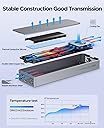
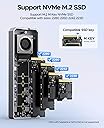
The ORICO CNM2-U4 is a premium M.2 NVMe SSD enclosure delivering up to 40Gbps transfer speeds with a cutting-edge ASM2464PD chipset. Its multi-level cooling system combines a built-in fan, aluminum alloy shell, and thermal pads to prevent overheating during heavy use. Compatible with Thunderbolt 3/4, USB4, and USB 3.x interfaces, it supports M-Key NVMe SSDs from 2230 to 2280 sizes up to 8TB. Designed for professionals and gamers alike, it offers plug-and-play ease across Mac, Windows, and Linux systems with the latest Intel 12th gen and Apple M1/M2/M3 CPUs.


| ASIN | B0D5XJD621 |
| Best Sellers Rank | #1,529 in Enclosures |
| Compatible Devices | Laptop |
| Customer Reviews | 3.8 3.8 out of 5 stars (8) |
| Data Transfer Rate | 40 Gigabits Per Second |
| Date First Available | June 3, 2024 |
| Hard Disk Form Factor | 2280 Millimeters |
| Item Weight | 4.6 ounces |
| Item model number | CNM2-U4-GY |
| Manufacturer | SHENZHEN ORICO TECHNOLOGIES CO.,LTD |
| Material | Aluminum |
| Max Number of Supported Devices | 1 |
| Memory Storage Capacity | 8 TB |
| Product Dimensions | 5.83 x 1.93 x 0.71 inches |
V**N
It is ASM2464PD with 40gb of transfer
It does the job but that fan is incredibly loud, 70db when use with egpu. If noise isnt a concern get this, if so look for one with passive cooling (no fan) since the aluminum still help with heat dissipation.
J**N
Not fast as advertised
The product overall seems good quality and for my usage it didn’t made lots of fan noise or got hot at all. That said, the 40 gbps speed as advertised is not true. This gets around 3000 mb/s while to hit the advertised speed should be around 5000 mb/s. I’ve tested it using a thunderbolt 5 port so it wasn’t the computer limitation. All in all, it’s still plenty fast but they should be more honest about the actual speed.
M**L
Seems OK, but Fan is Way Too Loud
Decent build quality I suppose, enclosure seems on the cheaper side for the premium price tag. Never tested speeds but advertised write speed is substantially slower than other lower priced products. Fan is 3-4x louder than my pc fans, can be heard over music and ambient noise
E**W
**Speed Demon in a Stylish Suit**
4/5 ⭐ The ORICO 40Gbps M.2 NVMe SSD Enclosure with a built-in cooling fan is like the Swiss Army knife of external drives. It’s super useful, works like a charm, and doesn’t break the bank at $60. I threw in an SSD, and boom—instant storage solution with speeds to make even Thunderbolt proud. The fan keeps everything cool under pressure, which is great if you're moving around large files. The build quality is solid too. Aluminum feels sturdy in hand, and the sleek design is easy on the eyes. Whether you toss it on your desk or bring it on the go, it looks and feels premium. Connecting it is a breeze—USB4, Thunderbolt 3/4, you name it, it’s ready. So why not a perfect 5 stars? The fan can be a bit on the loud side when it kicks in, but it’s not a deal-breaker. All in all, it's a well-priced, reliable enclosure that’ll get the job done—and look good doing it.
R**G
It's quite fast, not silent, and you need a good drive. Update: Hot Garbage
Update: While copying ~400 gigs to a not-so-fast drive in this enclosure (from a drive in a different, unvented enclosure), the drive in this enclosure got super hot and disconnected. It seems to get hot even when it's not copying very fast. Copied the same information to an identical drive in an unvented enclosure with no problems. Original review: As far as performance goes this thing worked great with my WD black ssd, blazing fast speeds, a little over 3x faster than my 10G drive. There could have been bottlenecks that had nothing to do with the drive. But if you put a low-rent drive in things don't go as well. I put a Samsung SSD from an old PC (like 2019) and it did not behave well at all. The speeds were not great, it disconnected (I believe the low-performance drive couldn't handle the heat). If i use a 10G cable with the cheap drive there don't seem to be any problems, which suggests very high transfer speeds were a problem for that drive. The drive isn't silent, though. It's the price you pay for heat dissipation... moving data this fast heats things up really fast too. According to my phone, it's about 35-36db about a foot from the enclosure, and if you put the exhaust right up to your ear it's 70db. Not that anyone would do that, it just is for reference. It's not that loud. If it were 2005 it would be like the quietest piece of computer equipment I own, but it's not. My MBP's silent, and everything else is too, so I'll take a speed hit to have my daily driver external drive be silent. Maybe use this for a secondary backup or if I need to move data really fast.
Trustpilot
2 months ago
1 week ago