Desertcart purchases this item on your behalf and handles shipping, customs, and support to Greece.
📼 Digitize your nostalgia—because your memories deserve the spotlight!
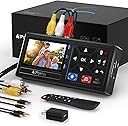
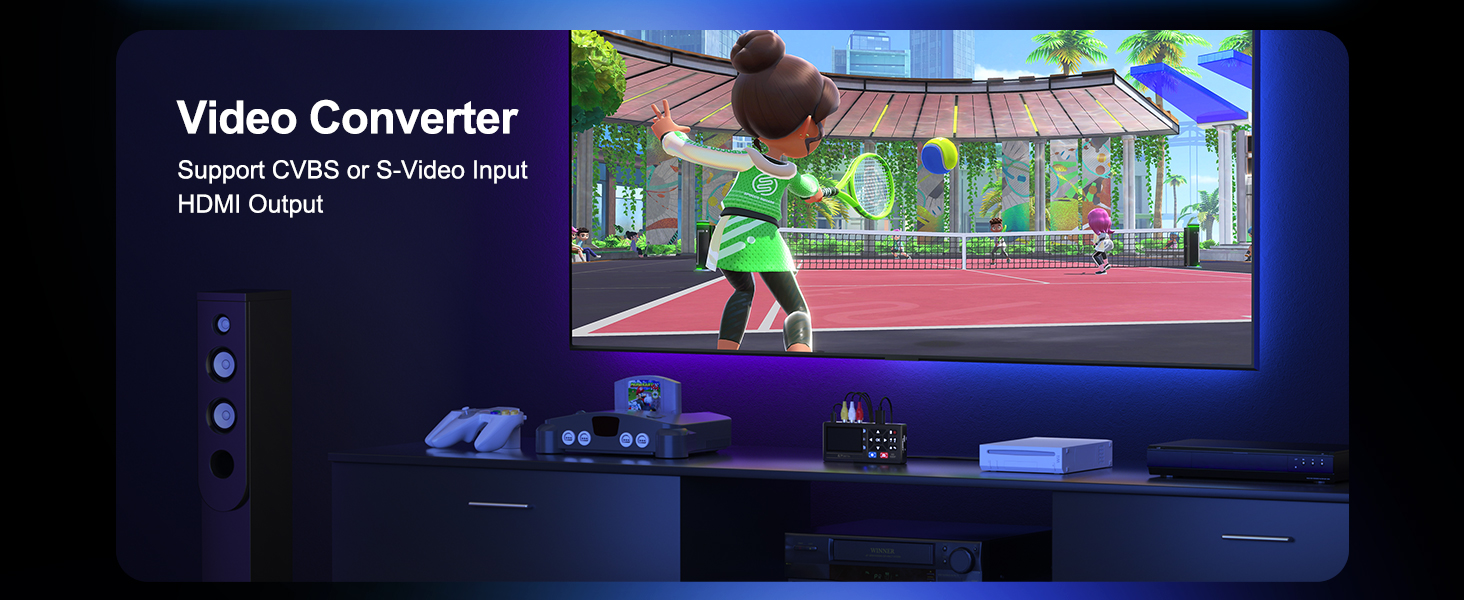
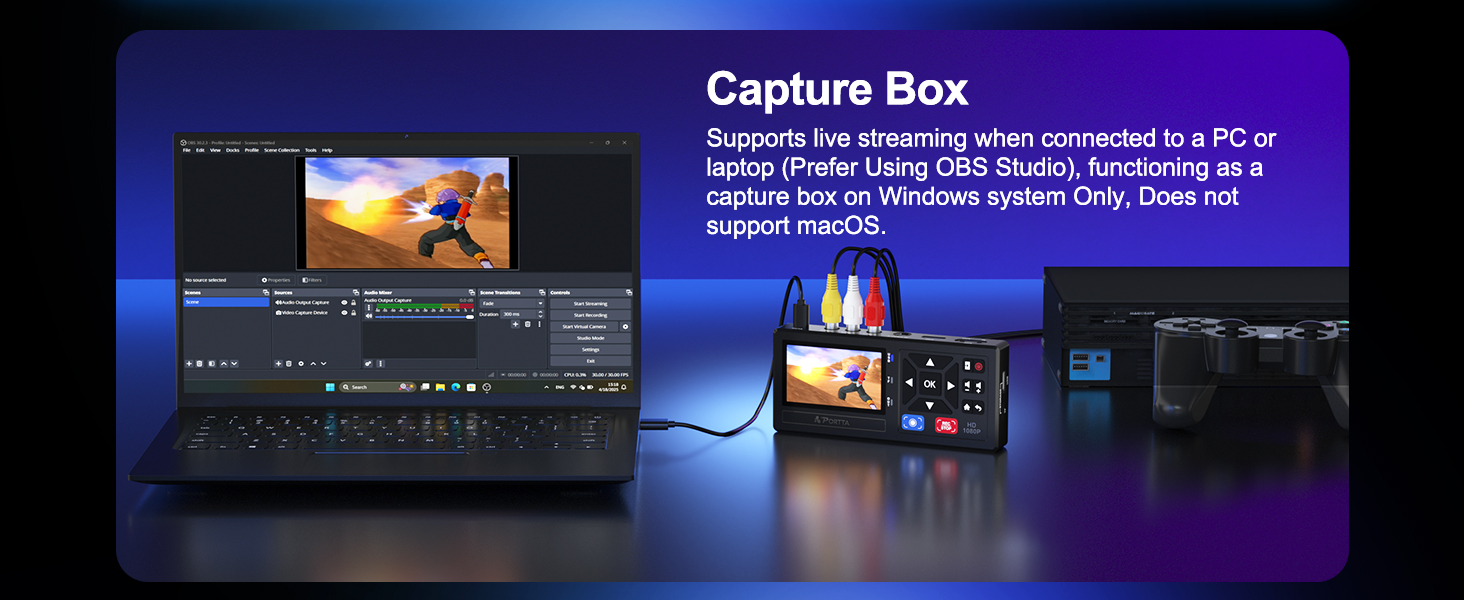
The Portta VHS to Digital Converter is a versatile, plug-and-play device that converts analog video sources like VHS, Hi8, Mini DV, and gaming consoles into high-quality 1080P digital files. Featuring broad compatibility, a built-in 3.0" preview LCD, and unlimited USB/SD storage support, it empowers professionals and enthusiasts alike to effortlessly preserve and relive their treasured moments with crystal-clear audio and video. Backed by a 2-year warranty and lifetime support, it’s the ultimate tool for future-proofing your analog media library.


| ASIN | B0D8XGYZ8L |
| Audio Output Mode | Stereo |
| Best Sellers Rank | #11 in Video Converters |
| Brand | Portta |
| Brand Name | Portta |
| Compatible Devices | DVD, DVR, Hi8, Camcorder, Mini DV Players, VCR, VHS |
| Customer Reviews | 4.5 out of 5 stars 1,952 Reviews |
| Interface | HDMI, RCA |
| Interface Type | HDMI, RCA |
| Item Dimensions L x W | 6.22"L x 2.97"W |
| Item Weight | 6.5 ounces |
| Manufacturer | Portta |
| Minimum Supply Voltage | 5 volts |
| Model | VD10 |
| Mounting Type | Free Standing |
| Number of Channels | 2 |
| Number of Items | 1 |
| Number of Packs | 1 |
| Number of Pins | 3 |
| Part Number | VD10 |
| Unit Count | 1 Count |
| Warranty Description | 2 years warranty |
H**N
Easy to use!
Worked exactly as it says and helped me convert hours of precious home videos (VHS) to digital files. Instructions are easy to follow. Audio and video of digital files were clear and crisp. Quality product and just what you need if you’re wanting to convert your VHS to digital files.
C**W
A great product at a bargain price that works perfect!
This is the easiest solution to make copies. I used it on 8mm tapes. Effortless and no set up. My only minor complaint is the audio while watching on the LCD is too low. That’s not an issue when playing the copies on a computer. A very useful and quality product at a great price. Plus 2 year warranty!
K**I
Finally Transferring My VHS Tapes Before They Disappear Forever
If you have old VHS tapes sitting around collecting dust, I would highly recommend getting them transferred sooner rather than later. Tapes do not last forever. They deteriorate over time, they can get sticky, they can jam your machine, and worst case, they can ruin your VCR heads. The earlier you transfer them, the better chance you have of preserving those memories without issues. Originally, I thought about getting one of those basic video capture devices that connects to a computer. But honestly, this unit is so much better. The fact that you can actually see what you are recording on the screen while it is happening makes a huge difference. It gives you peace of mind that everything is working correctly and nothing is cutting out halfway through. One thing to note is that it does not have built in storage. You will need your own USB drive or TF card to save your recordings. That is not a deal breaker for me, just something to be aware of. It does have HDMI out, so you can connect it to a modern TV and preview everything easily. I also love that it supports multiple inputs. You get standard RCA connections for most VHS, Betamax, or camcorders, and it even includes S Video input for higher end players, which gives better quality. It also comes with the cables, power adapter, and even a remote, which is refreshing since a lot of products these days skip the power block. It records in 1080p, which is more than enough. VHS quality is nowhere near 1080p anyway, so you are basically capturing the maximum possible quality from the source. For anyone serious about preserving old family memories without needing a computer setup, this is a super convenient and easy solution. I am excited to start transferring a whole stack of old tapes and finally get them backed up safely.
R**M
Worked super for me
After converting over 175 commercial VHS movies and a few home videos to digital with this converter, I can say that it worked great. Several of the tapes were "copy protected" and they transferred normally and cleanly. The movies that I've watched so far have all been very comparable to the tapes' video and sound quality. My only problem was with one commercial movie that failed to transfer. I tried more than a 1/2 dozen times and the transfer would go on for a few seconds to a minute, then the process would stop. I have no idea why and I tossed the tape into the trash. A failure rate of approximately 0.5% is acceptable to me.
J**E
Great Digitizer That Brought Family Memories Back!!
This is a fantastic little digitizer. I have spent at least 18 hours using it and it does very well. I have digitized both VHS and Hi8 using the S-video line. The playback quality is really good, there is no issue with videos with a lot of motion getting blurry like I had with my older computer based digitizer. Keep in mind this does not upscale but it does give you options to change sample rate and resolution of the capture of the device itself which is very nice....there is no degrading between the media on tape to the digitized media which is great. The only issue I have ran into is that some old VHS tapes would have a space that would have data rot and the digitizer would try to sense if the media was NTSC or PAL at that moment and stop recording....this only happened a few times but wasn't a problem since I was monitoring recordings the whole time. Some other great things about this digitizer is that it has a great little internal monitor screen with speaker so you can use this box alone with the VCR or Camcorder or you have the option to plug it into HDMI and actually watch it on a tv while you digitize. I put a 512GB TF card in mine but found it was best to transfer data off TF card after every tape to not get confused of data on card...i don't believe you can rename files on device itself so can get messy with lots of tapes digitized. Each VHS tape is around 10GB of data so you can use a much smaller TF card than what I bought. Overall, I am extremely pleased with this digiter for the money and its very simple to setup and use. Your results may vary based on your VHS data or the VCR you use but my results with S-Video has been very pleasing.
J**G
Best video capture device I tried
Best video capture device I have tried. I have used video capture cards and other video capture USB devices and they all require to be connected to the computer. This device is stand alone and only requires a USB drive attached, Did have issues with my first USB drive, but after switching, had zero issues. Converted numerous VHS tapes (relatively) quickly. Put in the tape, press play on the player, record on the device, come back when the tape ends. Trying to upload a video, but I guess Amazon doesn't allow that any more.
G**.
Very easy to use
Don't wait any longer. Get those old VHS home movies digitized before it's too late. This makes it incredibly easy and inexpensive to do it yourself. Very intuitive and user friendly. Top quality and comes with everything you need except the VCR. Has HDMI output so you can monitor the record process. Very nice.
A**A
Works GREAT, but watch out for this potential user error!
4/5 Stars! KEY TAKE: This product works as intended and retains both visual and audio quality from the video itself. I was a well-documented child growing up, and my family kept all of the old VHS-C tapes at home. I used this to convert those old tapes into digital files and it's all very easy to use. Remember, this is just a recorder. Which means if you're in my shoes, you'll need to rewind the tapes, and play to record from start to finish. ----NOTES---- - CORDS: When you receive the package, the converter comes with several cords outside of the charger/power cord (AUX cord, AV cords). It may be a bit confusing. You don't need to use the other cords, unless your equipment calls for it. But if you're like me, I used a Panasonic camcorder to play my tapes and hooked that up to the converter. I already had an AV cable for the camera, so I plugged the other end into the converter and it worked. Yes, the audio was also included. Very simple. I ended up not using the other cords, aside from the one to power the converter. - STORAGE: Make sure you have something to save the files onto. I have a lot of USB drives and saved my recordings onto that by hooking that into the converter. Pick a drive that fits your needs. If you have A LOT, like me, get something like 128GB. Each tape I have is at least an hour to an hour half long. So each recorded file came out to around 2.5GB to 3GB. Use that as a measure, if it helps. - RECORDING: I didn't need to touch most of the settings in my case, but you know you've stopped recording when it says 'SAVING' when you stop. It does not stop automatically. - CORRUPTED FILE: I was recording a tape, and also had the recorder hooked up to my TV so I could watch on a bigger screen while recording. At one point, right as it finished and before I hit the stop button, I pulled out the HDMI to move elsewhere. This made my converter freeze up, which messed with my recording. The file exists, but it cannot be opened, so safe to say the file was corrupted. Don't pull cords out when you're recording and leave it untouched! Glitch file corruption aside (a bit of a user error), the build is plastic but decently made. Good overall, hence a 4/5.
角**ブ
オフタイマーが便利です
1時間のハイエイト動画を4mbps 128kHzで録画すると、2ギガくらいのファイルになりました。オフタイマーでセットし、ビデオを見ていなくても録画が自動で終わるので、楽ちんです。買って良かったです。
E**S
Enkelt att överföra gamla video band till usb minne
Bra kvalitet, enkel att hantera och att överföra video till usb minne .Jättenöjd
A**L
It needs better manual for explanation
It is very good device. I recorded 5 old DV cassette. Then I had a problem with my old camera . Then I fixed my camera. It is working now. The manual is difficult to read . It needs much better explanation as I spent one day to make porta to work again after fixing my camera .
A**I
ممتاز وسهل الاستخدام
ممتاز سهل الاستخدام وتم تحويل كل ما ارغب في تحويله إلى فلاش ميموري يعمل على اعلى جودة انصح بشرائه
R**M
Saved me hours and a lot of money
Has been a game changer for converting family VHS home movies to digital in one step. Each hour of footage uses about 3GB of storage on a USB stick. The device records in blocks of up to 60 minutes, then automatically creates a new file and continues recording. I would prefer the option to adjust this, as it can split the footage part-way through a moment. The saved video quality is great, and overall it’s very easy to use. Highly recommend. Just make sure you buy a high-capacity USB stick alongside it if you plan to record lots of footage.
Trustpilot
2 weeks ago
1 month ago