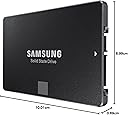
🚀 Upgrade your storage, upgrade your hustle.
The Samsung SSD 850 EVO 250GB combines cutting-edge 3D V-NAND technology with impressive read/write speeds up to 540 MB/s, delivering reliable, energy-efficient performance in a compact 2.5-inch SATA III form factor. Perfect for professionals seeking fast, durable storage that keeps pace with demanding workflows.


| ASIN | B00OAJ412U |
| Brand | Samsung |
| Brand Name | Samsung |
| Cache Memory Installed Size | 512 |
| Color | Black |
| Compatible Devices | Desktop |
| Connectivity Technology | SATA |
| Customer Reviews | 4.6 out of 5 stars 10,382 Reviews |
| Digital Storage Capacity | 250 GB |
| Form Factor | 2.5-inch, SATA, SATA III |
| Global Trade Identification Number | 00887276086071 |
| Hard Disk Form Factor | 2.5 Inches |
| Hard Disk Interface | Solid State |
| Hard Disk Type | Solid State Drive |
| Hard-Drive Size | 250 GB |
| Hardware Connectivity | SATA 6.0 Gb/s |
| Hardware Platform | PC |
| Installation Type | Internal Hard Drive |
| Item Weight | 66 Grams |
| Manufacturer | Samsung |
| Manufacturer Part Number | MZ-75E250B/AM |
| Media Speed | 520 megabits_per_second |
| Model Name | 850 EVO |
| Model Number | MZ-75E250B/AM |
| Network Connectivity Technology | SATA |
| Number of Items | 1 |
| Product Features | Multitasking |
| Read Speed | 540 Megabytes Per Second |
| Special Feature | Multitasking |
| Specific Uses For Product | Personal |
| UPC | 724627169819 804904115248 714547219947 808112996101 714547269447 714547252050 724627169604 780746158547 702874766432 782941515040 804067311860 669393978992 887276163925 887276086033 012305136063 801947294329 724627213079 887276086071 809394596614 734911141131 714547199478 |
| Unit Count | 1 Count |
| Warranty Description | 5 year manufacturer warranty |
S**S
Staggering performance, but with some caveats.
One of the main challenges in choosing SSDs is the immense diversity in brands and the components which they choose in the design of the SSDs. Its no longer just about Seagate and WD as in HDDs. SSDs are very fast, yes- but their performance and reliability is dependent on the controllers and the memory they use. There are just too many reviews of how SSD performances are inconsistent in the real world vis-a-vis the bench tests; and of performance degradation over time. The 850 EVO series has very good reviews, and has now aged gracefully, unlike the 840 series which had speed issues. The package has the SSD, a pictorial installation guide; a warranty statement booklet; CD with Samsung's Magician and Data Migration software. No USB connectors though. PROs- 1. High quality and reliability of Samsung (has its own controller and memory, which are more reliable and faster than the Sandforce/JMicron controllers). 2. Very very fast- your system becomes like a rocket (see, however cons below)- in cases where you are not connected to any slower peripherals (like USB HDD, Pen Drive, etc). 3. While test copy speeds are between 3-5 times as fast as HDDs (300-500 MBps for SSD vs 60-100 MBps for HDD), the SSD can move data within itself at astronomical speeds compared to an HDD. An HDD can move data within itself only around 20-30MBps, while the SSD can move it at 500 MBps. This is where you will really feel the difference. 4. Sufficient space- has around 230GB, of which around 10% will be set aside as an unallocated buffer (if you choose), by Samsung's magician software. This leaves 217GB which is more than enough if you are not loading on multimedia content. 5. Higher tolerances- operating temperature limits are 70 deg C, as compared to 60 deg C for HDDs. No moving parts. 6. Actual temperatures are lower than HDDs. My Seagate thin (7mm thickness) would routinely strike 50 deg C when moving data. The 850 EVO touched 48 deg C under load. 7. Much lower copy speeds when copying into the SSD- as it can easily write at 100 MBps, which is the limit for USB3 HDDs (from which you would be copying the data). See cons however. 8. 5 Year warranty. CONs- 1. Full speed cannot always be achieved due to CPU bottlenecks. It's not always about speeds when copying data; in 90% cases, your CPU also processes the program/ data. Laptop CPUs, which are around 1.9-2.7GHz top out much below the SSD capacities. 2. When moving data between an SSD and other media, the speed is limited by the slower components, which are invariably the pen drives, other HDDs and the USB HDDs. Here, you would get speeds of anywhere between 30-100 MBps. 3. Data migration software can be used only if you have a USB casing free for your laptop. In a desktop, this is not an issue. 4. More expensive than other SSDs. But prices are much lower than they were for the 840 series.
E**R
Great Product, easy to setup and super fast.
PROS: It will download on my old stock mobo at 400 mb's per second. I went from waiting sometimes 2 minutes for stuff to load all the way to waiting at most 12 seconds. After I installed my new Graphics card, the longest I wait now is 7 seconds. It takes 10 seconds to restart my computer, 5 seconds to boot it, 3 seconds to load GTA 5 (About 12 seconds before I installed my Nivida, GeForce GTX 960) and 4 seconds to load Fallout 4 on medium graphics settings, and 7 seconds on max settings. That should give you a general idea of how fast this bad boy is. Keep in mind, load times are affected mainly by SSD however GPU. CPU, and RAM also play a role in this. So times are subject to change depending on system hardware. CONS: Nothing really. I highly recommend this. Money wise, this is the best upgrade you can make on your computer if you do a bit of everything on it. Personally I do everything, from social media sites to watching movies to video games. Mostly video games. If you hate loading times as much as me, get this. If you hate low FPS and like good graphics, get a GPU first, then this. Also, keep in mind SSD's are very sturdy and highly unlikely to break down or be defective. Unlike many Graphics cards which have a much higher chance of having problems later down the road or being defective. A bit off topic here, but I highly recommend the Nividia Geforce GTX 960. It runs cool, it is sturdy, and it is well worth the money. Will play anything you throw at it on ultra if you have the processor to keep it from bottlenecking.
N**E
Can't go wrong with Samsung 850 EVO series
PRODUCT HIGHLIGHTS: `````````````````````````````````````````````` Optimized performance for everyday computing needs Sequential read speed 550 MB/s; Sequential write speed 520 MB/s; Random reads 100K; Random writes 90K Energy efficient - improves battery life by up to 50 minutes vs. hard disk drives Worry-free data security with AES 256-bit, TCG/Opal v.2 and Microsoft eDrive full-disk encryption Backed by a five-year limited warranty Capacity: 250GB | Form Factor: 2.5 inch Interface: SATA 6Gb/s (Compatible with SATA 3Gb/s and SATA 1.5Gb/s) NAND Flash: 32 Layer 3D V-NAND | Thickness: 7.0 mm (Compatible with old Laptops with Drive Cages/Trays) I bought this to replace the HDD that comes with my 3 year old HP Pavilion Notebook. It had a 9.5 mm 2.5 form factor Hard Disk that was not as fast as I expected and took 67 seconds to boot into Windows 7 desktop. There were no reviews at the time of purchase, but having had a good experience with the older Samsung 840 EVO series, I thought I couldn't go wrong with the new EVO 850 model. Deciding to put my old Hard Disk to use as a portable HDD, I also bought an external case from Amazon, http://www.amazon.in/gp/product/B00GKCA48U/. You can migrate your old PC using Samsung's own Data Migration Utility.Go to www.samsung.com/samsungssd and download the migration software. Follow the instructions given and prepare a bootable pen-drive with the software. It really easy to use. Easily recognizing the existing partitions from original 500 GB HDD and it auto-set the two partitions on the 250GB SSD. It allows us to readjust the size of the partitions and then it starts the copying process. It took a 40min minutes to copy around 260GB of data. Sadly OEM recovery-partitions, generated at the factory by computer manufacturers are not supported for replication by the migration tool. Everyday performance (4K file) of the 850 EVO 250GB drive coming in at a very nice (170MB/s write, 189MB/s read) under Windows. This is upto 20% faster than the previous generation 840EVO models. Games and apps launch much faster and you will be amazed at how quick the OS boots after you power up or log-in. Great purchase for great price, speedy delivery and with the use of simple cables- you will be happy Im sure. Leave me a msg if you have a question.
C**E
Great value but high price!
I have a mid 2012 mac book pro and my hard disk drive gave up on me. I replaced it with this one. After much research I zeroed in on this one and ordered it through prime. Needed it fast and thanks to amazon's guaranteed next day delivery before 11am, I got it at lighting fast speed.in general this seems like a good ssd. My boot up time is much faster and general time to open files, copy and move files has become 2x the speed. It also comes with a 5 year warranty which is more than enough cause nobody uses a laptop for that long anymore. Combine this with a ram upgrade and you should have a brand new system that will take any task you throw at it without batting an eyelid. Although something I am still trying to figure is the pricing. When external 1tb hard drives are less than 4k these days, I can't fathom why these cost double for half the storage. I mean I would have gone for a 500gb one had the price been decent. Having said that, I checked thoroughly the market pricing for this one with a lot of local stores in bangalore and I can guarantee that Amazon has the best price by far. Go for it. If you found this useful, please up vote it. Thanks
R**U
Most efficient, valuable and speedy upgrade. Totally worth it if installed CORRECTLY.
This is the most cost effective upgrade to any computer and gives vast improvement in performance if installed correctly. (Fresh installation of OS, SSD in hard drive bay, HDD(if any) in optical drive bay). Laptop boots/shuts down in 5 seconds and applications load lightning fast. Although the benchmarks are somewhat a marketing ploy by Samsung to get more customers to buy (you wouldn't notice the difference in having a 20k or 90k IOPS benchmark in day to day usage), the improvement in speed and performance is incredibly huge over a HDD. Firstly I suggest a fresh install of OS onto the SSD and manually installing all applications on it instead of migrating the existing OS from HDD . Secondly, install the SSD on the hard drive slot and the existing HDD on the optical drive bay using a caddy. The above two factors are important to extract maximum effectiveness from this Samsung SSD as an upgrade to your system. Step 1. Download OS onto a USB/DVD boot disk Step 2. Remove HDD from hard drive slot, and replace with Samsung SSD. Step 3. Fresh installation of OS onto SSD through any method that you prefer (USB boot, DVD ISO boot etc) Step 4. Goto BIOS and choose boot from SSD, select AHCI mode (before installing OS), UEFI Secure boot mode Step 5. Install HDD on optical drive bay though caddy, backup the user files on the OS partition and format the partition to remove unnecessary and redundant files (and viruses if any) Step 6. Run Samsung Magician and optimize your SSD accordingly. Once again I suggest not to migrate your OS onto the SSD since it wont give the optimal performance that you would get on a fresh installation of OS on to the SSD. Also sometimes Windows won't boot from SSD if OS has been migrated onto it. I have tried both methods and I can vouch from experience. Good luck in installation and enjoy a speedy drive. Cheers.
V**.
Good product, fast and smooth running PC
Pros: 1) The product has lasted for more than 3 years and still working effectively. 2) Value for money, if you can get the product in the offer period. 3) Original product received with good packaging. 4) Delivers the speed as mentioned in the specs. 5) Easy installation 6) HDD cloning/migration provided with the software included works effectively. Not required for the re-installation of OS. Don't think its the only reason your PC will work lag free, or boot-up time will increase. You need to ensure other factors/components in a PC are working hand in hand with the SSD to make the experience smooth or else you would see delays in access time of application, browsing, or read and write speeds after some time.
S**S
Oh my God ! It's just insane ! 😍😍😍😍
I show lot of videos in YouTube and it generated a moderate idea about SSD and speed. And after few months finally I'v bought the SSD. And, yes 850 evo. And then... It's boom 😍 ! It's rocking fast. It's soo fast that my laptop can't utilize the SSD's full potential. In previous days, whenever i boot my PC, it takes 50sec to 5 mins. Even sometimes it was too slow to open up properly, and then the home screen didn't appear and my laptop started to run trouble shooter ... 😢 .. and if PC finally open , then disk was 100% loading in task manager and i can't open any software immediately. It took another 2 mins to load a app in a stable speed. I bought Samsung 850 evo and 2nd HDD caddy ( lot's of options available). Fit SSD in HDD caddy and remove laptop's DVD drive , put caddy replacing it and run Samsung data migration tools. And another magic happened here. The software from Samsung , it's just amazing. It took 15 mins to clone whole c-drive ( 58GB total ) and I'm too much happy to see that the software cloned everything soo damn perfectly that i can't find any difference between my old HDD windows and new SSD window. Even, in settings , data used section it remains same history.. each and everything cloned too well. And thats why i choosed Samsung one.. oh, yes, from there, i put it out from SSD caddy and open laptop back panel and remove battery connector and remove internal old HDD. Put SSD here and attached back panel again. Then, the HDD, put it in HDD caddy and again insert it in DVD compartment. And, it's ready to use. And one thing, after that, i become worried, cos, now there. Was two windows os ( one in SSD and one in HDD), coz, i forgot to delete HDD's window partition. Bt, when i press the start switch my laptop took SSD's window to boot up.. i don't know how the magic was happened. Bt, it did. My laptop now boots up in 9-11 sec .. and everything retains same to same.. 😙😙 .. no pain , bt everything gain 😜😜 .. word, Excel, Power point open just like a Snapdragon 835 phone opens. 😂😂 . Bt, Samsung magician tools makes people fool, coz whenever i turn "rapid mode" on, it shows 5000MBPS up reading and writing speed. Bt, i can't find any difference between rapid mode on or off.. here some screenshots, i hv given. The SSD installation is just like Ram installation. U can say, plug n play. I have not faced any problem till now. Before, in old days , in task manager, disk load was always 100%, disk was bottle neck and now CPU shows 100% 😂😂😂, now CPU is bottle neck. I haven't find more than 35% disk load max. My laptop is = hp pavilion 15 au084tx with 12gb ram( installed another 8gb kit with 4gb previous) Yes, there are may SSDs . All SSDs are soo fast that u can't find any speed difference between them. 500MBPS+ speed is more than enough for a PC. Even, yu don't need SSD's full speed.. coz, in laptop CPU is under powerd and can't utilize SSD's full potential. So, you can go for any SSD from any company. I choose Samsung, because of it's amazing data migration tools. It's the best cloning software. Yes, there are too many software available, bt they are not as accurate and as simple as Samsung's . Now, laptop has 250gb+1tb stroage. And I'm now extremely happy. If you follow my installation process, yu don't need to buy USB to hdd cable. Follow my process and save some money. Thank yu. 😄
N**R
This is the best product I have ever had an idea of buying!!!
This is the best product I have ever had an idea of buying. Guys, just buy this (or any other SSD for that matter). I went with Samsung as I trust brand too much and after the installation, I must say, it exceeded my expectation. I got it for a good deal too due to Amazon Prime. So, if you have budget, you can go for this SSD. If not, you could try ADATA. After installation on my Dell Inspiron 15 3542 laptop with Windows 8.1, here is my observation: Start time with HDD: 20 sec Start time with my Samsung SSD: 05 sec (I am not kidding) Shutdown time with HDD: 12 sec Shutdown time with my Samsung SSD: 03 sec (I am seriously not kidding) Opening Application like FL Studio 12 on HDD: 5 sec Opening Application like FL Studio 12 on my Samsung SSD: 2 sec (not joking) So I am very much satisfied with my decision. If this had 6-star for product review, I would have still wished to give 7-star, that's how much I liked it. Tip: Do not go for 128 GB version of any SSD. This is 2017 guys, 128 GB OS drive is just outdated. Its like buying a phone with only 16 GB of internal memory.
M**N
Would buy three times more. Best way to get easy, cheap, performance out of your PC
There are many people out there that can go extremely in-depth with this SSD but I'm planning on just skimming the surface for those who don't know what this product is. SSD? Whats that? An SSD (Solid State Drive) is a storage device for a PC. Its just like a normal Hard Drive but different. A HDD (Hard Disk Drive) works by having a piece of metal spin in circles and there is a small reader and writer arm like that of a record player. As you could imagine that would degrade and parts would break, and that's what happens. A SSD aims to get rid of those problems by storing data digitally rather than mechanically. If you have ever seen what RAM looks like, it uses the same technology for storage. This means that the SSD will not slow down over time, has a longer life-span, and also is faster. This leads to a higher cost of course but over the past three years prices have dropped massively to the point that buying one is no big deal. Should this replace my existing HDD? No, definitely not. While it is faster and better it still cannot hold the same storage capacity as a normal HDD. Unless everything your doing the cloud-based and you have next to no programs or files on your PC, keep your HDD. What SSD's are currently intended to be used for is a boot drive or for video editing. A normal HDD would take 1-2 minutes or more to boot your PC up, however with my PC with this SSD it takes 15 seconds max to boot, log in, and open chrome. Also if you do video editing it makes your loading and exporting times much shorter and time is money. What a HDD would be used for is storing your games, most programs, and any documents / pictures. It will take a while to get used to storing stuff on a different hard drive and not spamming the next button on all installers, but its worth it. Whats all this 3D V-Nand stuff that they are advertising? Words. That's all it is. You don't need to do any research about their technologies or software. All it means is that its an SSD and its trying to look fancy. I'm a gamer. What does this mean for me? Good. I'm a gamer too. This means nothing for you, it does not equate to more FPS or shorter loading times. I found that when upgrading my CPU I saw a lot more performance. Focus mainly on a CPU or GPU if you want better performance. Does that mean that you should not buy it? Of course not! This can make loading programs such as Chrome and your OS boots faster. AKA you can get to gaming sooner. So, Should I buy this? Yes, its one of the cheapest and easiest ways to get more performance and lifetime out of a PC. If you need help installing it feel free to ask me a question or watch one of the many tutorials out there online.
R**O
Dentro do esperado.
Sem problemas.
A**R
酷い品質
本体に異常な凹みがあり、四隅の一角が反るような曲がりもある酷い品質のものが送られて来ました。
L**S
Satisfait
Produit conforme
C**A
Crhistian
El producto es excelente y me parecio que esta a muy buen precio. No duden en comprar un ssd samsung ya que esta comprobado que son mejores que los de otras marcas que venden aqui. Ya lo instalé gracias al cd que trae para clonar lo que ya tienes en tu hdd a tu ssd. Solo piensen que van a requerir un cable SATA a USB o un gabinete para transferir los archivos. Mi computadora ya enciende de inmediato y sin esperas. Inclusive el disco duro evo incluye un programa que te ayuda a optimizar el sistema operativo para que el ssd trabaje a su maxima capacidad. Trae tambien el "rapid mode" que agiliza la lectura y escritura de informacion. Algunas personas aquí en amazon se quejaban del empaque por que solo viene en un sobre y se maltrata la caja etc. En mi opinion esta muy bien por que pienso que es mas facil que lo pasen por aduana sin problemas, de hecho no es un sobre común ya que trae plástico de burbujas por dentro y en mi caso llegó muy bien. El tiempo de entrega me indicaron que eran hasta 10 días hábiles con el envío gratis pero me llegó en solo 4 días!!! De lujo! No sé si fuera suerte pero este producto es de importación y no me lo retuvieron en aduana ni me hicieron algun otro cargo ni nada. Me daba miedo pedir de usa por esta razón pero afortunadamente todo bién.
Trustpilot
2 weeks ago
2 weeks ago