We remain fully operational. Our teams are working around the clock to ensure your deliveries continue safely.

DOWNLOAD THE APP


Customer Services
Copyright © 2025 Desertcart Holdings Limited
DOWNLOAD THE APP


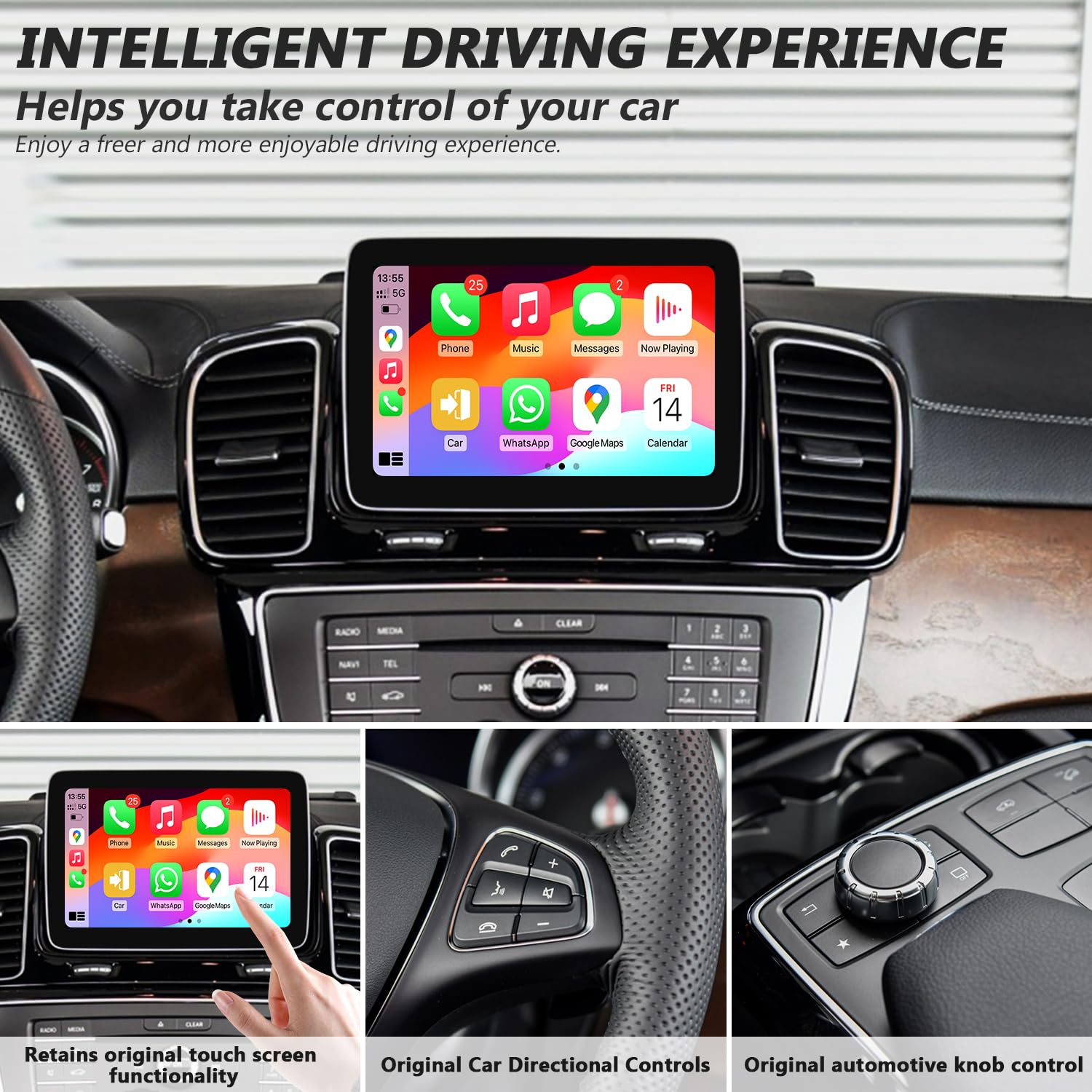


🚀 Upgrade your Mercedes to wireless CarPlay luxury—drive smarter, not harder!
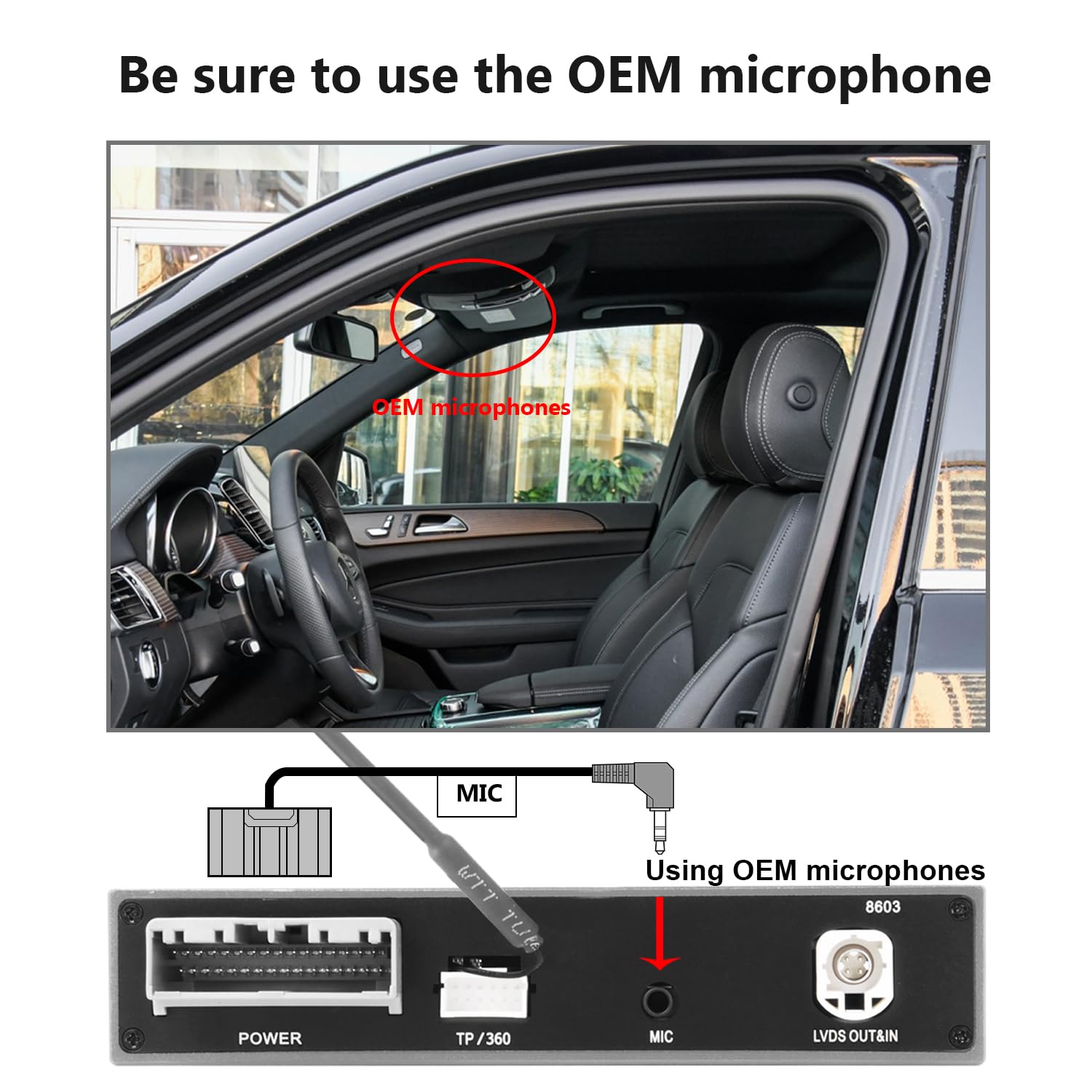
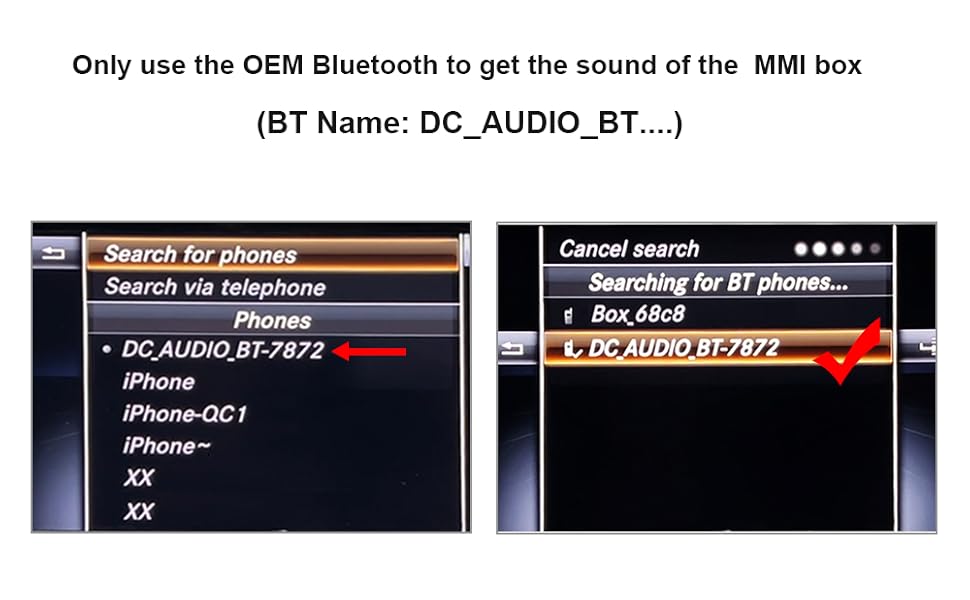
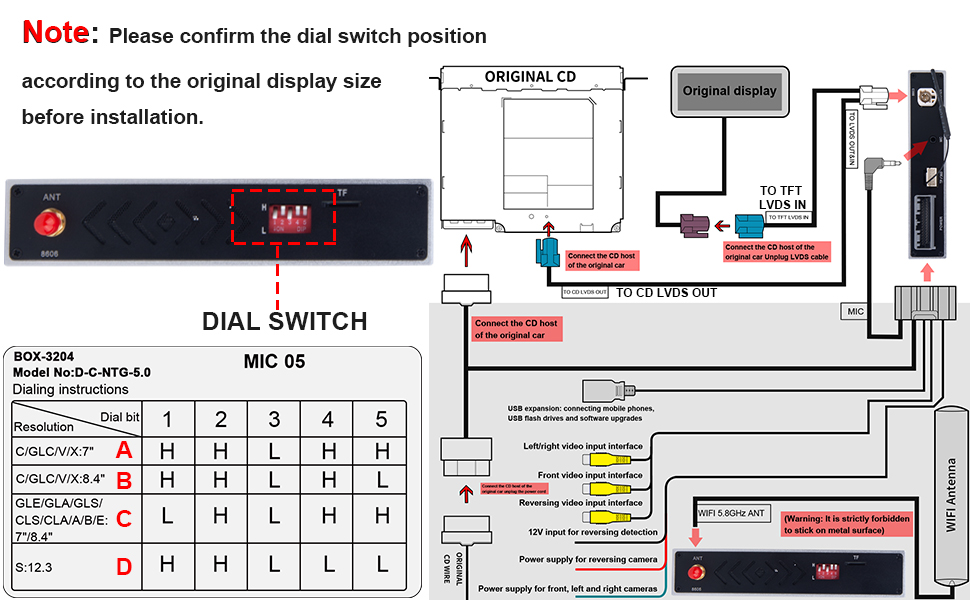
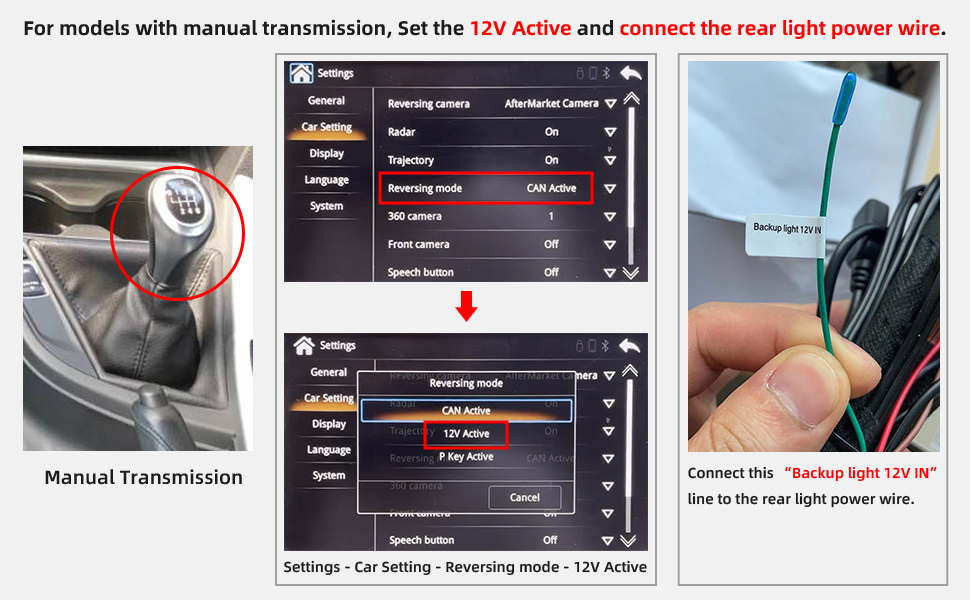
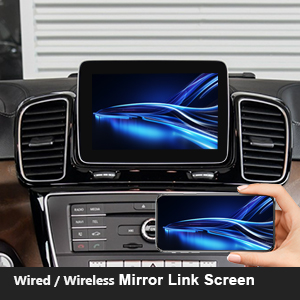
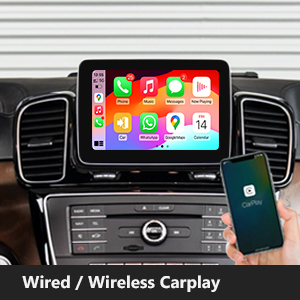
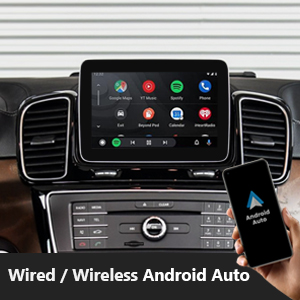
The YEEHUNG Wireless CarPlay Adapter is a precision retrofit kit designed exclusively for Mercedes Benz C and GLC Class models (W205/X253) from 2016-2019 with NTG5.0 systems. It enables wireless CarPlay and Android Auto connectivity, supports steering wheel controls, customizable display resolution, and integrates with factory Bluetooth for audio and calls. This adapter also supports CVBS reversing cameras and phone screen mirroring, delivering a seamless, factory-like multimedia upgrade.
| ASIN | B0CZ9GJ4CG |
| Best Sellers Rank | #420,735 in Electronics ( See Top 100 in Electronics ) #9,913 in Car Audio Receivers |
| Customer Reviews | 3.8 3.8 out of 5 stars (9) |
| Date First Available | March 28, 2024 |
| Item Weight | 13.8 ounces |
| Item model number | 0781f798-c4c1-4a54-9a0b-316440210bf4 |
| Manufacturer | DC |
| Product Dimensions | 5.72 x 5.72 x 1.15 inches |
A**D
Works Perfect!!
Works perfect in my 2017 C300, feels like a factory option in the car, and it’s wireless, other models are all wired, even factory CarPlay that’s including the 2018 is wired. Full functionality with all steering wheel controls and center knob. For some reason I do have an issue when trying to use the screen mirror to play videos from my phone whenever I play a video the screen mirroring cuts out. But the car play part of it is flawless. Highly recommend!!
A**Z
Phone calls don’t work in Apple CarPlay. Audio goes thru Mercedes Bluetooth. And mirror has no audio
Phone calls don’t work director correctly in Apple CarPlay. You have to switch back to Mercedes oem software to be able to hear the other person viceversa.
G**O
Doesn't work with OEM Mercedes Harman Kardan Sound Systems.
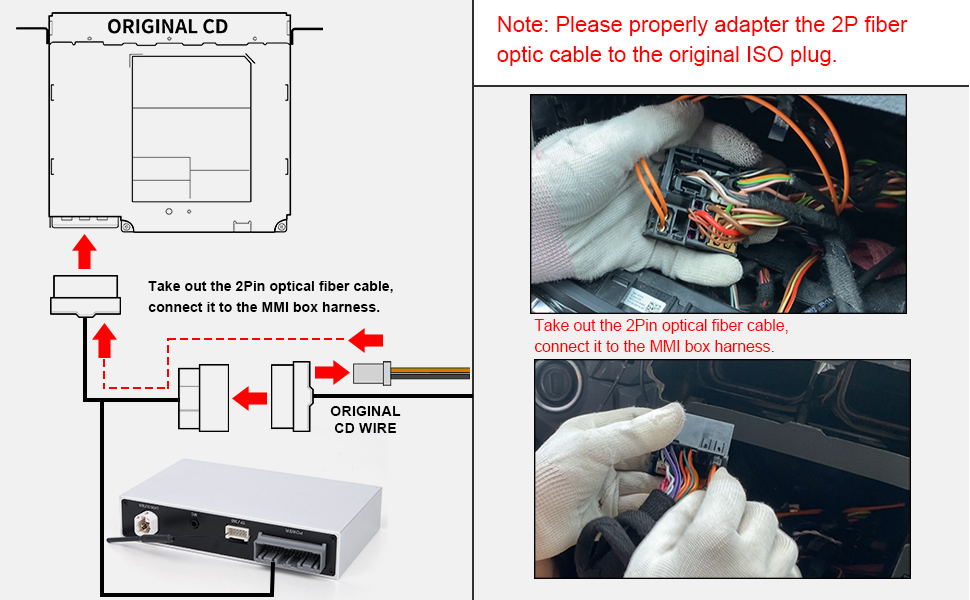
Doesn't work with OEM Mercedes Harman Kardan Sound Systems. Connector looks cheap and does not fit perfectly as well. Installation brochure is confuse, need more information related, not easy to deal with.
N**3
After some fixes it works
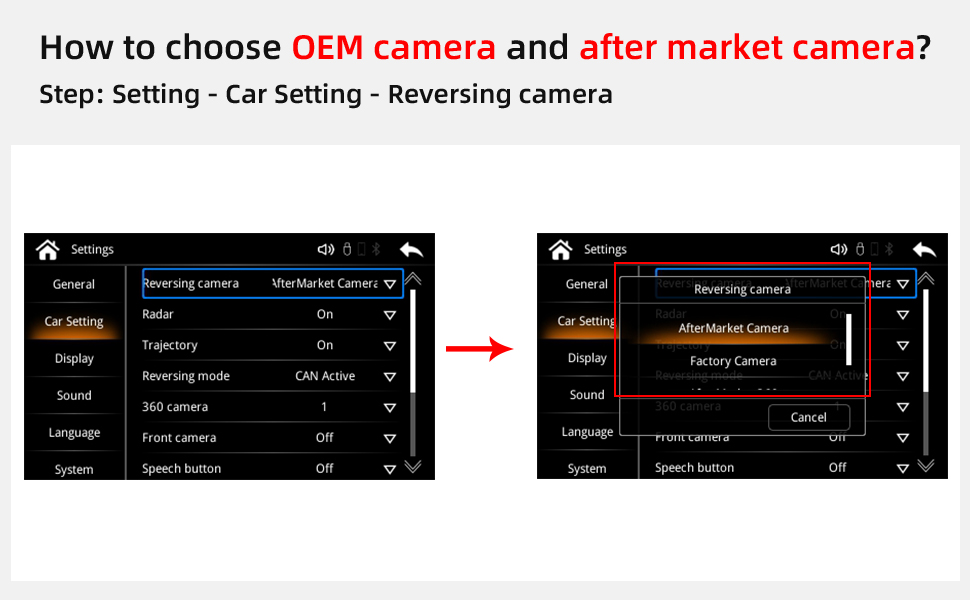
Works well so far, just remember to plug in the phone to get it to activate after installing. I also had to go into the menu to change the sound to more bass. The camera has to also be changed to OEM. Still trouble shooting on the phone and navigation to work with audio commands. I Ben in 100 degree heat the box being located behind the screen under the dash has not overheated or shut off like other reviewed similar devices.
I**D
Best Technical Support. Full Stop.
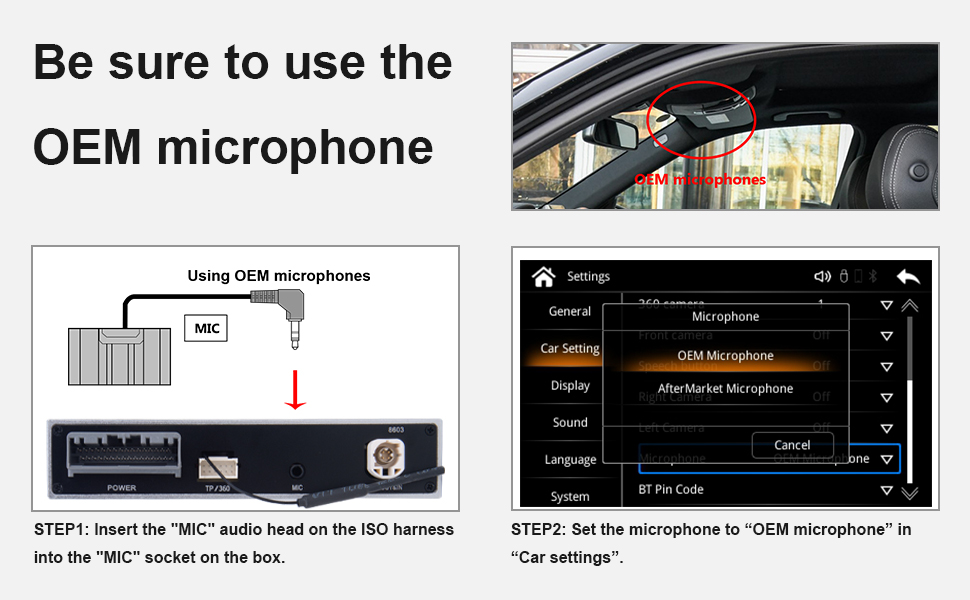
First and foremost, their tech support is great. I ordered this for a 2014 E63 AMGs. The initial issue I had was the unit worked but the screen keep rolling vertically when switching to android auto. Contacted the seller via Amazon. Granted there is a large time difference, I got a response in a couple of hours. Over the next couple of days (Remember the time difference) of tourbleshooting and a new MCU (firmware) and system update the unit works flawlessly. OEM Mic (Not a separate Mic), COMMAND wheel, No need to use a 3.5mm AUX cable for audio(Though one is on the harness), OEM BU Camera. I could only mount my unit behind the OEM diplay, per all of the stuff in the AMG as compared to other E classes. I wanted to put the unit in a little pocket between the glove box and the center console, I saw on a YT video, but there is some fan and filter there on the AMG. Glovebox was no go as there was too much stuff in the way and not enough slack on the loom for the box. Hints. 1. The unit will fit behind the OEM display, depending on what model and options, you are going to spend more time fishing wire than configuring the unit. 2. The wiring loom is a bit short, so you may want to give yourself some slack on the MIC wire that comes off the loom and plugs into the unit (This is so you can use the OEM mic in the car for calls and voice commands)...Depending on the model you have you may or may not have enough slack to put the unit in the glove box. 3. You may have to take the glove box out to get side access (it is not much access). This is when you reinstall your radio with the added loom. Try to get the coupler block in the middle and "square" to the base of the bottom of the radio hole and as far back as possible. Then from the side access use a long pick or flathead screwdriver to push down on the block a bit as you slide the radio unit back into position. (This took me the most time) 4. If they send you a MCU and System update. RUN the MCU update first, then the System update. All in all great product and great support.
T**!
Worthh
Thank you work exactly as advertised!
M**S
Not compatible with some models - BE AWARE
Not compatible with some models of Mercedes W204. Customer service was responsive and helped in any way they could. English support was confusing as they didn't understand the questions. The software has an issue that could be easily corrected, but "engineers" said it was not possible. Its very much indeed possible, but they didn't understand what I was asking them to do... after several tried, I gave up.
C**W
Complete OEM control!
This adapter fits right into my car. I like it because it makes my car wireless while allowing me to have complete OEM controls. You can control everything via your wheel or the original knob. It feels and looks intuitive. I don't know how I was managing it before, but it is so much easier to drive to unfamiliar places when you have maps right in front of you. My car feels much cleaner with everything on the screen, as opposed to mounting my phone and running Waze.
Trustpilot
1 month ago
2 weeks ago