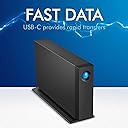
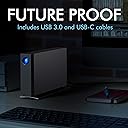
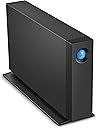
Desertcart purchases this item on your behalf and handles shipping, customs, and support to Greece.
🚀 Elevate your creative workflow with storage that keeps pace!
The LaCie d2 Professional 24TB external hard drive delivers enterprise-class BarraCuda Pro performance with ultra-fast 290 MB/s speeds and massive 24TB capacity. Designed for Mac, PC, and iPad users, it features USB-C Gen 2 connectivity, a sleek aluminium chassis for quiet operation, and includes a 1-month Adobe Creative Cloud All Apps plan plus 5-year Rescue Data Recovery service—perfect for creative professionals demanding speed, reliability, and future-proof versatility.
| ASIN | B07FDRK895 |
| Best Sellers Rank | 6,903 in Computers & Accessories ( See Top 100 in Computers & Accessories ) 38 in External Hard Drives 1,867 in Components & Replacement Parts |
| Box Contents | D2 Professional 4TB, USB cable, The actual capacity may vary. |
| Brand | Seagate |
| Brand Name | Seagate |
| Cache Memory Installed Size | 4 |
| Color | d2 Professional |
| Compatible Devices | Desktop, Laptop |
| Connectivity technology | USB |
| Country of Origin | Thailand |
| Customer Package Type | Standard packaging |
| Customer Reviews | 4.4 out of 5 stars 1,831 Reviews |
| Data Transfer Rate | 260 Megabits Per Second |
| Digital Storage Capacity | 4 TB |
| Digital storage capacity | 4 TB |
| EU Spare Part Availability Duration | 5 Years |
| Enclosure Material | Aluminium |
| Form Factor | 3.5-inch |
| Global Trade Identification Number | 03660619403950 |
| Hard Disk Average Latency | 8.33 Milliseconds |
| Hard Disk Description | Mechanical Hard Disk |
| Hard Disk Form Factor | 1 Inches |
| Hard Disk Interface | USB-C |
| Hard Disk Rotational Speed | 1 RPM |
| Hard disk form factor | 1 Inches |
| Hard disk interface | USB-C |
| Hard-Drive Size | 4 TB |
| Hardware Connectivity | USB Type C |
| Hardware Platform | Mac, PC |
| Installation Type | External Hard Drive |
| Item Length | 188.5 Millimetres |
| Item Type Name | 4TB d2 Professional USB-C + USB 3.0 Desktop External Hard Drive for PC and Mac |
| Item Weight | 1400 Grams |
| Item Width | 60 Millimetres |
| Manufacturer | Lacie |
| Manufacturer Part Number | STHA4000800 |
| Media Speed | 260 |
| Model Name | d2 Professional |
| Model Number | STHA4000800 |
| Network Connectivity Technology | USB |
| Number of Items | 1 |
| Product Features | Data Recovery Service |
| Product Warranty | 3 year |
| Read Speed | 260 Megabytes Per Second |
| Special feature | Data Recovery Service |
| Specific Uses For Product | Personal |
| UPC | 763649127407 |
| Unit Count | 1.0 count |
S**Y
Fast and works well with M1 Apple Mac Mini
I've been looking for a SSD based storage box to replace my SAN for some time but the cost was just too high so I bought this instead as a stop gap. 10TB is reasonable amount of storage but there are two things which have surprised me. Firstly it works really well with Apple Mac Mini (and therefore probably all Macs) - I don't get those annoying errors saying the device wasn't ejected properly - regardless of if I reboot the Mac or use the sleep function, the drive is available and connected when the Mac comes to life, no errors or delays. Secondly the speed ! It's much faster than any other external hard drive I've had. My Mac Mini has a Thunderbolt 3/USB 4 port being an M1 Mac Mini and although this drive doesn't support USB4 or Thunderbolt connections, it does enable it to run at full 10Gbit/s of USB 3.2 gen 2, which is the same headline speed at 10Gbit Ethernet, which is not really directly comparable, but does mean the the interface is never going to be the limiting factor, the speed limiter will be the disk and Lacie have fitted a fast disk which is giving me well over 220 MBytes/s read and write mixed file sizes. This is impressive for a spinning disk. Given the speed, the price and the build quality which is great (and I can't hear a fan) this is very good value for money.
F**P
Works great
It is really good itself. Quiet. Does not get warm. Does not vibrate etc. It comes in with all possible plugs I could think of as well which can be easily changed which is AMAZING. The software is simple to understand and so far, worked well. It has 1 semi-con and one real con. Semi-con - It is really heavy for how small it is. Not that you wont be able to lift it but surprisingly heavy. REAL con is the BLUE LIGHT on the front. It is extremely strong and cannot be turned off. You either have to cover it, paint it over or disassemble the device and somehow remove the led. Not only its constantly ON but it also rapidly flashes every now and then and when PC/Laptop is off, it will be off BUT it will still do that occasional flashing for no reason. So far it worked without any problems and the storage is big so that is fine. It mostly just comes to that damn light. It has its own software but you cannot disable the light which is sort of silly. Would be little better if it was not for the BRIGHT BLUE colour of it...
T**D
Good
I bought this to use as a Time Machine/Acronis backup for an Apple M1 iMac. Generally it works well and is fast. I have had problems with a previous LaCie d2 professional that was disconnecting but I have had no problems with this one. Perhaps a firmware update has solved this? Having said that I have found this drive constantly cycles between power up and standby when seemingly not being accessed which is annoying seeing as I need almost silence in order to work. I therefore have resolved this by turning it off and backing up manually as and when needed. I don't generate many files so regular backups not really needed as I also use iCloud. Additionally I dislike the supplied cable. It is rather stiff, so rather than sitting on the desk and flowing to the drive it bends and twists up and down all over the place and looks messy. Shame because the drive is nice and well thought out.
T**N
Great, but Mac OS Catalina users update the firmware!
I've always used LaCie external hard drives for my graphic design business, and found them to be reliable and well made. The d2 Pro is the best looking one yet, but I did experience random un-mounts with this drive. This issue is documented on the LaCie support site and is a Catalina specific issue, they have a firmware update download which fixes the problem. After applying the update I've had no problems - the drive has been faultless in operation, sleeps when the Mac sleeps, wakes without issue - super fast in use. Note - go to the US version of the LaCie site, the UK firmware link is broken.
L**T
Fast, quiet, reliable storage !
I ordered this 6TB LaCie D2 Professional as additional storage, I had a 4TB LaCie drive that was nearly full so I wanted another fast drive with more space, this and the LaCie toolkit allows you to backup all the contents on an existing drive so they’re mirror copies. Very pleased with this drive and how quickly it allows you to access the files on it. Using Black Magic Disk Drive Test I’m getting 230m read and 220m write speeds, I’ve ordered the Thunderbolt adapter which should allow a bit more speed. It copied the 3.8TB worth of photos and a Lightroom Catalog over completely in 3h58m using Chronosync, really pleased with it.
S**)
Incredibly quiet and very well made, high quality backup solution for Mac and PC
I chose this Lacie 10TB d2 professional external USB-C drive for it’s reputation, sleek design and value for money (I grabbed it during a sale). The drive comes well packaged and includes a decent long and thick USB-C to USB-C cable, plus a small plug type external power supply. Sadly no USB-3 cable is included so you will need an adapter or cable if you don’t have a USB-C socket to plug this into. The power supply includes a selection of different plug types, you simply slide on the required one (UK 13A in my case). Just make sure you remove the blanking plate before doing so! The drive itself looks really smart in dark grey and black, it’s actually slightly shorter than my old silver Lacie drive. The power supply as well has shrunk considerably, such is progress. The rear panel just has a power supply socket, USB-C and Kensington Lock slot - no power switch. The drive is designed to be stood vertically and has a cushioned stand to minimise vibrations. After connecting up the drive to my Mac Studio (I actually plugged it in one of the spare ports on my Studio Display), the drive icon immediately appeared on my desktop. There’s a programme on the disk itself (PC and Mac) which you need to run first to register the drive. There’s also a few special offers which you can choose to skip if not interested. As I’m using this as the Time Machine backup drive on my system, I used the Mac Time Machine setup to encrypt and reformat the drive. The drive comes supplied as exFat, just be sure to backup the included files on the drive before reformatting if you want to keep them. It’s also easy to restore the cute LaCie drive icon on your desktop after you’ve formatted the drive by downloading LaCie’s icon pack. What immediately impressed me with this drive is how quiet it is. For a mechanical hard-drive it’s practically almost silent, with just a tiny whisper of chatter when it’s writing to the disk. What’s not so discreet though is the huge blue LED on the front. It’s rather bright and unfortunately there’s no way of turning it off. As it’s facing me next to my monitor, I’ll probably need to resort to covering it with something if it becomes annoying. The drive has an all-metal enclosure and is safe to place in close proximity to my monitor loudspeaker. Of course despite being a relatively fast hard-drive (over 250MB/s), it’s going to take quite a few hours to backup my system (over 6TB). Typically Time Machine on my Mac manages around 50MB/s so around 6 to 8 hrs per TB. For backups that’s fine as they work in the background. For the price point (£367 at the time of ordering) this seems a very decent price for 10TB of high quality storage, especially in the current climate of high storage and memory prices. It’s also by far the quietest external hard drive I have used to date and so far has not suffered from random disconnects which my previous one did. Definitely recommended.
G**0
Good but...
A good robust LaCie HD designed to last years but... be careful how you connect to a Mac Sequoia or earlier OS or any Mac for that matter. I purchased my first one December last year but a couple of weeks ago it failed to boot up with the Mac. Un-plugin and re plugin either the power cable of the port cable seemed to work but then after some time it would disappear from Disk Utility. Amazon very kindly replaced and the new one arrived overnight. Surprise surprise the new one behaved the same way! Rather than send that one back I began to jiggle around cables and ports as I have extension ports galore like most of us. Finally I hit on a combination that worked. In essence connect it directly to a port on the Mac itself. It doesn't like extension ports unlike all the other LaCie drives I have (6 in all) which seem happy to churn away on whatever port they are connected to. The power cable in the end would seem ok. Hope that helps.
F**A
Great for Time Machine backups
Very solid construction. Fast transfer speeds. Great hdd for Time Machine with large video files to back up.
M**D
Perfect for Videos FCPX
I sailed from the Gold Coast, Qld with video cameras, drojnes and a macbook, plus this HDD. It worked flawlessly and stored all my FCPX libraries, edited footage, fast and flawless. Great !
E**.
Rápido y estable.
Con la membresía de 30 días paga por si mismo la mitad de su valor.
O**A
buena estabilidad
muy rápido para transferir archivos y hasta el momento muy estable
マ**ン
質感がいい感じ(^o^)
Macmini2018の外付けとして購入。 複数台つないでいるHDDを できるだけコンパクトにしようと 6TBモデルを購入しました。 Seageteの現行のUSB3.0 HDD4TBを 2台繋いでいるので、同じモノに しようかと悩みましたが、 USB3.1 gen2のLacieで 少しでも速さを得ようと、 このd2 Professionalに してみました。 結論、速さの件は よくわかりません。 主な使用ソフトは IllustratorやPhotoshopです。 数字上は、USB3.1gen1の Seagateより少し速いみたいです。 Macmini2018は、 外付けSSDで起動しています。 Samsun T5(SSD 500GB)です。 作業スペースとして 内蔵SSD128GBの場所を 使っています。 終わったジョブを Lacie d2 Proに移動して保管。 もっと開く頻度の少ないものを Seageteへ。という使用です。 写真左より Seagete 3.1 gen1 Lacie 3.1 gen2 内蔵純正SSD と、数字上はかなりの 差があるんですが、 あまり体感できていません....(^_^;) というのも、 開くファイルの条件が 写真点数やレイアウトで バラバラだからです。 多分、おそらく 少し速いんだろうな〜 が、感想です。 Seageteやバッファローなどの 廉価版HDDと違い、 アルミ筐体のLacie d2は 質感がすごくいい感じです。 重さもあって....^_^ 個人的な感想として思うのは、 速さのみを求めるならSSDタイプで 少し、速くて見た目や作りの良さを 求めるなら、このLacieなど.... そんな選択基準になるんでは ないでしょうか。 いずれにせよ、 僕にとっては満足です(^o^)
B**N
Ma sauvegarde de survie.
Très bon produit, attention au chute. 10 To de données. Un produit qui dure dans le temps.
Trustpilot
3 days ago
2 months ago