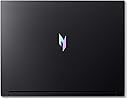
🔥 Power Your Play, Own the Moment 🎮
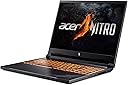
The Acer Nitro V Gaming Laptop ANV16-41-R5J0 is a powerhouse designed for millennial pros who demand premium performance and immersive visuals. Featuring an AMD Ryzen 7 8845HS octa-core processor, NVIDIA GeForce RTX 4060 GPU with DLSS 3.5, and a 16-inch 165Hz WUXGA IPS display, it delivers ultra-smooth gaming and multitasking. Equipped with 16GB DDR5 RAM, 1TB PCIe Gen 4 SSD, Wi-Fi 6E, and advanced cooling, it ensures you stay ahead in productivity and play. The integrated AI Copilot and Purified Voice 2.0 elevate your workflow and communication, making this laptop a must-have for those who want to game, create, and connect without compromise.


| ASIN | B0CXY573W9 |
| Audio Output Type | internal |
| Audio features | Includes Purified Voice 2.0 and a three-microphone design for enhanced audio communication |
| Available M2 Slot Count | 2 |
| Battery Cell Type | Lithium Ion |
| Battery Life | 7 hours |
| Best Sellers Rank | #19,666 in Computers & Accessories ( See Top 100 in Computers & Accessories ) #2,768 in Traditional Laptop Computers |
| Bluetooth Version | 5.3 |
| Brand | Acer |
| Built-In Media | AC Adapter, Laptop, Power Cord |
| CPU L1 Cache | 512 KB |
| CPU Model | Ryzen 7 |
| CPU Model Generation | 7th Generation |
| CPU Model Number | AMD Ryzen 7 8845HS |
| CPU Model Speed Maximum | 5.1 GHz |
| Cache Memory Installed Size | 6 |
| Camera Description | Front |
| Cellular Technology | Wifi |
| Color | Black |
| Color Gamut | 100 |
| Compatible Devices | External displays, mice, keyboards, storage devices, printers, and other accessories that use USB, HDMI, Ethernet, Wi-Fi, or Bluetooth connections. |
| Connectivity Technology | Bluetooth, Ethernet, HDMI, USB, Wi-Fi |
| Control Method | Touch |
| Customer Reviews | 4.3 out of 5 stars 179 Reviews |
| Display Maximum Resolution | 1920 x 1200 pixels |
| Display Refresh Rate in Hertz | 165 |
| Display Resolution Maximum | 1920x1200 |
| Display Technology | LCD |
| Display Type | LCD |
| Form Factor | Clamshell |
| Graphics Card Ram | 8 GB |
| Graphics Coprocessor | NVIDIA GeForce RTX 4060 |
| Graphics Description | Dedicated |
| Graphics Ram Type | GDDR6 |
| Hard Disk Description | SSD |
| Hard Disk Size | 1 TB |
| Hard-Drive Size | 1 TB |
| Hardware Interface | Ethernet, Solid State Drive |
| Human-Interface Input | Keyboard, Microphone |
| Item Dimensions L x W x Thickness | 14.22"L x 0.97"W x 10.96"Th |
| Item Weight | 5.5 pounds |
| Keyboard Description | Gaming |
| Keyboard Layout | AZERTY |
| Lithium-Battery Energy Content | 57 watt-hours |
| Manufacturer | Acer |
| Memory Slots Available | 2 |
| Memory Speed | 3200 MHz |
| Memory Storage Capacity | 1 TB |
| Mfr Part Number | NH.QP0AA.001 |
| Microphone Form Factor | Integrated microphone array |
| Model Name | Acer Nitro V Gaming Laptop ANV16-41-R5J0 |
| Model Number | NH.QP0AA.001 |
| Model Series | Nitro V |
| Model Year | 2024 |
| Native Resolution | 1920 x 1200 pixels |
| Notebook Pointing Device Description | Touchpad (recommended to use an external mouse for gaming) |
| Number of Ethernet Ports | 1 |
| Number of Items | 1 |
| Number of Packs | 1 |
| Number of Ports | 6 |
| Operating System | Windows 11 Home |
| Operating System Family | Windows |
| Other Special Features of the Product | Backlit Keyboard |
| Power Device | AC adapter |
| Processor Brand | AMD |
| Processor Count | 8 |
| Processor Series | Ryzen 7 |
| Processor Speed | 3.8 GHz |
| RAM Memory Installed | 16 GB |
| RAM Memory Slot Total Count | 2 |
| RAM Memory Technology | DDR5 |
| RAM Size | 16 |
| RAM Type | DDR5 RAM |
| Ram Memory Maximum Size | 32 GB |
| Resolution | WUXGA |
| Screen Finish | Glossy or semi-glossy |
| Screen Size | 16 inches |
| Series Number | 1 |
| Speaker Description | Integrated stereo speakers |
| Specific Uses For Product | Gaming, Personal, Student |
| Supported Monitor Maximum Quantity | 1 |
| Total Number of HDMI Ports | 1 |
| Total Usb Ports | 3 |
| Touch Screen Type | capacitive |
| UPC | 195133247856 |
| Unit Count | 1 Count |
| Video Output | HDMI |
| Video Processor | NVIDIA |
| Voltage | 230 volts |
| Warranty Description | One-year International Travelers Limited Warranty (ITW) |
| Warranty Type | Limited |
| Wi-Fi Generation | Wi-Fi 6E |
| Wireless Compability | 802.11ax, Bluetooth |
| Wireless Technology | Bluetooth, Wi-Fi |
A**S
Worth the money
"This gaming laptop is a beast! The graphics are incredible, and it runs all my favorite games smoothly. The display is vibrant, and the keyboard feels great. It’s very easy to use. Sound quality is great. Plus, it's surprisingly portable. Definitely the best gaming laptop I've ever owned!"
C**S
My First Gaming PC
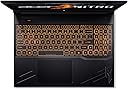
Not the biggest fan of laptops, but with this being my second one, it's impressive for what I use it for (writing and gaming). Battery life is optimal, and of course it depends on what you are doing, but it is decent compared to my old laptop. It does have some weight to it, but nothing I can't handle even while traveling with it. Starts up quickly and I like the way the keys light up when typing. Gaming- It handles my games just fine (Farmville2, SimCity4, Sims4), which, in my opinion, are very graphic intensive games. If you use the keyboard for your games (wasd), they are made to stand out among the other keys, which is nice. It does catch dust and finger prints easily BUT Wipes down nicely to dust and clean. Not disappointed in this product at all. Check out my short video so you can look at it in real time.
P**B
Great but not perfect, but I would buy again.
1 year review: Today is 10/25/2025 I purchased this on 10/08/2024. The screen is great quality with a Diagonal of 16 in with a width of 13 9/16 and a height of 8 9/16. It is much less widescreen than my dell was but I have learned to enjoy it non the less. The keyboard feels nice and is nearly silent to type on. It does feature a number pad, but is completely missing a page up and page down button which is inconvenient. For gaming the position of the WSAD keys are offset enough so that the touch pad rarely gets in way of the palm rest. There is an unlabeled "Performance Mode" button above the keyboard that I would mistake for the power button in the beginning. The running temperature of the laptop is significantly cooler than any laptop I have ever owned. It has been so nice not to touch the keyboard and think about taking a break. The internal fans are pretty quite for this cooling performance. The heat management is easily one of the things I like the most about the laptop. Plug locations are strange but functional. The USB-C port and charge jack are on the spine of the laptop and I am still not used to their locations. Even after a year the plug locations are not intuitive to use. One of two short comings are build in speakers lack volume and sound quality for the price of this laptop Acer really should have included higher quality speakers. Fortunately there is an AUX port for Head Phones or an auxiliary speaker. The other short coming is the reason for the 4 star rating. The power supply and is a major let down. While smaller and lighter than others I have used, the battery level decreases during gaming and a throttle performance is necessary to keep it from shutting down. These are clear indicators that the power supply is inadequate. To make things worse Acer doesn't recommend a higher wattage power supply to combat this problem. I will say that the laptops ability to balance game performance to low battery levels is impressive.
K**.
Slama-jam!
Solid "1080p" game player(1920x1200 in reality). Took it immediately from 16gb(2x8) to 32gb(2x16), and added an additional 1tb nvme for a total of 2tb. 165hz screen, solid keyboard, Nvidia rtx 4060, Ryzen 7 8845hs CPU. One downside is the fans can be quite noticable when playing demanding games. There's a quiet option for the fans, but then it'll run hot. Would be nice if the keyboard was RGB over the adjustable brightness orange color. It's also a bit heavy, but light enough to still be a laptop. For the $830 price point I got it at during prime days is totally worth it.
J**O
Laptop architecture
Excelente laptop para trabajos de arquitectura, renderizado y modelado 3D
G**Z
AMAZING
Really like this laptop. It’s a little heavy but that’s good since it has the power. Its has dual fans and multiple modes of performance. Only thing is the keyboards light is orange but doesn’t bother me anymore. I’ve played multiple game and they run great imo.!
J**N
When Windows Breaks Hard — and Why a Clean Install Is Often the Best Fix
I recently experienced a severe Windows failure on an Acer Nitro laptop that initially looked like malware, but turned out to be a filesystem and OS corruption cascade. What happened One actively used working folder completely disappeared Hundreds of thousands of files were affected at the NTFS index level chkdsk reported massive index corruption and deleted entries Some files could not be recovered Windows boot, registry, and component store were corrupted SFC and DISM failed Windows entered recovery and upgrade loops At that point, recovery tools were no longer sufficient. Why this looked like malware (but wasn’t) The failure was sudden, selective, and destructive — which is unsettling. However, there were no malware indicators: No encryption or ransom behavior No persistence after reinstall No Defender alerts No abnormal network or CPU activity This pattern matches NTFS metadata corruption, not malicious intent. Most likely cause The evidence strongly suggests a timing conflict between Windows Update and Acer OEM firmware/driver layers: Windows Update was writing critical data (NTFS indexes, registry, boot files) At the same time, OEM power management / firmware / driver components were active A reboot, sleep, or power-state transition occurred NTFS directory indexes collapsed Registry and boot configuration followed NTFS loses directory structure before file data, which explains: Why one folder vanished Why others survived Why recovery was partial Why reinstalling Windows was the right choice Once filesystem metadata, registry, and boot components are damaged together, reinstalling Windows is not a failure — it’s the correct solution. Before reinstalling, tools like Belarc Advisor are useful to: Confirm Windows edition and activation type Verify that the license is digital and tied to hardware Remove uncertainty during reinstallation In my case, Windows reactivated automatically after reinstall. The unexpected upside: no more Acer layers After backing up data and performing a clean Windows install: Stability improved Performance improved Update behavior became predictable All unused Acer OEM layers were gone Only essential drivers were installed Ironically, the system is now more stable than the factory setup. A clean Windows install avoids: Competing update mechanisms OEM background services Firmware/driver timing conflicts Takeaway This wasn’t malware — it was a structural Windows failure amplified by OEM layers. The real lesson is preparedness: Backups License awareness Willingness to do a clean install In the end, clean Windows without unnecessary OEM software is often the best long-term configuration.
E**A
I Love This Laptop....
Super fast speeds, though battery life is moderate. I can play whatever game is available on the market right now, and use the laptop for work. The screen image quality looks amazing, and the laptop can be upgraded. One of the best things I bought in a while. Though, know if you upgrade the parts, it voids the warranty.
Trustpilot
1 week ago
1 month ago