Desertcart purchases this item on your behalf and handles shipping, customs, and support to Greece.
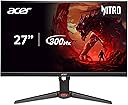
🎮 Dominate every frame with Acer Nitro’s blazing 300Hz QHD powerhouse!
The Acer Nitro XV272U F3bmiiprx is a 27-inch QHD (2560x1440) IPS gaming monitor featuring a blistering 300Hz refresh rate and ultra-fast 0.5ms response time. Its ZeroFrame design offers expansive edge-to-edge viewing, while 99% sRGB color accuracy ensures vibrant, true-to-life visuals. Equipped with FreeSync Premium for tear-free gameplay and a fully adjustable ergonomic stand, this monitor is engineered for both competitive gamers and creative professionals seeking top-tier performance and immersive experience.


| ASIN | B0CZ7P8P4C |
| Adaptive Sync | FreeSync Premium |
| Additional Features | Built-In Speakers, Height Adjustment, Pivot Adjustment, Swivel Adjustment, Tilt Adjustment |
| Aspect Ratio | 16:9 |
| Best Sellers Rank | #27,773 in Electronics ( See Top 100 in Electronics ) #774 in Computer Monitors |
| Brand | Acer |
| Brightness | 250 Nit |
| Color | Black |
| Color Gamut | 99 |
| Compatible Devices | Gaming Consoles, Desktops, Laptops, Possibly Smartphones and Tablets |
| Connectivity Technology | DisplayPort, HDMI |
| Contrast Ratio | 100 Million:1 MAX (ACM) |
| Customer Reviews | 4.0 out of 5 stars 304 Reviews |
| Display Resolution Maximum | 2560 x 1440 |
| Display Technology | IPS |
| Display Type | LCD |
| Hardware Connectivity | HDMI |
| Image Contrast Ratio | 100 Million:1 MAX (ACM) |
| Included Components | Display Port Cable, HDMI Cable, Monitor, Power Cord, Stand |
| Item Dimensions D x W x H | 9.76"D x 24.18"W x 18.5"H |
| Manufacturer | Acer |
| Model Name | Acer Nitro XV272U F3bmiiprx |
| Model Number | UM.HX2AA.307 |
| Mounting Type | Wall Mount |
| Native Resolution | 2560x1440 |
| Number of Component Outputs | 3 |
| Picture Quality Enhancement Technology | VESA DisplayHDR 400 |
| Power Consumption | 53 watts |
| Refresh Rate | 300 hertz |
| Resolution | QHD Wide 1440p |
| Response Time | 0.5 milliseconds |
| Screen Finish | Matte |
| Screen Size | 27 inches |
| Screen Surface Description | Matte |
| Shape | Flat |
| Specific Uses For Product | Desktop, Gaming, Personal |
| Total Number of HDMI Ports | 2 |
| UPC | 195133243117 |
| Viewing Angle | 90 degrees |
| Warranty Description | 3 year parts and labor |
| Warranty Type | 3 Year Standard Warranty |
J**.
Pretty good. I recommend 👌
Picked it up on prime day for 280$. Very solid value/budget Monitor in today's market. Plenty of color settings and features to go around. Im coming from a TN 1080p 240hz and am using a 2080 Ti. I tested on DP 1.4, I'm not sure the total capabilities of it's HDMI 2.1 input because my gpu currently doesn't have HDMI 2.1. I was able crank the monitor brightness up very high, definitely enough for any type of game I play. Black level adjustments plus additional sharpening feature for those sweaty fps games. Its very solid in terms of visual adjustments. It also has a super brightness feature that really does make it brighter at the cost of power draw. Super brightness gets disabled whenever using the blacklight strobing feature though obviously. Which is also very solid. I tested it on Normal and definitely noticed some added clarity during motion at the slight cost of brightness. Extreme makes it VERY clear but is just to dim for my uses, your mileage may vary. I feel like normal is definitely the way to go or at the very least try it. I've heard people saying Blacklight strobing causes headaches, I wear prescription glasses and have an astigmatism. I never got anything, but just keep in mind some people may be more sensitive to it then me. Response time adjustments are very good as well. Setting it to extreme I didn't notice any halo effects or trailing, I was pleased with it. Im no monitor reviewer that has the table charts with all the pixel being overdriven and all that. I just look for stuff that actually impacts my ability to see things clearly. And in most of the fps games I've tested I couldn't notice anything while being set on extreme, but I'm sure bumping it down a notch makes the pixels more "accurate". Now to the Meh.. DSC is still a con and annoying. It's possible to disable DSC and still get 1440p @ 300hz at the cost of your color format and color range. But I thought I'd let people know that atleast. So if your into custom resolutions and what not this may not be for you. Ive yet to test that completely but at the end of the day im not sure that sacrficing the monitors color potential for a custom resolution is worth it. Its not gonna really make you any better. Whats the goal? It terms of build quality it feels better then just alright. The stand is decent, good enough for the average user, height adjustment goes up and down pretty far so its versatile. The actually panel it's self is not glossy like it says in the description. It feels like average plastic on the back not to cheap but not to high quality either. Doesnt have much wobble. In all it's like a 6 or 7 / 10. My monitor did not come included with a display port cable so keep that in mind, the product description is wrong on that aswell. In all, I like the monitor, even with the price @ 350$ it's still a very good buy. Plenty of settings to adjust to your needs, can configure your own profiles and swap them on the fly very quickly, visually clarity settings that actually help you see. Can't really find anything wrong with it other than DSC. With the drive to push the boundaries of refresh rates and resolutions DSC has been a blessing and a curse but atleast Acer was able to configute this panel in a way so YOU make that choice by enabling / disabling it so you can still get what you paid for at the cost of colors. I respect that. Definitely recommend, tell your friends. And happy gaming fellow sweats. :)
T**E
Viewing angles are pretty mediocre because of excessive backlight bleed
Amazing product for the price, colors are amazing and it’s pretty sturdy it can be a very bright display and the picture quality is awesome it’s just that if you don’t look at it dead on, the backlight starts to make the colors wonky at some angles, kind of like looking down up onto a TN panel even thought this is an IPS, except it’s when you look down onto the monitor, you have to have it tilted up sort of so the colors don’t look poor at the bottom of the screen, just like how you have to tilt a TN panel down so the top of the screen doesn’t look bad which is not the end of the world by all means, a similar thing happens on the sides when you look at an angle but it’s unnoticeable after literally like an hour of using it then you’ll never care again minus the bad viewing angle from the top down, which is easily avoidable just by tilting the display up, this monitor is absolutely fantastic, especially for the price but a VA panel would be better for viewing angles, and for late night gaming, because this thing doesnt get very dark unless you turn the contrast all the way down too. it comes with an HDMI 2.1 cable which you should probably be using because most gpus don’t have higher than DP 1.4 which CAN display the advertised 300hz but it will only be in 8 bit color depth and doesn’t use RGB color format, forgot what it uses but it makes small text look god awful with yellow and blue colors mixed in, it’s just weird, that’s why you should use the included HDMI 2.1 cable because more gpus that don’t have DP 1.4 have HDMI 2.1, namely Radeon 6000 series cards, because you can run the full 300hz at the regular RGB color format and incredible 12 bit color depth bezels are pretty thin but not the thinnest i’ve ever seen highly recommend, very very good monitor
A**N
Don’t buy this if you want retention view less than 1 year
I bought this monitor less than a year ago, and it was indeed quite good and affordable at first. But I never expected it to break down in less than a year—screen tearing, ghosting, and sometimes the entire display freezing up. It's not even as durable as my 2016 monitor. And it's definitely not my graphics card's fault, because I've tested it. Don't assume the warranty makes this product risk-free—I thought the same at first. But when I contacted them, I learned I'd have to pay over half the monitor's value in shipping fees just to get it repaired, this is ridiculous. Summary: If you're considering this short-lived product, make sure you live close to their factory for warranty service. Otherwise, you might end up losing money on shipping alone.
J**Y
Awesome monitor
This is an awesome gaming monitor. It has all the features I want and the size if perfect for gaming. The monitor is worth more than it's value. So buying it at any price is worth it. I did cat h it on sale for $199.99. The color is beautiful and playing games on this monitor makes me feel like a kid again. There are no CONS for me. This monitor is also HDR 400 certified. This is important because a lot of monitors with HDR that aren't certified. When you turn HDR settings on, you can't tell the difference, with this monitor you can see the difference. It makes games that support HDR look even more beautiful. It is an outstanding feature in a monitor, especially for gaming. I've had no issues with this monitor, with works excellent. ACER did an excellent job. It has speakers but they don't matter especially for a gaming monitor.
J**.
Great Bang for Buck
This is possibly the best bang for your buck monitor in the 240-300hz IPS range. But what does bang for your buck mean? This does not mean it's the best quality panel you can buy, but it's also not the cost of a top tier panel. You are getting an imperfect panel with still great performance at a great price. The motion clarity is great. The colors are great. And the contrast for an IPS panel are pretty decent. So what's the catch? You are playing the panel lottery. There is likely going to be slightly noticeable backlight bleed. You may get a panel with a dead pixel/imperfection and have to send it back for a replacement. The first one I bought was such. The replacement had no dead pixels or bright spots. The viewing angles aren't the best in terms of typical IPS angles. You are probably going to notice vignetting up close (where the sides are darker than the center). But keep in mind... I didn't pay $400 plus dollars. I got it on sale for $250. It's constantly on sale for $280 which I also still find to be reasonable. I think the monitor is honestly worth up to $300. Note that it does have DSC that can be turned off. I'm running at 240hz 8 bit with no DSC and it's a great experience. So if you are looking to finally delve into higher refresh rate gaming but don't have $400/$500, this is the monitor for you. Buy it knowing it won't be perfect, but also knowing you are getting a heck of a deal for an overall very good monitor.
B**V
Acer Nitro 27” 300Hz IPS Display Review
Pro * Gaming performance * Refresh rate 300 Hz * Price is fair for what you are getting * Resolution 1440p * Many variants * Competitive edge for an IPS panel * Great and sturdy design and build quality Con * HDR isn’t the best Rating: ★★★★☆ (4.8/5) The Acer Nitro 27” 300Hz IPS Display is an impressive gaming monitor that offers a competitive edge to gamers with its remarkable specifications. One of the standout features of this monitor is its 300 Hz refresh rate, which guarantees ultra-smooth gaming performance. This feature is a significant advantage for gamers looking for fast-paced gaming experiences with minimal motion blur. The monitor’s 1440p resolution ensures stunning visuals with clear and sharp images, making it a joy for both gaming and multimedia consumption. The IPS panel enhances color accuracy and viewing angles, providing a competitive edge compared to other panels in its class. Another advantage of the Acer Nitro is the variety of variants it offers, allowing users to choose a model that best fits their needs and budget. The price point is reasonable considering the features and performance that come with this display. On the downside, the HDR performance is not the best. It could be improved to provide a more immersive experience, especially for gamers and content creators who value high-quality visuals. A notable convenience that comes with the Acer Nitro 27” is that it includes DisplayPort 1.4 and HDMI 2.1 cables in the box. The monitor is equipped with 2 HDMI 2.1 ports and 1 DisplayPort 1.4, providing multiple connectivity options to enhance the user experience. In terms of design and build quality, the Acer Nitro stands out with its sturdy construction and sleek design. For the price, the build quality is impressive, providing durability and a premium feel that enhances the overall user experience. One of the key features of this monitor is its user-friendly setup. You can use it straight out of the box, and it includes various pre-gaming modes for versatility. Personally, I use the Racing game mode for Call of Duty, and I’ve been shredding on the scoreboard! Overall, the Acer Nitro 27” 300Hz IPS Display is an excellent choice for gamers seeking a high-performance monitor with impressive speed and visuals, despite its somewhat lackluster HDR capabilities.
K**N
impressed, very good gaming performance for the money
had this for several months now, have used it extensively. Overall, I'm pretty impressed for the price. The gaming performance is actually pretty good, minimal ghosting. The colors, the quality, man it's crazy how far up the baseline has come for monitors. Even the cheaper stuff now is really really good compared to even 10 years ago.
A**R
BUYER BEWARE
ive had this monitor for a little over a year, and the screen is already starting to fail. it flickers non stop, and every fix ive tried has led me to the conclusion that none of these issues are caused by external factors such as graphics drivers etc.. and of course the issue occurred right after my warranty is up so im basically SOL, and wasted $230 on something i cant use. never using acer again.
C**O
Perfecto
Perfecto
M**Y
Maman approuve
Super qualité pour le prix ! Toujours miser sur la qualité
J**N
Happy customer
Bought for my daughters gaming system She loves it
A**S
Excelente monitor
J**Z
No cumple con lo que dice incluir
No viene con cable DisplayPort a pesar de mencionar que si lo incluye
Trustpilot
2 months ago
1 month ago