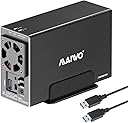
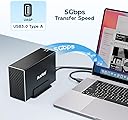
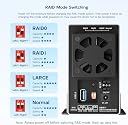
Desertcart purchases this item on your behalf and handles shipping, customs, and support to Greece.
💼 Elevate your data game with speed, space, and style.
The MAIWO Dual Bay RAID Enclosure is a professional-grade external storage solution featuring USB 3.0 at 5Gbps, support for 2.5" and 3.5" SATA drives up to 48TB total, and multiple RAID modes for customizable performance and redundancy. Its aluminum body and built-in cooling fan ensure reliable heat dissipation, while plug-and-play compatibility across Windows, Mac, and Linux makes it ideal for demanding managerial professionals seeking fast, secure, and scalable data storage.


| ASIN | B0D2KRD7KB |
| Best Sellers Rank | #357 in Enclosures |
| Brand | MAIWO |
| Built-In Media | 1x 12V/4A Power Adapter, 1x Dual Bay RAID Enclosure for 3.5'' SATA HDD, 1x USB 3.0 Type-A to Type-A Data Cable, 1x User Manual, 2x Screwdrivers, Screws |
| Compatible Devices | DAS, Desktop, Laptop, NAS, Tablet |
| Connectivity Technology | USB |
| Customer Reviews | 3.5 out of 5 stars 83 Reviews |
| Data Transfer Rate | 5 gigabits_per_second |
| Enclosure Material | Aluminum, High-strength Plastic Drawer |
| Hard Disk Form Factor | 3.5 inches |
| Hardware Interface | USB 3.0 Type A |
| Hardware Platform | PC |
| Item Dimensions L x W x H | 7.24"L x 2.6"W x 4.6"H |
| Item Weight | 0.88 kg |
| Manufacturer | MAIWO |
| Material | Aluminum, High-strength Plastic Drawer |
| Memory Storage Capacity | 48 TB |
| Mfr Part Number | K35272 |
| Model Number | 2 Bay - RAID - USB 3.0 |
| Number of Items | 1 |
| Product Dimensions | 7.24"L x 2.6"W x 4.6"H |
| Supported Devices Quantity | 1 |
| Warranty Description | One Year Warranty |
J**N
Compact.
Works as advertised. Will sleep when computer sleeps. Will sleep if you click on "eject USB 3.0 device" in windows. I had a Startech " drop in" Sata to USB device but it became glitchy and finally stopped working after a few months. This has a more permanent connection than the drop in device that would wiggle around. I'm using it with out the enclosure cover. This way you don't need the fan function to be on.
D**.
Failed
Both of the drives I put in this which were bought the same time as this have failed. I bought this and the drives less than 6 months ago. Don't know weather it's the drives or this. But since I can't tell they all get bad reviews cause this thing is cheap so. 🤷🏻
M**T
Basic as it gets, active fan is underwhelming so two HDD gets hot
The fan speed switch is kind of redundant since it must be on and full speed for two 3.5"hdd. Unless you install 2.5" or very cool 3.5"HDD, it gets hot over 50C easily, which is not good long term. The reason is fan basically recirculates air from the back and leaks thru the gaps of USB connector, switches and so on and very little air from actual front intake. The horizontal position instead of vertical is another big cause of stagnant hot air. There is not direct contact from HDD to metal case so heatsink effect of metal case is nil. Finally the bridge and HDD controller is cheap JMicron, so you should not use the built in hardware raid controller, instead use Windows storage spaces or something like that. Why I didnt return it? I needed a case first and I used it as normal config, but my fix was to 'fix' the airflow design issue but covering the leaks so non or very little air recirculation and also used a thick aluminum sheet ( soda can) to allow 3.5"HDD metal body to contact the metal case etc. It did lower the temp to 4 or 5C so it settles to around 45 ~46C at full workload. Manufacturer made a lazy design, never simulated airflow or cooling I suppose. So you know, if you got SATA SSD, it is a bottleneck the 5Gpbs, if you got pair of 2.5"HDD , is too big and oversize for that. Only if you got helium filled and 5400RPM HDD running cool, you can have two perhaps, or just one air filled 7200RPM HDD only since it will get hot. Or you provide your own fan to blow from intake. that works but then, why get this active fan enclosure if you need an extra fan right?
J**W
Nice entry level enclosure
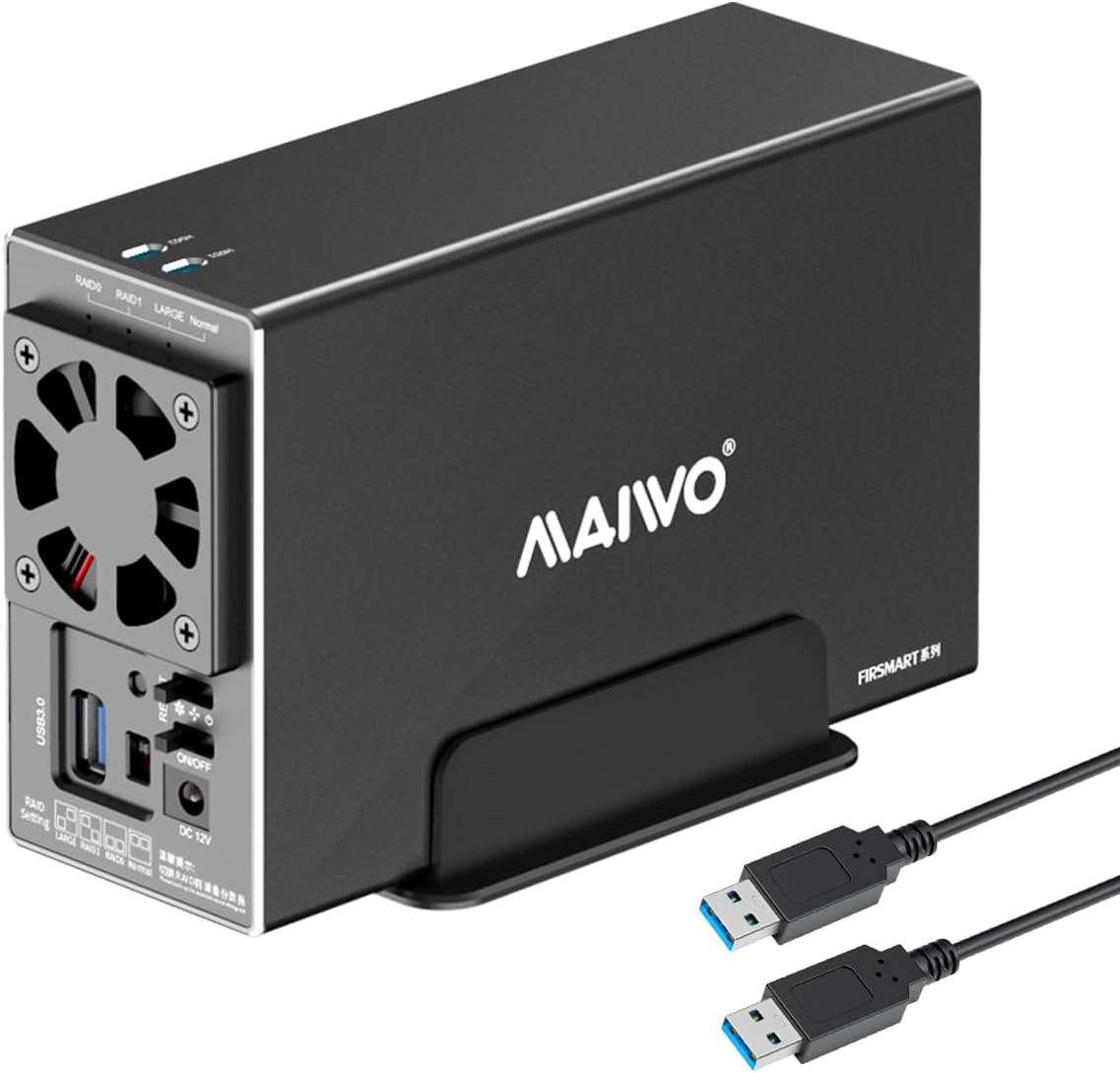
Are there better enclosures on the market? Without a doubt. For the price point, ~$38 in my case, I'd say it is with it. I bought 2 of these to use for backup purposes. One is onsite and only plugged in when needed. Eventually the second will be offsite and always be plugged in but only reading, or writing, about once a month for backups. I got the dual bays to future proof my setup. I know that eventually I'll add a second RAID 1 pool to my setup and I'll want to add a second on, and off, site HDD to back up things. This enclosure allows you to set it to normal so that the drives are viewed as separate devices, you can also set them as a pool. Some have noted that the hdd1 and hdd2 slots on the top aren't really functional, I thought this too. Much like the others, I was expecting some sort of indicator in that slot. In actuality, the slot allows you to see a white sticker on the part that slides the drives in. It's possible, and not harmful, to slide them in backwards. If you do this the sticker will be 180° from the slots. I'm not sure what you would put on the sticker but, that's why the slots are there. If you're looking for a workhorse enclosure that you'll be doing a lot of heavy reading and/or writing to, I'm pretty sure this isn't going to be for you. For that you'll want a sturdier enclosure, more of a heatsink, and a better fan. For a setup that's doing backups I think most will be happy with this. The fan does have a off/low/high switch. Even on a day I used it for hours updating a backup script, having only 1 HDD in it, and the fan on low the temp stayed in a safe range. I'm using this with a Linux machine, and have tested it with a Raspberry Pi 5. Given how it works I don't see any compatibility issues. My main use is to backup my jellyfin media library. Overall, this is very plug and play, especially if you want the drives to Stat separate.
N**E
Great performance for the price, touchy USB connection though.
In use, daily, for a month with 2-4TB drives, RAID 1. Great enclosure for the price point. Not sure if it's my set up or the enclosure, but it's VERY sensitive to ANY movement of the USB cable. The drive will drop off at the slightest nudge of the connected USB cable. I've verified everything is seated well and cables are good, but it still happens. Note, it's not power, its' the USB connection which drops. I simply put the enclosure in a place it's never touched, bumped or would otherwise stress the USB connection. It's easy to set up and use. Size is nice and reasonable. Overall it's quiet and unobtrusive. I did have to add some extra rubber dampeners to the stand to better quite the vibration of the unit (may just be due to my desk). But that was a cheap, easy, customization. I do wish the fan was automated (There's a manual switch for low, med, high). I set it on "medium" and have let it run. No issues thus far. Side by side with another brand 2 bay RAID enclosure (+$250).... this enclosure is faster, quieter, quicker to wake.. just better performance.. except that finicky USB connection. Perhaps the USB-C version doesn't have the touchy USB connection issue.
W**4
Decent for price
Decent for price if you need some easy set up and storage. Introduction were so no what easy to get the raid settings. Not as loud as I though since the fan didn't look promising but is decent. Actually bought two of these one for my brothers startup business and so far is being working great.
D**R
Great
great
D**V
how to manage RAID
hi how can I manage the maiwo? i set a RAID 1, right now unable to detect by the system. i want ot change the defective HDD but how should I know whitch one is working and which one is defective.
M**T
Needs plug adapter
Perfect, only short of information on the requirement of plug adaptor ( US TO UK).
V**S
Estupendo equipo
Estupenda función de RAID 1 que garantiza la permanencia de los datos, un equipo residente y la característica estupenda que después de 5 a 7 minutos de inactividad apaga los discos, pero en cuanto la computadora intenta acceder, los enciende automagicamente. Muy contento con este equipo y amplia recomendación para homelab o servidor
R**H
Passable Dual Bay Device
It is a neat unit with a poor user guide and no support from Maiwo. It works ok on Normal and Raid 1 settings but can not get the Large (JBOD) setting to work.
Trustpilot
1 month ago
3 weeks ago