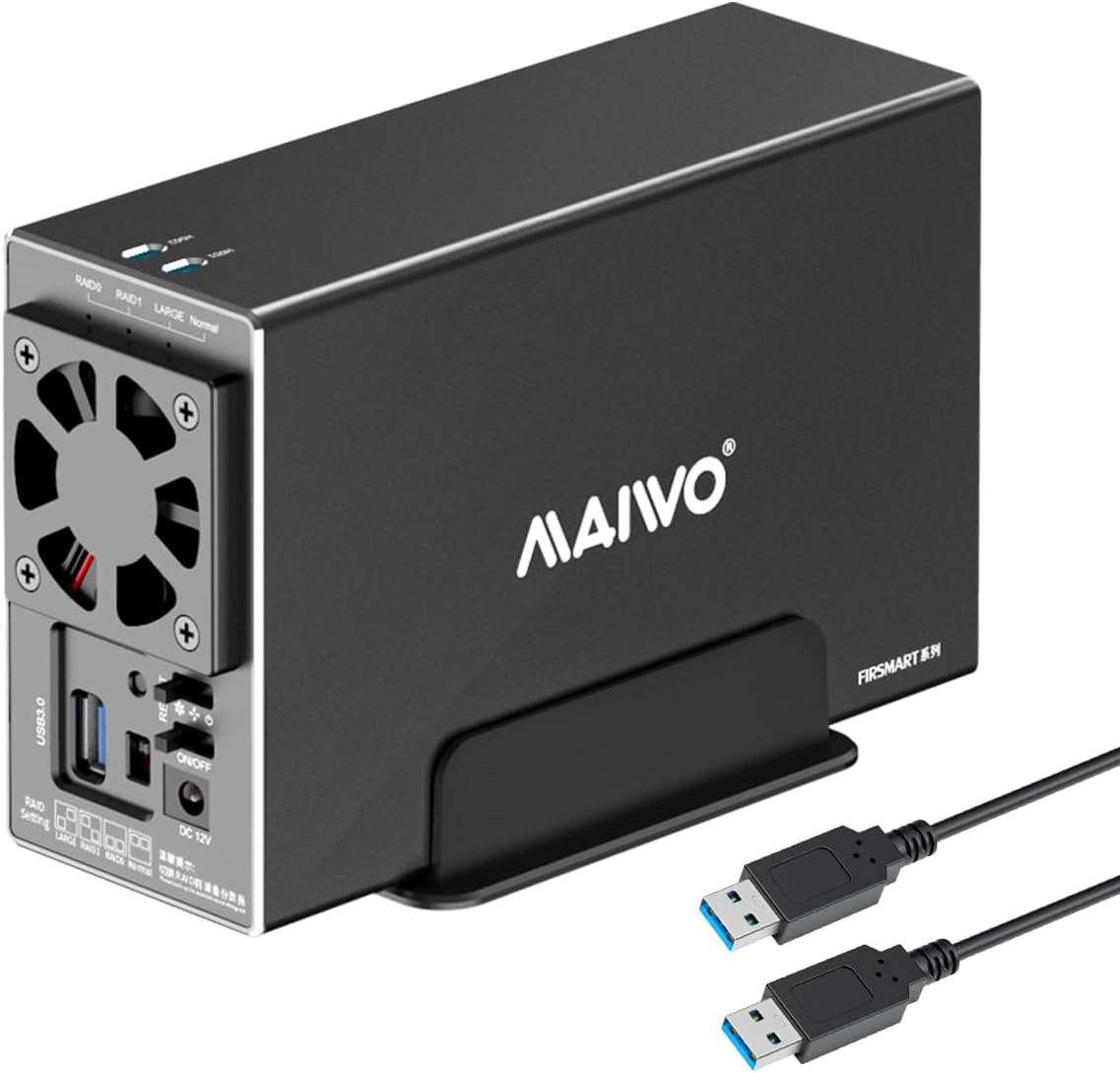


K35272U3S
Product ID: 634500962
Details
- BrandMAIWO
- Hardware InterfaceUSB 3.0 Type A
- Hardware PlatformPC
- MaterialAluminum
- Product Dimensions7.24"L x 2.6"W
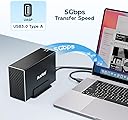
⚡5Gbps USB 3.0 speed
💾Supports up to 48TB storage
🧊Built-in dual-speed cooling fan
Buy anything from 5,000+ international stores. One checkout price. No surprise fees. Join 2M+ shoppers on Desertcart.
Desertcart purchases this item on your behalf and handles shipping, customs, and support to Greece.
💼 Elevate your data game with speed, space, and style.
The MAIWO Dual Bay Hard Drive RAID Enclosure is a professional-grade storage solution featuring USB 3.0 with 5Gbps transfer speeds, support for 2.5/3.5 inch SATA SSDs/HDDs, and flexible RAID modes (0/1/JBOD/PM). Its robust aluminum case and built-in cooling fan ensure optimal heat dissipation, while the massive 48TB capacity meets the demands of high-volume data users. Compatible across major OS platforms, it offers plug-and-play convenience for seamless integration into any professional setup.


| ASIN | B0D2KRD7KB |
| Best Sellers Rank | #322 in Enclosures |
| Brand | MAIWO |
| Built-In Media | 1x 12V/4A Power Adapter, 1x Dual Bay RAID Enclosure for 3.5'' SATA HDD, 1x USB 3.0 Type-A to Type-A Data Cable, 1x User Manual, 2x Screwdrivers, Screws |
| Compatible Devices | DAS, Desktop, Laptop, NAS, Tablet |
| Customer Reviews | 3.5 out of 5 stars 128 Reviews |
| Data Transfer Rate | 5 Gigabits Per Second |
| Enclosure Material | Aluminum, High-strength Plastic Drawer |
| Hard Disk Form Factor | 3.5 Inches |
| Hardware Interface | USB 3.0 Type A |
| Hardware Platform | PC |
| Item Dimensions L x W x H | 7.24"L x 2.6"W x 4.6"H |
| Item Weight | 0.88 Kilograms |
| Manufacturer | MAIWO |
| Material | Aluminum, High-strength Plastic Drawer |
| Memory Storage Capacity | 48 TB |
| Mfr Part Number | K35272 |
| Model Number | 2 Bay - RAID - USB 3.0 |
| Product Dimensions | 7.24"L x 2.6"W x 4.6"H |
| Supported Devices Quantity | 1 |
| Warranty Description | One Year Warranty |
J**W
Nice entry level enclosure
Are there better enclosures on the market? Without a doubt. For the price point, ~$38 in my case, I'd say it is with it. I bought 2 of these to use for backup purposes. One is onsite and only plugged in when needed. Eventually the second will be offsite and always be plugged in but only reading, or writing, about once a month for backups. I got the dual bays to future proof my setup. I know that eventually I'll add a second RAID 1 pool to my setup and I'll want to add a second on, and off, site HDD to back up things. This enclosure allows you to set it to normal so that the drives are viewed as separate devices, you can also set them as a pool. Some have noted that the hdd1 and hdd2 slots on the top aren't really functional, I thought this too. Much like the others, I was expecting some sort of indicator in that slot. In actuality, the slot allows you to see a white sticker on the part that slides the drives in. It's possible, and not harmful, to slide them in backwards. If you do this the sticker will be 180° from the slots. I'm not sure what you would put on the sticker but, that's why the slots are there. If you're looking for a workhorse enclosure that you'll be doing a lot of heavy reading and/or writing to, I'm pretty sure this isn't going to be for you. For that you'll want a sturdier enclosure, more of a heatsink, and a better fan. For a setup that's doing backups I think most will be happy with this. The fan does have a off/low/high switch. Even on a day I used it for hours updating a backup script, having only 1 HDD in it, and the fan on low the temp stayed in a safe range. I'm using this with a Linux machine, and have tested it with a Raspberry Pi 5. Given how it works I don't see any compatibility issues. My main use is to backup my jellyfin media library. Overall, this is very plug and play, especially if you want the drives to Stat separate.
A**R
MAIWO Dual Bay Enclosure 6 month review.
This enclosure worked well for a few months but now I get constant disconnects and poor transfer speeds (40mb/s). Swapping cables did not change my connection or speed issues. The fan is noisy but does work. Some files have become corrupted on my drives.
A**R
Works when properly configured, beware auto sleep function
I bought this unit to continue using two 6TB drives from a retiring PC in a RAID 1 configuration. The biggest thing to be aware of is that the drives go to sleep after a preset period, and this results in annoying system hangs while the drives wake up on access. The best solution short of tweaking your USB power config in Device Manager is to use the KeepAliveHD app to ping the drive once a minute and keep it awake. Other than that, good value for a USB only functional RAID enclosure.
J**N
Works well with plenty of flexibility.
I use this case with 2, 18 TB HDD's. I configured it to present 2 seperate drives to the computer and that works really well. You can also do Raid 0 if you want a fully redundant backup, or you can configure it to only show up as 1 drive but have the full capacity of both drives (36 TB in my case). It's quieter than my liquid cooled PC and has been completely trouble free. Installing the drives is easy and intuitive. There really isn't anything I'd change. It just works.
A**R
Quiet Fan but Loud Case. Hot and problem with USB-C speed
Positive: The fan is really quiet, esp. at the lower setting. 27-28db at about 3 fts away. Case is light and one of (if not the) most compact dual bay enclosure. Negative: There is no damping of any kind in HDD mount, and the enclosure wall is thin metal. Every clicking of HDD itself gets not only but transmitted and amplified by the box. It runs like machine gun firing that can be heard from the other room. The fan only blows on the circuit board compartment, and it is separated from HDD compartment. There is a very small gap (maybe 1mm) between the circuit board compartment and case wall that allow air to flow from HDD compartment into the circuit board compartment and that is the only way for HDD heat to dissipated. I am not saying the HDD will be over-heating, but I am not sure what the fan is doing, and why can't open some holes on the wall between the compartment? I also had connection problem with one of my computer -- but that might just be because of this computer as it does not happen in another one. I can't get the enclosure in any of RAID mode to write at full speed with USB-C connection. I get somewhere between 40 mb/sec to 80 mb/sec write. In JOBD mode, the speed is fine. strangely connecting to USB-A port, the RAID speed is fine. I also got a few disconnection in the short period of time I tried. So, it is cheap, light, good, looking, quiet and loud at the same time, and potential problem with cooling and stability of USB connection.
M**T
Basic as it gets, active fan is underwhelming so two HDD gets hot
The fan speed switch is kind of redundant since it must be on and full speed for two 3.5"hdd. Unless you install 2.5" or very cool 3.5"HDD, it gets hot over 50C easily, which is not good long term. The reason is fan basically recirculates air from the back and leaks thru the gaps of USB connector, switches and so on and very little air from actual front intake. The horizontal position instead of vertical is another big cause of stagnant hot air. There is not direct contact from HDD to metal case so heatsink effect of metal case is nil. Finally the bridge and HDD controller is cheap JMicron, so you should not use the built in hardware raid controller, instead use Windows storage spaces or something like that. Why I didnt return it? I needed a case first and I used it as normal config, but my fix was to 'fix' the airflow design issue but covering the leaks so non or very little air recirculation and also used a thick aluminum sheet ( soda can) to allow 3.5"HDD metal body to contact the metal case etc. It did lower the temp to 4 or 5C so it settles to around 45 ~46C at full workload. Manufacturer made a lazy design, never simulated airflow or cooling I suppose. So you know, if you got SATA SSD, it is a bottleneck the 5Gpbs, if you got pair of 2.5"HDD , is too big and oversize for that. Only if you got helium filled and 5400RPM HDD running cool, you can have two perhaps, or just one air filled 7200RPM HDD only since it will get hot. Or you provide your own fan to blow from intake. that works but then, why get this active fan enclosure if you need an extra fan right?
C**R
Nice option for those old drives laying around
I consolidated my raw video media onto 2 spinning hard drives and installed them into this enclosure. I like that it can provide RAID capability although I'm not using it. The drive spins down after a period of inactivity and have the typical spin up time when using them, that's not excessive though. This device helped me do away with drive docks and all the cables. I consider it an excellent option for archiving my data off the more expensive solid state drives that I use daily, it can get expensive when you have to store terabytes of data on SSD devices. Equipped with SSDs this device can easily be the working disk without noticeably slowing your system. I would buy this again.
C**N
Exelente
👍 compra
M**T
Needs plug adapter
Perfect, only short of information on the requirement of plug adaptor ( US TO UK).
V**S
Estupendo equipo
Estupenda función de RAID 1 que garantiza la permanencia de los datos, un equipo residente y la característica estupenda que después de 5 a 7 minutos de inactividad apaga los discos, pero en cuanto la computadora intenta acceder, los enciende automagicamente. Muy contento con este equipo y amplia recomendación para homelab o servidor
R**.
Inappropriate power adapter and unable to use it.
Unable to test this unit because the power adapter has some weird pins that don't fit in a power point. It looks like for Japanese outlet
A**R
You don't need a cloud, or new computer with more SSD/ SATA connections, just this...
Add storage to you computer with ease. Works flawlessly, easy to add drives into, works with various OS's. Simple! Get it. Use it. You'll enjoy it!
J**J
its smaller then it looks
works good and im happy with it not sure if its my cable but i had a few errors while sorting through 3tb of files nothing lost but I also some times had playing videos freeze on me for a few seconds, that's if your doing more then one thing with it at the same time. the case is Alum. it makes no noise and looks great. Price I paid was ok. The one thing i wished it had with it is a little plastic shuttle or frame to hold a 2.5drive in place. I 3d printed two but it would of been nice to just have a pair in the box. later
Trustpilot
3 weeks ago
5 days ago