Buy anything from 5,000+ international stores. One checkout price. No surprise fees. Join 2M+ shoppers on Desertcart.
Desertcart purchases this item on your behalf and handles shipping, customs, and support to Greece.
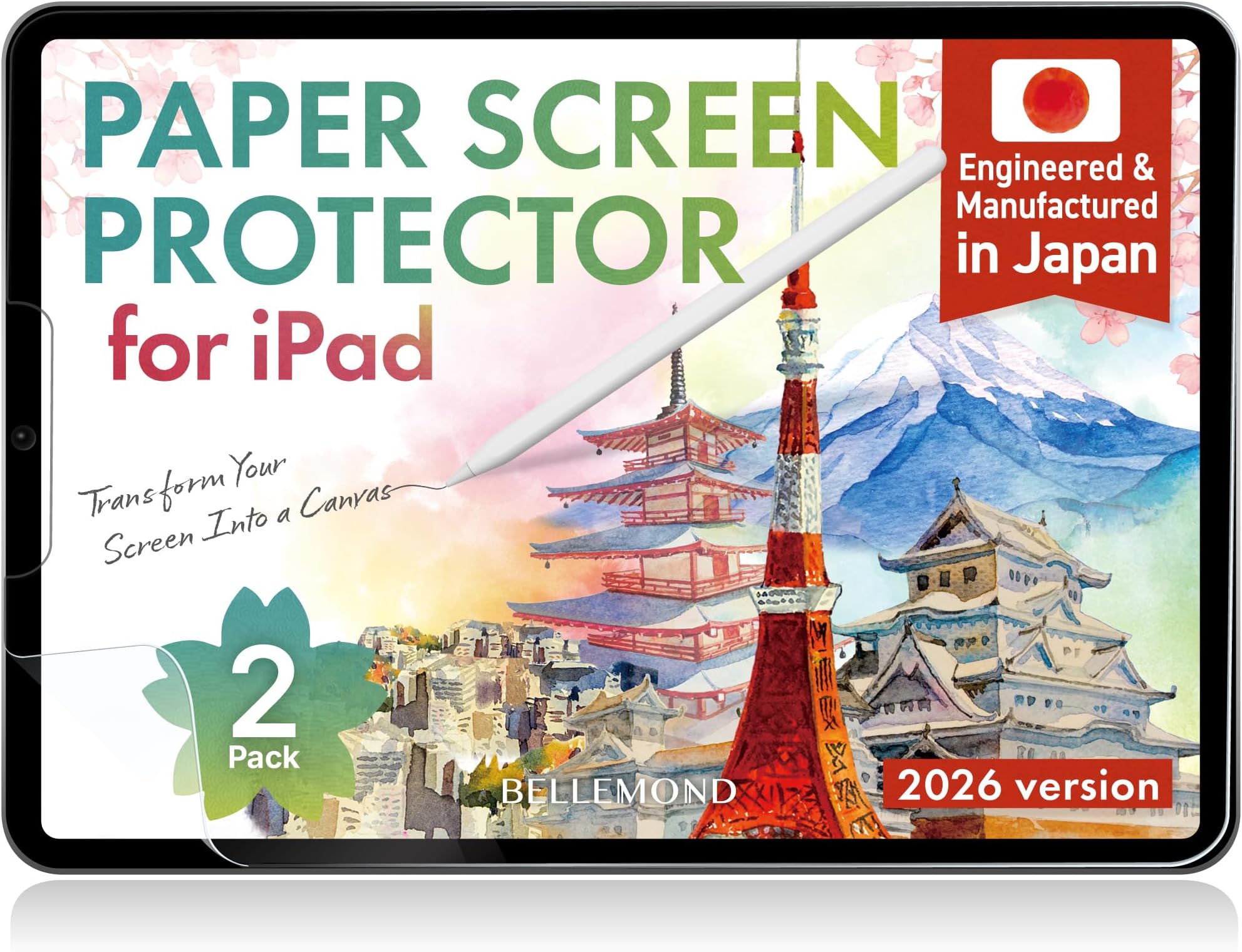
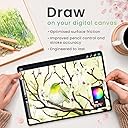
✍️ Elevate your iPad writing & drawing game with the ultimate paperfeel screen protector!
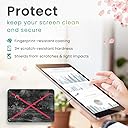
BELLEMOND’s 2-pack Paperfeel Screen Protector for iPad 10.2” (7th-9th Gen) delivers a premium matte PET film engineered in Japan to replicate the natural resistance of paper. Designed for digital note-takers and artists, it enhances Apple Pencil precision while reducing glare and fingerprints. The pack includes two durable, bubble-resistant protectors with installation tools, ensuring long-lasting, flawless use.


| ASIN | B0FK47LBY2 |
| Best Sellers Rank | #156 in Tablet Screen Protectors |
| Brand | BELLEMOND |
| Brand Name | BELLEMOND |
| Color | Clear |
| Compatible Devices | iPad |
| Compatible Phone Models | iPad 10.2 (2021/2020/2019) |
| Customer Reviews | 4.3 out of 5 stars 2,165 Reviews |
| Finish Type | Matte |
| Included Components | Installation Kit x 2, Paper Screen Protector x 2 |
| Item Dimensions L x W | 8.16"L x 6.12"W |
| Item Hardness | 3H |
| Item Weight | 168.11 Grams |
| Manufacturer | BELLEMOND |
| Material | Polyethylene Terephthalate |
| Model Name | GFLPLHQPIP |
| Model Number | GFLPLHQPIP-2S-1020 |
| Number of Items | 1 |
| Part Number | GFLPLHQPIP-2S-1020 |
| Product Dimensions | 8.16"L x 6.12"W |
| Screen Size | 10.2 Inches |
| Screen Surface Description | Matte |
| Special Features | Apple Pencil Compatible, Designed & Manufactured in Japan, Enhanced Writing Control, Matte Anti-Glare Surface, True Paperfeel Texture |
| Unit Count | 2.0 Count |
| Warranty Description | Limited manufacturer warranty provided by BELLEMOND. Please contact our customer support team for assistance. |
T**A
PaperLike Should Take Note
Like a lot of others who own an iPad Pro, I bought into the hype of the PaperLike screen protector. How could you not, right? The dang thing is everywhere. Seems like every iPad-related video is sponsored by the company. I even bought two different versions, because with all that advertising and the high cost, the product had to be the best, right? But after applying those protectors, I kept wondering what the heck everyone was raving about. They felt okay, sure, but not high-quality enough to justify their high cost. Plus they wore out really fast. After a month of grad school note taking, I found the PaperLike slick and basically useless. So, after peeling the last PaperLike off my iPad and preparing to fork over another $30, I stumbled upon this Bellemond product. I was skeptical though, because how could a product be as good as the most expensive and most hyped screen protector on the internet? But after reading the reviews for Bellemond, and seeing the cost, I figured I’d give it a shot. Besides, if the Bellemond didn’t work out I could always go back to PaperLike. Well, I’m happy to say that PaperLike will never get my money again as long as Bellemond is around. This protector is phenomenal. It finally FEELS like I’m taking notes on a legal pad. One of the other things that always bugged me about the previous protectors is that they mottled the iPad’s Retina display. It wasn’t terrible, but there was a noticeable difference in screen quality with the other guys. With the Bellemond, I can still tell there is a protector on the screen, but I’m shocked at how much better the screen looks versus the PaperLike. Now, there is one category in which I think the Bellemond is slightly lacking and that is the application process. PaperLike has a “hinge” system that uses stickers to apply the protector. Bellemond doesn’t use this process. Instead it asks you to freehand the protector on the screen, which I found to be a little more difficult than the other guys. Regardless, I was able to apply this protector with a little bit more attention to detail and as a result there are zero air bubbles or dust underneath. If you are careful then this isn’t a huge problem, but it is something to be aware of. Overall, I love this protector. It’s a little over half the cost of the PaperLike, much better quality, has a much more satisfying writing experience, and doesn’t impede the iPad’s gorgeous Retina display. All these traits make the Bellemond a better value than any of the other protectors out there—especially you know who. If you’re serious about using your Apple Pencil with your iPad then this is the screen protector to buy. Hey PaperLike, if you’re reading this review—you should be worried. I
A**E
Excellent, but tough to install.
I simply LOVE this product. This is what was missing from the iPad all along. The texture when using the Apple Pencil is just amazing and the matt finish does not diminish the truly fabulous quality of the iPad display. In fact, I think that the matt finish accentuates the colours. I use my iPad for reading, writing (handwriting), typing and sketching. I have a Magic Keyboard, but I find it cumbersome to keep pulling the tablet off when I need to handwrite, or sketch using the Apple Pencil, so I normally have a simple case and my trusty Logitech Keys-to-go bluetooth keyboard. Cons: Only one. Installation is really, really, really tough. But the product is forgiving enough that you can peel it back and keep trying to put it on carefully a few times, since the main issue is bubbles forming. I found that the best method was to peel away about one-third, stick the top and make sure that the top third has no bubbles using the cloth (not the card) - then, slowly, this time using the card, lay down the rest of the screen protector. Bubbles may form while you're laying down the last third, but you can easily get rid of them by lifting the screen protector back up, and trying to carefully lay it down again. I did that two or three times and it worked - finally! And now I have the most desirable, productive tablet since I find it very comfortable to write and sketch on, without affecting the visual beauty of the product. Kudos to BELLEMOND
J**4
Great 'paper like' feel for better price
This is my third time using this product, although in the beginning I choose this one merely by the good reviews. I first installed to my iPad Pro 12.9" that I use for drawing tee shirts designs and illustrations. I sketch and draw every day for a period of 3 to 6 hours, so it's imperative for me to recreate the paper feeling on my iPad screen, and after tried the Original 'Paperlike' screen protector for close to $50 I realized that it not worthy the exaggerated price. So Bellemond proved itself better texture with a very good feel like paper itself. The iPencil Pro resist like is scratching the surface of paper, the negative part of that great sensation is that the iPencil Pro tip wear off significantly faster than without this screen protector, but I rather replace more frequent the tips. The resistance on the iPencil makes the experience of drawing or writing on a glass surface very real just like you are doing it on paper. Now, I installed it to my iPad Mini where I start the sketching process before the finish piece. Great product and does it very well what it promise for a good price.
J**N
So far so good. Installation is a pain though.
When I first read the reviews I assumed that the installation issues were user error (and, still, most of it still is) but here are some things that I noticed that make the installation process troublesome. The first is that the adhesive is not sticky enough. I got it all on my iPad the first time only to go and lift the tab and it took it right back off. This was AFTER pressing it down with my hands and a credit card to remove any bubbles. Thus I placed it on again and had to restart the process, luckily, without any trapped dust or hair underneath. I also have an issue with the little card they give you to press the bubbles. It ended up ripping through a lot of the blue film on top and getting caught so I switched to a plastic card. The second is lining up the screen protector isn't difficult but it could be a lot easier so that you get a straight and clean experience. Many screen protectors achieve this by providing a frame of sorts so that you can keep it in line. If plastic use is the issue I feel we could even achieve it with cardboard or something similar. I can't say how well it holds up but am hoping it lasts a while. It doesn't interfere with the screen clarity and it feels much better than a bare screen. I won't claim it's the same as writing on paper and you don't get that feeling like you would on a remarkable or something like that but it definitely helps.
S**.
Feels like paper
Great on the ipad mini, realistic paper like feeling when using a pen and decreased light reflection. Somewhat tight fit with the camera lense on top and needed to rearrange a few times for a good fit. Has two screen covers in the box with everything needed to install.
W**E
Loses texture quickly
INSTALL NOTE: The protector is only slightly smaller than the actual ipad, so make sure you have a good alignment and are near the starting edge before you start applying the entire sheet, otherwise you'll get to the end of the iPad and the protector will be hanging off the edge of your iPad. The blue film side comes off LAST. Pull the clear large rectangle film off as you lay the protector down on your iPad while you use the stiff cardboard card to force the protector to lay down. Once the protector is on, use the card to push out all the air bubbles. Finally take off the blue film. The texture rubs off very quickly, however for the price, it's hard to beat. You can get 4 of these (8 total screens) for the same price as other brands for only 2 screens. The first protector worked great for about 2 months before it started getting slick. Pen response was perfect and the texture was a game changer, actually felt like drawing on paper. If you're an artist, this is gonna be great for going from traditional to digital. The ease of install is similar to other protectors, go slow and take care and be patient. Be diligent when removing the air bubbles, leave the blue film on until you get all the bubbles out. The fit for my iPad 13" m5 is perfect. There was the expected amount of decrease in screen quality that you'd expect from a matte, textured protector. So it looks okay and reduces glare slightly. I was able to still fit it into 2 different cases with no problems. It doesn't seem to smudge easily and I never notice any scratches while I'm using it, though there are some scratches on the protector if you try to look really hard. I haven't noticed my pen nib being worn down by the protector. I'm going to try another brand, but I have a feeling, the lack of longevity is going to be offset by the low price, so I'll prolly be back.
F**.
Feels Just Like Drawing on Paper — Great Product with One Small Flaw
This screen protector from Bellemond is excellent! Once applied, it truly feels like you’re drawing or writing on real paper. The texture provides just the right amount of resistance, making it ideal for artists or note-takers who want a more natural experience on the iPad. It also fits the screen nicely and enhances precision when using the Apple Pencil. However, I did struggle with the installation. I would strongly recommend that the seller include an alignment frame or guide to make the application process easier. Without it, I had to reposition the protector multiple times, which unfortunately led to some dust and air bubbles getting trapped underneath. I managed to clean it up the best I could, and thankfully, the remaining imperfections don’t bother me during use. Despite the tricky installation, I still recommend this product to other artists. The drawing feel alone makes it worth it!
F**L
Really wanted to like it, but impossible installation + rapid pencil wear = useless product
I really wanted to like it. The matte texture was easy (non-glare) to look at and the texture felt nice to my fingers, but ultimately it was useless. I had to take it off within two days. The problems I had: (1) It wore down my Apple Pencil nib immediately. I used it for less than two days before removing it and even in those few working hours it left extremely visible wear on my pencil tip. I realize pencil wear is a common issue with paper-like screen protectors (their texture is essentially very fine-grain sandpaper, I get that) but having visible wear in a matter of HOURS felt really excessive. It took weeks or months in the past for that to happen with other brands. Ultimately I think this would have been a deal-breaker for me on its own, but... (2) Even before that, installation was nearly impossible. I've done dozens and dozens of screen protectors on various people's iOS devices over the years, so it's not lack of experience, but this was one of the worst install experiences I've encountered. Even doing it with clean hands on on a clean kitchen counter to minimize dust/fibers and following all the tips on the official and unofficial videos, I could not get the thing on straight or cleanly. It's so thin (even with the liner sheet backing it until installed) that it jumped all around by static electricity no matter how carefully I aimed and little dust particles jumped onto it even when the screen below was clear. It was ridiculous and utterly infuriating. (3) Also, please note that they mean it when they say not to install it over tempered glass screen protector. I've never had a problem doing this before (i.e. putting a matte/textured/other film over the glass) with other brands, but this time it killed the responsiveness. It often didn't register my taps, or it overreacted to them with what my sibling calls "pixel barf" (spontaneous big blobs and/or random chaotic staggering lines across the screen). If the thing had been easier to install and didn't wear down my pencil nibs, I might have considered taking off the glass layer and re-applying the second Bellemond (they come in a 2-pack) directly to the screen, but because of #1 and #2 above, it honestly didn't feel like there was any point in trying. Overall, I loved the idea of a matte/paper-ish screen for drawing, and it seemed like this would be a strong alternative to the overpriced Paperlike brand (which had its own issues but was at least useful for several months), but unfortunately it was a total flop.
J**O
La mejor opción de micas para escribir, sin dudas
Si gastaste algunos minutos viendo toda esa publicidad y opiniones pagadas de Paperlike que decía que no hay otra opción para tener la mejor experiencia de escritura en una tablet (en mi caso un Ipad) quisiera decirte (y espero que a tiempo) que sí, sí hay otra opción, más barata e igual o mejor que Paperlike. Digámoslo sin rodeos: una opción que te vende JUSTAMENTE lo que necesitas y no una tecnología que ni entiendes y que no representa ningún beneficio ni único y ni diferenciador. Llevo ya un tiempo usando Bellemond en mi ipad, después de que tuve un accidente en mis anteriores protectores de Paperlike y mi sorpresa fue tal que terminó convirtiéndose en una convicción de que siempre, siempre, siempre hay opciones y siempre nos pueden sorprender esas opciones, sobre todo si esas opciones parten de, esencialmente, resolverte problemas concretos de manera asertuva y eficiente. Bellemond es una marca japonesa y no es para nadie una sorpresa que si una marca japonesa te promete algo, lo cumple. Mi uso es de escritura intensa, dibujo de esquemas y bosquejo de prototipos y las micas que llegue a tener, que fueron varias, tenían un desgaste natural que me obligaron a cambiar y probar nuevas opciones. También buscaba una sensación de escritura que fuera mas natural. Bellemond lo ha resuelto y sin duda alguna no noto diferencia alguna con Paperlike que cuesta 3 veces más. En resumen no puedo dejar de recomendar algo que definitivamente funciona y funciona tan bien o mejor como el producto en el mercado que se presenta como la "única opción". Por un tercio del valor de unas micas paperlike tienes una opción excelente sin tantos rollos.
S**T
Not for professional Artist. Worked only for few months.
As a professional artist. I always went for the paperlike screen cover. It used to be much more cheaper back then but now, it’s ridiculously high price. I wanted to give a try to this screen protector after many positive reviews by artist and I must say it was very smooth transition from paperlike to bellemond for me. It’s really worth it. The only negative thing about it is that the surface get smooth after a few use like in a week. But it still maintain the paper feel. UPDATE: less than a year, the cover got so smooth and creating problem adding strokes while painting. Sometimes get itching sound. I was impressed by the quality for few weeks within that price. But now, I will highly recommend paperlike (original) cover which I used more than 2 years and it maunting the paperlike feel. Removing 4 star rating to 2 star. Not sure why people having a problem installing it as it has same installation process than almost all screen protector.
J**L
5-Minute Install. Elite Quality
Five minutes to set up. Immediate leverage. The texture is solid and the quality is undeniable. This is the right play.
Y**G
Wonderful
Good quality
M**H
It is paper-like
Matte; paper like; doesn’t impede colours or picture quality; the pen actually writes comfortably on the screen due to this screen protector. Previously, my glass screen protector kept sliding the pen away and it was very slippery to write on the screen and required a lot of focus to be able to control the pen in a neat enough way, so I didn’t bother writing on it at all. However, now it’s possible to comfortably write neatly on this bellemond screen protector and it’s more of a natural experience like pen and paper. But since it’s a film and not glass, my laminated iPad display doesn’t have an extra solid layer of protection over it anymore. So I installed this bellemond screen protector over my glass screen protector and not directly on the iPad display. The result is protection and paper like writing all in one, without impeding the display or touchscreen! I recommend 👍
Trustpilot
1 month ago
1 day ago