Desertcart purchases this item on your behalf and handles shipping, customs, and support to Greece.
🎥 Elevate your presence—because your face deserves the spotlight, not the blur.
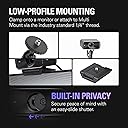
The Elgato Facecam MK.2 is a premium Full HD webcam featuring a Sony CMOS sensor that delivers uncompressed 1080p60 video for ultra-smooth, high-fidelity streaming. Equipped with DSLR-style manual controls via intuitive Camera Hub software, HDR support for balanced lighting, and a built-in easy-slide privacy shutter, it’s engineered for professionals and creators who demand crisp visuals and privacy. Compatible with Windows and macOS, its sturdy design ensures stable mounting for seamless use in any environment.


| ASIN | B0CW1S7XP5 |
| Antenna Location | Gaming |
| Are Batteries Included? | No |
| Best Sellers Rank | 2,892 in Computers & Accessories ( See Top 100 in Computers & Accessories ) 21 in Webcams |
| Box Contents | Elgato Facecam MK.2 |
| Brand | Elgato |
| Brand Name | Elgato |
| Camcorder Type | Webcam |
| Colour | Black |
| Compatible Devices | Personal Computer, Laptop |
| Customer Reviews | 4.2 out of 5 stars 1,979 Reviews |
| Effective Still Resolution | 2.1 MP |
| Effective Video Resolution | 1080 Pixels |
| Exposure Control Type | Automatic |
| File Format | MP4 |
| Flash Memory Bus Interface Type | UHS-I |
| Flash Memory Speed Class | C60 |
| Flash Memory Type | SDXC |
| Flash Memory UHS Speed Class | 6 |
| Flash Memory Video Speed Class | V30 |
| Flash memory type | SDXC |
| Focus Type | Auto Focus |
| Form Factor | Stationary |
| Global Trade Identification Number | 00840006669227 |
| Has Image Stabilization | No |
| Image Aspect Ratio | 16:9 |
| Image Capture Speed | 60 fps |
| Image Stabilization Type | false |
| Item Dimensions D x W x H | 3.8D x 6.1W x 6.1H centimetres |
| Item Weight | 0.09 Kilograms |
| Lens Type | Wide Angle |
| Manufacturer | Corsair |
| Maximum Aperture | 2.8 f |
| Maximum Display Resolution | FHD |
| Maximum aperture | 2.8 f |
| Minimum Aperture | 1.5 f |
| Model Name | Elgato Facecam MK.2 |
| Model Number | 20WAC9901 |
| Network Connectivity Technology | USB |
| Operating System | Windows, macOS |
| Photo sensor technology | CMOS |
| Product Features | HDR-enabled, Uncompressed Video Capture, Professional-grade Image PTZ Control |
| Sensor Type | CMOS |
| Shooting Modes | Low Light, HDR |
| Style Name | Facecam |
| Supported Audio Format | AAC, MP3 |
| Supported Image Format | JPEG |
| UPC | 840006669227 |
| Unit Count | 1.0 count |
| Video Capture Format | MP4 |
| Video Capture Resolution | 1080p |
| Video capture format | MP4 |
| Video capture resolution | 1080p |
| Water Resistance Level | Not Water Resistant |
| White Balance Settings | Auto |
| Zoom | Optical |
D**Y
The perfect webcam for streaming
After doing extensive research on webcams suitable for streaming, I decided to go with the Elgato Facecam MK2, and it has been an excellent choice that ticks all the boxes. Already familiar with Elgato products (I already own a Elgato capture card and usb mic), I expected solid build quality, but this webcam has gone beyond my expectations. Design and Build: The camera has a sleek, professional design that looks great on top of my monitor. Its sturdy build and weight ensure it stays firmly in place without slipping or needing frequent adjustments, which is a big plus during long streaming sessions. Software: What really sets the Elgato Facecam MK2 apart from its competitors is the Camera Hub software. It's incredibly versatile and user-friendly. One of my favorite features is the ability to create multiple custom layouts. For example, you can set up one layout for a close-up on your face and another for a more zoomed-out view of your environment. Switching between these is smooth and enhances the overall production value of your stream. There are also some background features available if you have an Nvidia graphics card, but I haven’t been able to test these personally as I don't have the required hardware. Still, it's a great option for those who do. Performance: The picture quality is top-notch, with crisp, clear images that enhance the professionalism of my streams. Even in lower light conditions, it handles well without too much noise or graininess. Overall Verdict: The Elgato Facecam MK2 is a well-built, high-quality camera that's perfect for streamers. With its excellent software and reliable performance, it's a standout choice. While I couldn't try all the features, especially the Nvidia-powered background options, everything I’ve experienced has been fantastic. Highly recommended!
F**X
Great Value Great Performance
Camera Quality is very great and clear Easy to setup [mine did have a bad wire but after using a spare USB C cable i had lying around it works flawlessly with no lag and great low light operation Great value for money don't let it's low price turn you away from this gem Super compatible with PC and Laptop Not tried the built in sound yet as i use my HyperX QuadCast for that
A**S
Excellent quality webcam for livestreaming, podcasts etc
Much better than anticipated. Excellent picture quality, whilst not extensive on Mac, the Elgato Camera Hub software is a welcome addition. Field of view is excellent with the option to zoom through the software, although the quality does appear to degrade when zoomed in extensively.
S**N
Good camera and features for the price
Camera is great quality at 1080p with 60 fps. Amazing for recording, streaming and works great for face tracking if you are using a vtuber model of some kind. The software for the camera is very easy to use and and setup and has a great amount of options for zoom, filters and sliders to customise contrast saturation sharpness and white balance and you can also have 4 presets frame settings (Zoom, pan and tilt). There is also the option to install NVIDIA AR SDK if you would like to use zoomed face tracking and extra effects like background blur or ai backgrounds. The camera also has a slidable black cover that hides all view when in use. Also this webcam does not have a mic so cannot process any audio. The monitor grip stand the camera is on is very easy to use and can also be removed if you wish to screw the camera onto something else like a tripod stand. The camera does have a sturdy and slightly thick cable that plugs into the back of the camera, if there is something close behind the camera the cable will have to bend and will most likely be touching whatever is there so be careful not to damage the cable should you need to bend it. Highly recommended that you don't have too many usb devices plugged into the pc you wish to use this camera with as having multiple usb devices taking computer resources can cause the camera to lag or lose frames causing footage to be slightly choppy. Also ensure your pc has a 3.0 usb slot or better to plug the camera into for optimal performance from the product. The product is a good value for money for the quality of product and all the useable features. Something to keep in mind though with all cameras that no matter how good the camera quality is, having bad lighting can make the image look a lot worse in quality through no fault of the actual camera.
C**P
“Crisp, Clear Video Quality”
I’ve been using this webcam for streaming and video calls and the quality is excellent. The picture is sharp, colours look natural, and setup was quick. Adjusting settings through the software is easy, and it feels very well made. Great upgrade from a standard webcam.
M**.
Simply one of the best.
Clear high quality image, incredibly easy to use, great focus, amazing lighting… do your research on webcams, and you will found out why there’s so many cheap options. This webcam may be a bit more expensive, but it’s miles ahead of any budget webcam out there. Elgato know what they’re doing. The price is fair, you won’t regret your purchase.
S**I
Elgato Facecam – short review (6 months of use)
Visually, the camera is appealing and stands out with a slightly retro look. Build quality is generally fine, but not at a premium level — the plastic edges feel a bit sharp, likely from the molding process. The biggest issue is the software: absolute garbage. On macOS it performs terribly — noticeable delay, slow response, poor low-light performance, and a lot of noise. I tried various settings with no real improvement. Conclusion: I consider this a bad purchase. Most online reviews look clearly sponsored (Elgato has since been acquired by Corsair). I do not recommend this camera, nor webcams of this type in general, even if bought from Amazon.com.
D**N
Mixed experience
I found the camera part to be really good, easy to use, produced a high quality picture on Teams with no need for fiddling around with software. I’ve found the Logitech ones are very poor out of the box and I can’t install their software to tweak the settings on my work laptop, so this was ideal for me. Unfortunately the housing is terrible, cheap and flimsy. After a year of use (I attached it to a separate mount, once and done, but otherwise have not really touched it physically) there’s something rattling around inside it, and the locking nut for attaching to a standard tripod screw has broken off revealing it was held in place by a small amount of crappy glue and won’t go back on. I should stress that it hasn’t had to travel, I haven’t been moving it around or unscrewing the mount more than once. I found a fair few people complaining about this online so I don’t think it was just me. So like I said a mixed experience, I’m not sure I would recommend it. Great camera in a terrible package.
M**I
Finalmente una webcam fatta per chi fa live – nitida, veloce, senza sorprese
Uso la Elgato Facecam solo per le mie live su Twitch e YouTube, e posso dire che è la prima webcam che mi ha davvero convinto. L’immagine è super nitida, fluida, con colori naturali, e soprattutto non ha lag. Si vede subito che è pensata per chi fa contenuti seri, non è la classica webcam da videoconferenze. Uno dei punti forti è che non ha messa a fuoco automatica ballerina: resta fissa, quindi niente sfocature improvvise durante la live se ti muovi un po’. E se usi luci come la Elgato Key Light, la qualità dell’immagine fa davvero un salto – sembra quasi una mirrorless. L’app Camera Hub ti dà un controllo totale: puoi regolare esposizione, ISO, contrasto, nitidezza… e tutto resta salvato direttamente nella cam, anche se la scolleghi. Una chicca che non ti fa perdere tempo ogni volta che accendi il PC. ⸻ ✅ Cosa mi è piaciuto: • Qualità video eccellente per essere una webcam • Immagine fluida e stabile, senza autofocus fastidioso • Software semplice ma completo • Funziona benissimo anche con OBS e Streamlabs • Costruzione solida e look professionale ❌ Cose da sapere: • Non ha microfono integrato (ma se streammi, tanto usi già un mic serio) • Serve una buona luce per rendere al massimo (tipo una Key Light) ⸻ 🎥 In sintesi La Facecam di Elgato è fatta apposta per chi vuole una webcam di livello alto per streaming. Nessun impazzimento con le impostazioni, immagine chiara e stabile, qualità superiore alla media. Se vuoi un aspetto più professionale in live, questa è la scelta giusta.
E**Ü
Düşük Kalitede Mükemmel Görüntü
Düşük ışıkta gayet güzel görüntü vermekte. Elgato Camera Hub ile daha ince görüntü ayarları yapabilirsiniz. Şu anki fiyatına göre üst düzey kalite.
C**8
Pricey but worth it
Its a good webcam. Sure a bit pricey but worth it in the long run. Use it for my stream on twitch and overall quality is good. But you need a nvidia card to use some of the background stuff, but you can still use a greenscreen with a amd card so its fine really not missing much. Overall a good purchase to upgrade your stream with
A**E
Top Webcam für alle Lagen
Ich nutze diese Cam mittlerweile seit einigen Monaten. Für die Preisklasse in der man sich hier bewegt ist es die perfekte Webcam. Die Auflösung ist top, die Software von Elgato birgt viele Möglichkeiten auch wenn man diese nicht braucht um die Cam zu nutzen. Außerdem keine Ausfälle oder Ruckler im Bild. Mit einer guten Beleuchtung funktioniert sie auch perfekt mit einem Greenscreen. Allerdings ist es auch super möglich Simulationen für Greenscreens zu nutzen wenn man sich keinen kaufen möchte. Die Cam kommt super damit zurecht. Das einzige Problem, welches ich hatte, war ein Standbild in OBS. Allerdings habe ich festgestellt, dass es ein Softwareproblem von OBS war. Die Cam hatte daran keine Schuld. Fazit: Preis-Leisting stimmt hier sicher. Auch wenn es natürlich keine professionelle Kanera ist, hat sie für eine Webcam perfekte Qualität und ist für Streaming auch super nutzbar. Eine 5/5 für mich.
S**Y
The best Webcame you,ll ever have .
An absolute beautiful, amazing Camera, the 1080 FHD 60Fps looks like 4k 120 fps holy i love it .
Trustpilot
5 days ago
1 month ago