Buy anything from 5,000+ international stores. One checkout price. No surprise fees. Join 2M+ shoppers on Desertcart.
Desertcart purchases this item on your behalf and handles shipping, customs, and support to Greece.
🖱️ Elevate your workflow and gameplay with precision that keeps you ahead of the curve!
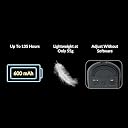
The Keychron M3 Mini 4K is an ultra-lightweight, versatile wireless optical mouse featuring Bluetooth 5.1 and 2.4 GHz connectivity, a pro-grade PixArt 3395 sensor with up to 26,000 DPI, and an ultra-fast 4000 Hz polling rate. Designed for Windows, Mac, and Linux users, it offers extensive customization via Keychron Engine and durable Huano 80M micro switches rated for 80 million clicks, making it perfect for professionals and gamers seeking precision and comfort on the go.


| ASIN | B0C77S38LL |
| Antenna Location | Gaming, Office |
| Are Batteries Included? | Yes |
| Are Batteries Required | Yes |
| Brand | Keychron |
| Brand Name | Keychron |
| Button Quantity | 3 |
| Colour | Black |
| Compatible Devices | Personal Computer, Laptop |
| Connectivity Technology | Bluetooth |
| Customer Reviews | 4.1 out of 5 stars 32 Reviews |
| Enclosure Material | Plastic |
| Hardware Platform | PC |
| Item Weight Unit of Measure | 55 Grams |
| Manufacturer | Keychron |
| Mouse Maximum Sensitivity | 26000 Dots per Inch |
| Movement Detection | Optical |
| Movement Detection Technology | Optical |
| Network Connectivity Technology | Bluetooth |
| Number of Batteries | 1 12V batteries required. (included) |
| Number of Buttons | 3 |
| Operating System | Linux |
| Power Source | Battery Powered |
| Product Features | 2.4 GHz and Bluetooth 5.1, 4000 Hz Polling Rate, Huano 80M Micro Switch, PixArt 3395 with up to 26,000 DPI, up to 650 IPS |
| Range | 10.0 meters |
| Special Feature | 2.4 GHz and Bluetooth 5.1, 4000 Hz Polling Rate, Huano 80M Micro Switch, PixArt 3395 with up to 26,000 DPI, up to 650 IPS Special Feature 2.4 GHz and Bluetooth 5.1, 4000 Hz Polling Rate, Huano 80M Micro Switch, PixArt 3395 with up to 26,000 DPI, up to 650 IPS See more |
| Style Name | Modern |
| Unit Count | 1.0 Count |
A**X
High quality mouse and NO SOFTWARE BLOAT
I've been using this mouse for month so far and I am loving almost everything about it. I'm coming from a logitech g703 lightspeed mouse and i can say the Keychron M3 Mini 8K Wireless is much better. I use this mouse for FPS games and i find this mouse has much better tracking than any mouse ive owned in all my time playing pc games. I specifically chose the 8k polling rate for this reason and it feels much better even when using the wireless dongle. The versatility of this mouse comes in handy. I have not had wireless issues yet, but i'm glad it can be hooked up as a wired mouse if needed. The best part about this mouse is the web app launcher to customize the mouse. I was growing sick and tired of relying on buggy software bloat for peripherals like razer synapse or logitech hub. This mouse has none of that! Less background activity on your PC! Everything is done in their web app launcher which is highly responsive and easy to use. You can customize the DPI, polling rate, update the firmware, and customize some advanced performance features on the mouse. Some reviews say this mouse feels so lightweight that it feels "cheap" but i personally find this weight useful while gaming. If im not mistaken, pro esports players prefer lightweight mouses for FPS games, so i think this is personal preference. If you have small hands like I do, this mouse might be perfect for you. I havent felt much fatigue from this mouse compared to other mouses ive had after prolonged use. I was close to purchasing a mouse that was similar but much more expensive than this mouse, but im more than happy that i gave this mouse a try.
J**J
Great lightweight mouse for gaming
From a mainly fps/arena shooter player: -Great overall coating - particularly the aggressive raised texture on the sides. Doesn’t get slippery when hands get sweaty and gives great control for flicks. Texture on the scroll wheel feels good. -Main clicks feel great and are responsive. Side buttons are good, I haven’t noticed any issues with them in games and respond quick. -Great continuous tracking, though I’ve only tested it on my favorite speed mousepad. Stock feet work very well and I see no need to change. -4k receiver sits on desk well and cable is good. Battery life is very good. I love that it’s a tiny keyboard. -On-mouse dpi and polling controls work well -Easy web-based software, but I haven’t really needed it as the on-mouse control settings work well enough. -Very light weight, easy to control with just fingertips when needed. -The main mouse buttons are pretty flexible. This is somewhat nice as you can almost pre-load the click, but you can also push too hard and get the front of the button to push past the front lip. You won’t ever notice this in games or when regularly using, but it’s a weird quirk. I’ve used a few of the newer crop of light weight gaming mice from Pulsar, Logitech, and Razer and keep coming back to this mouse. I really like the direction Keychron is taking with it and would love to see small refinements that would make it even better.
A**N
Good but weird texture
Great mouse works well. My only grip is the texture on the side of the mouse. I wish it was a smooth texture rather than a bumpy texture.
B**N
Best mouse for Mac
At first, I thought that this mouse feels too cheap & plasticky. Also, the light weight isn't really something I care about (I prefer it slightly more hefty). However. I'm coming from a disappointing experience with Logitech and magic mice on Mac, where I had everything from lag, teleporting cursor, dropouts, stutter and chafing. I tried to figure these problems out for a while, and it turned out that rather than the software side or some heavy CPU use (a maxed out m2 pro mini), it's the mice's subpar bluetooth implementation and below-average sensor hardware that is to blame. I had to get a new mouse, and while we're shopping I thought let's look in the somewhat high specs corner of the product world: gaming. I wanted to find one that has tried and true mac compatibility, state-of-the-art specs, flexible connectivity and no-frills design (no decorative LED stuff that just sucks power), as well as being somewhat on the compact side so it'll travel well when needed. The M3 Mini seemed to hit all those criteria, so I gave it a shot. Suddenly, all of the annoying-me-to-mindlessness lag and stutter was gone and the level of precision as well as smoothness of navigation is something I have *never* experienced in my thirty-something years of computer mice use. It's truly amazing. I use this mouse primarily for general work stuff, as well as some hobbyist audio engineering and video editing. I have a few mac-based games, and they are such a joy to play now. What I thought to be some kind of lag that came from peaking CPU load, has vanished - everything is running absolutely smooth now, simply because a new mouse was needed. Only after I had ordered this mouse, I discovered there is also a slightly less-lightweight metal-version of it. It is true that the only gripes of this mouse is the somewhat cheap feel, that comes from the light weight and the use of very bland plastic surface material. Then again, I have a toddler who loves to steal all things and use them as a popsicle. I suspect this mouse cleans better than something more fancy, so I guess It's a keeper. Some folks are complaining about the slightly grained surface on the mouse's side. In my opinion it feels good and positioned in a reasonable spot where you don't want any slip. Great. One other aspect that I'm missing is that this mouse doesn't have a dual mode scroll wheel. It comes as a step-by-step scroller only, and you can't have it spin freely. Other than that it's pretty much perfect.
B**N
4k is very, very smooth
I'm enjoying the smoothness of the 4k polling. I'm not gaming with it, but any of my office / programming work is just more enjoyable with a smooth mouse. Also very lightweight, idk how I managed with the MX Master 2s for so long! A couple notes: * No side-scroller can be fixed by mapping one of the thumb buttons to "Shift". Then the shift and mouse wheel make for horizontal scrolling (and you can do that mapping with the Keychron software, even on Mac) * The 2k and 4k modes are only available when that keyboard dongle is attached. The 1k dongle version is way more practical for people who are constantly on the go. I'm at my home office most of the time, so the 4k dongle doesn't bother me, but it's a bit of a headache to lug it around if you want that smooth polling. * Once you get spoiled with 1k - 4k polling, it's nearly impossible to go back to the regular "bluetooth" connection. You've been warned :sweat-smile: Directly connecting to charge the mouse with the cable only gives 1k polling, but the chord isn't a bother.
Trustpilot
5 days ago
3 days ago