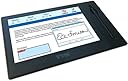
๐ฅ๏ธ Elevate your digital workspace with the GemView 10 โ where precision meets productivity.
The Topaz GemView 10 Tablet Display is a renewed 10.1-inch TFT LCD touchscreen designed for professionals seeking a reliable, high-resolution input device. Featuring USB connectivity, advanced stylus support, and bundled Topaz software, it offers seamless signature mirroring and versatile use for editing, teaching, and writing tasks.
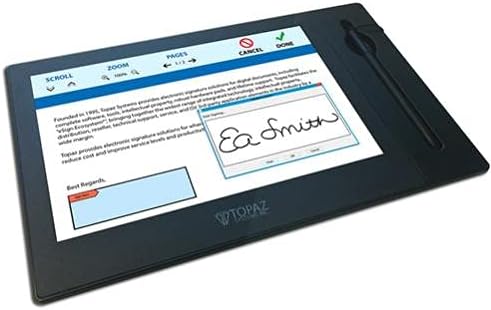
| ASIN | B0CMJ5FPVX |
| Active Surface Area | 10.1 inches |
| Additional Features | Advanced stylus support |
| Best Sellers Rank | #2,776 in Amazon Renewed ( See Top 100 in Amazon Renewed ) #118 in Computer Graphics Tablets #839 in Renewed Computers & Accessories |
| Brand | Topaz Systems |
| Built-In Media | Digital Pen |
| Color | Black |
| Compatible Devices | Desktop |
| Connectivity Technology | USB |
| Customer Reviews | 3.1 out of 5 stars 9 Reviews |
| Display Type | LCD |
| Item Dimensions L x W | 10.1"L x 10.1"W |
| Manufacturer | Topaz |
| Mfr Part Number | TD-LBK101VA-USB-R-cr |
| Model Name | GemView 10 Tablet Display |
| Model Number | 488a62fa-b963-437a-8d5a-9d0038569a78 |
| Native Resolution | 1280 x 800 pixels |
| Operating System | Windows |
| Screen Size | 10.1 |
| Special Feature | Advanced stylus support |
| Specific Uses For Product | Editing, Teaching, Writing |
| Target Audience | Teacher |
| UPC | 657768774836 |
| Unit Count | 1.0 Count |
| Warranty Description | 90 days limited warranty |
R**L
Item did not work
Item was opened, drivers and software installed from manufacturer according to the paperwork included. Would power on when plugged in with the supplied USB, then randomly freeze and shut off by itself, then randomly turn back on. It would also cause the windows computer to flicker and make the USB disconnect noise then reconnect noise each time. I was unable to utilize this device after several trouble shooting attempts, it was returned.
J**E
It finally works!
The device works as described in the website. At first it was a pain getting it to work. I would connect it to a USB port in my computer, it would recognize it, activate it and then drop it. It entered into a routine where it would activate and deactivate the "extra monitor" several times before cancelling it altogether. The problem turned out to be that the USBs where being power limitted by the BIOS. The solution was to enter the BIOS, and then incrrase the max power on the USBs from 7.5w to 15w. After doing this, the problem was solved and it works as intended.
Trustpilot
1 month ago
4 days ago