Desertcart purchases this item on your behalf and handles shipping, customs, and support to Greece.
🚀 Print Fast, Print Smart, Print Fearlessly!
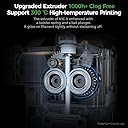
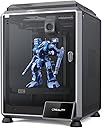
The Creality K1C 3D Printer redefines rapid prototyping with a blazing 600mm/s print speed and advanced 20000mm/s² acceleration. Designed for professionals, it supports high-temp carbon fiber filaments up to 300℃ with a clog-free direct extruder featuring a titanium heatbreak. Auto leveling, Z-offset, and AI-powered real-time print monitoring make setup effortless and reliable. Its innovative triple cooling fans guarantee superior print quality, making it the ultimate tool for fast, precise, and hassle-free 3D printing.


| Best Sellers Rank | #36,995 in Industrial & Scientific ( See Top 100 in Industrial & Scientific ) #63 in 3D Printers |
| Brand | Comgrow |
| Color | K1C |
| Compatible Devices | Laptop |
| Customer Reviews | 4.3 out of 5 stars 9,982 Reviews |
| Item Weight | 27.3 pounds |
| Material | Glass and Aluminum |
| Product Dimensions | 25"D x 15"W x 22"H |
P**.
Fantastic first-time machine
I am very impressed by my first 3D printer - I got it for prototyping cast metal parts, and I knew it would be a rabbit hole of learning a whole new technology. But this printer has made it fun rather than difficult. Assembly took less than an hour, and within 24 hours, I had my first finished prototype, using bronze PLA. It's been running almost constantly in the 2 months I've had it. After reading reviews, I had painter's tape and hairspray at the ready, but I haven't needed them once. The magnetic bed is great, although it is getting chewed up, they're only $10 to replace. I have to relevel it using a test file once in a while, but usually I just watch the brim print when I start a file, and make any tiny adjustments to the leveling screws while it's running. I will note that the bed on mine has a slight flex upward in the middle - enough that the first layer is fully solid at the edges and nonexistant in the middle. This isn't a problem for me, as I use .6-1mm bottoms on prints, and I don't care how the bottom looks. But when I have to stop a file early on, scraping this area clean is a pain. Often a half-layer remains and is pulled off with the next successful print. Quality has met my expectations, though I've never tried printing below .1mm resolution. I just replaced the nozzle for the first time, and it had definitely degraded (pushing bronze PLA through a brass nozzle, I expected it would wear out fast). But it's back to normal now, and replacing the nozzle was simple, following instructions in a YouTube video. I did print a filament guide arm as my test file, and it seems to help as I've never had a tangle or stuck filament. I'm very impressed that my test print is now a permanent part of the printer - honestly I did not expect my first attempt hitting "print" would actually work. I'm planning a few upgrades - a Raspberry Pi with Octoprint and a webcam to enable a network interface, an auto-bed leveler. I'll probably try to get an acrylic case for it and print ABS before long - I've been working in PLA so far. This price point is incredible and allowed me to rapidly build a product line as I started my business - for the cost of Sketchup and this printer, I was able to produce perfect CAD files to send to production - prototypes that I had held in my hands and played with that cost about $1 each in PLA. That blows me away and reduced my startup time by months and thousands of dollars. My one gripe is that if I leave it on for a long time, including just having it's computer powered by USB, it'll start "hanging" when printing. It starts to print but will just stop running midway through, and instead starts this weird behavior of making a hex pattern of burnt plastic drips. So far I can't identify a cause - my STL files are clean - but I've noticed it goes away if I power it totally off for 20 minutes before starting a new print. I'm guessing there's a memory problem going on, but I haven't had time to troubleshoot it with the mfgr yet. Overall it's a major win - with the added bonus that it prints neat little toys, and replacement parts for household objects. I have a technologically-minded nephew who's 11, and he'll probably be getting one of these for Christmas. I would say that if a kid is smart enough to know what "this part is very hot" means, they could use one of these with very little support/supervision - but you might want to assist with things like assembly and replacing the nozzle, which involve small screws and a bit of experience.
J**R
Ender 3 Pro is both Professional with a few upgrades and Beginner as is NICE
I was really surprised at what this printer can do. I have 5 of them now and use them for production parts in my valve and machine. I even print sprockets using a chain drive and PC carbon fiber PETG carbon fiber. I have upgraded all of them a bit. All have direct drive extruder and the all metal hot ends, as I print at 248C and the Teflon tube cannot take that temperature very long and will cause a blockage in the hot end. The hottest I have had to print so far is 255 and it works great. You can buy a cheap “heat break” that makes the Creality hot end “all metal”. Three have the dual Z axis kit on them, and the other two still single and print fine. But the single Z's need leveling more often. I put all aluminum extruders on and have no issues with feed. I have never had to adjust the E steps, nor have I upgraded the firmware, as they all work and print parts within .02 mm. The only issue I had was three of them had .4 mm nozzles were not .4 mm, from the factory, and that caused some funny prints with the walls separating. I used a digital caliper and measure the filament coming out of the nozzles at under .3 mm. Now with every nozzle install I run some filament out and see if it, shows 0.4 exactly on all the replacements. All the walls print strong now. I think that Creality got some .3 mm nozzles with .4 marking. To get perfect prints requires some testing and working on the printers. I print almost exclusively PETG and many different brands depending on he price. I noticed that some I bought direct from China were “wet” and so I bought dryers. All the PETG I dry before using and get no “blistering” where the moisture expands under heat. I just don't have time to keep reprinting because of moisture. I also print some TPU and at on time printed over 500 of these “rubber” grommets that our supplier stopped making during the COVID shortages. The main thing is to assemble it correctly so that the X bar is level and the wheels (with the pom tires) can actually spin with some friction. You can measure with a metric tape or rule and get it within .5 mm. I actually drilled a 5 mm hole in the vertical to be able to get the X axis perfect. The hole allows the Allen wrench to loosen the X cross member so you can level it without having to keep removing and adjusting the whole X axis bar. The verticals need to be square to the base and they are very close. On two I put the triangle rods to get it perfect. I used a machinist square to get it perfect. Smooth is the keyword. You don't want any "jump" from the Z axis (rising axis). Parallel and 90 deg to the bottom frames. After about 6 months I installed the dual Z axis and that was simple enough. This one change made it so I can print the same part over and over up to 100 times without having to tram the bed. Also called leveling. `After some time I learned that he Z limit switch will get out of calibration and that spraying it with canned air removes the dirt or whatever is changing the stop point. I think an LED version would be better. On the beds, every one of them has had loose axles on the wheels. The 5 mm screws with 8 mm nuts needed to be tightened. To do this you need to loosen the offset wheels so you can get them vertically stable. There should be absolutely NO wobble in the bed. If you feel any, stop and tighten the rollers. I have had to replace three rollers where the bearings were bad and the wheels wiggled on the shafts. Always adjust the cam 10mm so the wheels can move with slight friction. Over tight causes problems and too loose is also bad. Just so they spin with friction. No wobble side to side or when you lift the corners of the bed. Every screw on the printer needs to be checked for tightness. EVERY screw. Loose screws are a nightmare. Even on my $1000 big printers, all of them needed to have the screws tightened, even the screws under the bed. No wobble and you will have “happy printing”. I have not put the auto bed leveling on as it actually takes longer to print with it (on my other printers). I use only glass on the beds (I scrapped off the magnetic sheet and cleaned with alcohol) and still use the doubled standard printer paper to set the level. I just got “good” at it. Then when the print starts sometimes, but rarely, I will tweak the adjustments. I usually print a skirt with three lines so I can “feel” the thickness of the first layer. I did put the stronger bed springs on also, this gives more stability. I use the Ultimaker Cura (updated)and it has more adjustments than most beginners can use. But as you learn you can make slight adjustments and try them out and see things improve. One of the good things is this printer is so popular you can find lots of YouTube videos to help you. And parts can be found on Aliexpress for the same parts way less. The all come from China, anyway. I have five of these Ender 3 Pro's now, bought two from Comgrow Amazon, came with the glass bed plates. I print almost exclusively PETG at 248c Nozzle and 85C bed temp, (this makes for very good layer welding) and bought the Creality glass plates and the Bed Weld, water based adhesive so the PETG will let go. The higher temp is to insure both a good layer weld and that the cooling will cause the parts to just come of very easy. Once printed they just come off very easy. If I dry the filament I get almost NO stringing. I can't stress how important dry filament is for nice prints. The metal flex plates and the ones that come with the printers magnetic plastic do not work with PETG at all. They are ruined after two prints. Glass is the best with the Layerneer Bed Weld and I have no problems with adhesion and removal. Just have to wait for cooling. The prints come off as if nothing was holding them when it cools. The parts in the photo are actually functional parts that we can't get from a supplier.. So, naturally I made a CAD drawing and made them. The trick with functional parts is to make the plastic about 1/3 thicker than on injection molded, because of the tiny gaps caused by the space between the "lines" of print. It is not 100% solid even if it looks like it is. And most of my prints use 100% infill because hey are parts getting some heavy use. Overall, it is a good choice and a workhorse printer. For the money it still can't be beaten, That is why the 5 stars. But for those who are “technically challenged”, you may get frustrated with the learning curve. After a few hundred prints you will be a pro. Watch the videos as there are tons of them. There may be equally good or better printers for the price, but the availability of parts, upgrade parts and help resources for these printers is amazing.
P**E
Excellent starter (and beyond) 3D printer
I am completely pleased with this printer and don't see spending more money would add any value or improve prints, all around excellent. Product arrived perfectly, excellent packaging, all parts included, no hardware issues. This is my first 3D printer so I want anyone new to 3D printing to have a realistic perspective. I have been printing jigs and parts useful in my woodshop and a few things for the printer itself. I had early success then lots of issues getting prints to stick then reached a plateau of excellent success with limited issues. Bad prints early on can just be stopped and restarted with the main screen. What to expect: • A steep learning curve, documentation is ok but doesn't address everything, lots of mistakes and plenty of solutions you gain quickly from just doing it. • Take the time to assemble the printer, square up the frame parts and review a couple assembly videos on youtube. They help to ensure early success in printing. • Remove and clean the magnetic sheet with warm soapy water to remove any grease or dirt. Then carefully dab to dry and don't touch the surface to avoid finger oils. • If the magnetic sheet lays flat but is crooked, that is ok and affects nothing. I had to trim each side of the sheet by 1/8-1/4" to avoid it touching the Z rails but it lays dead flat. • Bed leveling and a clean bed are two of the most valuable checklist points to make in printing. Early on I was cleaning the bed with acetone and isopropyl alcohol but since I just now use soap and water to clean it, I have had so many successful prints and have not removed the magnetic sheet at all, just use the spatula. No finger oils, no need to clean, and all the plastic comes off. • Use a feeler gauge 0.004" (1.0mm) and level the bed all around so the tip just touches the gauge but doesn't press hard because you can actually push the bed down and then it can spring back and be too close to the tip. Stay with 0.2 or 0.3mm layers in Cura slicing software early on (upgrade the software to current version). I think a feeler gauge is better than paper since paper can be compressed, fractions of a paper thickness can be the make or break it in successful prints. Home the head, set the bed just below it, disable the stepper motors from the Ender screen, then move the head around and begin to level the bed with the gauge. you can do the 4 corners only about an inch in or you can also check many other spots on the bed to ensure the bed is flat too with no cupping. • Prints can take a very long time so correct setup and first layer adhesion are so critical to success. • Cura defaults sometimes work and sometimes don't, but custom settings make for a much higher success rate of prints adhering to the bed. *** The first layer is absolutely the most important layer. *** If it is not perfect or near perfect then prints will most likely fail in many ways, lifting up at corners, shrinking, popping off, skipping, spaghetti mess etc. • Default print speed needs to be slowed down for the first layer. I am using as low as 15-20mm/s instead of the 30mm/s default. Go into preferences/settings/setting visibility and make some settings viewable in the custom window. 50mm/s is a decent normal print speed after initial layer. Top/bottom shell thicknesses can help add strength to many needed prints. • Experiment with infill. 20-50% is common unless 100% fill is needed for a solid. Higher than 50% doesn't really help much unless going full solid. • Supports do help but are not necessary for every part with small hangovers unless you require a flawless print versus a shop needed print. • Add a few extra lines for skirts to 5 which can aid in seeing any priming issues and early leveling issues. Brims are good for narrow and tall prints. Rafts can help with unique shaped prints for early layer adhesion and build. • Cura will remember the settings from the previous print so you don't have to start from scratch every time with settings. • When a print is done, Cura puts in the gcode that the steppers are disabled so you can move the head or bed, but don't move then around fast if they are not disabled. Print an extension for the spool filament from thingiverse, it will help to keep the filament at a better arc and out of the Z lead screw. Changing colors is simple, heat the tip up, then remove the filament and push in another color. The skirt/brim etc will prime the color so the part will be solid to the new color. A solid table surface is good, nothing flimsy or wobbly. Included spatula is excellent, sharp and removes prints very well. Buy some full 1kg spools of colors you like and also try some test colors which come in small loose spools about 50g. I printed a small spool to hold the test colors which helps while printing so filament can spin smoother. I am running the printer near non stop. I have many more dozens of things I want to print and just waiting to get through them all, at which point I'm sure to have added many more. Have fun and create. Plenty of free files for printing, millions are out there. Yeggi.com is a great 3D print file search engine, along with myminifactory.com and thingiverse.com
R**R
Not perfect, but still awesome.
I bought a FlashForge Creator Pro about 3 1/2 years ago for $1200. I never truly got the hang of it and was constantly having to fix for one problem or another. I'm sure this was mostly due to my own lack of knowledge and incompetence. I was considering replacing the entire extruder assembly for around $300 to get a fresh start and instead chose to try the Ender 3 Pro out. The Ender 3 was very well packaged and with the assistance of other reviewer's recommended videos, I was able to assemble it with no problems aside from my rushing a bit. I had my first print completed in about four hours. The print looked fine, but was lighter than I expected. I'll spare you details of days of troubleshooting. I finally figured out that the problem was under-extrusion. If I had calibrated properly to begin with, I could have saved a lot of time. To correct the under-extrusion, I had to set the extrusion multiplier to 2.36 (Yes, the filament size was set properly to 1.75.) Now it prints absolutely magnificently and I couldn't be happier. I printed some objects that I was never able to print with my FFCP. I decided to buy a metal extruder gear assembly for about $15 to see if that helps. If not, I plan to adjust the extruder settings to "fix" the problem. Bad stepper motor maybe? Edit: I finally found the reason for under extrusion. The extruder spring wasn’t tight enough, so it didn’t put enough pressure on the filament. I put some small washers on the spring and that took care of it. You can print spacers if you find yourself needing them. Pros: * The Bowden extruder is so much easier to tinker with than the FFCP dual extruder. Having the extruder mechanism separate from the hotend makes it easy to see how things are working and with troubleshooting problems. * It's reasonably quiet though I enjoy the sound of a printer working. * It's well constructed (imho). You still need to make sure everything is square when putting it together. *Other than the Bowden tube, there are no PTFE tubes in the hotend mechanism to get jammed up. Cons: *Under-extrusion for reasons I've yet to figure out. Fixable. *As other viewers have said, the magnetic bed is useless. I did a print with ABS and it stuck to the bed wonderfully, that is until I tried to remove it. The bottom layer of the print stripped off the printed object. I absolutely could not remove it. The ABS bends with the magnetic pad/bed. Knowing better, I finally resorted to using a razor blade which cut right through it the pad. I replaced it with a 3/32" glass plate I bought at Lowes for $3. It works perfectly. I've since read elsewhere that the magnetic pad should only be used with PLA. *Cable management needs work but isn't an issue. *On the top right corner of the steel bed plate, the bed adjustment wouldn't tighten enough. The spring gets fully compressed and I can't get the bed to lower enough. I can't figure out why this is happening. Either the frame isn't as level/square as I thought, or the bed was unlevel. I cut the spring down and it works now. When I first put on the glass bed, one corner was coming up and I had to use a clip to hold it down. That actually seems to have corrected the problem and I don't need the clip now. Just make sure you check the bed for level. Some other notes- I've learned that, at least for me, ABS is more trouble than it's worth. I think a lot of my problems with the FFCP were due to my almost sole use of it. It jammed a lot and layers were always separating. I haven't had any issues with PLA. I may give ABS another shot now that everything is working well. A replacement dual extruder for the FFCP cost $170. A replacement for the Ender 3 with the fan assembly costs $40. Not quite an apples to oranges comparison, but still a significant difference to consider. I paid a little more to buy from Comgrow, because of the consistent positive reviews of their product support. Though I haven't had to use it, I think that's worth the little extra. Also, I've been using Sunlu PLA. I can get two rolls for $32, which is a steal. I've had a great experience with their product and highly recommend them. Be sure to check out the photos. I like to pick the most challenging prints to try, and I still can't get over how well the Ender 3 handles them.
J**D
First time printer, very happy, high quality.
I am AMAZED by how much qualtiy Creality can deliver for the rock bottom price. The whole look and feel of this machine is quality and stability. So well done! I bought the printer so I could submerge my children into the 3D printing and CAD experience. The excitement for prints to finish is amazing! My son and daughter popping out of bed and running downstairs to see if "it's" done. The printer comes with a removable magnetic mat, (think mouse pad)... just peel your print off, easy peasy. I had no problem putting the printer together, (with my mechanical skills I am able change a bicycle tire and adjust a bicyble derailleur to properly shift) plenty of YouTube help there if needed. The printer comes with a bunch of files to print, and software to get you going "out of the box". The creality software simplifies print quality settings and makes it easy. I've also printed with the free Cura software. I was about to spend seven or eight hundred bucks on a different printer, but a colleague of mine who is a very experienced 3D printer advised me to break in with something like this, and I can't thank him enough. He held my "highest quality" prints and pondered buying the printer for himself running his fingernail across the barely perceivable layers in the print. (blow up the cat pic I've attached) I've begun to learn Fusion 360 with my kids, allowing them to print from thingiverse, but challenging them to custom design something for the next one. Great way to familiarize your kids with STEM fields. Technical stuff, and tips. (don't let issues deter you... the world of 3D printing is finessing "issues" and solving puzzles) When assembling the main uprights, you want to leave the "bottom" screws a little loose until you have the "top" screws tight and alignment is forced by the top rail. the "z" axis switch that mounts on the left upright has a cleat to position the correct height, I sanded the nub off so that I could lower it an eighth of an inch. (the bed springs seemed too loose when leveled, this way the springs had more tension on them and it seemed more solid)... I realize the nub was to prevent slippage over time, but I'll keep my eye on it, I doubt it will ever move. You level the pad to the printer when it is at its native home positing. It's a good idea to watch a YouTube video on this for first timers. (like me) The monitor cable plugs into the center socket. I have a problem printing from Cura, it wants to start prints at the extreme left front edge, some of the extrusion even sagging off of the print bed. I asked my experienced friend, we double and triple checked my settings, and he didn't see anything wrong with the setup. I am able to print with Cura, manually setting the offsets closer to the center of my print bed, but a drawback from this work-around is that my size is limited because Cura sees my printable space as half gone. Still haven't solved this.. but the bundled slicer works great, and offers advanced settings and features (although not to the extent of Cura) The controls and function knob are friendly, and becoming familiar with the OS takes minutes, learning all of the ins and outs after an hour or so. Orientation of the print yields different results, you'll learn to think in supports and layers as you prepare to print. The printer takes up a space a little larger than a 5 gallon pale, + a foot taller, utilizing the spool holder that comes with the printer. I purchased a variety of filaments, no trouble yet. This is a very popular printer, has a large following, many custom made add-ons and improvements (that you print) Has many other upgrades available commercially. Noise level is present, but its not a problem for me. I have the printer in my office, we watch TV in the next room and I don't hear it with the door closed, slightly with the door open. The motors sound musical at times, like beeping other times. I could sleep with it in my room running, I don't think my wife could. It seemed louder for the first 20 hours of printing, now its not a loud, I think things "worked in" a little. Towards the end of a 44 hour print, I touched all my electrical connections, and I had no heat building up in any of them.
J**E
Don’t buy it. Buy Bamboo.
I bought one in 2024. From the first week it started giving major problems. I figured it may just be that specific printer. I returned it for a replacement. Ran pretty well for about a month and then absolutely crashed out on me out of nowhere. I was defeated so I just left it sitting for a year and a half. Today I decided to fix the problem. Let me just say that this thing is absolute garbage. The cheapest materials that you could possibly use have been used. Every screw was completely stripped by the manufacturer, so there’s absolutely no chance of fixing this thing properly. I ordered a whole heating block assembly and the old ones screws were stripped so bad I couldn’t even remove it. This thing is absolute garbage and their customer service is even worse. Save yourself the money and the headache and don’t even do it. It’s not worth it and from both machines brand new out of the box they were horrible. For only using it for a month the metal was rusted to the point that the screws wouldn’t even come out. This thing is going in the dumpster as soon as I’m done writing this review.
B**E
Amazing value, NOT for "plug and play" people
I will say this first: I am absolutely shocked at the quality of print from this thing for $275 -- it's genuinely the greatest bang for your buck that you're going to find in the 3D printer world. HOWEVER: I want to make it very clear this is NOT for the impatient beginner who just wants to open the package and start printing stuff. This is a PROJECT that you assemble and tinker with. If you're someone who likes working with your hands and tinkering with Arduino/RPi projects, then this is 100% the printer for you. If you don't like working with your hands and don't have patience to square up the frame, adjust the belt tensions, level the bed, etc., DO NOT waste your money because you will get garbage prints and end up frustrated. I am a complete beginner so this took me a good while to get my first print done. I didn't time it but essentially construction took around 2 hours (basically watched a YouTube video and followed along -- look up "just vlad ender 3 pro setup" his video is absolutely perfect). I took some more time familiarizing myself with the controls and UI, leveling the bed, etc (probably around a half hour). I also realized by Y belt tension was really loose and the wheel bearings were slightly rocky so that took some extra tweaking to fix as well. I also used a level test from Thingiverse (2987803) -- glad I did this because it caught some issues with one of the corners of my bed. After running this test twice and messing with the bed level (probably another 30 minutes), I printed the dog that came on the card (took around 3 hours). I cannot impress on you enough how thankful I am that I double and triple checked all the moving parts to get this stuff right the first time. Clearly there is some stringing in the print (attached, see top left ear and front paws, there was also some by the tail) so it's not perfect. But all in all for $275 I am more than happy with that quality. The magnetic surface on the bed is also fantastic, the print just popped right off no residue or anything stuck. Now for the negative: The instructions are complete garbage. Like less than 0/10. I don't care how much content is on YouTube -- Creality needs to provide a better assembly manual. There are countless things that need to be explained -- for example: check the wheel bearings on the Y axis before doing anything -- you need to flip the printer over to reach the eccentric nut on the bearings, and this is a lot easier to do before assembling the printer. Also, check the bottom support beams for level and squareness -- out of the box these are likely uneven and not parallel and it will affect the entire construction of the printer if you don't fix that before building. Or to leave the vertical beams loose while building the printer and only tighten them when you get the X axis attached to the Z axis, and roll it to the bottom-most position to allow for flex on the supports. And there's many more things (luckily Vlad covers these in the video) that 12 pictures just can't cover. Assembly aside, they do absolutely nothing to familiarize you with the interface or to get started for your first print. Again, they do the absolute bare minimum of "slice the model with the software, then print it" -- like I guess technically that counts as instructions? It would honestly be less insulting if they just said hey there's no instructions search reddit and YouTube, you'll figure it out (seriously -- this would be more acceptable to me). Luckily this printer is a bit of a cult classic in the 3D printing community. There are tons of resources available from beginner's guides, upgrades, slicer settings, etc. All you have to do is look for them. All said and done, this is an absolute steal from a cost to value perspective. If you want to get into 3D printing and have the patience to tinker with it, this is a phenomenal printer.
A**A
Excellent Printer (What you need to know from an experienced Additive Manufacturing user)
About myself: I'm a doing my M.S. in mechanical engineering and I purchased this 3D Printer for research projects and personal use. I got my first 3D printer about 5 years ago (TwoUp 3D Printer) which is terrible btw and with the hardware from that I designed my own 3D printer as well, since the first one had axis misalignments, those errors were inherited to my design, that's why I decided to get a reliable printer, But I've learn so much and I've also been certified in other AM technologies. My Experience with Ender 3 Pro so far: Most complains I've seen with Ender 3 Pro are that is hard to level and that the print bed is not flat. The printer I got is perfect. I tested the quality of the bed by printing on multiple parts and long parts, the lines seemed consistent. There is no auto level, you have to do it manually (which I honestly prefer), and if done right, you only have to do it once. If you assembled it right (everything squared) and bed well leveled, you shouldn't have problems printing. I got successful prints since first attempt. I used Simplify 3D for the slicer and the only thing I had to modify was retraction settings since I was getting a lot of stringing at first (this is a bowden extruder). Assembling tolerances are also great, which I've compared to the Lulzbot Taz 6 I have at work. Components fit great without compensating for tolerances in the CAD, for the Taz (with its Cura slicer) I do have to compensate a little. But for dimension accuracy printing a cube of 100mm, I obtained a difference in less than half a millimeter (0.5mm) measured with calipers. I saw multiple upgrades to do to this printer, many of them are not longer necessary with the version I got (about two weeks from this review). The only modification I had to do was an alignment of the Z axis rod. It's not square to the frame, it was about 1mm closer at the bottom part than the top part of the rod, unscrewing the bracket that holds the Z stepper and putting a piece of paper to separate it form the frame did the trick (of course I measured with calipers the difference at top and bottom of the rod while screwing back the Z stepper, till I got it squared to the frame), after that, the Gantry felt pretty smooth to move all the way up and down. Tips and Advice: This is a machine really easy and simple to use, great for beginners as well.... but you still need some basic knowledge of how things work and what things matter when it comes to getting successful prints. So if you are a beginner I highly recommend this printer, just before you use it, learn the basics. Not only a basic idea of how it mechanically works, but specially how changing parameters in your slicer will affect your print. When assembling, have at hand tools like calipers and a square that you can rely on to measure 90 degree angles. That is useful to make your frame perfectly squared before you completely tighten the screws. To level the bed (my method), you are going to need a sheet of a material which thickness you know (I used the metal square I had which was exactly 1mm thick). Using the control panel (printer already on), Auto-Home, then raise your printer to 1mm (or the thickness of your material) in the Z direction of course, your system should be at X0 Y0 Z1.00. Then slide the square under the nozzle, and adjust the bed level on that corner till it barely touches the nozzle, repeat to the right corner (X235 Y0 Z1.00)... the thing to consider here is that once you modify one corner, then the other corners will be slightly modified too, so go back and forth till both corners are equal, and actually do the same with the other two, compare them moving in the X direction but also in the Y direction. It took me about 5 min to do, and I only had to do it once.
S**N
Guter und günstiger Drucker für Anfänger
Ich wollte gerne mit dem 3D Druck, für meine Pen and Paper runden anfangen und wollte es gern mit einem günstigen Modell versuchen. Der Aufbau war recht schnell gemacht, dauerte etwa eine Stunde. Das einstellen des Druckbettes ging auch schnell. Nachdem mir aufgefallen ist das auf der mitgelieferten SD Karte auch der Slicer drauf ist, nachdem ich ihn mir schon aus dem Internet geladen hab, habe ich mit dem drucken angefangen. Man muss ein wenig rum probieren, aber es macht sehr viel Spaß. Für so kleine Objekte muss man für die Einstellungen im Internet etwas suchen aber lässt sich schnell rausfinden und dann tut der Drucker auch das was er soll. Ich bin jedenfalls sehr zufrieden und kann den Drucker nur empfehlen. :)
R**.
This is amazingly fun
I didn't know anything about 3d printing before i got this, all i knew it was cool and i wanted one. I looked around and this was the cheapest with lots of reviews so i bought it. I didn't have any problems building it, i found assembly pretty straight forward. It was like a flat pack from Ikea. Took me about an hour, maybe a bit more. I didn't read any instructions and went head first into printing. BIG MISTAKE. I thought the machine was broken or something. After many failed prints i eventually downloaded a gcode file to level the print bed, tightened the belt, realigned a bunch of stuff, after that everything came out great. Seriously, my advice to anybody is spend some time watching a YouTube video of how to do it first. My bed was so poorly leveled i actually tore through the original mat and had to buy a replacement because i rushed into it. Also, don't expect this to be quick. That ocarina i just made took 6 hours. So in summary the machine is GREAT but be patient. This is not a paid review or anything like that. I rarely bother writing reviews but if you're in 2 minds i suggest just buy it, but keep hold of the tools that come with it!
E**N
Perfeita
Perfeita
D**H
Great product for beginners specially at the price point.
The product is absolutely great for beginners or for home/hobby purpose specially at the price point. Tough the product was fulfilled by Amazon, the only complaint I have is that it took a bit longer to deliver. I wish it was delivered the next day as it is fulfilled by Amazon itself. The assembly was a bit tricky in some points but overall not too complicated. Most of the parts came pre-assembled which was great. And the parts where I had some doubts, WOL3D has a great WhatsApp customer support. They helped me clarify my doubts and i got the printer assembled with ease. Once assembled, make sure the bed is leveled properly and if that is done right, even the first print would come out beautiful like it did for me. Overall this 3D Printer (Ender 3 Pro) is a great printer and definitely value for money. Go for it without any doubts.
J**Z
Excelente impresora!
Esta es mi primera impresora 3D y lo que puedo decir de ella es que la documentación que incluye para el armado está bastante clara para un novato, resulta bastante agradable el ensamblarla, en la memoria incluye algunos videos que vale la pena ver por si algo no ha quedado muy claro en el manual, la memoria contiene algunos prototipos para nuestra primer impresión así como el Software, realmente es un equipo muy completo, lo único que no vi en los manuales fue como calibrar la altura de la cama, aunque tampoco me esmere en buscar y corrí a buscar en YouTube, un par de minutos y ya estaba imprimiendo, el resultado de la primera impresión fue un modelo con una calidad que superó por mucho mis expectativas, en conclusión estoy completamente satisfecho con el equipo.
Trustpilot
4 days ago
2 weeks ago