Desertcart purchases this item on your behalf and handles shipping, customs, and support to Greece.
🚀 Unlock ThinkBook 16+ Power with PCIe 3.0 Speed!
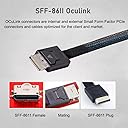
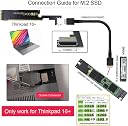
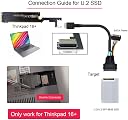
The xiwai Oculink SFF-8612 to PCI-E 3.0 M.2 M-Key Host Adapter is a high-performance expansion card designed exclusively for ThinkBook 16+ laptops. It delivers ultra-fast 32 Gbps data transfer using PCIe 3.0 x4 lanes and NVMe protocol, enabling seamless connection of external SSDs or graphics cards via an SFF-8612 interface. Built for reliability and stability, this adapter ensures rock-solid signal integrity and plug-and-play convenience for professional users seeking to elevate their laptop’s external GPU or storage capabilities.


| ASIN | B0BZHZ7B5Q |
| Best Sellers Rank | #8,785 in Computers ( See Top 100 in Computers ) #16 in Computer Memory Card Adapters |
| Brand | xiwai |
| Compatible Devices | Laptop |
| Compatible devices | Laptop |
| Customer Reviews | 3.7 out of 5 stars 66 Reviews |
| Manufacturer | xiwai |
| Mfr Part Number | SF-058-XY |
| Model Number | SF-058-XY |
| Number of Items | 1 |
| Style | Oculink for ThinkBook 16+ |
| Style Name | Oculink for ThinkBook 16+ |
| Unit Count | 1.0 Count |
| Unit count | 1.0 Count |
K**N
Rock‑Solid Performance for Oculink Builds
Really impressed with this Xiwai Oculink SFF‑8611 PCI‑E 3.0 cable. The build quality feels solid, the connectors click in firmly, and the signal stability has been perfect. I’m getting full PCIe 3.0 bandwidth with zero dropouts, even during heavy transfers. The cable is flexible enough to route cleanly inside tight cases, but still sturdy enough that it doesn’t feel cheap. Once connected, everything just works — no errors, no negotiation issues, no random disconnects. For anyone using Oculink for eGPU setups, NAS builds, or high‑speed internal links, this is great value for money. Reliable, stable, and exactly what you want from a data cable. Highly recommended.
U**Y
للأسف لم تعمل
للأسف لم تعمل لا أدري أين المشكلة ولكنها لم تعمل.
な**ち
全部が硬い素材です
M.2の長さより長い部分がプリントケーブルのように柔らかい素材かと思って購入しましたが、はじからはじまでちゃんと硬い素材です。間違えないようにご注意ください。
選**い
よくある汎用品、変な機能ついてない
ATX24ピンが水平についてるパターンのボードです。 加工や調節が必要ですが、某製作所のGPUスタンドと併用することで簡単に外付けGPUができます。
K**L
Voller Speed 4x PCIe Gen 4
Tut was es soll! Und bekomme fast volle Leistung von PCIe Gen 4 mit 4 LANs
S**N
どうやってグラボを繋げるのか?oculinkの規格が判り難い
外付けGPUにしようと購入しました。 今回初めて認識したんですが、一般的なeGPU用途のoculinkのケーブルはx4だった様で、しかし、こちらのカードの端子はx8(が2個)だったのですが、商品写真では区別がつかず、素直には使えない物を買ってしまいました。 しかも、ケーブルと言うのがx8からx4を2本に分岐するケーブしか見当たらず、それだけで7〜8,000円する代物でした(このボードはそのケーブルが2本付けられるという事らしいです)。 このx8端子で早い転送ができる訳でもなく、x4を2本に分岐するケーブルを別途用意しなければならないのも釈然としないので、今回このカードの使用は見送り、結局x16のライザーケーブルで繋ぎました。 Amazonには素直にPCI-EからOculinkでGPUカードを接続出来るカードは無いんでしょうか?
Trustpilot
2 months ago
1 month ago