Desertcart purchases this item on your behalf and handles shipping, customs, and support to Greece.
โจ๏ธ Elevate your workspace with comfort and style โ type smarter, not harder!
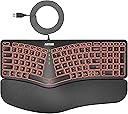
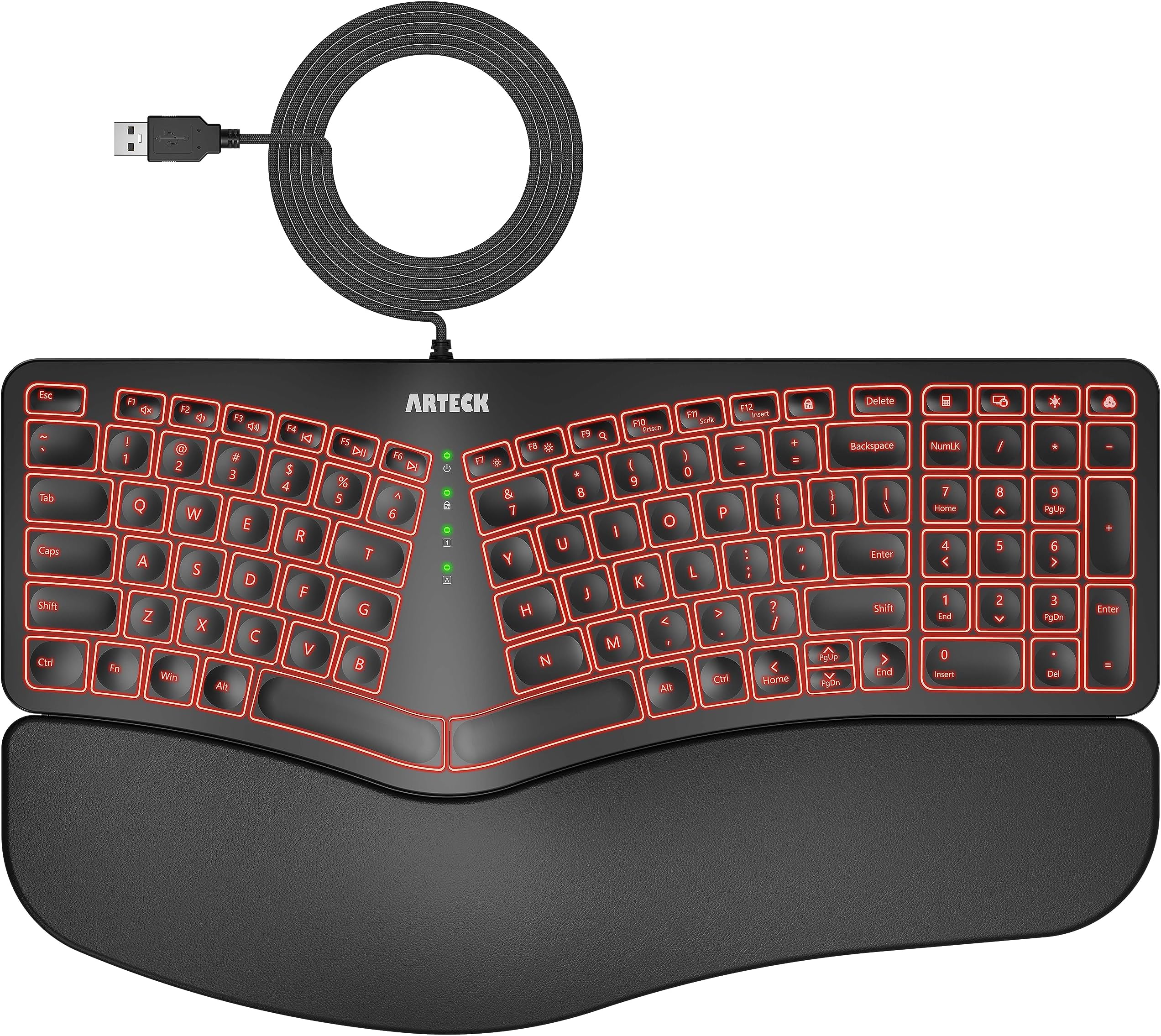
The Arteck Ergonomic USB Wired Keyboard features a natural split design and cushioned wrist rest to reduce strain during extended use. It offers 7 backlit color options with adjustable brightness for a personalized typing experience. With a 6-foot USB cable, plug-and-play setup, and quiet, durable scissor-switch keys, this keyboard blends ergonomic innovation with sleek aesthetics, perfect for professionals seeking comfort and productivity.


| ASIN | B0CGL8X4H6 |
| Additional Features | Backlit, Ergonomic, Low-Profile Key |
| Antenna Location | Office, Gaming |
| Best Sellers Rank | #157,487 in Office Products ( See Top 100 in Office Products ) #866 in Wrist Rests |
| Brand | Arteck |
| Built-In Media | USB Cable |
| Button Quantity | 104 |
| Color | Black |
| Compatible Devices | PC |
| Compatible Operating System Family | Windows |
| Compatible devices | PC |
| Connectivity Technology | USB |
| Connectivity technology | USB |
| Customer Reviews | 4.4 out of 5 stars 1,108 Reviews |
| Enclosure Material | Plastic Silicone Rubber |
| Hand Orientation | Ambidextrous |
| Is Electric | Yes |
| Keyboard Backlighting Color Support | RGB |
| Keyboard Description | Ergonomic |
| Keyboard Layout | QWERTY |
| Keyboard description | Ergonomic |
| Manufacturer | Arteck |
| Mechanical Keyboard Switch Model | Interruptor de tijera |
| Mfr Part Number | HA315B |
| Model Number | HA315B |
| Number of Keys | 101 |
| Number of Sections | 1 |
| Power Source | USB |
| Recommended uses for product | Office, Gaming |
| Special features | Backlit, Ergonomic, Low-Profile Key |
| Style Name | Modern |
| Switch Type | Scissor-Switch |
| Theme | Ergonomics & Lighting |
| Unit Count | 1.0 Count |
| Water Resistance Level | Not Water Resistant |
C**A
Bonito, macio para digitar e cores da luz variadas para nรฃo enjoar.
รtimo!
N**Y
Good erganomic keyboard
Very pleased with this keyboard. I've had tennis elbow (apparently now sometimes called "mouse elbow" in some circles) which has been very painful when working with a standard mouse and keyboard. As my job requires pretty much full time use of both (I'm a programmer), I needed to find something that would reduce the pressure on my elbow/wrist/tendon. I did a bit of research and eventually found and bought this keyboard and a Protoarc upright mouse (which I've also reviewed positively). I was never sure about erganomic keyboards before, but with the pain that I was having, I needed to try something to reduce the pressure on my elbow. This has been pleasantly surprising. It's a well built keyboard with a surprisingly very nice feel to the keys, which are well spaced and have a decent amount of travel. It has a really comfortable (non removable) padded palm/wrist rest and has legs on both the front and the back of the keyboard so you can angle it away from you as well as tilting it toward you, or raise the keyboard slightly, as I do. This makes (for me, anyway) a very comfortable typing position. If you've not used one before, having a split keyboard might be a little different for you for a short while, but I've found that I've lost no accuracy or speed and can touch type as well as I could before. The keyboard has several built in macros on the function keys for things like media: volume, skip forward/backward, search - accessible using the Fn key. This can be toggled using the function lock key to either have the Fn keys or macros in use full time with the Fn key performing the "opposite" function. There are also several other macro keys - lock session, calculator, plus a couple of keyboard specific keys for the backlight. The backlight is quite good- there are 7 colours (including white) with 3 brightness levels and although I never really used a backlit keyboard prior to this, during the darker months working from home, it does provide a nice even glow across the whole keyboard. Connectivity, really simple - it's plug and play, no drivers required, just plug in the USB and go In all, I'd recommend this.
A**R
Precisely What I Was Looking For
I've used this keyboard daily for 3 months now, and it has been a great experience so far. It's my first time purchasing an Arteck keyboard, so I wasn't sure what to expect, but I had heard their brand is reputable for making solid, reliable devices, and thus far I would agree with that. I was looking for a very specific set of features in a keyboard, and this was literally the only one that checked all of the boxes on Amazon at the time of purchasing. Features I was looking for that it had: Ergonomic split key style with a padded wrist rest. Scissor-style key press mechanism (feels like a laptop keyboard when typing) Backlit keys with multiple color choices, including white A full sized number pad on the right side Wired, rather than wireless (although in hindsight, either would have been fine.) There are a few things about the keyboard that are relatively minor, not anything that makes it a bad experience, but that if I could have everything perfect in a single keyboard, I would prefer they were slightly different. The half-sized Up/Down arrow buttons, while functional, I would prefer full size ones like the right and left arrows. They feel a bit cramped to use. The delete key being about 3/4 sized is not that strange, but its position above and right-aligned to the backspace key is just awkward for me. I'm used to it being underneath, or off to the right side. Very often I will blind-press either the "FN Lock" (Function Lock) key to the left of it by mistake, thinking it is the Delete key, either that or the Calculator key (which works great in Linux by the way) to the right of it. 3 months in and I'm still not used to its size or placement unfortunately. Similarly, I'd rather the top row of keys on the number pad were positioned elsewhere, (or mainly just the color change button for the backlight not being above the - key) but I do understand that there are limitations to the amount of space they can work with, and appreciate that they managed to pack a bunch of extra feature keys. I'd prefer the print screen feature to have its own dedicated key, rather than being a toggle ON/OFF via the function lock. For example, to switch between the ability to take a screenshot, and the ability to refresh a webpage via the F5 key, you have to press the function lock key in between to toggle the functionality. Most of the functions controlled by FN Lock are used sparingly (volume controls, media playback controls, brightness settings, scroll lock and the insert key) but print screen is one of those that's pretty common for me, and would have been more helpful having its own key instead. Two more minor things related to the lights... if I had it all my way... By the way, at the time of writing, there was a discrepancy in the product description in regards to the backlighting colors so, for those who are wondering, the key colors on the HA315B model are: yellow, purple, cyan, white, red, green, and indigo (blue.) The first one is just a personal preference. I've surprised myself by gravitating to the yellow color lights. I wish the yellow color was more to the orange/red side, like a golden color. Instead it is closer to a yellow-green, which is fine, I would have just preferred something a bit more gold if I could pick. Not a big deal at all. I like that it has a lot of color choices! The other "issue" was just that the green lights in the center of the keyboard that tell you what buttons are ON/OFF for capslock, function lock, numlock, and so on, are SUPER bright. Way too unnecessarily bright. It looks great when you're using the green color on the backlight, since it matches well, but for everything else it's too intense and visually distracting, especially in a darker room. But, I got some old solid black electrical tape I had laying around, and cut little tiny squares of out it, and covered about 75-90% of the visible lights with that, drastically reducing their brightness to a more sane and tolerable level, while also being careful not to completely cover the lights, so I can still tell when they are on or off in general. It's a simple, low-tech fix, and again not a huge deal, but for future keyboard designs I would highly suggest putting a much dimmer and more subtle light in for those. All in all, it may sound like I have a lot of complaints, but honestly none of them are all that big of a deal. Almost every keyboard I've ever used has at least a few aspects that feel are a bit less than ideal compared to what I would prefer, and none of these things are detrimental enough to feel like a disservice to the experience. It's a very enjoyable keyboard to use and I'm quite pleased with it. The pros far outweigh the cons, in other words. I would definitely recommend this keyboard if you are looking for these very specific combination of features, like I was, and I'm pleased with my purchase for sure. If everything continues to go this well throughout the rest of the year, I'd safely be able to recommend Arteck, or at least this specific product, to anyone interested.
D**G
After years of trying different keyboards this is it: Ergonomic, and illuminated and no blue tooth
I have nothing against blue tooth, but I don't want any more of it around. It's a nuisance, drops connections, needs charging, etc, etc. In my hunt for a usb wired ergonomic keyboard I've tried (and have) most of them, since I'm an editor/writer, but even though I love the old Microsoft, and I really like my old mechanical ergonmics, I really wanted -- as my eyesight get's worse with age -- illuminated keys. I don't need it for wordsmithing, but for numbers and special characters, especially today with keyboards moving things around when they feel like it (i.e. there's a standard folks! Keep it!) I needed that light, especially at my desk. I don't like to flood my desk with light as I work on keyboard and monitor all day. Finally, after endless hunting, and many keyboards I found one both Ergonomic (and that means full sized keys!, not just wrist supports and angles) and USB with LED-lit keys. I didn't order for awhile, as it was pricey for what I thought was an unknown brand (I don't know it, myself, anyway), but finally, when I didn't find alternates I ordered. No regrets. It may be an unknown sleeper, but it's comfortable, quiet, easy to type on all day, USB plugin (yeah, no more charging!! Is there anything dumber than having to charge a keyboard and mouse? I'm already charging laptop, phone, ereader, tablet and a dozen other things. Why would I want to both with charging keyboards and mice?) Am I lazy? Maybe, but anyway Arteck built the lazy-man's keyboard, ergonimic with lights and no batteries. Amazing how the small things matter. (The leather-ish wrist wrest is nice, too). One small nit is the up/down/left/right arrows are small keys when everyting else is full size.
R**H
A wired keyboard with backlit keys that works very well
this is an excellent keyboard for a desktop PC. I selected it because I wanted a desktop keyboard that has keys that light up. All of the other such keyboards that I considered were wireless and would need to be recharged after 1-2 days. This one is wired so that is not an issue. The keys light up nicely (choice of colors and brightness) and be seen well with low ambient light. The keys are responsive to light touch and the palm pad is quite comfortable. I had to contact customer support to find out how to get the PgUp, PgDn, Home, and End functions to work (need to hold down Fn key and then tap them) and they were very responsive. I have now purchased a second keyboard for another PC I have.
Trustpilot
2 months ago
2 weeks ago