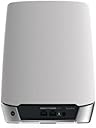
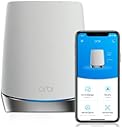
desertcart.in: Buy NETGEAR Orbi Whole Home Tri-band Mesh WiFi 6 Add-on Satellite (RBS750) – Works with Your Orbi WiFi 6 System| Adds up to 2,500 sq. ft. Coverage | AX4200 (Up to 4.2Gbps) online at low price in India on desertcart.in. Check out NETGEAR Orbi Whole Home Tri-band Mesh WiFi 6 Add-on Satellite (RBS750) – Works with Your Orbi WiFi 6 System| Adds up to 2,500 sq. ft. Coverage | AX4200 (Up to 4.2Gbps) reviews, ratings, features, specifications and more at desertcart.in Review: Advanced setup required - Can not syn my new satellite for 2 hours, After review and tried C&J review, my system work great now, thank you for the help, i repost his post. credit to him. anyone having this problem, follow the step and give this a shot, thank you. 5.0 out of 5 stars Advanced setup may be required. Reviewed in the United States on October 21, 2023 Verified Purchase I've had good luck with my Orbi 750 system but wanted to expand the coverage with this satellite. I spent over 2 hours trying to get this to sync with my system with no luck. This is what I ended up having to do, and id assume this will work for whomever runs into this issue. Start by plugging the new satellite into the Orbi router with an Ethernet cable. Plug the new satellite into power and wait for it to boot up (usually 2 minutes). Wait for the light on the satellite to turn blue and then turn off. At this point open a web browser and log into the Orbis interface (192.168.1.1) enter your username and password when prompted, then select attached devices and find the IP address of the new satellite. Once you've located the new satellites IP address open a new tab and enter the new satellites IP address into the address bar and login (Username:admin/password:password). Once you've logged into the new satellites web interface look for the firmware version and compare it to your existing Orbi firmware. If it doesn't match you need to manually update the new satellite firmware. Open a new tab and search RBS750 firmware. Find the firmware version that matches your current system from the Netgear support site only (not 3rd party). Once you've located the correct firmware download it to your desktop. When it's finished downloading extract the zip file to your desktop. The firmware file will end with .chk . Now go back to the browser tab for the new satellite and select firmware/update Firmware then select browse and navigate to the unzipped folder you downloaded and select the file ending .chk and update. This process can take up to 19 minutes. Once the satellite is finished and there is no light coming from the new satellite unplug it from your router and place where you want it and plug it back into power. After the light on the new satellite finishes blinking it should go blue for a moment then off. If the placement is poor you may get an amber light instead of blue and magenta if it's too far from the Orbi router. This is how I got mine to work, I hope this helps someone in the same situation. After all this it works great for me. Review: BEAWARE THIS IS ONLY 110V - The description says this is 100-240V, but the unit I got is only 110V. If you live in a place with only 220V, then this unit is NOT usable. I had to request a return, which is not a fun process. It is been three weeks now and the request is still pending...
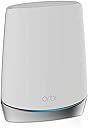
| Brand | Netgear |
| Model | RBS750-100NAS |
| Product Dimensions | 24.77 x 19.69 x 15.24 cm; 1.22 kg |
| Item model number | RBS750-100NAS |
| Operating System | RouterOS |
| Compatible Devices | Laptop, Personal Computer, Smart Television, Smartphone |
| Voltage | 100240 Volts |
| Batteries Included | No |
| Batteries Required | No |
| Data Transfer Rate | 4.2 Gigabits Per Second |
| Wireless Type | 802.11ac, 802.11ax |
| GSM frequencies | 2.4 GHz |
| Number of Ports | 2 |
| Connector Type | Wi-Fi |
| Item Weight | 1 kg 220 g |
G**G
Advanced setup required
Can not syn my new satellite for 2 hours, After review and tried C&J review, my system work great now, thank you for the help, i repost his post. credit to him. anyone having this problem, follow the step and give this a shot, thank you. 5.0 out of 5 stars Advanced setup may be required. Reviewed in the United States on October 21, 2023 Verified Purchase I've had good luck with my Orbi 750 system but wanted to expand the coverage with this satellite. I spent over 2 hours trying to get this to sync with my system with no luck. This is what I ended up having to do, and id assume this will work for whomever runs into this issue. Start by plugging the new satellite into the Orbi router with an Ethernet cable. Plug the new satellite into power and wait for it to boot up (usually 2 minutes). Wait for the light on the satellite to turn blue and then turn off. At this point open a web browser and log into the Orbis interface (192.168.1.1) enter your username and password when prompted, then select attached devices and find the IP address of the new satellite. Once you've located the new satellites IP address open a new tab and enter the new satellites IP address into the address bar and login (Username:admin/password:password). Once you've logged into the new satellites web interface look for the firmware version and compare it to your existing Orbi firmware. If it doesn't match you need to manually update the new satellite firmware. Open a new tab and search RBS750 firmware. Find the firmware version that matches your current system from the Netgear support site only (not 3rd party). Once you've located the correct firmware download it to your desktop. When it's finished downloading extract the zip file to your desktop. The firmware file will end with .chk . Now go back to the browser tab for the new satellite and select firmware/update Firmware then select browse and navigate to the unzipped folder you downloaded and select the file ending .chk and update. This process can take up to 19 minutes. Once the satellite is finished and there is no light coming from the new satellite unplug it from your router and place where you want it and plug it back into power. After the light on the new satellite finishes blinking it should go blue for a moment then off. If the placement is poor you may get an amber light instead of blue and magenta if it's too far from the Orbi router. This is how I got mine to work, I hope this helps someone in the same situation. After all this it works great for me.
M**S
BEAWARE THIS IS ONLY 110V
The description says this is 100-240V, but the unit I got is only 110V. If you live in a place with only 220V, then this unit is NOT usable. I had to request a return, which is not a fun process. It is been three weeks now and the request is still pending...
M**T
Coverage area is limited for each unit
Good and fast, but coverage area are limited for each unit and barely leaves the room, you need to be near the unit to enjoy fast connection!
M**K
Works perfectly! Trust seller 5 stars =)
I can’t say enough great things about this purchase and the seller, Sophia. Before shipping the NETGEAR Orbi Whole Home Tri-Band Mesh Add-on Satellite (RBS750), she took the time to confirm that I actually needed this specific satellite and that it would be compatible with my existing network. That extra step really shows how much she cares about making sure customers get the right product. Once everything was verified, she shipped it immediately. It arrived just a couple of days later, and I had it set up and running in about 10 minutes. The satellite works perfectly and expanded my network exactly the way I hoped. The packaging was absolutely superb—seriously some of the best I’ve seen. The unit was protected so well that it probably could have survived a fall from a 20-story building! I’m extremely happy with this purchase. The item was exactly as described and exactly what I needed. Huge thanks to Sophia for the excellent service and attention to detail. Highly recommended seller!
B**H
Excellent whole home internet
I have a orbi router supported with 2 satellites. This setup gives seamless internet signals in all rooms of our home. I wired one satellite with cat5 into my office. The other satellite is wireless which boosts the basement signal The three Orbi devices send a signal Wi-Fi signal for the entire house. Wireless mesh is the way to go
Trustpilot
2 days ago
4 days ago