


⚡ Elevate your digital artistry with precision and power — never miss a stroke!
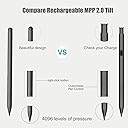
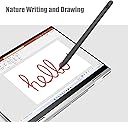
The DQ100 Rechargeable MPP 2.0 Tilt Pen is a lightweight, durable stylus designed for HP 2-in-1 laptops like the Envy and Spectre X360. Featuring 4096 levels of pressure sensitivity and MPP 2.0 technology, it delivers ultra-low latency for precise drawing, writing, and editing. With up to 10 hours of continuous use and fast Type-C charging, it keeps you creative all day without interruption.



| ASIN | B0CL6FXTLD |
| Best Sellers Rank | #509 in Digital Pens |
| Brand | Mingxiong |
| Color | Gray |
| Compatible Devices | HP Envy X360, HP Pavilion X360 2-in-1, HP Spectre Foldable 17-cs0097nr, HP Spectre X360 |
| Customer Reviews | 3.8 out of 5 stars 14 Reviews |
| Enclosure Material | Acrylonitrile Butadiene Styrene (ABS), Polycarbonate (PC) |
| Item Dimensions | 3.94 x 0.39 x 0.39 inches |
| Item Weight | 0.01 kg |
| Manufacturer | Mingxiong |
| Material | Acrylonitrile Butadiene Styrene (ABS) , Polycarbonate (PC) |
| Mfr Part Number | MX_Pen_SmartT_DQ100_HP |
| Minimum Required Operating System Version | Windows 10 |
| Model Number | MX_Pen_SmartT_DQ100_HP |
| Number of Batteries | 1 Lithium Metal batteries required. |
| Number of Packs | 1 |
| Unit Count | 1 Count |
| Warranty Description | No |
Y**G
DQ100 Rechargeable MPP 2.0 Tilt Pen
I’ve been searching for a stylus pen for my HP Pavilion x360 and so far this one has been great. It didn’t come with instructions but I don’t think it’s necessary? My hp recognized it right away & the pen was already charged. It kind of caught me off guard when I received the pen by itself and nothing else (I should’ve read the description carefully) since it takes usb c it’s no big deal. I like that it’s sturdy and so far hasn’t given me any lags but it’s just my first day using it. If anything I’ll leave another review.
N**L
Works great, for a reasonable prices
I'm using this with an HP laptop - simple to figure out (came with minimal instructions), lasts well, and helps so much in photo editing.
C**R
Works sometimws
Randomly stops writing all the time even when on full charge or connected by wire.
I**N
It’s an okay pen
Honestly pretty easy to set up no need for instructions and I have been using it for the past couple of months bough not an everyday use I think I still use it pretty often and I have probably only charged it like 4 times since to me it seems as though the battery last quite a while
K**E
Worked only on first day
Worked ONLY on the day I received it. Hasn't worked since, although it's fully charged. PC doesn't recognize it at all anymore. Absolute waste of money
M**A
Smooth easy function and looks cool
Great for bathing up images, building elevations etc
B**N
No instructions
I feel like it should be an easy open up the pen and go. But it's not. It is very easy but confusing. You get just the pen nothing else. Like I don't know what the buttons do or how to connect it to the computer. I did end up plugging it in and it was working with out needing to link via Settings but still no instructions on the pen or the buttons
Trustpilot
2 months ago
2 days ago