Desertcart purchases this item on your behalf and handles shipping, customs, and support to Greece.
๐ Elevate your home network to pro-level speed and security โ donโt get left behind!
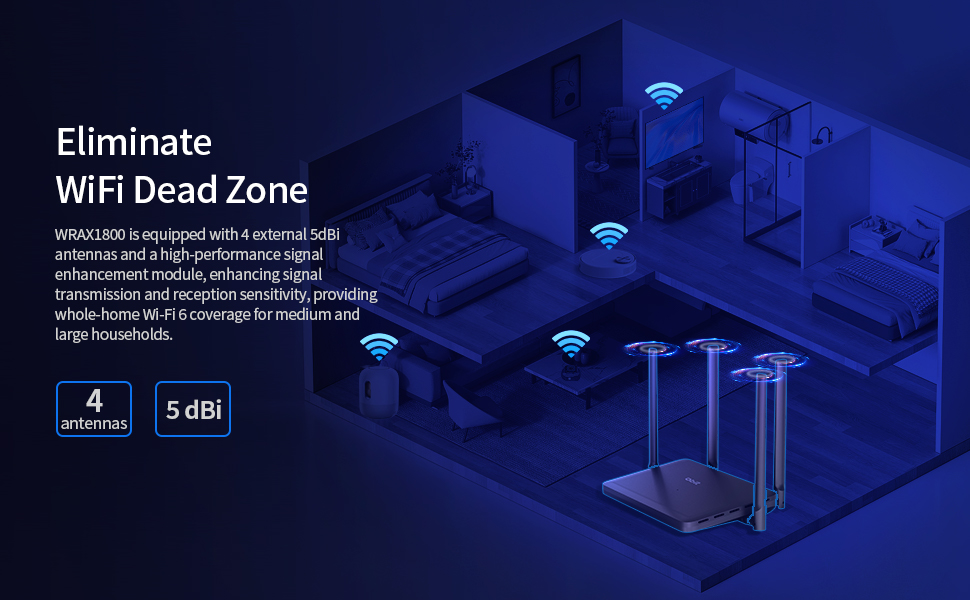
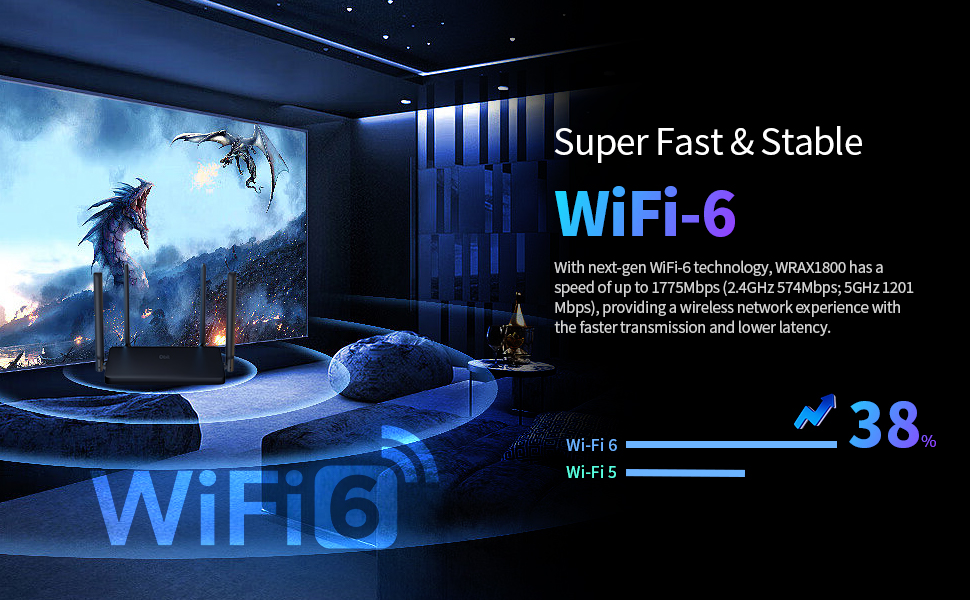
The DBIT AX1800 WiFi 6 Router delivers cutting-edge dual-band wireless speeds up to 1.8 Gbps, powered by WiFi 6 technology with OFDMA and MU-MIMO for superior device capacity. Equipped with 4 Gigabit Ethernet ports, advanced beamforming, and EasyMesh support, it ensures expansive, reliable coverage and seamless whole-home connectivity. Enhanced security with WPA3, guest access, and parental controls make it a future-proof choice for modern smart homes and professional setups.


| ASIN | B0CGDR2Z8D |
| Antenna Location | Business, Gaming, Home |
| Antenna Type | Fixed |
| Best Sellers Rank | #8,211 in Computers & Accessories ( See Top 100 in Computers & Accessories ) #259 in Computer Routers |
| Brand | DBIT |
| Built-In Media | Power Adapter, Quick Installation Guide, RJ45 Ethernet Cable, WiFi Router |
| Color | Black |
| Compatible Devices | Personal Computer/Laptop/Smartphone/TV/Printer/IP Camera |
| Connectivity Protocol | Wi-Fi, Ethernet |
| Connectivity Technology | Ethernet, Wi-Fi |
| Control Method | App |
| Controller Type | Application |
| Coverage | Strong and reliable WiFi coverage |
| Customer Reviews | 4.0 out of 5 stars 54 Reviews |
| Data Transfer Rate | 1800 megabits_per_second |
| Frequency | 5 GHz |
| Frequency Band Class | Dual-Band |
| Item Dimensions L x W x H | 9"L x 5.7"W x 6.9"H |
| Item Weight | 264 g |
| LAN Port Bandwidth | 10/100/1000 Mbps |
| Manufacturer | Micronet-Union Technologies, Inc. |
| Maximum Upstream Data Transfer Rate | 1200 megabits_per_second |
| Mfr Part Number | WRAX1800 |
| Model Name | WRAX1800 |
| Model Number | WRAX1800 |
| Number of Antennas | 4 |
| Number of Ports | 4 |
| Other Special Features of the Product | Access Point Mode, Beamforming, Guest Mode, Parental Control, QoS, MU-MIMO, WPS, EasyMesh |
| Router Firewall Security Level | Advanced |
| Router Network Type | hybrid |
| Security Protocol | WPA3 |
| Special Feature | Access Point Mode, Beamforming, Guest Mode, Parental Control, QoS, MU-MIMO, WPS, EasyMesh |
| Unit Count | 1 Count |
| Voltage | 120 volts_of_alternating_current |
| Warranty Description | 1 year manufacturer |
| Wi-Fi Generation | Wi-Fi 6 |
| Wireless Communication Standard | 802.11ax |
| Wireless Compability | 802.11ax |
O**A
Excelnte, fรกcil instalaciรณn.
Excelente, simple de instalar por uno mismo. Vienen las instrucciones.
D**Y
just don't expect customer service from Dbit
the router itself is easy to install, connected internet and wifi w/o effort bgger box than I expected - it's 7.5"L x 5in H
A**G
Router is marginal
It would not cover my whole house had to install a extended
H**I
It works!
Took me some time to set up, but itโs worked well for me
J**D
Better Range than expected
I got this Router not having very high expectations for the WIFI range, however I was pleasantly surprised. My home is a rather long 2 story ranch style house with a basement and WIFI coverage has always been a problem. So when I got this Router my expectations for coverage range weren't particularly high. To my surprise, even with the router connected to the cable modem on one end of my home, I am able to get acceptable signal strength at the opposite end, something that I have never been able to do with other WIFI routers I have used. It does struggle on the second floor, and in the basement at the furthest points, but I would have been very surprised if it hadn't, and I am very please with the improvement in coverage on the main floor. Physically it isn't very attractive so it isn't something that most will want out in the open areas of their home or office, but that is typical of this type of device. It is noticeably absent of LED's with just one small LED in the center of the top to indicate status. Some will appreciate the lack of constantly flickering lights, and others may feel there isn't enough visible status information displayed. Personally I prefer the less busy display of lights that is typical of many other network devices. Basic setup is very easy, and one only needs to connect the power adapter and the WAN port on the router to the corresponding port on the modem with the supplied Ethernet cable to be up and running. It is of course advisable to reset the admin password and the WIFI password as part of the setup, and that is easily accomplished as well via the web portal from any web browser. So far I don't really have any complaints, however I do have one concern and that is that it seems to run a little bit hot compared to my previous router. Only time will tell if this turns out to be significant in any way or just an inconsequential observation, but I will certainly update this review if necessary. Assuming the somewhat high operating temperature isn't a problem, this router seems to be a good value compared to other similar products and I have no problem recommending it.
N**N
Provide great coverage with the ability to setup WiFi 6.
The router provides great coverage throughout the house without any signal problem. With this router you can setup 2.4Ghz, 5.0Ghz or WiFi 6 to have better WiFi experience, but just remember only some newer devices work with WiFi 6 and old device do not work with WiFi 6. Installing and configuring the router was quite simple, just plug in the Ethernet cable from your modem to the WLAN port, connect the power and you are ready to use the router. From here you can connect your laptop or other device to the router WiFi and begin configuring the router to your needs. The default username and password of the router configuration page can be found on the bottom of the router including the default gateway if you need it to log in to the configuration page. Once you are in the configuration screen, just follow the on screen instruction starting with the first tab on the left to set up your wireless router.
W**G
A basic router with all the latest features and protocols.
It was time to update my over 10-year old Apple Airport Extreme Dual-band to a current WiFi6 router with all the updated specs, features, performance and security. This QBit AX1800 offers a lot of functionality of today's WiFi6 standard in an affordable package. First thing I must address is the somewhat misleading 4 Gigabit Ethernet ports onboard. Most of today's routers come with 4 Gigabit LAN ports. What it actually is on the QBit is 3 Gigabit LAN ports + the WAN port to give you 4 Ethernet ports. Hmmm. It's a minor thing, but I took away 1 star for this bit of marketing. Blame your marketing department! :) The unit is relatively lightweight. There is no hardware to setup or assemble. All the requisite beaming antennas are attached. There is only 1 LED indicator at the center of the unit. The setup is via a web portal. It is typical of most routers, and this one appears to be a generic web app. There is no mention of the QBit branding. But most of the expected options are available, and functional. As compared to a TpLink router my friend has. There are nice features like DOS defense, and parental features. I of course got it for its connectivity bandwidth and upgrade path to Mesh one day. But the WPA-3 is assuring to have NOW! I tested it to my laptop with a 3 antenna Intel Centrino WiFi AGN card capable of ~450Mb/sec. But for some reason I was only connecting at 802.11.n and not at 802.11.a. And the bandwidth never got higher than 180Mb/sec. Hmmm. I will have to continue to play around with this to see if the placement is the issue. I have a lot of metallic obstacles between me and the router. Or something needs to be enabled in the router. Overall, I quite satisfied, it functions and setup is straight forward for anyone who has some experience with routers.
R**I
Good, but some issues.
Reasonably fast, and connects quickly. However, I have some issues with disconnecting and reconnecting with one of my devices that only occurs with this router. I still haven't discovered why.
Trustpilot
3 days ago
2 weeks ago