


Desertcart purchases this item on your behalf and handles shipping, customs, and support to Greece.
๐ฑ Moto X4: Power, Precision, and Style in Your Palm
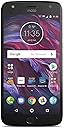
The Motorola Moto X4 is a sleek, unlocked smartphone featuring a 5.2-inch Full HD display, dual rear cameras (12MP + 8MP) for professional-quality photos, and a 16MP front camera for stunning selfies. Powered by a 2.2 GHz octa-core processor and 3GB RAM, it ensures blazing-fast performance. Its 3000mAh battery supports all-day use with fast charging, while IP68 water resistance protects against splashes. With Alexa hands-free integration and a multi-function fingerprint sensor, the Moto X4 blends premium design with smart functionality, making it a top-tier choice for professionals seeking style and substance at an unbeatable value.


| ASIN | B077YNYFPD |
| Additional Features | IP68 Water Resistance, Alexa Hands-Free, 12 MP + 8 MP Dual Rear Camera |
| Battery Capacity | 3000 milliamp_hours |
| Battery Description | Lithium-Ion |
| Best Sellers Rank | #907,380 in Cell Phones & Accessories ( See Top 100 in Cell Phones & Accessories ) #13,945 in Cell Phones |
| Biometric Security Feature | Fingerprint Recognition |
| Brand | Motorola |
| Built-In Media | Product & Charger |
| CPU Speed | 2.2 GHz |
| Camera Description | Front |
| Camera Flash | Front Camera Flash |
| Cellular Technology | 3G |
| Color | Black |
| Compatible Devices | AT&T, T-Mobile, Verizon, Project Fi |
| Connectivity Technology | Wi-Fi |
| Connector Type | Micro USB |
| Customer Reviews | 4.0 out of 5 stars 2,618 Reviews |
| Display Pixel Density | 424 pixels_per_inch |
| Display Resolution Maximum | 1920 x 1080 |
| Display Type | LCD |
| Flash Memory Supported Size Maximum | 32 GB |
| Form Factor | Smartphone |
| Frame Rate | 30fps |
| Front Photo Sensor Resolution | 16 mp |
| GPS Geotagging Functionality | True |
| Global Trade Identification Number | 00723755019034 |
| Human-Interface Input | Touchscreen |
| Item Dimensions | 5.84 x 0.31 x 2.89 inches |
| Item Weight | 5.76 ounces |
| Manufacturer | Motorola |
| Memory Storage Capacity | 32 GB |
| Model Series | Moto X |
| Number of Front Cameras | 1 |
| Number of Rear Facing Cameras | 2 |
| Operating System | android |
| Optical Sensor Resolution | 12 mp |
| Processor Speed | 2.2 GHz |
| RAM Memory Installed | 3 GB |
| Ram Memory Installed Size | 3 GB |
| Rear Facing Camera Photo Sensor Resolution | 8 mp |
| Refresh Rate | 60 |
| SIM Card Slot Count | Single SIM |
| Screen Size | 5.2 inches |
| Sim Card Size | Nano |
| Specific Uses For Product | photography, outdoor activities, streaming, gaming |
| UPC | 723755019034 |
| Unit Count | 1 Count |
| Video Capture Resolution | 4k |
| Warranty Description | US Warranty |
| Water Resistance Level | Water Resistant |
| Wireless Network Technology | LTE |
| Wireless Provider | AT&T |
R**B
MOTOX4 from Amazon WILL work on Verizon as of July 2018
This has turned out to be a great buy, and it DOES work on Verizon. (More about that in a bit) Purchased it on Prime Day to replace an old Samsung Note 2 that my wife was using.. Did not realize it did not come with a SIM card, so did not order one. While the phone will not work on Verizon without the SIM card, it will do everything else except calls and text messages connected to wi-fi. So I used that to get it set up. I logged into her Google account and everything from her existing phone loaded on the new phone, easy breezy. The Device Help app that comes loaded on the phone is super helpful. I am using a Moto Z Play, and in setting up the new Moto X I learned some new things for my own phone. Now for Verizon. We have gone to prepaid plans and are saving a lot of money, but the service is not the same. I went on the website to read how to activate a bring your own phone but kept getting to dead ends. I could find no way to get my questions answered, and tried calling twice, only to have the call dropped both times. So I read the Amazon on-line reviews and found a variety of experience in activating it with Verizon... some easy and some that never worked, with some saying that this phone will not work with Verizon. After reading all the reviews I decided to try the local Verizon store for the SIM card, rather than ordering it online, or going to Best Buy which would be 40 miles away. The Note 2 uses a micro Sim card, and the MotoX4 uses a nano SIM card, so I could not use the old one. The local store did sell me a nano SIM card for $10.00 BUT said they would take no responsibility for it working. They claimed that only about 50% of phone bought on Amazon would work on Verizon, and that as of June 30th, 2018, Verizon was no longer allowing activation of some phones because of the coming move to 5G. The did not offer to try to activate it for a fee and I did not ask them to. Came home, followed the instructions in the Device Help app to inset the Nano Sim Card and a 64GB memory card purchased from Amazon, no problem. Logged onto My Verizon, and indicated that I wanted to switch the device on that line. It said to input the ID number for the new VERIZON device... but by then I had learned that they would want the IME number that is printed on the MOTOX box. I gave that, and no problem. The they wanted the SIM card ID number. Fortunately another review said to save the packaging for this number, which I had done... but there were 4 numbers on the packaging and Verizon was no help in showing how to find it. So I googled and found that the SIM ID number would be 20 digits long, and only one of the numbers fit that. I put it in and it worked. The website asked me to confirm that I wanted to switch devices, and I did. It said it might take as much as 15 minutes for their records to update. DONE! Works perfectly! If you think you have to be tech savvy to do this, I'm an 80-year old not so tech savvy guy...but willing to keep looking until I find an answer. You can do this. Bottom line, for under $250 I have a wonderful phone that does everything we want and more, on an affordable plan ($40.00 a month prepaid with 6GB data) on a good network, with 96GB of memory. NOT Bad! I won't repeat details of the phone that have been covered in other reviews and yes, you will want at least a minimal case... it is VERY slippery, and probably a screen protector, but it is a super phone that will hold its own against ones that cost 4 times as much.
O**E
For $129.99 Very Good Deal
Update: 8 months with this phone, no major complaints, updated the SD card to 64 from 32, wish that Motorola would update the OS to allow adoptable storage. Still takes good photos, and will will most likely buy a Motorola phone in the future. I got this phone for $129.99, I was actually looking at purchasing the Moto G6 after seeing it on sale at Costco, I checked Amazon which had the 64gb version for cheaper, but I waited to long and missed out on the G6... All good things come to those who wait. So I prayed and said, GOD perhaps you have something better for me instead. and yup he did. Definitely happy with the Moto x4 which was $40 less then the sale price of the Moto G6, and after reviewing the specs, the Moto X4 has a faster processor and better video card. Love the camera, takes lighting fast snaps, great video and the speaker is very good. I haven't had a chance in a long time to use the most update Android os (last version was Nougut), the Moto X4 came with Oreo, and offered security updates and then the OS updated to andoird 9 (Pie). It does come with some Amazon apps, which I currently don't use, so I turned those off, except for amazon prime video. Besides that no major bloatware from manufacturer, and mostly google apps installed. Overall solid phone for the price. list of my previous phones Samsung Galaxy S 4g, SII, S4 Zte Max, zinger, Blade S6 Alcatel One touch fierce xl, Idol 4s LG stylo, LG G4 I definitely feel for the price I paid for this phone vs performance I got the best deal I have ever gotten for a smart phone. Would definitely recommend!! I guess I have now moved from Samsung/ZTE/Alcatel/LG to Motorolla. Quality phone.
D**.
Initial thoughts: Very good to great phone, super deal at these prices.
Disclaimer: this is a replacement for an aging Galaxy S5, so maybe my baseline expectations were a little on the low side? After a few days with this phone, I am still impressed. Phone is running Oreo 8.1.0 and hums along very nicely. It is a bit of an adjustment from the old S5 to Oreo, with the largest issue being the lack of badging in the launch bar, the Galaxy had # of unread emails available on the icon in the launch bar. Actually, that is an Android issue, not the phone. One challenge for me when upgrading was to find a good email client for MS Exchange. My old Samsung had a very good email client from Samsung. The Moto X4 uses Google Gmail client which lost a lot of functionality for me (ex: Rich Text editing, bullet lists, etc). After some research I found '9 Folders' email client and I am a very happy camper once again. Battery life seems to be excellent, at this moment I am 10 hours since last charge, ~1.5 hours of screen time and 2.5 hours of voice calls and I still have 60% battery remaining. Old phone even with a new battery would have been <20% remaining on it's best day. Fingerprint Sensor: I got into a phone battle with an iPhone user at the office today. Who can unlock faster with the finger print sensor? Moto x4 about 70% of the time. Iphone got a little closer if you woke it up first. The Moto x4 unlocks super fast with almost no misreads. I am impressed! Moto Actions: Again, maybe I am easily impressed. Phone has two gestures, one for the flashlight, and one for the camera. Both seem very reliable. These are a great idea, it takes way too long to unlock and find the app to turn the light on, instead I can just shake the phone and get my flashlight or camera. We also did the phone battle for the flashlight, Moto x4 won hands down. **Note: these gestures don't work when the phone is in your pocket (another good idea). However, the see through Lenovo flip cover kills these functions because the phone sees the cover and thinks it is in your pocket all the time. Amazon Ads: Saw a lot of reviews and complaints about the Amazon ads. Not sure what is going on, but I have no ads. I was able to hide any amazon apps I didn't want, and I don't get any unsolicited pop-ups from Amazon. My Conclusion: Snappy interface with a close to pure Android experience. Hardware seems to be top notch. I don't think you can touch this level of performance in this price range anywhere else. Excellent value.
W**W
(Updated) 32GB advertised but 13GB used by OS partition. Only 17GB is actually usable.
UPDATED 4/30/20 - I've had this phone for over a year now. I having been having many issues with apps crashing or dumping out due to lack of RAM. Android Auto is very slow and non-responsive at times. Those issues just make the phone very unreliable. This is be my last Moto phone, can't wait till the Pixel 4a comes out. UPDATED 5/5/19 - Ok I have had this phone for a few months now and felt I should update my review. Moto updated the phone to OS 9 Pie back in late December I believe, which is awesome. Also, even though this is the Amazon version, I have been getting MONTHLY security updates!!! Although the 32GB storage is mostly used by the OS (13.1GB used under Pie) it is still usable. I haven't filled the phone up yet and I put a 128GB SD card to store Pictures, Videos and Music. I love the built in Moto features, Moto Voice the most. Arizona just went totally hands free for driving, so it is nice that it announces calls and texts with the option to connect to calls, have it read me the text and reply, all hands free. I ask google to send a message to start and Moto is uses for the follow ups. Moto display is great, when setup right, the screen will "peek" and pop up for a sec to show you the time and notifications. The camera app is SLOW to load (5-7 seconds before you can take a picture). Pictures so far seem to come out great and the WIDE lens is handy in a store when you want to get a bunch of prices in narrow aisles. Battery life is AWESOME, as I only ever charge it to 70% Max. I can go to work and out for a bit with moderate usage and still after 6-10 hours have between 45% to 30% depending on usage. This is the SWEET goldylock zone for TurboPower fast charging. Plus the 70% to 25% range is what they recommend to longest battery life for phones. I can charge from 30% to 70% in about 25 mins which is hours and hours of usage. The Moto x4 also has Wireless Sound System in the Bluetooth settings. This can allow your phone to connect to 4 different bluetooth speakers at the same time. If you connect 2 speakers it can use one as LEFT and the other as RIGHT which is very cool. Just remember when you use this feature Bluetooth DATA is suspended so smartwatches and tablets and such won't work at the time. Only 2 speakers can be used if you use 2.4GHz Wifi and 4 speakers for 5GHz wifi. To conclude, I updated from 2 stars to 4 stars. I ended up liking the phone as I got used to it so I bought one for my Mom too. Original review - I really wanted to like this phone. Great hardware and IP68 water resistant. The problem is that Motorola is using A/B partitioning for the Android OS using over 13GB for that. This reduces available memory for app to half the stated total storage. You are purchasing a 32GB phone but only about 16GB is usable. Also, you cannot move ANY APPS to an SD or format an SD card for internal storage. Unless Motorola fixes this issue, I cannot recommend this even though its a great deal. I would have returned this phone but my old 32GB Moto G4 died. I needed a phone and could not afford to hassle with a return and trying to buy another phone or be with a phone at the Holidays.
R**L
I love it so much I bought two! Here are some important Sprint activation tips
Update: My Moto x4 got the Oreo 8.1 May 1, 2018 update on June 19, 2018. These updates have not gone as smoothly as one would hope. Your cellular data might not work properly immediately after the update. If this happens to you, call Sprint and ask them how to use SCRTN (this stands for Special Code to Reset The Network--seriously!) to reset your network connection. Don't worry, this is not a factory reset and it doesn't erase any of your data or apps. It just takes you off the network and puts you back on it, with your cellular data working properly again. Hopefully you won't encounter this, but I did. Be sure to back up any important data (photos, everything) before installing any OS update. Also, when you install an update, make sure you have a reliable WiFi connection when you start and remain connected to that WiFi until the update has finished installing and your phone has restarted. I still love this phone and I don't have anything else to add right now, except that the problem I mentioned in my last update about the photos app being unable to delete photos from the SD card went away when the camera app was updated. Yes, the camera app has been updated several times, and I still really like it. ************ Update: On February 15, 2018 my Moto x4 got the update to Oreo (Android 8.0.0), and about two weeks later I got the February 2018 Android security update. I hope Motorola will do the smart thing and continue providing prompt OS and security updates for at least three or four more years. After the upgrade to Oreo I only noticed one issue: the camera had switched back to saving photos in internal memory rather than on my SD card. I couldn't remember where that setting was, so I had to look it up: open the camera app and swipe across the screen from left to right to get to a settings menu, where under Storage you can specify where you want your pictures saved. By the way, I strongly recommend getting an SD card and saving media to it to keep as much internal memory free as you can. I was glad to discover that when you first download music using the Amazon Music app, it asks whether it should save the MP3s to internal or external storage. Too many apps lack that capability. Here is a link to the SD card I bought for this phone: Sandisk Ultra 64GB Micro SDXC UHS-I Card with Adapter - 100MB/s U1 A1 - SDSQUAR-064G-GN6MA It has been working fine. Another issue you may experience: after the recent software updates my phone's Google Photos app lost its ability to delete photos from my SD card, even with all the necessary permissions granted to it. I have researched this and it appears to be an Android bug that intermittently affects lots of different Android phones. Google may get around to fixing it at some point, but in the meantime I'm just using a file manager when I need to delete photos from my SD card. The free SanDisk Memory Zone app has been working for me. ************ Update: The fingerprint sensor is incredibly fast, and after getting used to the Moto navigation gestures I feel lost on other devices like my iPad mini and a family member's Pixel XL. The Moto gestures should be required on every device, lol. Seriously, they are a great feature. In an interesting developement, yesterday I got an e-mail from Amazon that said that they are eliminating the lockscreen ads on Prime Exclusive phones. The ads have never bothered me, but I'm sure this will be welcome news to many. I recommend this phone without reservation. ************ Update: I was recently traveling overseas for two weeks and I used my Moto x4 as my only camera. I was very impressed with the photos it took, and I'm no longer noticing any issues with color accuracy. I'm still very happy with this phone, especially now that I've installed a 64GB SD card and set the camera to save photos directly to it. ************ This phone is fantastic--it's really fast, and I don't feel I've made any major compromises in choosing it over so-called flagship phones from the likes of Apple, Google and Samsung. Flagship phones have become intolerably overpriced in my opinion--you can buy three or four budget laptops for the price of a single flagship phone. I like the Moto x4's Amazon integration. Since this is my first Android phone, it's really convenient to be able to install all of the apps that I've previously bought for Fire tablets, especially the Merriam-Webster Unabridged Dictionary, which for some reason won't install on the latest Fire tablets. One of my favorite features is that with the Moto app you can totally eliminate the back, home and "recents" navigation icons at the bottom of the Android screen and instead use intuitive gestures over the fingerprint sensor to navigate. This makes navigation easier and faster. I particularly like using these gestures in the Kindle app. The camera takes sharp pictures, but in my experience so far the colors have not been as accurate as I expected. I'm hoping there's a way to fix this. I had no problem activating my Moto x4 on Sprint. Here's what you have to do: 1. Order this phone. 2. Get the required Sprint SIM card. I can confirm that the SIM card required is SIMOLW416Q (it works for Sprint and for providers like Boost and Virgin that use the Sprint network). I was able to buy one at Best Buy for $2.18 (it rang up as a Samsung Note 7 SIM card). You may also be able to get one at a Sprint store, but the store will probably charge you an activation fee. Non-corporate Sprint stores may not be willing to help you at all if you don't buy your phone from them; that has been my experience. You can order a SIM card over the phone from Sprint, but they'll make you open a new line first, and then they'll charge you about $10 for shipping in addition to the price of the SIM card. 4. Press gently on the SIM card to remove it from the credit-card-sized card. Save the larger card because it has the ICC ID on it, which Sprint will ask you for. The ICC ID for my SIM card was a 20-digit number found under the bar code at the top left of the card. 3. Carefully install the SIM card in the phone. The phone comes with instructions and a small metal tool for doing this. It's extremely easy. The instructions don't clarify this, but you have to place the SIM card in the tray with the metal contacts facing down. Once the SIM card is installed, turn on the phone. The phone will notify you that your SIM card is invalid. This is because your phone has not been activated. You should see, however, that the phone is already connected to the Sprint cellular network. If you try to place a call, you'll hear a message that says that your phone has not yet been activated. 4. Call Sprint from a different phone. I was unable to call any of Sprint's customer service numbers from my Moto x4 before it was activated. Be prepared to spend at least half an hour to an hour on the phone while Sprint activates your Moto x4. In addition to the ICC ID mentioned above, Sprint will ask you for the phone's MEID, which you can find either in the phone's settings or by dialing *#06# 5. With any carrier, after you make changes to your devices or plans, carefully check your account on the carrier's website to make sure that the changes are what you expect. Carriers have become notorious for shenanigans involving plan specifics, post-dated changes that leave you with extra charges, etc. Don't let them get away with it, and don't wait until your next bill comes to make sure that everything is in order. Having an unlocked phone like this one gives you leverage to say you'll go to another carrier if they don't deal with you honestly. 6. Enjoy your new phone. I will update this review with any relevant information, good or bad, as I continue to use my Moto x4.
R**B
Solid phone... GHASTLY CAMERA
I got this as a replacement for my stolen iPhone X. The camera on this thing is AWEFUL! It is really worse than you think it will be. If you enjoy using your phone as your primary camera for taking pics of your family and kids, do yourself a favor and GET A DIFFERENT PHONE! Additionally, the phone is just laggy enough that if you are in a hurry and trying to input data quickly, it gets confused and will start acting finicky. This throws you further behind when trying to enter data, and it is VERY frustrating. All this being said, this is my first Android phone, and I am pleasantly surprised at some of the things that I can do with the Android OS that iOS would not allow. As for this phone itself, the fingerprint recognition is much faster than the iPhone's, but the processor lags just enough that you can double touch the sensor trying to open the phone, and then it lags on, and then locks the screen again. It is expandable to 2 TB of storage via SD Card, which is impressive, and the screen seems nice to me. The dual cameras don't work well for what they are supposed to do, so don't buy in to that gimmick. As a phone, it does what it is supposed to do fairly well, it charges quickly, and it has decent battery life. If money were no object, I would either buy another iPhone X or a Galaxy S9 without hesitation, but I purchased this phone due to my own budget constraints, and for ~$250, it is not bad. I am really shocked that they would release a phone with such a terrible camera, though. It is freaking HORRIBLE. In a decently lit room, your kid will look like a phantasm flying across the picture. Really, Moto. I feel horribly cheated about this ridiculous camera.
A**R
Great phone for the price
I love this phone so far. They were on sale for $200 on Prime Day, which seemed like a good deal as I'd just happened to look at the phone at Best Buy earlier that day and thought, "This is a nice mid-range phone, but I'm going to need to do some more research to decide if it's worth $300." Happened to pull it up on Amazon, saw the deal, and figured, "Shoot, you can't even find a decent off-brand phone (Blu, Huawai, etc.) for under $200!" and went for it, figuring if it even just lasts me a year or so, I will have gotten my money's worth (and, in any event, it comes with a one year manufacturer warranty, which my credit card provider doubles as one of the credit card benefits, so I should really be able to keep it for at least two years, if I want/need to). I got the sterling blue colored one, and ordered the black Spigen case for it. FYI, the Spigen case fits great, but has that "soft" feel matte coating I can't stand, and so did another case I ordered, so I'm still trying to find a glossy/hard plastic case. The screen on the phone is pretty vivid-- the best of both worlds because it has the crisp whiteness typical on IPS screens, but the more vivid colors typically associated with AMOLED screens (e.g., Samsung phones) without the potential for screen burn-in. However, going from a 5.5" screen (in which the home, back, and see-all buttons were on the phone itself rather than taking up real estate on the screen) to a 5.2" screen (which is itself partially taken up with the aforementioned buttons) has been an adjustment, because the keyboard (I use SwiftKey) is necessarily more compact, and everything on the screen is slightly smaller... This phone is similar in size to some of the older generations of Samsung Galaxy. But, on the other hand, the smaller size is nice because it's easier to use one-handed, less likely to slip out of my hand, fits more easily on this little place in my car that's meant for setting a phone (surprisingly, even though I drive a '16 model, which came out at least a couple years after 5.5" to 6" phones started to become popular, my previous 5.5" phone just barely fit in there, and only if it wasn't plugged into a charger). The speed is also pretty good for the price range (though maybe not at the regular price of $300). My old phone was a 1.3 Ghz octacore processor, and this one is a 2.2 Ghz octacore processor. The old phone rarely lagged, so I had no complaints there, but I still notice that this phone is faster. This phone takes a USB-C cable. It comes with a fast charging cable and AC adaptor. However, if you're used to the micro-USB cables Android devices (and Kindles, Fire tablets, Bluetooth headphones, and many other devices) have been using for years, it can be a hit to the pocketbook to have to go out and replace all of your cables, especially if you're like me and have cables at work, in your car, in your purse, in your suitcase, and in various rooms of your house). Fortunately, I was able to buy some adapters on Amazon very cheap. I got two 4-packs of adapters for $6 each pack, which was a lot cheaper than the big box stores (which charge $10 for one adapter). But, because the phone has "quick charge" capabilities, I'm tempted to upgrade my charges and cables at some point to take advantage of that. From what I read, this phone is not capable of wireless charging, though, unfortunately. I didn't like that this phone came loaded down with so much bloatware, including Amazon bloatware. I was able to clear out the extra data/cache and disable those apps, but they are still taking up probably a few gigabytes of storage on the internal memory. I wish Amazon would give us the option to completely uninstall the apps, but they don't, and I don't want to root the phone and void the warranty and/or lose out on the ability to get updates and security patches. Luckily, the phone accepts an SD card, so I can use that to store pictures, files, etc. and just reserve the internal memory for apps. Right out of the box, this phone immediately updated to Android 8.1 (Oreo), and has received at least two security patches in the week since I got it, which is reassuring. My understanding is that it will also be updated to Android P when it comes out and, since Google Fi has a Moto X4 variant, hopefully Moto X4 users in general will get it sooner than other Android phone users. The fingerprint sensor is pretty snappy. I'm still getting used to it, though, because on my old phone is was on the back, just under the camera lens. I find myself constantly putting my grimy finger on the camera lens of this phone, because old habits die hard. Speaking of, the on-screen buttons are still throwing me for a loop, and I keep finding myself tapping on the area below the screen and getting irritated when nothing happens. I do like how the fingerprint sensor wakes up the phone, though, so I don't have to over-use the "power" button. I also like how Motorola has a quick option to use three fingers on the screen to do a screen shot, rather than holding down the "volume down" and "power" buttons simultaneously (which, at least on this phone, is annoying because you have to do it for three seconds before the picture takes, whereas on my old phone it took it immediately) I don't know how I feel about the camera. It's alright, but I was hoping for a little better quality from a phone that normally retails for over $300 and has a dual camera, blah blah blah. Pictures are decent-- certainly good enough for posting on social media, etc., but if you're going to be using this as your primary camera and having a great camera that takes super vivid, high resolution photos is important to you, you'll probably want to pass on this and go with a Samsung Galaxy or newer iPhone. With that said, this camera is in par with my old phone, and it takes higher quality video than my old phone, so I'm by no means complaining. After over 15 years of paying for service through the Big 4 carriers (Cingular/AT&T, T-mobile, Verizon, Sprint), in 2014 or 2015 I finally had enough with the contracts, the overpriced phones (having to pay $200+ to get a subsidized phone, and then being told I was only eligible for an upgrade every two years, so basically always finding myself irritated with my laggy phone in year 2 because even the high end phones aren't really made to last beyond a year), etc. and switched to a prepaid no-contact carrier that primarily uses the AT&T network. I had no problem getting it set up on the network, popping in a nano SIM card. I also like that I have the flexibility to switch to ANY carrier I want to (rather than my old unlocked phone, which limited me to GSM carriers, e.g. AT&T and T-mobile). I am thinking of switching to the Verizon network, and am glad I could go ahead and do that at any time without having to buy a whole new phone or call someone to get the phone unlocked. The takeaway is that this appears to be an excellent phone for $200, and I feel it was a very good deal. However, at the normal price of $280-$350, I think it would be overpriced, as the Honor 7x retails for $200 and has similar (and, in some regards, better) specs.
S**E
Good solid phone
I feel like 5 stars is underused, that one bad thing about a phone kills it's great score. Me, I give it 5 stars. Things I like about the phone: - Preforms great - Android 8.0, USB-C Fast Charging - The OS is stock android (Took me a bit to get used to new 8.0, my old phone was android 6) - Fingerprint Scanner, something I didn't think I'd get with a $300 phone - Amazon removed the ads, so the only thing it has is Amazon's bloatware, which I don't mind. Things I don't like about the phone: - I've noticed the battery does drain fast. Maybe that's just me, but when I get home from a long day it went from 80-50. Fast charging makes it a breeze to recharge, so I don't mind. It also could just be all the things running in the background like anti-virus. - Storage. One thing I wish people told me before getting the phone was the expandable storage will not be used as internal storage. Meaning, no apps, nothing. It only holds pictures, videos etc. You only have 32 GB minus the 12 Android takes, leaving 20GB for apps and games. Not a deal breaker, old device was 8GB with android taking 4 which was no fun at all. - The performance to me isn't like the other reviews where "I never noticed I was using a mid range phone" Maybe my expectations are higher for more expensive phones, but I have seen my device hang on things, and day three it crashed. I still really like this phone. I want to stick with Motorola for my next device, and I really like the phones they make. The X series is definitely their flagships without the moto mods and they are excellent at making high performance mid-range devices. I did have to compromise a bit on the things I wanted, but that was just me realizing I was buying mid range, there will be some things you won't get. Buy a screen protector and a case you all, this one's a keeper.
Trustpilot
2 months ago
4 days ago