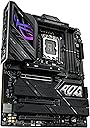
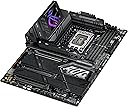
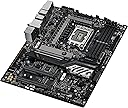
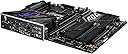
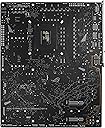
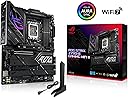
๐ฅ Dominate the game with the ultimate Intel-ready powerhouse motherboard!
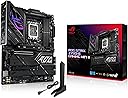
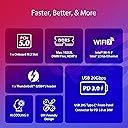
The ASUS ROG Strix Z790-E Gaming WiFi II is a premium ATX motherboard engineered for Intel 12th, 13th, and 14th Gen processors. Featuring an 18+1+2 power stage design, advanced cooling solutions, DDR5 memory support, PCIe 5.0 slots, WiFi 7, and extensive connectivity options, it delivers top-tier performance and future-proof expandability for high-end gaming and professional builds.



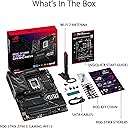

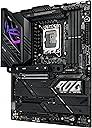
| ASIN | B0CJMQ2S5M |
| Best Sellers Rank | #330 in Computer Motherboards |
| Brand | ASUS |
| CPU Model | Pentium |
| CPU Socket | LGA 1700 |
| Chipset Type | Intel Z790 |
| Compatible Devices | Personal Computer |
| Compatible Processors | Intel Core 14th & 13th Gen |
| Customer Reviews | 4.4 out of 5 stars 189 Reviews |
| Graphics Card Interface | PCI Express |
| Item Weight | 1.5 pounds |
| Main Power Connector Type | 8-pin +12V |
| Manufacturer | ASUS |
| Memory Slots Available | 3 |
| Memory Storage Capacity | 192 GB |
| Mfr Part Number | ROG STRIX Z790-E GAMING WIFI II |
| Model Name | ROG STRIX Z790-E GAMING WIFI II |
| Model Number | ROG STRIX Z790-E GAMING WIFI II |
| Number of Ethernet Ports | 1 |
| Number of Items | 1 |
| Number of Ports | 16 |
| Platform | Windows |
| Processor Socket | LGA 1700 |
| RAM Memory Technology | DDR5 |
| Ram Memory Maximum Size | 192 GB |
| System Bus Standard Supported | SATA 3 |
| Total Number of HDMI Ports | 2 |
| Total PCIe Ports | 5 |
| Total SATA Ports | 4 |
| Total Usb Ports | 16 |
| UPC | 197105357341 |
| USB 2.0 | 14 |
| Warranty Description | 3 years |
P**Z
Excellent motherboard, but make sure to update BIOS!
A nice update to Asus's STRIX series, future-proofed with WiFi 7, and plenty of USB inputs, with 2x Type C and plenty of USB-A. Some of the newly manufactured versions of these boards come with the Intel chip fix that was released over the summer, but this one came installed with the factory BIOS (v0801) from early in 2024. Before doing any installation, I made sure to flash and update to the latest BIOS (v1801) - Asus makes this super simple with the EZ Flash 3 feature that just lets you plug in your PSU to the 24- and 8-pin connector, then flash with a USB stick. After that, I proceeded to seat my CPU and other components. You could probably get away with booting it with the CPU straight into BIOS, but given Intel's issues the past year, best to do your first boot with the BIOS fix already in place to avoid any damage to the Raptor Lake CPU. Currently running an i7-14000K, works great, board fits perfectly fine into my Corsair 4000D case. Versatile for both work and play.
C**O
Facil de instalar
Use esta Motherboard para mi primer PC , la arme yo mismo, fue muy facil de instalar , tiene muchos puertos usb, su antena de wifi en relidad funciona. A casi 3 aรฑos de comprarla nunca e tenido ninguna falla. ๐๐ฅ
A**M
Computer built
Amazing
R**L
Real deal
The ASUS ROG Strix Z790-E Gaming WiFi II is a solid choice for high-performance builds. Paired it with an i7-14700k and Corsair Dominator DDR5 RAMโruns flawlessly! PCIe 5.0 support is a huge plus, and the WiFi 7 is super fast. Build quality is top-notch, and setup was smooth. Highly recommend for gamers and power users!
S**R
Defective Bluetooth Service and ASUS wanted more $$ to resolve
I anticipated this as a great motherboard for my new tower. All was going great until I found that the Bluetooth service would not work properly. I could get it to work temporarily until I restarted the machine, then the Bluetooth service would not restart on reboot. I invested a full day working with ASUS support online trying many iterations of uninstalling and installing the Bluetooth 'device', several versions of drivers, and working through nine levels of BIOS upgrades one by one. We ultimately had no success. I was able to install a separate USB-connected Bluetooth receiver and that worked perfectly even across restarts. The native on-board Bluetooth chip, however, would not survive across restarts. ASUS Support was very helpful and patient working across many online sessions trying countless iterations of possible solutions. They finally concluded that the board was defective and that it would have to be returned to them for 'repair'. By the way, that would be at my expense. I was shocked that for a brand new, premium priced, defective motherboard, ASUS wanted me to spend even more money to have a chance at getting it working, not even getting it replaced. I've grown used to manufacturers who are quick to send replacement devices in lieu of suffering through a costly and time-consuming repair process for a brand-new defective product. We all run across issues with these complex technologies, but I have never encountered a manufacturer who put the financial burden of resolving the defect on the customer. In today's world, a credible manufacturer would simply ship a replacement overnight. At the very least they would offer a return label at their expense to get the issue resolved. Even then, I would end up with a โrefurbishedโ product for a full retail price. Not exactly a tasteful outcome. Instead, the best ASUS could offer me, the customer, was to pay even more of a premium on an already costly product, and experience the delays of a shipping, repair, and return process of at least two weeks to attempt correct their quality issue. I'll clearly need to move to another brand for peace of mind.
J**S
I'm a grumpy complainer - but - I can't think of anything to say about this board
This motherboard ROCKS. It flies. The blazing fast speed sucks the trail of exhaust smoke out of the room with it's processing capabilities. Something a bit confusing for me is the numbering of the M.2 sockets. The first socket, M2_1, shares the processor lane with the graphics card. If you use a G5 SSD, then the PCIe runs at G4 speed - okay fine - GPUs are G4 anyway. But you would think the very next M.2 socket would be M2_2 but no, it's M2_3. M2_2 is at the bottom of the board near the audio section of the board. Meaning if you're going to use a second SSD, put it in the M2 socket at the bottom of the board (not in the layout order on the Motherboard) in order for it to control it with the Intel core processor as opposed to the Z790 Intel chipset. The quick start guide included is really lame. Make sure to download the manual from Asus before you begin your build. Once the build is up and running - you're going to LOVE the experience! I know that I do!
C**Y
Be careful if you choose to run G Skill RAM...
I bought this motherboard as an upgrade from my old rig to a DDR5 build with an i9 14900k and a ASUS ROG 4070 Ti Super. I had this board for about 3 months and I absolutely hated it until about yeserday. Firstly I had tons of issues with installing windows but that turned out to be a Microsoft bug with Windows 11 bug and I had to reinstall windows multiple times. This was a pain but we eventually took care of it. Now for the frustrating part. I was trying to OC G Skill RAM with one of the XMP profiles. I had originally purchased 6000MHz and installed it in A2 and B2 (The correct slots per the user manual which you can only find online.). No such luck on all 3 XMP options (XMP 1, XMP2, XMP Tweaked). Instability issues like crazy, and I also tried to lower the voltage and drop the speeds. The fastest I could get was 5600. Ok cool, so I read up online some people say they had the same issues with similar sticks so they RMA'd the sticks and tried new ones. I then found G Skill 6400 MHz which PID is specifically stated to be supported by the motherboard and cpu combo. Same issues. No XMP profiles load, instability and the fastest I got it to run was 5600 MHz. And for about 2 months I played like this, accepting that I just got unlucky with the silicon lottery. But then I had the urge to try and OC/undervolt my CPU but everything would crash if I messed with the Bios even slightly. I read one comment on a thread with someone having RAM issues with the same motheboard and they said it had something to do with Gskills and what hardware they use. I tried one last time and purchased Corsair Vengance 6000 MHz and BOOM. instantly started working, and allows me to set XMP profiles (XMP 2). This was infuriating but now I'm very happy with my build. TLDR: Avoid GSKILL RAM with this Mobo. This manufacturer's sticks don't play well and you may not be able to get more than 5600MHz through GSKills even with XMP enabled. Corsair DDR5 seems to play much better and have prebuilt XMP profiles that run perfectly.
M**F
Finally. A MOBO that works! And works well!
I had a Strix z690-e MOBO that worked for about 2 years. The first GPU slot never quite worked... a problem ASUS was aware of and issued an RMA number that I never used since they quoted about a 6 week turnaround. So, I finally changed course and tried two other manufacturers' boards & both failed in various ways. The last one wouldn't even post! So, finally went back to ASUS and got the Strix z790-e. Tested outside case for post. It came right up. Powered down and installed the board with i7-14700K, 6400Mhz RAM, filled my custom loop with coolant and, presto, everything worked great. All reboot tests have worked so far. XMP settings worked. I don't overclock the CPU, but do a lot of simulations so needed a reliable board. This appears to fit the bill!
A**N
Solid High-Performance Motherboard for Gaming & Productivity
The ASUS ROG Strix Z790-E Gaming WiFi II is a solid choice for high-performance builds. Paired it with an i9-1200k and Corsair Dominator DDR5 RAMโruns flawlessly! PCIe 5.0 support is a huge plus, and the WiFi 6E is super fast. Build quality is top-notch, and setup was smooth. Highly recommend for gamers and power users!
K**K
calidad de producto de lo mejor
R**Y
Parece funcionar bien
1 semana de uso y todo parece estar en orden
G**O
Nice Motherboard however.....
This is a very nice motherboard. I bought it to replace my Asus motherboard. Please note that ASUS support is horrible and it took weeks to get my existing board replaced this is why I had to buy this Motherboard
S**A
carte mere
la carte mere vien avec une boite bien ranger et proteger tout fonctionne extremement bien j'en suis a 2 semaine d'utilisation et je rencontre aucune perte de rien.
Trustpilot
5 days ago
1 month ago