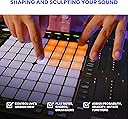
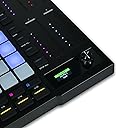
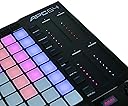
🎶 Elevate your live sets and studio flow with APC64 — where control meets color and creativity never sleeps!
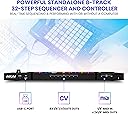
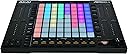
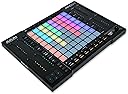
The Akai Professional APC64 is a cutting-edge Ableton Live MIDI controller featuring 64 RGB velocity-sensitive pads with poly aftertouch, 8 assignable touch strips, and a powerful 32-step internal sequencer. Designed for both studio production and live performance, it offers seamless USB-C connectivity, MIDI and CV/Gate outputs for modular gear integration, and comes bundled with Ableton Live Lite plus AIR instrument plugins and 1GB of loops. Lightweight and portable, the APC64 empowers musicians and producers to unlock new creative dimensions with intuitive hardware control and standalone sequencing capabilities.


| ASIN | B0CK84KNL1 |
| Best Sellers Rank | #1,148 in Musical Instruments ( See Top 100 in Musical Instruments ) #9 in Computer Recording MIDI Controllers |
| Color Name | black |
| Compatible Devices | PC |
| Connector Type | USB |
| Customer Reviews | 4.6 4.6 out of 5 stars (2,755) |
| Date First Available | September 22, 2023 |
| Hardware Interface | USB |
| Hardware Platform | PC/Mac |
| Instrument Key | Any |
| Item Weight | 3.59 pounds |
| Item model number | APC64 |
| Material Type | Plastic, Rubber |
| Mixer Channel Quantity | 8 |
| Musical Style | Electronic |
| Number of Keyboard Keys | 64 |
| Product Dimensions | 10.62 x 14.57 x 1.34 inches |
| Supported Software | Ableton Live |
V**.
Great controller — super fun to use!
Loving the APC64 so far. It feels solid, the RGB pads are super responsive, and it just works right out of the box with Ableton. The built-in step sequencer is a game changer for live sets and jamming. Touch strips took a little getting used to, but now I’m hooked. Also love that I can hook it up to my modular gear with the CV outputs. Overall, great buy—makes producing and performing way more fun.
A**.
The MK2 is amazing!
I’ve wanted an apc40 for a very long time and decided last night to just order the MKII model. First of all I have never had an item shipped faster. I ordered this item around 3 am and had it on my doorstep by noon. Holy moly and what an amazing job getting it so fast. I would say as far as the midi launchpad goes this is one of the top ones you can get especially for its price. I mean it’s a steel and pulling it out of the box. I’ve had a lot of equipment before and it generally is cheaper. You know it’s it’s soft plastic. It just doesn’t feel very solid. However, this piece feels extremely solid. I mean it’s just it’s just a great piece of hardware overall now as far as functionality goes, I was able to plug it into my computer and start using it on Ableton without even having to set up any configuration so that’s a big plus if if you’ve ever had a configure something to a DAW program You know sometimes it can be a pain in the rear. It is a perfect size. It allows you to quickly go through and select any loops or tracks that you have created or are mixing so this would be great for both production uses and possibly DJ uses, which is something I wouldn’t dive into, but it definitely has that functionality in the picture. You can see it sitting on my lap so it’s not very huge. It’s very easy to move around, which is great for me because I have a couple keyboards that I use as well which I will be using this pad to start the recording process on the keyboard so I like to be able to move around with it on my lap. I think I think this thing is perfect. I can’t believe I waited so long to buy it.
Z**X
great product
love it use it and setup is ez
R**N
More than it seems
There are a lot of reviews for this as a DAW. This isn't one of them. Welcome to my newest DJ Deck. My greatest love in this digital DJing world is the flexibility that DJs have with workflow. My greatest complaint is that everyone is still stuck in the thought processes that began with a two deck setup and a 3 band eq. It's time to move on from the hardware defined to the software mindset. This thing helps. It only took three days for me to custom map this to the two DJ programs I use; TRAKTOR and Virtual DJ. I can control stems, pitch, key, hot cues, transport pads, and a heck of a lot of effects. With all of them on the main page. Since then, I've had more time to work on my art due to it's size and portability, and having all my options on the main page means that I'm not flipping through pages, but just playing music and working my my sets. Being able to be software defined, it matters not that your use if different than mine, just program it for what you need. And the size is perfect to carry along - or just have near your desk so when the work day is done, you just move your keyboard out of the way... No big deck, No location change, No big deal. And performance? Let's be honest. Very few DJs need platters. I certainly don't. And neither does anyone else who isn't scratching, as long as you've got the nudge buttons, which I may add are trivial to map. I use this along my main deck for gigs to give me flexibility, but it would work just as well with a basic 2 or 4 channel mixer, and I wouldn't even need the mixer is someone, hint hint, would make an appropriately sized and priced 4x4 or 4x6 rotary encoder box. But if you want a new button or slider to bust out or cut a stem? It's right there! You want to set an instant double or loop? It can be right there! You have effects that are sick, but are a pain to set up and find in the menu? Program it! These can all be right there. There are 64 RGB pads, 17 led backlit buttons, and 9 sliders. The sliders aren't innofaders. (Duh) But they are consistent and smooth. And the pads are what you expect for $100. But they work every time, even if they are a bit more sensitive than I like. Programming was straightforward for my DJ software with no unexpected hiccups. Build quality is fine. I wouldn't want this for $300, but it is a super good value buy at $100. Especially considering the costs of it's competitors in this space. But the real benefit is the variety of pads and sliders. Depending upon your priorities, you can use 16 pads for 4 decks, 32 pads for 2 decks, or even 64 for one deck if you wanted. I use one row for common actions and loading. Two rows for effects, two for hot cues, one for loops/beatjumping, one for pitch/key (I do a lot of key mixing), and one for transport. The sliders run main volume, vocals, melody, and rhythm. There are still a few pads and a lot of buttons not in use. It is tools like this that make the age of digital DJing the magic that it is. I Highly Recommend this for anyone looking to try something different in their DJ skills, to move on to the next level, to get more mobile. After 3 weeks of use I'm already doing things I've never done, and sounding better and more entertaining that I've been in a while. You can do it. This can help.
D**K
Fun controller, has timing glitches...
Wonderful and useful device for performance, especially experimental/electronic work. It has instantly become an essential tool in my studio! One note -- using it with plain old MIDI it has some timing bugs if you do a finger-glissando-slide. The video shows how the note-offs are delayed and all happen at once at the end of the glissando. (For comparison another brand keyboard is also shown.) Bug is present independent of DAW (i've used 3 so far). The RGB Matrix is awesome, can be lit up and controlled with MIDI messages. The 8 knobs are endless-encoders, and send CC values of 0x01 for clockwise, and 0x7f for counterclockwise. Perfect for mapping to synth controls and not "jumping" to new values. Would recommend! The timing glitch is unlikely to affect me in actual use.
L**E
Liked so much, I bought 3
I use this to run lights for live music. It's exceeded my expectations. I use 3 at once, no problem.
S**N
Love at first tap and slide
It pairs wonderfully with my keyboards. Don't care much for Ableton 12 Lite. Lots and lots of fun otherwise.
J**B
Versatile
Though it takes time learning everything it is capable of, it seems like it will meet all my expectations for using it for live shows. As a producer it's not possible for me to do live shows. I mean I can sit in a chair and press play, but with this I can. After mixing and mastering scenes and loops for live play intentionally, you can let your music play and just do the drums, or u can have different melodies and patterns come in at the press of a button, making it able to be played differently each time if you want. You can even use the notes and chords feature to play midi like a keyboard. The real magic is the 8 touch strips on the sides that allow you to manipulate the automation and effects on the fly. Really cool. I have a lot to learn! Very happy and much cheaper than a push! Still I'm sure the push is better.
V**Z
Espléndido me funcionó muy bien para practicar en ableton live
W**T
professional controller
M**O
J’ai acheté l’Akai APC25 pour produire et jouer en live, et je suis vraiment impressionné par la qualité du produit. Le clavier 25 touches est réactif et agréable à jouer, et les pads ainsi que les boutons dédiés offrent un contrôle très fluide dans Ableton. La construction est robuste malgré sa taille compacte, ce qui en fait un compagnon idéal pour le studio comme pour les déplacements. L’intégration avec Ableton Live est impeccable : tout fonctionne immédiatement, sans prise de tête. Les pads sont très réactifs, parfaits pour déclencher des clips ou jouer des drums, et les potards permettent un vrai confort pour mixer ou automatiser. En bref : simple, efficace, portable et inspirant. Pour le prix, c’est difficile de trouver mieux. Je recommande à 100 % !
M**N
AKAI have done well with this. It is cheap and yet feels a fraction more robust than the previous model. The sliders are a touch more "smooth" The RGB pads are also great so you do not get "Lost" in the 64 pad matrix. I was thinking of knocking off a star or two for two reasons (but then I remembered that most people will buy this for working with Ableton). I did try it quickly with Ableton and it is a great budget midi controller with super portability. However, we use MIDI controllers for many purposes and so the documentation is important. We have 8 of the old APC pro mini and they have served well, mainly as midi controllers for our lighting suite for small to medium events. We have had three failures on the old controllers (all USB connector problems). We have resoldered in one which is holding up. It is now pretty difficult to find NEW Mk1s and so we looked at many midi controllers from £50 to £1000. For our purpose there was really only this one that ticked the boxes we needed. We needed to paginate the controller, to have at least 8 rotaries or sliders and be able to map main pages that are 6 by 5 with extra pad control available. For around £100 with a case, these are great value. When I unboxed this one, it feels and looks a tad better than its predecessor. Sadly it is also a little bigger and so we have to get more cases but that is small beer. I "assumed" which was very silly of me that this would be a simple plug and play with the same basic coding to the previous model and that we could get the RGB colours sorted afterwards. Sadly this is not the case. The documentation is not complete and so you have to guess at some of the coding and we will be making a quick youtube and making a spreadsheet of eh coding available shortly. The main 64 pad centre has the same note keys and the sliders are 100% compatible to the Mk1. The bottom and right side small pads have different notes and so we had to remap those before starting. The default brightness is the dimmest and very much TOO dim for a normally lit workplace. The colours are a prescribed list of 127 and there is documentation on the RGB codes for each value but no help on teh actual colours. Unless you are well versed in reading RGB hex codes then you might need a side list to indicate roughly what each code represents as a colour. We do read HEX and RGB but even then the documentation was painful to go back and forth. We are fortunate in that we can fully control our midi control stream and feedback to the mid controller and so almost 24 hours later we can see how to get this controller to light up on bighter settings, but for those using it as plug and play they might have a bit more difficulty or they might simply not know that actually the pads are much brighter. One other worry is the USB connector. They are of course a weak point for portable equipment but they have been more problematic on the old controllers. It looks like the actual connector on the new boards is the same. An old school USB 4 connector that does not quite go in all the way. We will wait and see if my fears are out of place and of course we will be taking extra care of that bit. Overall, this a a great piece of kit and we will buy another 8 to upgrade all our MK1s. If you are considering it as an entry into using a midi controller with Ableton or some of the DJ software then it is stunning and you should be using it within seconds of unboxing. If you need to customize the MIDI then look for our documentation supplement as AKAIs is woeful. If you are upgrading from MK1 to MK2 note that you WILL have to remap the outer pads and do something about the velocity and value settings. Have fun and make music, lighting or whatever.
N**A
Very good! Works fine with Ableton live.
Trustpilot
2 weeks ago
2 months ago