


Desertcart purchases this item on your behalf and handles shipping, customs, and support to Greece.
🚀 Upgrade your speed, storage, and peace of mind—because waiting is so last decade.
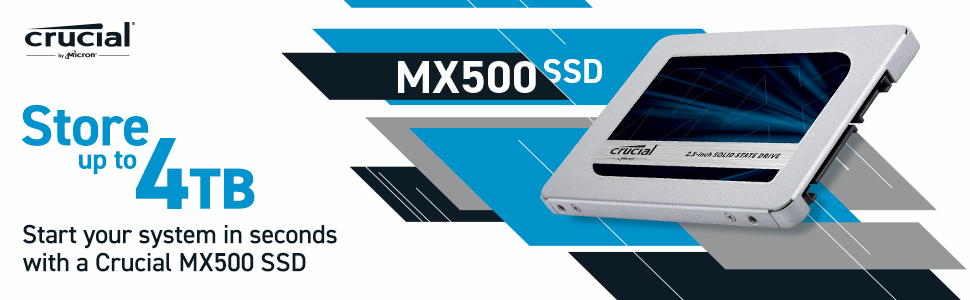
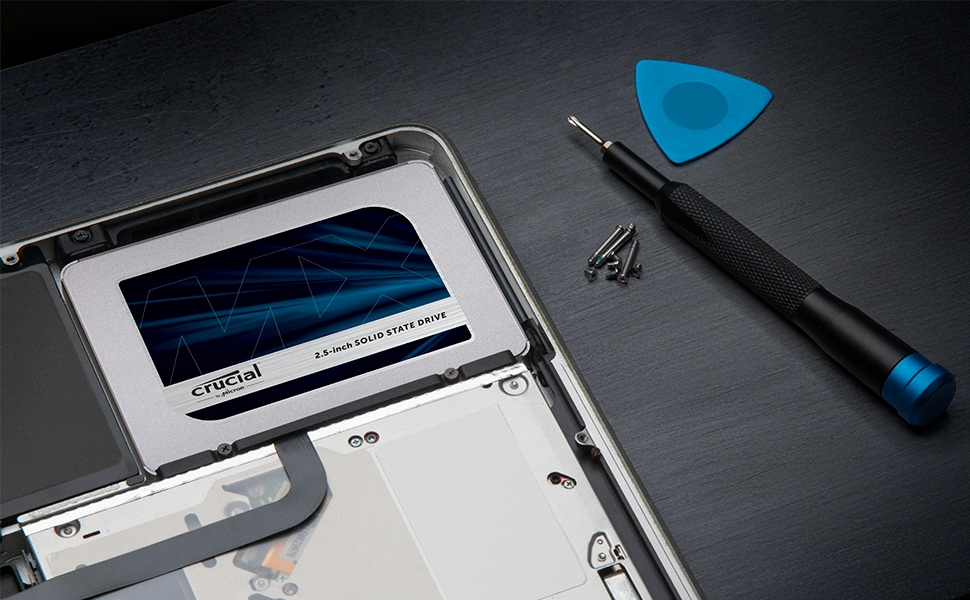
The Crucial MX500 2TB SATA 2.5-inch Internal SSD delivers high-capacity solid state storage with up to 560MB/s read speeds, compatible with most desktops and laptops. Featuring a 5-year warranty and data recovery service, it combines speed, reliability, and easy installation to elevate your computing experience.



| ASIN | B003J5JB12 |
| Additional Features | Data Recovery Service |
| Best Sellers Rank | #49 in Internal Solid State Drives |
| Brand | Crucial |
| Built-In Media | Internal Solid State Drive |
| Color | Blue/Gray |
| Compatible Devices | This drive is compatible with desktops and laptops that accept 2.5" 7mm SATA drives |
| Connectivity Technology | SATA |
| Customer Package Type | Standard Packaging |
| Customer Reviews | 4.7 out of 5 stars 10,533 Reviews |
| Data Transfer Rate | 6 gigabits_per_second |
| Digital Storage Capacity | 2 TB |
| Enclosure Material | Information Not Available |
| Form Factor | 2.5-inch |
| Hard Disk Description | SATA |
| Hard Disk Interface | Solid State |
| Hard Disk Rotational Speed | 1 |
| Hard-Drive Size | 2000 GB |
| Hardware Connectivity | SATA 6.0 Gb/s |
| Hardware Platform | PC; Mac, Linux |
| Installation Type | Internal Hard Drive |
| Item Dimensions L x W x Thickness | 4.06"L x 2.76"W x 0.28"Th |
| Item Type Name | Crucial MX500 2TB SATA 2.5 Inch Internal Solid State Drive - CT2000MX500SSD1 |
| Item Weight | 40 g |
| Manufacturer | Crucial |
| Media Speed | 510 megabytes_per_second |
| Mfr Part Number | CT2000MX500SSD1 |
| Model Name | Crucial MX500 SSD |
| Model Number | CT2000MX500SSD1 |
| Number of Items | 1 |
| Read Speed | 560 megabytes_per_second |
| Special Feature | Data Recovery Service |
| Specific Uses For Product | personal, gaming, business |
| UPC | 649528785077 |
| Unit Count | 1 Count |
| Warranty Description | Limited 5-year warranty |
A**Y
Extremely compelling for anyone looking to supercharge their storage game on a reasonable budget
As someone who deals with data storage and backups on a daily basis, I've become a big fan of Crucial's MX500 SSD lineup. The 2TB model in particular has proven to be an incredibly versatile and affordable solution. On a pure price-per-gigabyte basis, these SATA drives absolutely demolish traditional spinning platter HDDs when you need this much capacity. But beyond just sheer volume, the MX500's solid state design brings plenty of other benefits to the table. Performance, for starters, is light years better than HDDs. The NAND flash memory and lack of moving parts allow rapid access times and data throughput speeds. Booting OSes, loading apps, transferring large media files - everything happens in a blink compared to sluggish HDDs. It makes the whole system feel tremendously more responsive. Reliability is another big plus over HDDs, which are prone to potential failures from physical shocks, vibrations, or just general wear and tear over time. With no moving parts, SSDs like the MX500 operate silently and can better withstand drops, bumps, or other turbulence. They also run much cooler with less thermal throttling concerns. For my use cases, I have a couple of these 2TB SSDs set up as redundant backup repositories for my home NAS system. The combination of speed, durability, and high capacity makes them perfect for regularly syncing and safely archiving all my important documents, photos, videos and other media. I've also shucked a couple of these bad boys and popped them into various devices like my HTPC for super fast media playback and game load times. Or random Raspberry Pi rigs for snappy SDC-based storage without breaking the bank.
A**N
A reliable Workhorse.
Within Sata SSDs this specific Crucial SSD is rated highly for its speed and reliability. And it just feels snappy. I have this added into my system for additional storage since all my nvme lanes on the motherboard are occupied. 2tbs is pretty generous for an extra media drive, and specifically for games prior to this current generation of console work extremely well. Particularly “e-sports” titles that seem to be getting bloated in file size these days. You could even use this as a scratch drive for video editing if you wanted to as well. Got this on a sale during Black Friday here and it was well worth the money I spent. Even when I upgrade my PC onto a new Platform (I’m still on AM4 rocking a 5800X3D currently) I can just recycle this drive for use on a secondary “back-up” system with its total capacity. While Sata SSDs might eventually become a relic of the past for now they’re still really good if you can get them on a deal and all your nvme slots are full.
B**B
quality
Ease to use. Works well. Good quality
T**M
Awesome Upgrade for Internal PS4 Memory
I put this Crucial 2TB SSD in my PS4 that has been giving me problems for the past few months. It would disconnect from game servers mid game or just fail to connect when loading the game. I watched a few readily available videos explaining the process before starting. It's really simple as long as you follow instructions exactly. Only issue I had was getting sound out of the PS4 to my surround sound system. It was just a minor setting or hdmi connection problem. Fixing the sound issue took longer than the OS and SSD installation by far. Took a couple of hours to update the game backups, then I was in business. Game play seems smoother and more fluid than before. It definitely boots up faster and games load quickly which is an improvement. Can't speak to longevity as I'm on day one of install. I know Crucial has a well earned reputation for quality parts. I'm sure mine will be the same. Time will tell, but for now I'm very pleased with this purchase.
V**S
Nice
Glad I bought it before the storage apocalypse.
S**E
Big, reliable, good price, but with an annoying quirk.
They're very fast and reliable, but they seem to have this odd quirk that has been reported over the years, but has yet to be fixed. If you run a Unix/Linux system and have SMART tools enabled, you will see this stream of relatively frequent errors saying that a sector is going bad, but then corrects itself. If you look at it later, the sector is not bad and the drive is still showing 100%. I saw a reference that others had reported this and were told that they shouldn't use third party utilities, but should use Crucial's proprietary utilities. I don't even know if this is possible on Linux, but I'm wary of running any proprietary software on my systems. The drive is flagging an error and then correcting it, which doesn't seem right. But, if you can tolerate this one quirk (and tweak your monitoring scripts to ignore it), they are significantly cheaper than an equivalent Samsung EVO ($219 vs. $269). Because of this, I'm giving it 4-stars. It's completely functional and reliable (been running them for 6 months, 24x7), but it's just annoying. An example of the error that is emailed by the SMART tools: ---------- The following warning/error was logged by the smartd daemon: Device: /dev/sdd [SAT], 1 Currently unreadable (pending) sectors Device info: CT2000MX500SSD1, S/N:1920xxxxxxxx, WWN:5-00a075-xxxxxxxxx, FW:M3CR023, 2.00 TB For details see host's SYSLOG. ----------
S**A
FANTASTIC drive! Great speed and perfect size! Great value!
I can't say enough good things about this drive. It works perfectly in every sense of the word. Install was a snap, and the software (downloadable from their website) made simple work of swapping out my old master drive. It is amazing how light these things are! Then again, there are no moving parts. Used in conjunction with the 2.5 to 3.5 adapter, the unit fit perfectly and solidly into my HP ELITE desktop. Now, instead of taking nearly 3 minutes for my OS to load (plus many drivers that I use for home-studio work), it does it in roughly 30 seconds or less. I mean, for that alone, this thing is worth its weight in gold! Drive has superseded all my expectations. It is FAST, and there is virtually NO LAG on anything I'm running on it. Even the games that I have are noticeably faster. As for my studio work, it appears to make things even more stable than before. I am running various DAWs including ProTools, Sonar, Ableton, Reason, and several stand-alone plugins that really can bog-down a traditional drive (I was using a WD Black 2 TB drive). This drive handles all this and more with flawless execution. Can't say enough good things, but if you're in the market...buy it! It will be the single-most awesome purchase for your computer, I swear!
L**S
Works wonderfully, is priced very low, and portable
Bought this in 2022 (4 years ago) as a replacement for a HDD drive in my old Alienware laptop. I'm still using it till this day as an external SSD drive hooked up with a SATA reader and functions flawlessly. Super light too so if you want to carry it around as an external SSD drive you can.
R**O
開封済みの商品が届いた
届いた商品を確認すると、箱のシールがすでに開封されていて、上からセロテープで貼り直してあったので返品した。開封済みならその旨記載してほしい。
M**C
Stabil, och forfarande en av de snabbast Sata ssd på marknaden.
+ Är en välkänd och stabil SSD, och ha varit det under många år. Kvalite är rakt igenom + Stabil, snabb, gör det den ska, behöver inget annat om du bara ska laga spel på den. inte värt att gå M.2 SSD för bara spel. + Sata ssd ta inte PCIe lanes från gpu, vilket M.2 SSD gör om du ha många snabba M.2 monterade på ditt moderkort. - Långsam för stora skriv/läs laster/ redigering. För tyngre redigering och mycket flyttande av stora filer rekommenderas jag M.2 SSD istället - Stå 2TB, men det är bara 1.81TB du kan använda i windows. Då windows tolkar GB som 1024MB, och inte 1000MB, därav du förlora cirka 200gb lagring, men egentligen inte gör det.
B**R
Crucial
Çok işime yaradı hemen de geldi. Teşekkürler
T**Y
Great value and quality
First off - delivered quickly with Prime and in perfect working order. Second, you have to buy a WAVLINK 2.5 Inch External Hard Drive Enclosure or equivalent to connect to your laptop etc. via USB if you want to clone your existing HDD to the new SSD. For my purposes I was upgrading my 7 yr old Lenovo 1TB HDD to the 2TB SSD for extra storage and longevity and didn't want to re-install Windows and everything else. You can download the Acronis software from Crucial that allows you to clone the drive and then just pop the old one out and pop the new one into the SATA port. Takes about 10 hrs to clone depending on your USB speed really. HUGE tip which I found out the hard way... I use an external monitor and a USB mouse/keyboard combo... what the software doesn't tell you is when you do the cloning you need to unplug all peripherals except for the power cable obviously, otherwise there's a good chance the process will hang and not complete properly. I didn't the first time and wasted that bloody 10 hrs of electricity as the program froze at the end! So PLEASE unplug your external monitor, mouse/keyboard USB etc. before the cloning process and it will likely work perfectly. After cloning, it was now a bootable drive and has worked seamlessly after swopping it with the HDD! What a pleasure after the first hiccup. Don't know how it improves battery life as I use it on power mostly, but my Lenovo def runs quieter, quicker and much much cooler now too which means less fan noise, less heat in the chassis and less heat to deteriorate components. Winning all round with this SSD and really is a solid quality drive.
P**R
Hervorragende SSD für effiziente Video-Bearbeitung
Die Crucial MX500 2TB SSD war die perfekte Wahl für meine Videobearbeitungsbedürfnisse. Hier möchte ich ganz kurz die wichtigsten Punkte hervorheben: Geschwindigkeit: Die SSD bietet eine gute Lesegeschwindigkeit von bis zu 560 MB/s, was zu schnellem und flüssigem Zugriff auf große Videodateien führt. Videos in Adobe Premiere Pro oder After Effects schneiden geschieht damit äußerst flott. Kapazität: Mit 2TB bietet die SSD ausreichend Speicherplatz für meine, zumindest teilweise, sehr umfangreichen Videoprojekte. Es gibt genug Platz, um hochauflösende Aufnahmen, Proxies und Bearbeitungsdateien zu speichern, ohne sich Gedanken über knappen Speicherplatz machen zu müssen. Auch zum Speichern von Steam Spielen erfüllt die SSD ihren Zweck komplett. Die Ladezeiten werden drastisch verkürzt im Vergleich zu HDDs oder auch älteren SSDs. Zuverlässigkeit: Crucial steht für hochwertige Produkte und diese SSD ist keine Ausnahme. Bisher hatte ich keine Probleme mit Datenverlust oder unerwarteten Ausfällen. Preis-Leistungs-Verhältnis: Angesichts der gebotenen Leistung und Kapazität ist der Preis dieser SSD äußerst fair. Ich habe vergleichbare Modelle anderer Marken untersucht, aber keine konnte mit der Kombination aus Leistung und Preis mithalten. Fazit: Wenn man eine zuverlässige und leistungsstarke SSD für die effiziente Bearbeitung von Videos oder das Speichern von Spielen sucht, dann ist die Crucial MX500 2TB SSD definitiv eine ausgezeichnete Wahl. Ich bin mit meinem Kauf sehr zufrieden und kann diese SSD uneingeschränkt empfehlen.
Trustpilot
2 months ago
3 days ago