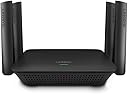
🚀 Boost your Wi-Fi game—never miss a beat or a binge!
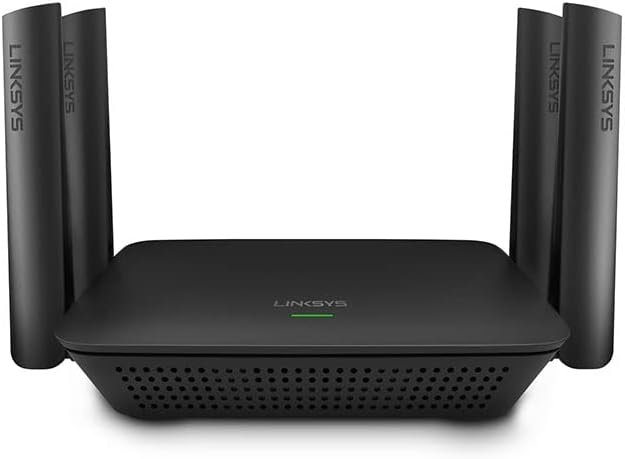
The Linksys RE9000 AC3000 Tri-Band Wi-Fi Extender delivers ultra-fast, reliable wireless coverage with dedicated 5GHz backhaul, 4 Gigabit Ethernet ports, and easy setup. Designed to eliminate dead zones in large or complex homes, it supports seamless roaming and automatic firmware updates, ensuring a secure, high-performance network experience compatible with any router.
| ASIN | B076ZHXK6J |
| Best Sellers Rank | #1,781 in Repeaters |
| Brand | Linksys |
| Built-In Media | Linksys Max-Stream Tri-Band AC3000 Wi-Fi Range Extender RE9000, Quick Install Guide, Regulatory Information |
| Color | Black |
| Compatible Devices | Router |
| Connector Type | RJ45 |
| Customer Reviews | 4.1 out of 5 stars 1,647 Reviews |
| Data Transfer Rate | 3000 megabits_per_second |
| Frequency Band Class | Tri-Band |
| Frequency Bands Supported | 2.4 GHz, 5 GHz |
| Global Trade Identification Number | 00745883742837 |
| Item Dimensions D x W x H | 5.35"D x 6.71"W x 1.78"H |
| Item Type Name | Linksys RE9000 Max-Stream AC3000 Tri-Band Wi-Fi Range Extender, AC3000, Black |
| Item Weight | 12.64 ounces |
| Manufacturer | Linksys |
| Mfr Part Number | RE9000 |
| Model Number | RE9000 |
| Number of Items | 1 |
| Range | 10000 square_feet |
| Special Feature | Tri-Band Technology, Seamless Roaming, Spot Finder Technology |
| Special Features | Tri-Band Technology, Seamless Roaming, Spot Finder Technology |
| UPC | 745883742837 |
| Unit Count | 1 Count |
| Warranty Description | 1 Year |
| Wireless Communication Standard | 802.11ac |
| Wireless Compability | 802.11ac |
S**Y
Linksys AC3000 works surpisingly well in our home
We purchased the Linksys AC3000 in an attempt to achieve reliable, stable wi-fi from the router located in the downstairs northernmost corner of our two-story 3,400 sf L-shaped home (yes, I know, worst location ever) to an upstairs family room television located in the furthest opposite corner from the router. The AC3000 replaced an older Linksys router previously set up as an access point and located in the upstairs front middle of the house at the top of an open staircase. Over the years we tried various devices to get a decent signal to that family room. So, we were somewhat skeptical the AC3000 would alleviate the constant buffering when streaming to the upstairs television, or the unreliable and weak signal other devices suffered in that room due to distance. Happily for us, it works perfectly. The most surprising thing is that downstairs bedrooms and bathrooms located in the back "L" also now receive strong, reliable wi-fi signal from the AC3000. Surprising because every downstairs wall, exterior and interior, is concrete block with 1950’s hand applied plaster which previously rendered the wi-fi signal non-existent in all but one bedroom, and even that was weak and unreliable. The one small frustration in setting up the AC3000 occurred when attempting to use the WPS button for easy setup. As it turned out, our Apple 3TB Time Capsule router doesn't allow for WPS setup. Once we reset the AC3000 (via the reset button) and then used the web page option, it was a quick and easy setup. Overall, we’re thrilled that we now have wi-fi throughout the entire house and finally feel confident we can cut the cable cord.
F**R
This is great for large houses
I am not sure what the issue is with people and this extender. I use it as a wired access point to extend my wifi network in my 4600 square foot home on three levels. I have my Max Stream router in the middle of the house on the main floor, and two of these, one on the 2nd floor and one in the basement. I will say it is probably signal overkill, but then again I also don't have to search for coverage either. With the router in the middle of the house on the main floor, one in the basement and one on the 2nd floor, I have solid 4 bar WiFi coverage over the entire house, including outside on our patio and front yard. This was an important selling point to ensure my wireless security cameras outside the house had a great signal. When wired as an access point, you get gig backbone speed to the router. The most important feature of these, when combined with a MaxSpeed router is the seamless roaming wireless coverage. When combined with the MaxStream router, all you need is one SSID for fast WiFi roaming. I have 70 devices in my house, connected via wired network and wifi, and have no bottlenecks since installing them. Having owned Linksys products going back to before they were owned by Cisco, I have never had a product fail on me or be difficult to install. I know what I am doing with network setup, and never used the wizards, so that has never been a feature that has failed. When used correctly with the corresponding gear, these work great.
S**D
Great when it works
The range extender picks up the signal from my wifi router and extends it around my home and when a device is connected to the 5GHz extender signal it works great. But our devices don’t always hold on to the extenders 5GHz signal. For example: I will connect to the range extenders 5GHz on my iPad and it will work fine, but come back a little later, pick up the iPad and it may or may not be connected to the 5GHz range extender signal, which will require selecting the 5G range extender signal again. If our devices would hold the connection to the range extenders signal, this product would be great. As it is, it has helped send a stronger signal to parts of our home that that we had problems with before, but only if the device is connected to the range extenders signal.
R**N
A Sweet Wi-Fi Signal Boost
Have an odd shaped 3,500 SF ranch finished up and mostly finished down. Have a Linksys EA9500 main router. There are too many walls/obstructions between the centrally mounted router and family room and bedroom ends of the house. Bought a Linksys RE9000/AC3000 and set it up as an access point with an ethernet cable for one end of the house. Set it up with a non-networked computer and gave it the same name as the main router network to avoid having multiple networks. When setup was finished, hooked the RE9000 to the main network and recycled the main network and the unit came to life. Setup and instructions are a tad wonky in my opinion, but forgiving and not too bad. I have one network name and one can walk from one end of the house to the other without any loss of connection or signal. On a hard wire, I get 800 down and 40 up. In the wi-fi in the family room with the RE, I now get 450-600 down and 40 up, which seems pretty acceptable. I was so pleased with the results I bought a 2nd unit from Amazon for the other end of the house and now get It gets about 400-550 down pretty much everywhere in the bedroom area, but signal is going through a few more walls. Setting these up as access points probably gives much better coverage than setting them up as repeaters. From what I have read, repeater style extenders need to be kept close enough to the router's signal envelope edge to get a good connection and then part of the extender's wi-fi signal is consumed by back-hauling data between thee extender and the router. The access point approach avoids this issue. Anyway, the LInksys RE9000's are decent units and they seem to be trouble free. I'm a Happy Camper.
N**E
2nd device and has even more issues.
Updated: After having the 1st unit replaced due to noise, the 2nd one has the same issue. At first it worked fine however i constantly had issue with camera's dropping my network. 1st issue: band steering is horrible, channels cannot be changed unless you disable that. Auto channel usage only causes issues people. Everyones router should be using 1,6,11 and not auto as it only causes issues for everyone in the area. 2nd issue: using it as a wireless extender was super wonky and i had to setup 3 different SSIDs as my devices would always prefer my router which was too far. 3rd issue: dont believe the seemless connectivity, i had purchased the router and AP that were supposedly married together in the product line. after speaking with linksys support, they even recommended disabling band steering on both router and AP. 4th issue: the AP works 100time better on a wired setup, HOWEVER i kept getting random dropped wifi signals and today it completely messed up my wired home network. all of my devices started connecting/reconnecting on the network. My personal opinion, either get a wireless mesh network ( i dont have much experience with that) or hard wire your network which is what i ended up doing. The only other real option i can see is getting yourself some enterprise AP's with a controller if your so fortunate enough to do that. Amazon always impresses me with the amazing return policy and incredible support. previous review: Added this to my ea9500 which is by far the best router I have used. I have Wow and it's amazing however the split level design allows for my whole backyard full sig AL but the front and garage have no signal. I decided to add this AP knowing that it will slow down my wifi a bit. The setup was not bad however reconnecting to the AP is tough. I just use the IP. signal is great and the speed works very well for me. Overnight the device starter to make this pulsing noise that was annoying and linksys stated it should be RMA'd. Overall it actually a really great device depending on the replacement if it's as noisy
B**R
Does not work as advertised unless you have a Linksys router
Easy to setup but devices wouldn't connect to internet. Does NOT offer seamless roaming in house via the same SSID unless you are using a Linksys router. With non-Linksys routers such as the ARRIS cable modem/router I have you have an SSID with a _EXT to connect to which wouldn't have been that bad but several of my devices would connect to the extender but not to internet. After 2 hours of working on this issue I gave up and returned the unit.
N**B
Linksys WiFi Extender Review
This Router serves one of 2 purposes. 1) as a Router that has solid capabilities 2) as a WiFi Extender, which is my use case. There are a few ways to configure this Device, but the easiest is to just power it on, hit the WPS button on the Router (Extender) and then log into your foundation or primary router, hit the WPS button ( if all Linksys ) simple integration, and within a minute or so, your main Router ( the one connected via RJ45 cable (twisted pair cat5e cable) to the internet, will be discovered and automation takes over the integration of signal protocols. The Technical part, and the reason I purchased this Router/Extender is because I have a few RING Floodlight cams that I installed and the RING products work well, but was experiencing latencies when I wanted to view the RING cams because the primary router signal was kinda weak. I figured out because it took sometimes 10-30 seconds to connect to the cams, it could be due to weak signal. RING has the ability to display the receive signal strength. Honestly I figured more out deploying this product than I ever wanted to but it was honestly alot of fun and I figured everything out. You need to understand what you need to do next. you have the Router extender connected to your primary router, but you still need to ensure the deployed Ring CAMS are configured on the WiFi Extender network, Really Important, you must ensure that the SSID of your Existing network is the SAME network name on the Extender network config, only way the nodes or Ring cams you want to go through the Extender are routed correctly which means you need to adjust each setup for each Ring cam, and ensure it goes to the Extender router or the connectivity will always be on the original Router and NEVER route through the Extender, to your primary router, which is exactly what you need to do...I hope this helps some out who as I, was a bit leary due to the reviews, but I am a technologist and please trust me, this really does work, I now connect to the furthest Ring cam in 1/3 the time, which is less than 5 seconds, a real improvement, which can be measured as a success.
C**N
Works well! Use Mobile phone for setup.
I could NOT get *** PC browser *** setup to work. I used *** Mobile phone *** direct wifi connection browser and it was easy setup. I used a physical wired network connection thru modem-router-switch-router-RE9000(AC3000). It worked fine as additional separate wifi extender and solved my dark hole in my wifi network. It does combine 2,5,5x as one login if you wish, or separately controlled... I took the all in one route. It still links back thru the router-switch-router-modem-internet just fine. Looks like normal Linksys quality... I have had two other high end Linksys routers still running for years... I would buy it again; in spite of the bad reviews... Just remember to use the Mobile phone browser direct setup.
Y**A
Precio, calidad y rendimiento
Este repetidor lo compre para expandir la red en una construccion de 4 niveles pero con muchos obstaculos y paredes muy gruesas, a pesar de eso la señal pasa bien, tal vez no excelente pero mantiene su velocidad y ademas tiene la funcion de determinar que frecuencia es la mas adecuada para tu smarthphone, tablet, pc, etc
A**R
Excelente producto
Lo utilicé como extender cableado, utiliza el mismo nombre de la red original y en automático los dispositivos móviles que se conectan escogen el 2.4 o 5 GHz. Excelente.
D**A
Aumenta la potencia de señal
Mejora importantemente la señal y a buena distancia
L**L
Excelente equipo
Buen rango de cobertura y gran velocidad inalámbrica. Ampliamente recomendado.
L**A
Excelente
Muy fácil de instalar ya sea como router o cómo access point
Trustpilot
1 month ago
3 days ago