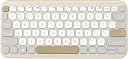
Desertcart purchases this item on your behalf and handles shipping, customs, and support to Greece.
โจ๏ธ Elevate your workspace with silent style and AI-powered smarts!
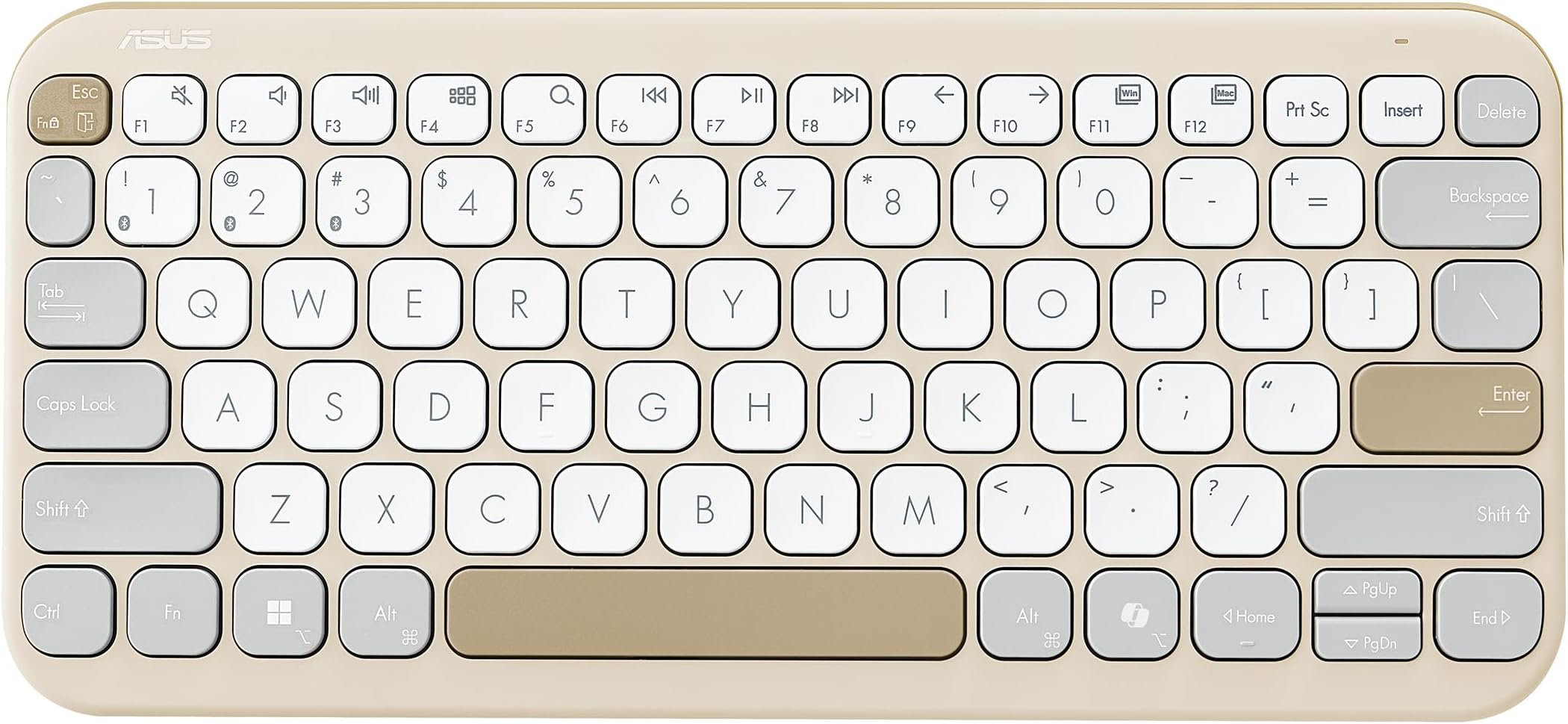
The ASUS Marshmallow KW100 Wireless Keyboard in Oat Milk combines a compact, minimalist design with silent scissor-switch keys and a dedicated AI Copilot key for instant assistance. Compatible with Windows, Mac, Chrome, iOS, and iPadOS, it supports seamless Bluetooth connection to up to three devices. Its ergonomic features include adjustable kickstands and system-switch keys, while a long-lasting 2-year battery life and durable key switches ensure reliable performance for professional and creative multitasking.


| ASIN | B0CFF15D4N |
| Antenna Location | Business, Education, Everyday Use, Multimedia, Personal |
| Best Sellers Rank | #911 in Computers & Accessories ( See Top 100 in Computers & Accessories ) #19 in Keyboards |
| Brand | ASUS |
| Brand Name | ASUS |
| Colour | Oat Milk |
| Compatible Devices | Laptop |
| Compatible Operating System Family | Windows |
| Connectivity Technology | Bluetooth |
| Country of Origin | China |
| Customer Reviews | 4.2 out of 5 stars 682 Reviews |
| Enclosure Material | Plastic |
| Hand Orientation | Ambidextrous |
| Importer Contact Information | ASUS INDIA PRIVATE LIMITED, 402, Supreme chambers, 17/18, Shah Industrial Estate, Veera Desai Road, Andheri (West), Mumbai 400053, India |
| Item Dimensions L x W x H | 28.2L x 13W x 1.8H Centimeters |
| Item Type Name | Keyboard |
| Item Weight Unit of Measure | 375 Grams |
| Keyboard Description | Multimedia |
| Keyboard Layout | QWERTY |
| Manufacturer | ASUS, G.TECH TECHNOLOGY LTD. NO.8, JINYUAN 1ST ROAD, TANGJIAWAN TOWN, HIGH-TECH ZONE, ZHUHUA CITY, GUANGDONG, CHINA |
| Manufacturer Contact Information | G.TECH TECHNOLOGY LTD. NO.8, JINYUAN 1ST ROAD, TANGJIAWAN TOWN, HIGH-TECH ZONE, ZHUHUA CITY, GUANGDONG, CHINA |
| Manufacturer Part Number | 90XB0880-BKB0X0 |
| Minimum Required Operating System Version | ChromeOs 134, Windows 10 |
| Model Name | Marshmallow Keyboard KW100 |
| Model Number | KW100 (Oat Milk) |
| Number of Items | 1 |
| Number of Keys | 3 |
| Packer Contact Information | G.TECH TECHNOLOGY LTD. NO.8, JINYUAN 1ST ROAD, TANGJIAWAN TOWN, HIGH-TECH ZONE, ZHUHUA CITY, GUANGDONG, CHINA |
| Power Source | Battery Powered |
| Product Features | Integrated Stand, Lightweight, Portable |
| Recommended Uses For Product | Business, Education, Everyday Use, Multimedia, Personal |
| Special Feature | Integrated Stand, Lightweight, Portable |
| Switch Type | Scissor-Switch |
| Unit Count | 1.0 Count |
| Warranty Description | 1 year warranty provided by the manufacturer from date of purchase |
F**T
Good-looking and comfortable tablet keyboard, with a small learning curve
I received the ASUS Marshmallow KW100 keyboard in proper brand-new condition, and my initial impression has been very positive. The keyboard looks good, feels well made for a compact plastic keyboard, and the colour options are one of its strong points. The key travel is also good, making typing comfortable for regular work, browsing, messaging, and light productivity use on a tablet. I am currently using it mainly as a tablet keyboard. The typing experience is pleasant and the keys are quiet enough for everyday use. The keyboard is slim and can still fit inside a standard laptop backpack, so it is portable to an extent. The only initial difficulty I faced was pairing it. It took a little time to understand the correct Function-key and Bluetooth-key combination needed to put it into pairing mode. It is advertised as supporting up to three devices, but I am still figuring out how to create and switch between multiple device profiles properly. Once paired with the tablet, though, it works well. For tablet users, there are a few practical considerations. It is not extremely small, so it may feel a little large if you want something that is very easy to carry everywhere. Also, there is no protective cover included, which leaves the keys exposed while travelling. You need to be a little careful when carrying it in a bag with other devices or accessories. It also does not include a trackpad, so you will either need to carry a separate mouse or use the tablet touchscreen alongside the keyboard. A positive point is the battery arrangement. It uses AAA batteries, and the battery compartment at the front is easy to access and replace. That is much more convenient than keyboards with sealed rechargeable batteries or difficult-to-reach button cells. My only concern is pricing. Since this is a plastic keyboard with no metal construction or trackpad, it could have been a little more affordable. It is also a light-coloured keyboard, so it will need regular cleaning and maintenance to prevent it from looking dirty over time. Overall, this is a nice, comfortable, and visually attractive Bluetooth keyboard for tablet and everyday use. It is worth considering if you value typing comfort, quiet keys, and colour options, but keep the size, exposed keys during travel, lack of a trackpad, and slightly premium pricing in mind.
S**Y
A good typing experience, but probably overpriced.
I bought the Green Tea Latte. It comes with a thick bunch of paperwork and 2AAA batteries. There's an on-off switch at the back. The letters are crisp and clear. The key travel is decent. It's silent. It gets into some battery-saving mode if not used for 5 to 10 mins (didn't measure). Hence, you can't start typing as it requires one stroke and a second to wake up. So, get in the habit of hitting the space bar if you don't want your documents to have typos. At this price (Rs 2899), it should have been backlit and should have come with lithium-ion batteries. If that would have made the price to Rs 3000, then it would have made more sense. Nevertheless, this is a good one. Update: The keyboard goes to sleep too fast.....and requires a keystroke to wake up, leading to typos!
A**N
Its good
It is a good Bluetooth keyboard. The color of the keyboard is very pleasing to see. It works fine generally. Pros- -Design-The keyboard has a beautiful and aesthetically pleasing design. The color (Green tea latte) is so pleasing and beautiful. -Size-It is also very compact and I was very surprised that I could type much more faster on this keyboard. -Connectivity-It can easily connect up to 3 devices and switching between them is very easy. I connected it to my laptop, tablet and Android phone and switching between them is very easy. -Scissor keys- Before buying this keyboard I had never used scissor keys. I must say it so pleasing to type with them. -Ergonomics and typing comfort- The keyboard is flat and very comfortable to use for typing. I am able to type way faster than any other keyboard that I have I used. Cons- -Bluetooth issues- Yeah, the only way this keyboard connects itself to the device is so messed up. Ever since I bought it I have been facing random disconnecting issues. I will be using the keyboard and suddenly it goes off. The device could have had USB wireless connection as an alternate. -Malfunctioning-The keyboard malfunctions randomly and inputs what I type in upper case even though CAPS lock is not switched on. ASUS needs to work on the connectivity of the device. This keyboard should have come with a 2.4 ghz connector if this is the case. -Automatic sleep-The automatic sleep mode thing on this keyboard is ridiculously fast. Just inside 5 mins and it shuts down. This leads to lots of typing mistakes. Especially while typing passwords and pins. Of course it is an essential thing for a Bluetooth keyboard to save battery, but at least Asus could have given the option to shut it off. -Completely dead some times- The keyboard is just dead at times even though the battery is so new. I don't understand why this is happening. Even after switching it on and off it does not respond. Then by some miracle after sometime it comes back to life. Update-this issue has reduced now. Maybe it was a software issue. It is a good Bluetooth keyboard even though it has its cons.
A**A
Go for it!
Simply amazing. Don't listen to other reviews; even I was skeptical when planning to buy a keyboard. Ultimately, I bought the KW 100 instead of the Logitech Pebble, and I am NOT regretting any of my decisions. I love this keyboard. Battery life is amazing; it's been almost 2 months, and it's still at 100% charge. Durable keyboard. Smooth and responsive typing. All in all, a value-for-money and stable buying option if you are looking for a keyboard with silent typing.
S**I
Not pairing after few months
It was working for 3months then stopped, trying to pair now but it is not showing in any device to pair. On press of fn it bilnks four times and stops. I tried pressing F so the blink lasts to pair no help. Changed the battery no help..worst product with the price i paid
P**T
PS
I earlier used Targus Wireless keyboard due to cheaper prices, didn't even last 1 year and felt hard to type. This one instantly felt much value for money with an extra thousand rupees. The keyboard feels pleasant to type and the looks are brilliant. It almost gives me a typing experience of Apple Magic Keyboard, but more silent than the Apple one. The build quality feels premium like a > 5k price keyboard as I have also used Logitech Mechanical Mini in past but that one lasted ~5 years and I wanted to kind of now like the membrane type keyboard. Connectivity was smooth, just took 30s to do first time with the MacBook. Its weight is also sufficient enough as it does not move even when you type faster and bit heavier. I am currently using it with MacBook and an Android tablet, the device compatibility and switching experience is great. I'd recommend it to whoever wants to go with the membrane keyboard. Many thanks to Asus for bringing quality product at very affordable prices!
V**T
Perfect
working as expected
A**R
Awful waketime
I really like the design and the typing experience of this keyboard. But one thing that has been annoying me for past 6 months since i bought it is its wake time. So - You click on it to wake it up, it takes atleast 2 seconds to do it. And then only it will detect the future input, not the one you clicked to wake it. But that was not the case with Logitech 380 (but logi keyboard has bad key placement that you cant type in those round keys) Sometimes if you keep clicking on it to wake, it wont detect any of the keys at all, because it seems like the wake timer (2 sec approx) keep resetting after every key stroke. So if you press 7-8 keys simultaneously to start working on it, it wont detect any. You have to wait till it actually wakes up, and then you can start typing. I was quite okay with such delay, but sometimes it annoys that it cant be fixed. Few good things about it - 1. No software needed. (unlike logitech keyboard, who need a software + they will track every key stroke of yours. Dont know if they even send that data to their cloud.) 2. Key spacing and key travel very good. 3. Quite silent if typing comfortably. 4. Battery lasts long. 6 months and still running. 5. Good design. Asus also sells similar color mouse to complete your set. 6. Works well on macbook and ipad. 7. Has inbuilt keys to switch between windows and mac key bindings. Cons 1. Cant customize shortcuts on the keyboard with any utility as there is none, but personally i dont care. 2. Delay in wake up time explained in the start of the review.
Trustpilot
1 week ago
1 week ago