Desertcart purchases this item on your behalf and handles shipping, customs, and support to Greece.
⚡ Dominate your digital domain with the ultimate WiFi 7 powerhouse!
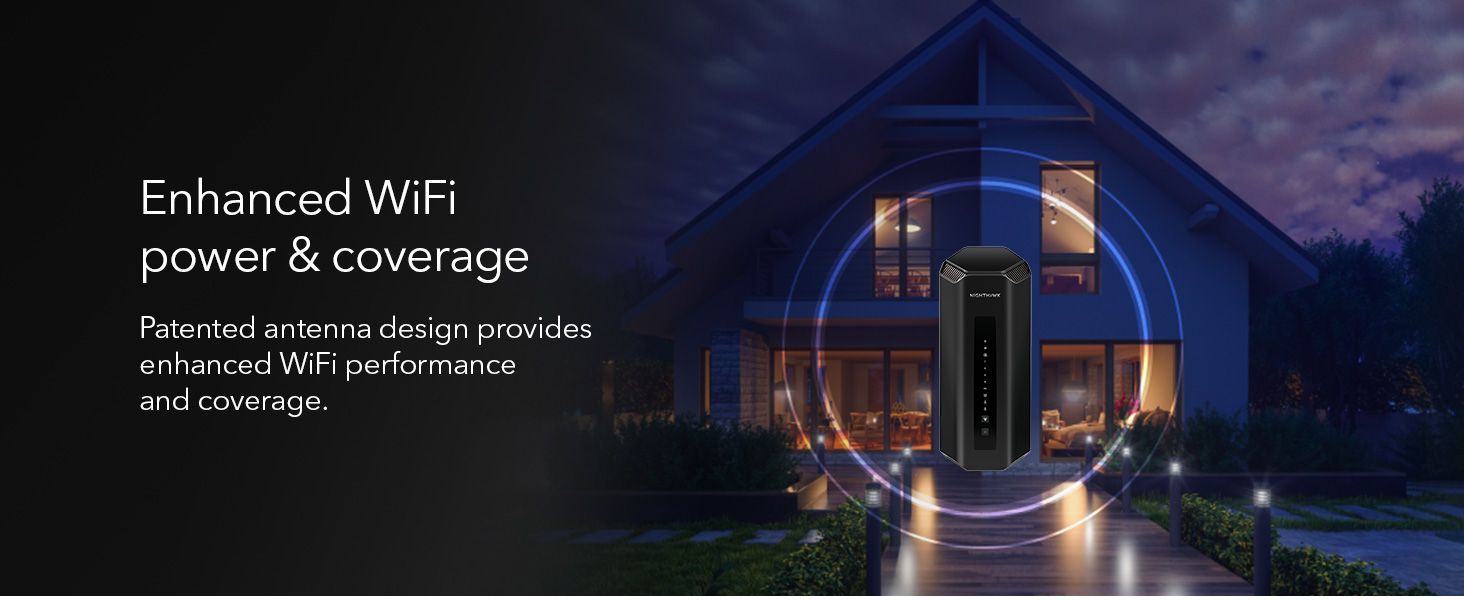
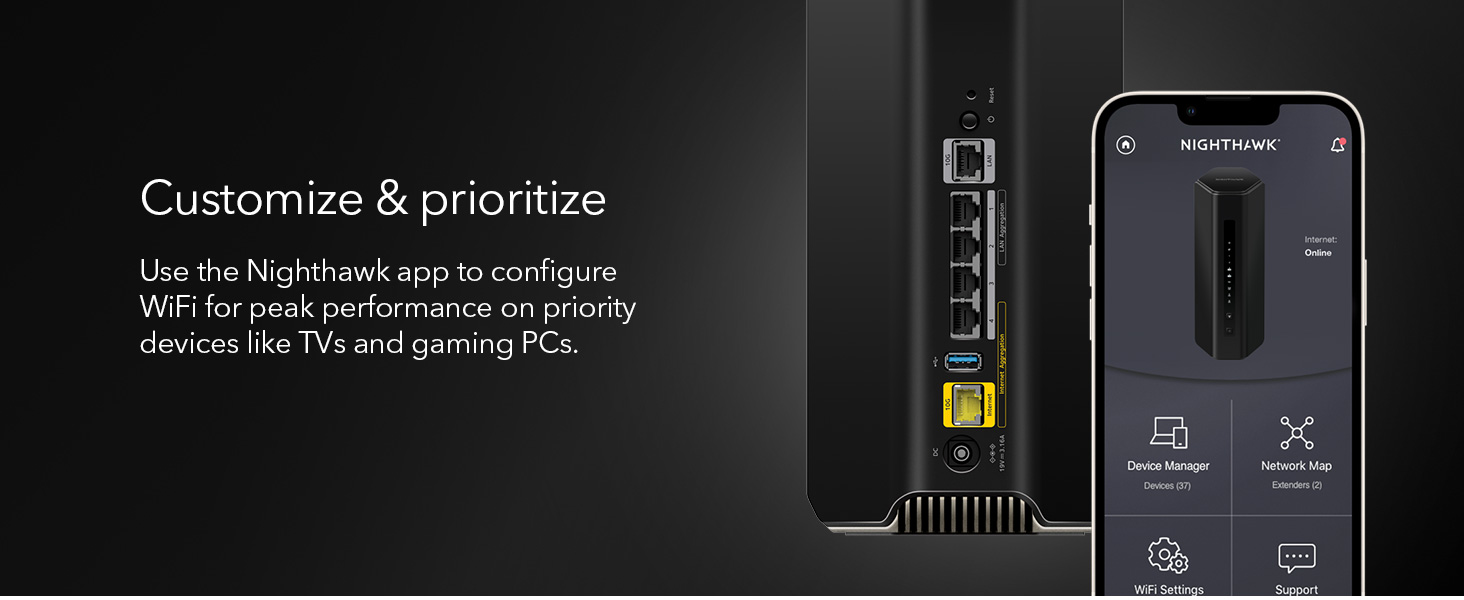
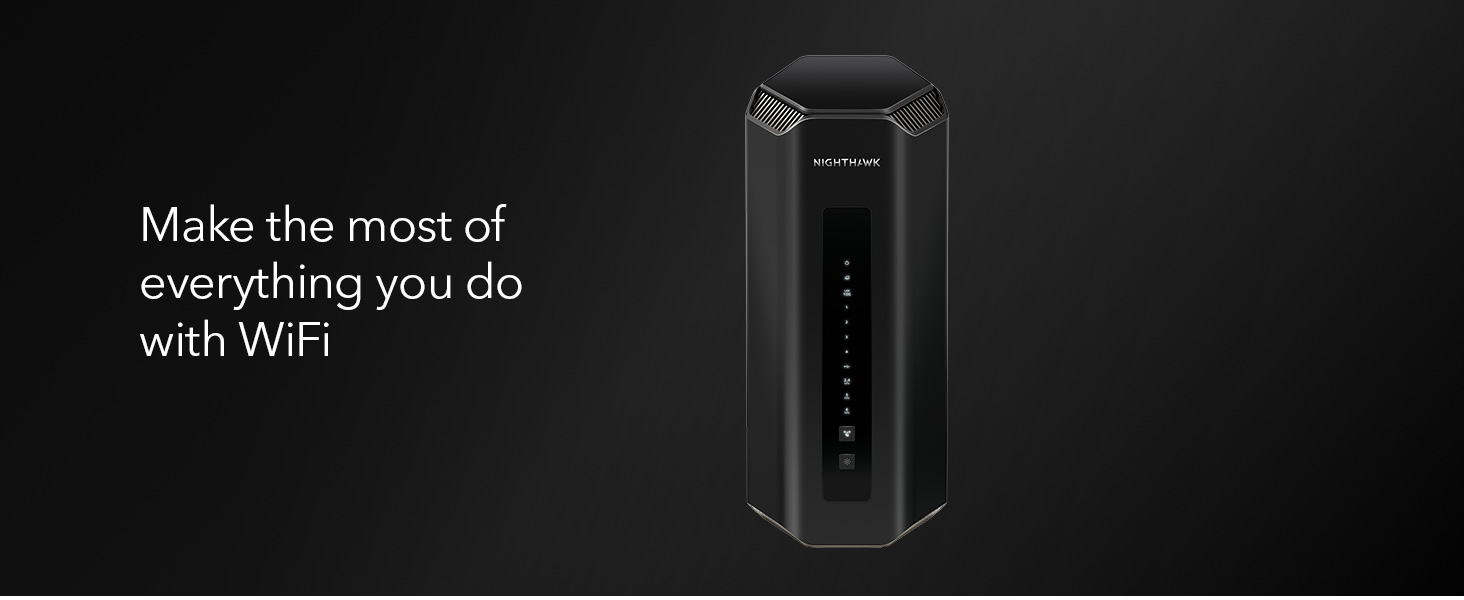
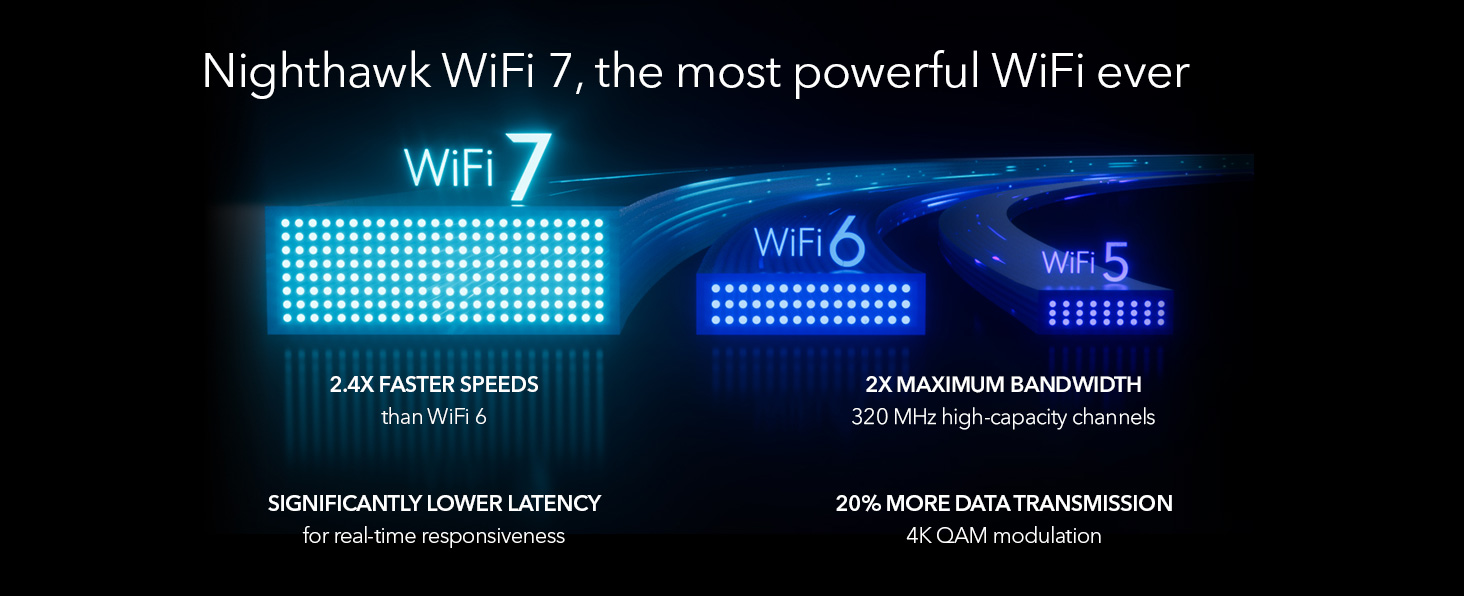
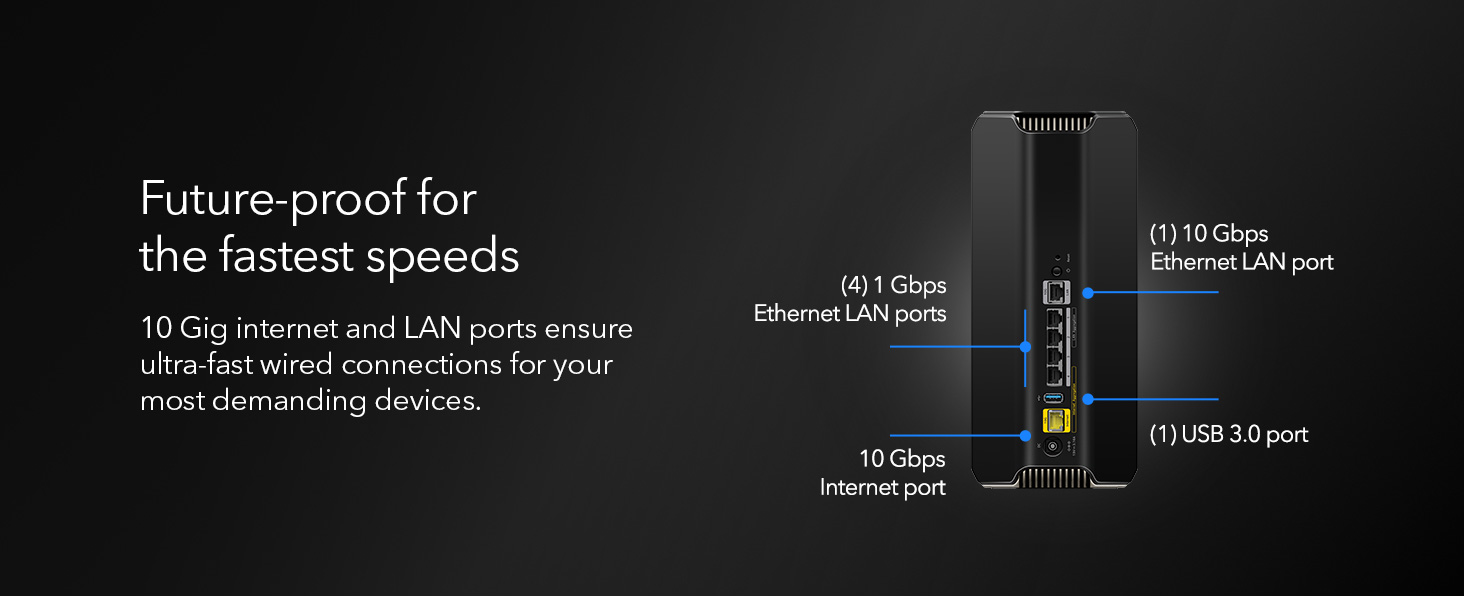
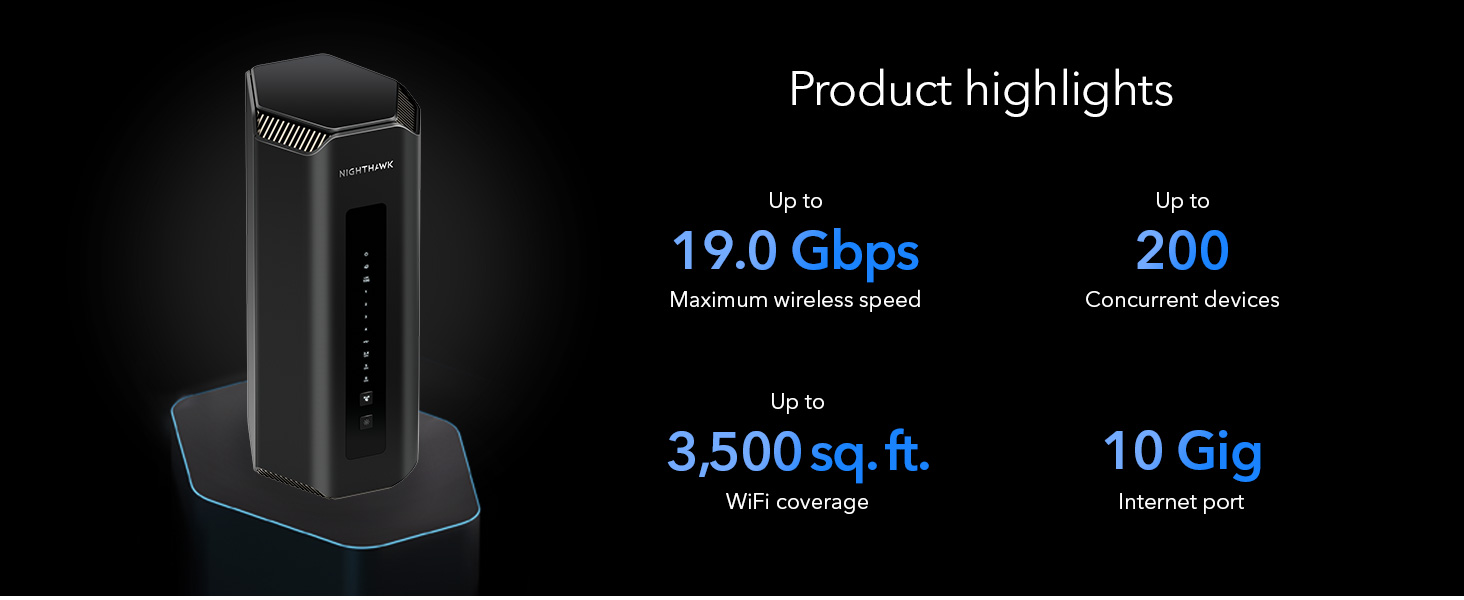
The NETGEAR Nighthawk RS700S is a cutting-edge WiFi 7 tri-band router delivering ultra-fast wireless speeds up to 19 Gbps and expansive coverage up to 3,500 sq.ft. Designed with a sleek footprint and advanced 3D antenna technology, it supports seamless 8K streaming, real-time gaming, and AR/VR experiences. Featuring a 10 Gigabit Ethernet port and smart band steering, it optimizes connectivity for all your devices. Enhanced with 1-year Armor security and parental controls, this router is built for high-demand homes and future-proof networking.


| ASIN | B0C9JQLDCG |
| Antenna Location | Business |
| Antenna Type | Fixed |
| Best Sellers Rank | #236 in Computers & Accessories ( See Top 100 in Computers & Accessories ) #23 in Computer Routers |
| Brand | NETGEAR |
| Built-In Media | One (1) 19V/3.16A power adapter, One (1) 2m Ethernet cable, One (1) WiFi 7 Tri-Band Router (RS700S), Quick start guide |
| Color | Black |
| Compatible Devices | Personal Computer |
| Connectivity Protocol | Wi-Fi, Ethernet |
| Connectivity Range | 3500 square_feet |
| Connectivity Technology | Ethernet, Wi-Fi |
| Control Method | Touch |
| Coverage | Up to 3,500 sq. ft. |
| Customer Reviews | 4.4 out of 5 stars 919 Reviews |
| Data Transfer Rate | 19 gigabits_per_second |
| Frequency | 320 |
| Frequency Band Class | Tri-Band |
| LAN Port Bandwidth | 10 Gigabits per second |
| Manufacturer | NETGEAR |
| Mfr Part Number | RS700S-100NAS |
| Model Name | RS700S-100NAS |
| Model Number | RS700S-100NAS |
| Number of Antennas | 3 |
| Number of Ports | 5 |
| Operating System | Cisco IOS, Junos OS, RouterOS, or ZyNOS |
| Other Special Features of the Product | WPS |
| Router Firewall Security Level | True |
| Router Network Type | wireless |
| Security Protocol | WPA3 |
| Special Feature | WPS |
| UPC | 606449167795 |
| Unit Count | 1 Count |
| Voltage | 19 volts |
| Warranty Description | 1 year limited warranty, 90-day complimentary technical support |
| Wi-Fi Generation | WiFi 7 |
| Wireless Communication Standard | 802.11.be |
| Wireless Compability | 802.11.be |
M**T
Protection speed and simple to use
Love this. It is fast reliable it has great protection sending you notifications of any risks . I can have guest and give up to three people their individual guest wifi each one with a different password and there is no threat to my main wifi. Although the main has 2g 5g and 6g you can choose smart connection for your devices so that it not only chooses the best option for whatever device is connected to wifi. Use to if your phone was on 2g but printer on 5g you could not print from phone without changing to same as printer but this feature takes care of all that No worries You also get a year protection ( extra protection)on three levels and parental controls if you need to shut your teens internet off or want to protect your little ones from explicit content on devices It also has a link to send to your devices when away from home so you can get the same protection as if At home You also have remote access from anywhere in the world to your router It’s a bit pricey but worth cutting back on that drive through coffee or lunch and make your own to make monthly payments to get this. Especially if you have gamers locks cameras and continue to add smart devices to your home because this will grow with you and it covers large area so you can watch those movies out on your lawn
T**S
Great router for a high demand home network
Easy setup, and very fast speeds. From a 1Gig cable modem ISP, I was able to pull full 1Gig speeds over Wifi on the 6Ghz band on my phone. 600-700 Gig over WiFi on all my devices connected to the 5Ghz band. One thing to note. We have Windows, Android, and IOS devices in my home. I had to turn off "Smart Connect" to get my Apple devices to connect. Smart Connect attempts to connect a device to either 2.4Ghz, 5Ghz, or 6Ghz bands depending on the type of device, and it's distance from the router. Apple TV, and Ipads don't like it. Simply turn it off in the Netgear app, and your good to go. Other than that, the router appears to be well built. The connections on the back and interface on the front are easy to access and understand. The app user interface is very easy to use. Although, I think it might be a tiny bit buggy, but it does the job. Our entire home is very internet dependent. We have over 25 devices connected, which includes 6 TV's, an 8 camera NVR, multiple: phones, laptops, tablets and bunch of other devices. The connectivity to all devices has been strong, and stable. Simultaneous streaming doesn't seem to slow this thing down at all. If you have a high demand home network, and want peak performance, this is your answer. Our home is 1,650sqft. The signal from this router goes way past the street in front of our house, and past the back fence of our back yard. I would say this router would work just fine for 2500sqft home. If your home is 3000+ sqft, I would probably go with the Netgear Orbi 970 Mesh system. I put one in my mothers home (two separate buildings on one property), and they rock. They are just much more expensive than this router.
S**.
Solid connection and long range . Goes through walls np
Few things on this router. The range is very good. I have brick home and I get range all the way outside. The router is located on 3rd floor I know it's best to keep it in centralized location but that's where my modem is and don't want to run a wire to 2nd floor. Regardless i get wifi throughout. 5gh band seems to be the strongest through walls but if you're close the 6gh aka wifi 7 is very strong. The 2.4 gh goes through the walls the best but 5gh seems to keep up np. I tried other routers tp link be800 and asus rtb96u and ge800 which by the way had a loud fan and this one gave me the best coverage. Asus came close but I was struggling with good connection in the basement. Rs700s holds the best signal. Set up was easy just take it off auto connect if you planning on connecting the old devices and name it as you had it on previous router and everything else should connect. I have 1gig up and 1 gig down and I get full 1gig on wireless connection on my cell phone. Not many devices have wifi 7. But it does offer wifi6e revere compatability which is good for iPad pro and other electronics that have wifi6 and wifi6e. So far I am happy . The old tp link was giving me 450mbps this gives me full 1gig speed. And holds alot of devices. I think it can handle up to 200 devices but I only have 33 connected. Bottom line ita great router wifi7. The only other router that came close to this is the Asus rtb96u which is large The ge800 tp link is good also but very loud with the built in fan . But if you looking for a good wifi 7 router rs700s I believe is best stand alone router. Next to Asus rtb96u. Hope this helps.
D**N
Excellent upgrade to my home network
I was running a Netgear Nighthawk x10 (R9000) which I have loved for years, but it was aging and I had to add a repeater to get the signal to cover my whole house and out into the garage. I saw this RS700 series device and saw a significant price drop, so I made the purchase. I had it stood up and working in no time with my 10GB switch, NAS, multiple PCs and IoT devices throughout the house. It may have taken me an hour to 90 minutes, and this included me visiting all of my devices and upgrading network creds. I was also able to remove the repeater and I am able to get HD streaming out to my garage without issue. Everything is peppier, and it offers the latest connectivity and speeds. Not all of my devices can take advantage of this, but for the ones that could, it is a noticeable difference. I also like the smaller footprint for the device itself. Takes up far less space than my x10. I am able to manage it from my PC or the app on my phone with ease. There are some great monitoring tools with the app as well. It has made my Plex use snappier, and internet speeds are consistent throughout the network. If you are thinking of upgrading your home router, this is a solid choice. I get solid coverage throughout a 3600 square foot home that extends out into a garage on the opposite side of the house. Fantastic coverage and I have not yet found any dark spots in the house. (The app can help with that!) I highly recommend.
M**R
November 2024 - Firmware needs more work
Firmware: 1.0.7.86 Review written: November 26, 2024 I work in IT and have configured various wireless routers over the years, and this post is written from that perspective. The Netgear RS700S is very highly reviewed online, as of 2024 it's one of the top WiFi 7 routers on the market, in the consumer-grade class. Enterprise gear gets much more expensive, but isn't a benefit for us home users. It was released in July 2023, supporting WiFi 7. I waited until November 2024 before purchasing, to replace my old Wifi 5 (802.11ac) router. The reason for waiting so long is many new tech products aren't actually ready on release, as the software will have a lot of bugs only revealed after being on the market. On release, there were multiple bugs that got fixed over time, which can be read about in forums online or in early reviews here. My RS700S is configured in "Access Point" mode, as I already have a main router/firewall to distribute the wired Ethernet connections. The goal was to get very robust WiFi 7 capability, along with previous 5Ghz and 2.4Ghz standards for older devices. The RS700S is actually 3 broadcasters in one unit, supporting those bands. As a quick refresher, the 3 radio frequency bands of wireless have different tradeoffs. The lower the frequency, data transfers slower, but the range is longer. The higher the frequency, data transfers faster, but range is significantly lessened. A wireless "standard" such as WiFi 5, 6, 7, etc. can make use of one or more frequency bands, depending on the standard and settings. 2.4Ghz - Slow, but longest range. Okay for web pages and standard lower-resolution online video, downloads are limited to a few MB/s even with a strong signal. 5Ghz - Much much faster than 2.4Ghz, but *much* shorter range. Larger modern homes (with hollow walls) likely need several access points in a mesh network for adequate connectivity and speed. 6Ghz - Even faster, but shorter range than 5Ghz. Basically a "be in the same room as the WiFi access point, otherwise good luck" technology. The actual range and speed you will get depends on a lot of factors: The speed of your internet, the speed of the WiFi router, the WiFi connection's actual negotiated stable speed, the distance, any walls & materials between you and the router, radio interference, the antennas and hardware speed of your device, and other factors. At every point the connection must be strong to get speed, as the slowest link determines speed. The only device I have right now that supports 6Ghz is my phone, my other devices are 5Ghz, and one older 2.4Ghz device. My RS700S is stable in the 5Ghz and 2.4Ghz bands, and is quicker than my previous WiFi 5 router (which is several years older and less powerful). But my RS700S seems to have a bug in firmware version 1.0.7.86 that causes issues with the 6Ghz band, which could result in dropouts. I am getting intermittent IP traffic issues when using the 6GHz band, which manifests as phone applications pausing when trying to load data. Signal is okay-ish (4 of 5 WiFi bars, -60dbm) and data will continuously flow at speed, but then for a few seconds stop, then flow again. I am about 15 feet away, with one hollow wall between. I do not get this issue on the other bands, and have been using the 5GHz band mainly. From research online, 6Ghz dropouts seem to happen in firmware version 1.0.7.86 but not in prior firmware versions. Firmware needs to be tested extensively before release, and there should be standardized testing in place at Netgear's lab to catch this. Just test it a bit longer before release! This is an expensive device, and I've had much cheaper WiFi access points over the years that just worked. I do not want a refund or a swap, only updated (and thoroughly tested) firmware.
M**L
Exceptional router - easy setup, high speed, great features
I was a bit uncertain about getting this particular Netgear Nighthawk because of the price. I use it at home and we only have maybe 15 devices (computers, phones, TVs, appliances). I was upgrading my internet service to a 2Gbps plan but wanted something that would scale in the future if I went to 5Gbps or 7Gbps plans offered by my ISP. This seems like it will take me several years into the future. The setup is an absolute breeze. You install a phone app that walks you through all the basic setup. I had the router up and running in a few minutes. I connected the 10Gbps want port to the providers ONT and ran a speed test and was getting a full 2.5Gbps to the router. I attached my devices (WiFi 5, WiFi 6, 1Gbps wired ethernet, 2.5Gbps MoCA, etc. Everything worked perfectly with no configuration changes required. My dogs collars are on the WiFi and they get great signal strength and can walk several houses away before they lose WiFi signal so they get at least some minimal signal for several hundred feet. Just a fantastic product. I like the included security features, the push notification when there are security or network connectivity issues. It's pretty advanced capabilities and I'm sure I only use a small fraction of the features.
A**O
Whole-Home WiFi That Finally Delivers: RS700 is a Game-Changer for Large, Multi-Level Homes
After upgrading to the Netgear RS700, our internet experience has completely transformed especially in our 4,000 square foot, tri-level home. We were constantly battling dead zones and weak signals with our old router, especially on the top and bottom floors. But the RS700 handled that challenge like a pro. From the basement to the third floor, we now have full bars and fast, reliable connectivity throughout the entire house. What impressed me right away was the setup. Using the Nighthawk app, I had everything up and running in under 15 minutes. The app makes managing the network super easy, with features like guest access, parental controls, and device prioritization just a few taps away. I also appreciate the peace of mind knowing we’ve got solid security features built in. Performance-wise, the RS700 is simply excellent. We stream 4K content in multiple rooms, host video calls, game online, and run a smart home with over 30 devices—and we’ve yet to experience a hiccup. The tri-band WiFi 7 and multi-gig ports truly make a difference. If you’ve got a large or multi-story home and you’re tired of unreliable WiFi, the RS700 is absolutely worth it. It’s fast, powerful, and finally gives us the whole-home coverage we needed
J**K
Mostly Okay, but can be Buggy
For something so expensive I'd expect better quality. I've now been using this for two years and it's okay, but it is not worth the price. For basic home routing it seems okay. We have a lot of "wifi" device connected, cameras, appliances, and what not (31 currently connected as I write this review), and it seems to work well. What I don't like is: The VPN support is bad. Firstly you are required to use a static IP address or a dynamic DNS service. Why?... I don't have a static IP address, but it also hasn't changed in years. Let me decide if my IP address is correct instead of making me use dynamic DNS. As for the Dynamic DNS... Technically they give you a free option for this through No-IP, but you have to verify it every month or pay for it. All paying for it does is make it so you don't have to verify once a month. Netgear ought to run their own server that does this for free, or remove the requirement to require dynamic DNS service for VPN to be enabled. Also... The VPN doesn't work! That's actually the worst of it. Every time I have tried to connect to VPN while on vacation, it works for a few minutes then whole router freezes and I have to have a friend go to our house to reset it. So I have not been able to VPN to our house ever since I got this router, and yet for some reason I keep verifying with No-IP every month even though I get no use out of it. I don't think a lot of people really need to VPN to their own homes since smart devices generally don't require it, but for the niche audience that has the need or desire to, this won't cut it. I'll acknowledge it may be my specific device that is defective in regards to the VPN, but I'm not sure. The other issue I have for the router is it has bugs, and I don't trust it. For example, I have a DHCP server separate from my router so I disable DHCP on the router and after one of the updates DHCP was broken. Netgear was actually pretty responsive and sent me a beta firmware with a proposed fix, but something as basic as a bug with disabling the DHCP on the router should have never made it past QA. I think for most home users with lots of devices it's probably fine, but if you are doing anything that the average user wouldn't do I wouldn't count on it working correctly, but I also think there are more cost effective solutions than this one.
A**A
Un salto de calidad comparado con otras marcas
Rendimiento: Tenía un AP Unifi AP AC Pro y todo mejoró estrepitosamente, rango en la misma planta, velocidad de respuesta de conexión de todos los dispositivos. La cámara que tengo en la entrada emite de inmediato la imagen, antes demoraba unos segundos, pese a que es de 2.4ghz Estabilidad: No es necesario reiniciar el router, trabaja sin problemas todo el tiempo. Sólo recomiendo que en los celulares se deshabilite la opción de MAC address aleatoria, tal como lo indica Netgear. Estética: Es un poco grande, pero es muy bonito, combina con cualquier decoración, eso en comparación con las arañas gamer que tienen las antenas externas. Precio: Si vale la pena si quieres lo mejor del momento, por lo menos debería ser útil la tecnología hasta dentro de 5 años, sin embargo, creo que hay opciones nuevas con rendimiento aceptable a menos por menos de la mitad de precio. Conclusión: Actualizando firmware y configurando todo debidamente es un excelente router.
J**Z
no funciono
funciono solamente por cerca de dos horas y su cobertura y velociddad, sobresaliente. Después, simplemente se apago para no volver a encender. Iniciamos la devolución por tal motivo.
Trustpilot
2 weeks ago
3 weeks ago