Desertcart purchases this item on your behalf and handles shipping, customs, and support to Greece.
⚡ Elevate your MacBook Air setup — power, speed, and style in one sleek dock!
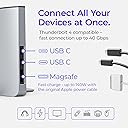
The Ascrono Dock for 13" MacBook Air (M2-M5) is a premium vertical docking station designed exclusively for MacBook Air models from 2022 to 2026. It supports dual 4K monitors at 60Hz, features two Thunderbolt 4 USB-C ports with 40Gbps data transfer speeds, and integrates MagSafe charging. Crafted from space gray premium alloys, it offers a precise fit, efficient heat dissipation, and a space-saving design that declutters your workspace while enhancing productivity.


| ASIN | B0BNSQ2N52 |
| Best Sellers Rank | #2,291 in Computers & Accessories ( See Top 100 in Computers & Accessories ) #219 in Laptop Docking Stations |
| Brand | Ascrono |
| Color | Space Grey |
| Compatible Devices | 13" Air M2 (2022), 13" Air M3 (2024), 13" M4 Air (2025), 13" M5 Air (2026) |
| Customer Reviews | 4.0 out of 5 stars 318 Reviews |
| Global Trade Identification Number | 00850041543116 |
| Hardware Interface | USB Type C |
| Item Dimensions L x W x H | 11"L x 5"W x 5"H |
| Item Highlight | Supports M2, M3, M4 & M5 2022-2026, Connect Dual Displays 4K@60Hz, 2x TB4 USB-C Ports, MagSafe Charging |
| Item Weight | 3.1 pounds |
| Manufacturer | Ascrono |
| Mfr Part Number | DS-L-TE-R1 |
| Minimum Required Operating System Version | Mac OS 13 Ventura |
| Model Number | DS-L-TE-R1 |
| Number of Items | 1 |
| Number of Packs | 1 |
| Number of Ports | 2 |
| Product Dimensions | 11"L x 5"W x 5"H |
| Total USB Ports | 2 |
| Total Usb Ports | 2 |
| Unit Count | 1 Count |
| Warranty Description | 1 |
V**R
Ascono and expanded connectivity
This dock fits with my Apple aesthetic. It is neat, clean, well made and works perfectly with my new MacBook Pro M5 (yippee). Because of my multi-monitor setup, back up disk, plug in keyboard (for illuminated keys) I did need more connectivity. So I first purchased and expensive powered ToberONE display link. That was a mistake. Luckily I was able to return it and then purchased an Anker USB C Hub 7in1 (non powered). This worked perfectly for expanded connectivity. Simply put, I used the 1st Docking Station "C" port for the Anker USB hub, then used the 2nd "C" port to connect to my 2nd monitor. Also, the laptop setting were a little trickly but Ascono was quick to provide the proper settings for best use. (like how to provide "sleep" function, how to reboot after shutdown without having to remove from dock). All is well, great support, great product.
B**I
A Great Dock!!
Although it is a little pricey, this dock has worked great for me so far! I come to work and plug it in - BAM! I'm in business. Having the ports on one side still available is a great bonus. I do have 3 peripheral USB HUBS to connect all of my gear directly and one daisy chained to another. This is mostly to get 3 separate monitors that can all run their own - no mirroring. A mess of wires on the backside which I'd rather not have (open to product suggestions to achieve this more simply!!) On the front end though, it's all plug and play by just inserting my MacBook
C**R
Mark a Plus-One in the Regrets Column
At the price I paid, I expected a premium product. And credit where it's due: The outer box looks pretty, the printed instructions are big and on heavy paper, and the foam inserts protect the item well for shipping. The dock itself looks good, and the metal shell and base give it a reassuring heft. All of that goes in the plus column. But there's more to the story. A huge minus is the hard plastic insert, the black portion of the dock where the computer sits. In some spots, it's physically misaligned with the outer metal frame, with just enough overhang to be noticeable, distracting. But more seriously, because this plastic area makes contact with the computer, I would have expected it to be covered with some kind of soft material—felt, flocking, fabric—because I really don't want to repeatedly slide the sides of my laptop along a hard plastic surface. (The dock receives better protection in its own packaging than it provides for the laptop!) While the hard plastic contact surface is my biggest dislike, I was also really annoyed to find out that the whole unit wobbles. It has four rubber feet, but only three of them make contact at any given time. (See my video.) And yes, the video was taken on a flat surface; and yes, this problem happens on every flat surface I've tried. Even the most basic quality control should have caught this. I can't say much about this unit in operation, because I was too afraid of damaging my computer, and too annoyed by the wobbling, to use this for longer than one day. Did I somehow miss the return period? Yes, and that's on me. But for the kind of money they're asking, this product should have been much, much better designed and built. Do yourself a favor and read the negative reviews carefully before spending your money.
J**Y
Good for connecting multiple docks with multiple monitors v2
For some background, I’m using this docking station with an M2 MacBook Pro 14” which does not allow you to connect two HDMI displays to a single thunderbolt port. You also can’t daisy chain DisplayPort monitors. As far as I understand it’s only possible via daisy changing two thunderbolt displays, which are very expensive, or using a DisplayLink dock. With this docking station, I can leave my two OWC USB hubs plugged into it and connect everything at once by sliding my MacBook Pro in. The product seems very well made, although I can’t comment on the MagSafe port. Personally I don’t use the MagSafe port because my other connected devices charge my computer. One thing I noticed is it does take a few seconds for my monitors to turn on when I jiggle my mouse, but this is more of an issue with my monitors and using a MacBook it clamshell mode, not a commentary on the docking station. Overall, this product is pretty expensive for what it does and you could probably achieve something similar with a cheaper 2-port USB C extender, but I got this for convenience and because it’s sleek. I’m satisfied with it, so if you have the cash and a use case similar to mine, I’d recommend it.
M**Y
Docking station for Apple Mac Book Prp
Good product
K**E
Space saver with functionality
This docking station is all I expected and more. It allows me to fully enjoy the functionality of my MacBook Pro and save space on my home office desk.
A**R
Everything I needed
I'm absolutely delighted with this docking station. I got an Apple Studio Display as a birthday present, and thought it would be useless until I got a Mac Pro or a Mac Studio, but this dock turned my Mac Book into a full desk computer.
D**A
Excelente compra. 👌
Excelente, fue un regalo. Lo envié a Venezuela y mi sobrino esta suoer contento.
A**N
Easy Set Up
This product is a doddle to set up. Make sure that you order sufficient connectors and you are good to go. It looks like an IT Professional has visited my home office.
P**E
soporte
es muy comodo y carga
C**S
Robuste et élégant.
Le dock est conforme à sa description. Cependant sur un tel produit, j'aurais aimé des mêmes sorties que sur le mac. Ici il n'y a que 2 ports usb-c et le câble d'alimentation (celui du mac). Autre chose, j'aurais également aimé un rajout de patin en tissu ou autres matériaux protégeant la coque lors des rentrées et sorties du mac. Pour tout le reste, c'est fonctionnel. Le mac ne se met pas en veille lors de la fermeture. Pour un double écran avec un 4k, j'ai parfois constaté un peu de lag (anecdotique) mais je ne suis pas entièrement sûre que cela vienne directement du dock.
G**O
Ottimo prodotto...
Ottimo prodotto... delicato solo nella parte di inserimento del portatile in sede ... ma difficile fare diversamente ...
K**G
Super Teil!!! Absolute Kaufenpfehlung!!
Die Dockingstation passt perfekt für den MackBook Pro und ist sehr platzsparend. Ich verwende diese mit der "Minisopuru USB C Dockingstation (13 in 1)" auch von AMAZON - alles prima!!!
Trustpilot
4 days ago
1 month ago