


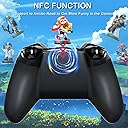

TERIOS T32 Pro Controller for Nintendo Switch/Oled/Lite/PC, Wireless Controller with Hall Effect Joystick/No Drift/NFC/Linear Motor/Turbo
Product ID: 529403194
🎮Wide Compatibility
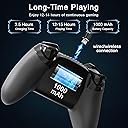
🔋12-Hour Playtime
🚀No Drift Technology
🎉 Elevate Your Game with TERIOS – Where Precision Meets Power!
The TERIOS T32 Pro Controller is a versatile wireless gaming controller designed for Nintendo Switch, Oled, Lite, and PC. It features advanced Hall Effect joystick technology to eliminate drift, dual linear motors for enhanced feedback, and a rechargeable battery that lasts up to 12 hours. With turbo functionality and a user-friendly design, this controller is perfect for both casual and competitive gamers.


M**.
The ALMOST perfect controller for PC.
Edit the 3rd: They sent me a replacement AND I was able to fix my controller after the replacement arrived, feeling a little more comfortable possibly damaging the original. I was able to very carefully bend the mechanical switch on the PCB behind the bumper just a few microns closer to the bumper and boom problem solved! No questions asked about sending me a new controller and customer support was absolutely amazing. Definitely highly recommend these guys. Changing to 5 stars. Better than the KingKong 2 Pro and 8Bitdo thanks to the polling rate, better than the mobapad thanks to the size (and the new mobapad firmware that decimates the polling rate), better than the T4 Kaleid thanks to the buttons, and better than the G7 SE thanks to the sticks.Unfortunate Edit + Update below: It honestly hurts a little to edit this review...I honestly wanted this controller to be amazing and for a short while it truly seemed amazing. Less than 3 weeks of use, not even full-time use as I was switching back and forth with my Mobapad Chitu, the bumpers have started to give me issues. Mostly the left bumper, but the right one feels like it's also starting to have problems. The left is starting to cut in and out of being registered while held down and does not register sometimes when being pushed. It's not always, but it's enough to be annoying and with it being so soon in to my using the controller I can only assume it will get worse...maybe quickly. I love this controller...it's really awesome. Hopefully mine is an isolated incident. I'm torn...part of me wants to take it apart to see what's wrong and possibly fix it, part of me just wants to return it.Update: I did take the controller apart and I'm pleased to report that the buttons and bumpers ARE mechanical! The build quality looks decent as well. Nothing shady, everything seems secure. I was unable to totally fix my controller, but I was able to bandage it up well enough to work for now. The mechanical switch under the bumper seems to be actuating, but maybe stopping just barely shy of actually pressing down far enough to make contact....I really hope it's just a slight one off and my controller is the only one affected. I'm going to leave my 4 stars because i think this controller deserves a chance regardless of my issue...It really is a fantastic controller. I am still undecided on returning it..I may reach out for a replacement.I do not own a Switch and I do not play games on Mobile, so this review will be for PC only. Some of it may be useful for other platforms, but that will be up to you to decide if you're looking for specifics for any other platform.The Good:This controller feels pretty much just like the Gulikit KingKong 2 Pro in the hands. It's almost the exact same dimensions and weight. The back side is rubber coated with grips and the front side has a glossy plastic, but well made/thick, face plate that can be removed to be replaced between a dark gray or silver color faceplate. Both faceplates come in the package for you, the entire controller feels very premium all around. Nice solid weight to it, the rear rubber coating with grips feels very nice and well manufactured like it will not rip, tear, cut, etc, without doing so intentionally or mishandling the controller severely....Like throwing it hard against the ground or taking a knife to it.As you can see in the picture, it does include a plastic shell case, which is nice to see at this price point....however, it is not without it's own caveats so more on this later, unfortunately.The joysticks are Hall Effect so they feel very accurate and should not get stick drift, but more on these later, unfortunately. They do feel very premium, they do have anti-friction rings around them, and they are removeable/replaceable with a separate set of much longer sticks if you prefer the taller ones. They also provide a set of silicon/rubberized material joystick covers/thumb grips which I am absolutely certain you will want to use or use something similar of your choice...more on this later, too.The face buttons and bumpers feel like they are possibly linear switches. They do not provide the clicky click of mechanical switches, but they do feel very premium as if they do use a linear switch. If they are membrane, they are the best feeling membrane buttons I've ever used. I would prefer the mechanical switches here with less distance for actuation, but they do still feel very nice.The D-pad feels similar to the face buttons, but a little more mushy. I do believe that the D-pad is possibly membrane, though it could also use linear switches....It's really difficult to tell for sure without tearing the controller apart (which I do plan to do eventually), but I believe that in itself does speak volumes for the quality even if they are membrane. They claim it has some anti-stick technology, though I'm not sure what that means, but they sure feel nice. You can rub your thumb over the d-pad in rotating around all 4 directions and all 4 will press/actuate every time without any extra effort and without pressing multiple directions on accident.The triggers feel very smooth, very well made, premium as if they will last. The triggers and all of the buttons have this very slight texture on top of them giving them an almost matte finish look while feeling somewhat slick, yet quite grippy at the same time. They feel like they are made of thick ABS plastic and they do not feel cheap at all. Overall for the quality of all components along with the feel of the controller all around, I'd say it's a solid 9/10.It does include a 2.4GHz adapter for PC or other devices that can use it. I do not own a Tesla, but they say it will work on those.There are several customizations that can be set on the controller using certain button presses. There is no software, so all customizations are made/adjusted by using the controller. You can set up turbo functions, adjust stick sensitivity (the outer radius zone that the stick will detect), adjust vibration level/motor function or turn off, disable the D-pad entirely, Automatic Sensor Calibration (whatever that does, I have not figured out just yet), and adjust all kinds of Gyroscopic sensing features for Switch.For a $50 controller, this is a steal with everything considered. I would probably give this a 4.5/5 or 9/10 over all if I could.The not so good :(First off, unfortunately, the joysticks do have their own issues even though they are hall effect and seem quite well made. The joysticks do come with a "natural deadzone" whether it is analogous to the actual design of the internal joystick or controlled by some kind of software/firmware is not obvious, but either way it cannot be removed entirely. This does take some getting used to, but it's not a huge deadzone so it doesn't take THAT long to get used to it. I do wish there was an option to set 0 deadzone like there is on the KingKong 2 Pro...The sticks feel much more fluid in game on that controller for that reason alone. The thumbstick grips are extremely small. I tried to capture that in the pictures where I had already placed my own 3rd party silicone grips on top of my controller while holding one of the longer replacement sticks next to it or on top of it to show how small they are compared to the grips. They are the smallest grips I've ever seen on any controller. I can almost guarantee that you will want to use some kind of added grip to make them feel larger.The triggers are not very accurate. Or more accurately, you must pull the triggers in further than you think before they start to respond....over 1/4 of the total distance, probably around 1/3 of the total distance they need to be pulled in before they start to actually respond/movement happens on screen.As you can see in the pictures, Wired via USB-C cable provided, the controller has a polling rate of 200hz and the sticks have an error rate of 0.4% which is absolutely incredible especially for controllers with Hall Effect sticks. However, with the 2.4ghz wireless dongle, that drops to just under 125hz with an error rate of over 4%. In most games, especially single player, this will be unnoticeable. In most of your high competitive multiplayer games, though, this makes the dongle unusable due to the input lag that you will notice when compared to wired connection. I felt this specifically in Rocket League and could not recommend using the dongle while playing that game at all.This isn't something that affects me, as I don't use them...But there are no extra buttons on this controller, nor can you set any Macros on the controller that I've been able to find in the manual. I don't use either, but if this is something you require, it may be necessary information.Again, overall, this controller is very near perfect. I have used SO SO SO many controllers looking for "THE ONE" and I think my search continues, but in the meantime this controller will more than suffice. For reference, I have used all the razer wolverine controllers, Microsoft Elite/Series 2, Power A Fusion Pro, Gulikit KingKong 2 Pro, 8Bitdo Ultimate Wireless BT/Wired Xbox, and Mobapad Chitu. Out of all these controllers, so far this Terios adn the Mobapad Chitu are my favorites...The Chitu has better hall effect sticks, but is much smaller in size with a worse overall feel because of that while also allowing for multiple accidental inputs, mostly on the right stick and D-pad. So for now, the Terios is my daily driver. I do have the Flydigi Vader 3 Pro and Machenike G5 Pro controllers ordered and I will provide feedback when I receive those as well. Both of those are more costly than this controller by $30 and $10 respectively. For $50 I think this Terios is unbeatable, unless you are very young or have small hands, in which case the Mobapad will likely be better overall for you for a small $5 price increase.
L**N
This is now the only controller I use - BEST IN CLASS
I've been using this controller almost every day now since it arrived. I found it while shopping around for a wireless Switch Pro controller that would also work with PC since the regular joycon for the Switch would give me awful hand and wrist fatigue after an hour of use, and I grew very tired of replacing the Xbox controller I normally used for pc gaming once a year because they're prone to stick drift. Since the day this controller arrived, I haven't even touched my other controllers AT ALL aside from putting them in storage. So, let's talk specifics.COMFORT: 10/10 if you're like me and are used to the shape of the Xbox controllers, you'll love this - it's almost exactly the same shape. I have very small hands, and can use this for hours without fatigue, my boyfriend who has huge hands agrees. Those with larger hands will love the interchangeable taller thumbsticks AND SILICONE GRIPS which are included in the package. There's just enough texture on the back to prevent slipping, but not so much that it digs in. The rear is like a textured rubber grip that keeps the controller in place in the hands or on a table - not that cheap "soft touch" silicone that disintegrates after use.PLAYABILITY: 9.5/10 My Switch INSTANTLY recognized this controller, I didn't even have to go through the process of syncing it. Completely wireless, no dongle required. The home button wakes the Switch quickly each time, even if the controller is "off" and I did not have to change ANY settings out of the box to get it to do so. Motion controls work perfectly on the Switch right out of the box as well. I tried a number of Amiibo, and they were all recognized quickly. I like that the indicator light is a different color indicating which player is using the controller. I had zero issues using this in multi-player with other controllers connected.On the PC I first paired the controller via Bluetooth, which gave me no issues, pairing was easy. My PC (Win 10 now Win 11) sees and reflects correctly the different connection modes - Xbox controller, Switch Pro controller, and game pad. Steam also is the same, I didn't even have to map anything, steam saw and picked it up perfectly. It's very convenient that when switching input modes the controller stays paired - no reconnecting required! You can switch input modes and watch the device change in steam real time. This works in Bluetooth mode, with the dongle, AND while wired. BONUS - this controller will recognize the pressure sensitivity in the triggers! And it's incredibly precise and accurate! (This is a HUGE plus if you play RACING GAMES!) Imagine my surprise as well when I discovered while playing some GTA V that MOTION CONTROLS WORK ON THE PC! You're able to recalibrate the sensors, turn motion on or off, and even map the motion to a specific input right from the controller without using any software. The same is true for the vibration and turbo functions. All of these features are present while using the dongle as well. While connecting with the dongle, that instantly recognized the controller as well. I haven't noticed any input lag, though I'm not a professional. I have noticed that there is greater range connecting to the PC when using the dongle although the range on Bluetooth isn't bad at all. For reference, when using the dingle, I can use the controller as far as the next room over with a wall in between. The range is just as good on the switch both with and without the dongle, which gives it much better range than even the joycon or other pro controllers I've tried. My single complaint is that a button combo or shortcut to easily switch between devices would be convenient - if there is such a shortcut, I haven't found it. If my PC is off, or if the Bluetooth is disabled, or the dongle disconnected, the controller automatically finds the Switch without needing to be re-paired. If you leave your PC sleeping more often than you should like I do, the workaround I've been doing is just unplugging the dongle while I'm not using the controller.BATTERY: 10/10 this controller somehow has better battery life than my Xbox controller and my joycon. While playing wirelessly on the Switch, I estimate nearly a whopping 20 hours of active use battery life. I estimate this because, afyer charging it fully, I played for about 8 hours one day, roughly the same amount the next day, and only got the low battery indication about halfway through the third day. Vibration seems to use the battery the most quickly, as I got about 2/3 of that battery life when the vibration was set to max and on a game that used it a lot. My estimate of 20 hours was with the vibration set to normal while playing Stardew Valley which uses the vibration a moderate amount. I have noticed over time that the indicator light will begin to flash the low battery warning plenty early - I've gotten a few hours of play time after the warning before it died. I love that you can still use the controller fully while it's charging - no matter how you're charging. So, for example, I can have the controller charging at the wall while still using the controller with the switch or PC.ASTHETICS: 9/10 I think this controller looks great. It's not gaudy like a lot of the controllers you'll see, and there's no unnecessary flashy RGB to distract you or drain the battery or anything, just the indicator light which is all I need. It's sleek and elegant, and the small touches like the metal in the thumbsticks hint at the great build quality. It's VERY COOL that the face plates are interchangeable! Two come in the box - a black one and a greyish silver one. I like the silver, but both look great. I do really wish that more faceplates will be released! Or even the option to buy extras so I can customize one myself! PLEASE GIVE US MORE FACEPLATES, I WILL BUY THEM 👏Overall this is the best controller I've ever owned, and now that I have it, I use it for everything while my others collect dust.
Trustpilot
1 week ago
2 days ago