Desertcart purchases this item on your behalf and handles shipping, customs, and support to Greece.
🚀 Upgrade your desktop to Wi-Fi 6E and leave buffering in the past!
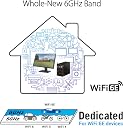
The ASUS PCE-AXE5400 is a cutting-edge tri-band Wi-Fi 6E PCI Express adapter delivering up to 5400 Mbps data speeds and featuring Bluetooth 5.2. Designed for desktops, it leverages the new 6GHz spectrum for less congestion, higher capacity, and lower latency, ensuring superior wireless performance for professional and gaming environments.


| Asin | B0BK53STXJ |
| Best Sellers Rank | 4,147 in Computers & Accessories (See Top 100 in Computers & Accessories) 10 in Network Cards |
| Box Contents | Adapter, Manual |
| Brand Name | ASUS |
| Color | Bluetooth 5.2 |
| Compatible Devices | Desktop |
| Country Of Origin | China |
| Customer Reviews | 4.4 4.4 out of 5 stars (474) 4.4 out of 5 stars |
| Data Link Protocol | Bluetooth |
| Data Transfer Rate | 5400 Megabytes Per Second |
| Global Trade Identification Number | 04711081764830 |
| Hardware Interface | Bluetooth, PCI |
| Item Dimensions L X W X H | 24L x 69W x 2.5H centimetres |
| Item Type Name | WiFi Adapter |
| Item Weight | 0.05 Kilograms |
| Manufacturer | ASUS |
| Manufacturer Part Number | 90IG07I0-ME0B10 |
| Minimum Required Operating System Version | Mac OS 14 Sonoma, Windows 11 |
| Model Number | PCE-AXE5400 |
| Number Of Items | 1 |
| Number Of Packs | 1 |
| Product Warranty | 1 Year Manufacturer |
| Unit Count | 1.0 count |
User
Don’t hesitate
I don’t usually leave reviews but this is fantastic having a 500mbps wifi speed and previously only being able to utilise only 20ish with a wifi dongle and now going to 520mbps with this is like a night and day difference, also very quick and simple to setup. 11/10 product definitely recommend.
User
Idiot proof and easy to install
My elderly PC couldn't cope with new fibre connection. Despite being not very happy opening a PC and fiddling with it, this was simplicity itself to install and get running.Only tip - and I'm addressing this to low-PC-literacy idiots like me - instructions suggest installing it then downloading and installing the driver. I removed some uncertainty by downloading the driver *then* installing the card, as initially it was not connecting to the internet.
User
Great product, lousy drivers.
It's a WiFi card... There's little to be said about that except that it's also meant to have Bluetooth and the drivers they provided (not even default Windows drivers, the official drivers) for Bluetooth don't work on my Windows 11 PC. Bit of a let-down.
User
Solid product, a notable improvement in wifi connectivity.
Product arrived as expected with no issues and has delivered a notable improvement in my PC's wifi connection. Installation was very straightforward as well.
User
High speed and reliable
I recently moved to a new home, and the broadband router can't reach my PC, so I needed a Wi-Fi adapter. The download speed is around 600–700 Mbps, which is similar to my previous wired LAN setup. I played online games for a few hours without any lag or disconnections, so it's quite reliable.
User
Better Than I Excpected
Works brilliant, my speeds have gone from 75 mbps to 600+ highly recommended.
User
Defective + Made my entire PC slow
This wi-fi card struggled to maintain a connection. It was constantly telling me that the signal was weak, and the speeds were slow. I went through every method to troubleshoot and attempt to correct the issue, but the problem is the card itself.Worse, it was making my entire computer run worse. Simply typing text became an overwhelming chore for my beefy PC (I'm an art student and use this machine for 3d modelling). I noticed that this was an issue at the time but did not understand it to be the fault of the wi-fi card until I decided to replace this card with another.Suddenly, all of the slowness disappeared, and the new card has no trouble finding a very strong and very fast signal.I don't know if the particular one that I received is defective, or if it's a larger issue.
User
Works well
The network card works well and does exactly what it’s supposed to. No issues so far. I'm satisfied with the performance.
User
You know it's bad when ChatGPT recommends you to just buy a different model network card instead...
This network card is having an impact on my sanity, so now writing a review is the best I can do. This is a 1-star review for both the product as well as Amazon. It's ridiculous for Amazon to refer me to ASUS when Amazon is the party that sold the product to me. That's at least how it works in the Netherlands. A consumer is entitled to a "decent/functioning product" with a "reasonable lifespan" by the VENDORRRR (i.e. Amazon).Anyway the network card is like the cultural restoration project in Skopje. Seems great for the price, but it just starts to break down as time passes. I ordered the card on the 26th of March and it's the 7th of September at 01:30 in the morning. I could've played video games right now, but this godforsaken card is keeping me from doing that. So now I'm writing this review to warn others from buying this product.So what makes it bad? The network card is by ASUS, but basically everything that makes this product a network card is the chipset. The chipset on this model is supplied by MediaTek (MT7922) and it doesn't have a great reputation. Now why does it have a bad reputation? This thing has crashed my computer due to bad drivers. Like literally crashing my PC at bootup. I was confused and did a FULL clean install (wiped everything). Everything was fine until I reinstalled the drivers by ASUS. That's also funny, because their latest driver is from 2022. I guess ASUS also knew that this network card is junk and just dropped software support. So download drivers from a different supplier. It's fine! Just make sure you download drivers for the matching chipset (MT7922).Well after reinstalling all drivers to more up-to-date software, problem solved? Unfortunately no. Whenever I boot up a game this network card just crashes. No WiFi, no Bluetooth? Want to play Rocket League on the coach with a controller? Go touch some grass you geek, ASUS PCE-AXE5400 says no.The amount of hours and effort I have put into it is truly maddening for what it is. It's just a network card that should allow me to connect to the internet. Why is it so bad? At some point after so much more troubleshooting with ChatGPT, it basically suggested that I should get a different make of network card instead. And hence therefore, I give up. The network card has won and the only thing I can do now is to write a cynical review trying to warn others not to buy this.
User
Karta Sieciowa.
Super za nieduże pieniądze.
User
Wifi adapter comments
Great quality product, can't wait to use it :)
User
ممتاز really good
It runs full my wifi full speed 500GB 3 meters from Wifi spot.السرعة عندي 500ميجا والجهاز بنفس الغرفة يجيب السرعة كاملة تقريبا.
User
Wi-Fi 6E sul desktop, con un cavo interno necessario per il Bluetooth
La PCE-AXE5400 aggiunge al PC Wi-Fi 6E, canali da 160 MHz, WPA3 e Bluetooth 5.2. La banda a 6 GHz riduce interferenze e congestione, ma ha portata inferiore attraverso muri rispetto ai 2,4 GHz e richiede router e sistema operativo compatibili. Le antenne esterne regolabili aiutano molto rispetto a moduli nascosti dietro il case. Un dettaglio spesso trascurato: per il Bluetooth serve normalmente collegare anche il cavetto USB interno a un header della scheda madre; il solo slot PCIe non basta. Dopo l'installazione userei driver ASUS aggiornati e verificherei la disponibilità di un canale a 160 MHz. Cinque stelle per velocità e completezza, soprattutto in un desktop privo di connettività moderna.
Trustpilot
1 month ago
2 months ago
1 month ago
3 days ago