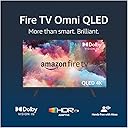


๐ฅ Elevate your binge game with Alexa-powered 4K brilliance!
The Amazon Fire TV 43-inch Omni QLED Series delivers a vibrant 4K UHD Quantum Dot display enhanced by Dolby Vision IQ and HDR10+ Adaptive for stunning visuals. Featuring hands-free Alexa voice control, it offers seamless navigation and smart home integration. With 4 HDMI inputs including eARC, it supports multiple devices and premium audio setups. Adaptive brightness and a privacy-focused mic disconnect switch make it a modern, versatile smart TV designed for immersive entertainment and user control.
| Resolution | 3840 x 2160 pixels |
| Display resolution | 4K UHD |
| High Dynamic Range (HDR) format | HDR 10, HLG, HDR10+ Adaptive and Dolby Vision IQ. |
| Backlight type | Screen size 43โ: Direct LED Screen size 50โ: Full array local dimming Screen size 55โ: Full array local dimming |
| Refresh rate | 60 Hz |
| Screen size | Screen size 43โ Screen size 50โ Screen size 55โ |
| Viewable display size | Screen size 43โ: 42.5โ Screen size 50โ: 49.5โ Screen size 55โ: 54.5โ |
| HDMI ports | 3 HDMI 2.0 and an HDMI 2.1 with eARC. |
| Ethernet | 1 Ethernet port. |
| USB | 2 USB 2.0 ports. |
| IR device control with included Fire TV Alexa Voice Remote | The included Fire TV Alexa Voice Remote can control certain functions, such as power and volume, on a wide range of compatible IR-enabled devices, soundbars and A/V receivers. Note: certain functions may not be available on some IR-enabled devices. |
| Voice support | Yes, hands free with Alexa. Press and ask Alexa with the Fire TV Alexa Voice Remote or the free Fire TV app (available for download on Fire OS, Android and iOS). |
| Audio support | Dolby Digital Plus with pass-through of Dolby-encoded audio. |
| Audio power | 12 W + 12 W |
| OS | Fire TV OS |
| Product size without stand (WxHxD) | Screen size 43โ: 95.6 x 57.4 x 8.4 cm Screen size 50โ: 112.0 x 66.1 x 8.4 cm Screen size 55โ: 123.2 x 72.6 x 8.4 cm |
| Weight (without stand) | Screen size 43โ: 8.5 kg Screen size 50โ: 11.2 kg Screen size 55โ: 15.5 kg |
| Bezel size | 1.2 mm |
| Front finish | Grey metal |
| Distance between TV legs | Screen size 43โ: 70 cm Screen size 50โ: 103 cm Screen size 55โ: 118 cm |
| SKU number | Screen size 43โ: QL43F601U Screen size 50โ: QL50F601U Screen size 55โ: QL55F601U |
| VESA wall mount standard | 400 x 300 mm |
| Accessibility features | VoiceView screen reader enables access to the vast majority of Fire TV features for users who are blind or visually impaired. Screen magnifier enables viewers to zoom in/out and pan around the screen. Text Banner consolidates on-screen text into a compact, customisable banner that appears on the screen. Watch videos and TV programmes with subtitles displayed. Use Audio Description for verbal descriptions of what is happening on the screen, including physical actions, facial expressions and scene changes. Subtitles and audio descriptions are not available for all content. You can also listen to Fire TV with compatible Bluetooth headphones. Learn more about accessibility for Fire TV. |
| Content availability | Certain apps and services are subject to change or withdrawal at any time, may not be available in all areas or languages and may require separate subscriptions. |
| Connectivity | Wi-Fi or Ethernet. |
| Digital optical audio output | 1 digital optical audio port. |
| Warranty and service | Fire TV Omni QLED Series is sold with a limited warranty of one year provided by the manufacturer. If you are a consumer, the limited warranty is in addition to your consumer rights, and does not jeopardise these rights in any way. This means you may still have additional rights at law even after the limited warranty has expired click here for further information on your consumer rights. Use of Fire TV Omni QLED Series is subject to the terms found here. |
| Included in the box | Fire TV Omni QLED, Fire TV Alexa Voice Remote, power cord, mini AV cable, 2 x AAA batteries, 4 screws, TV stand (2 legs) and Quick Start Guide. |
| Software security updates | This device receives guaranteed software security updates until at least four years after the device is last available for purchase as a new unit on our websites. Learn more about these software security updates. If you already own a Fire TV, visit Manage Your Content and Devices for information specific to your device. |
S**T
Quality 4k Picture
I've had this tv for about a month now and have used it mostly for viewing Internet services. I am familiar with the amazon fire tv experience having previously had fire tv sticks for my 40 inch panasonic viera and 24 inch Sony bravia. I like the experience of fire tv and its was a big reason why I choose to buy this television. Its easy to operate and find the app you want such as prime tv and Disney etc. The picture quality is great and has the latest dolby vision. The sound from the internal speakers is OK and is better than my previous panasonic however I have attached my pioneer av receiver to it via hdmi arc so I dont use the internal speakers. I have had no problems with the synchronisation between picture and spoken sound on the av reciever. It's easy to set up the remote to operate your av equipment etc. The only problem I can really point out is what other reviewers have pointed out is that using the terrestrial tv guide is a bit slow. It takes what seems like an age to bring up your the tv guide however once you have been using the guide and channel swapping it speeds up a bit. I have noticed that while scrolling down through the tv channels four at a time speeds things up rather than one a time and waiting for each one to load. I am overall very pleased with the television the internet services and fire tv experience is great and unless you are a big terrestrial tv person I think you will be very pleased with the product if you decide to purchase it. Addition to review December 2024. This was a great TV for the price I paid. However amazon have it for sale at the moment and in the description its says newest gen. This is correct however they have not released a 2024 version which would include the freely app. This version 'newest gen' is not compatible with freely. Be absolutely certain about the model you are buying as this generation of the amazon qled 'The first version' does not support the UK freely app.
L**M
If you're looking for endless frustration and want to waste precious time, this is the TV for you.
The picture is sharper than the Panasonic plasma which this replaced. It allows us to access iPlayer, YouTube etc directly. Thatโs the good stuff โ the rest is absolute rubbish. Early on I decided to buy a soundbar and thought it made sense to pair the TV with one from Amazon. Big mistake. When it works itโs great but itโs totally unreliable. One minute the soundโs coming from the TV speakers, the next minute from the soundbar and weโve never been able to work out why. The sound would also just disappear. Having disconnected the soundbar, we thought at least we were getting sound but then that started playing up again and hereโs what we were contending with: No sound -change the channel โ sound came back. No sound โ change the channel โ still no sound. No sound โ pressed the blue Alexa button โ sound came back. No sound โ pressed the blue Alexa button โ still no sound. And repeat โ many times โฆ. I could go on. Then thereโs how ridiculously slow it is to do so many things, including simple things that a TV should be able to do easily โ like change to a different channel!? Firstly itโs so slow, and then secondly changing to another channel is often pure guesswork, by which I mean that the channel information fails to appear at the top of the screen completely โ or you get grey blocks where the text should be but no text, etc etc. So youโre not sure which channel you might be on and certainly donโt get your hopes up on channel surfing in the hope that you might come across something interesting. Sometimes we get sound but no picture โ sometimes picture but no sound. Itโs response to the remote is pathetically slow sometimes, for example changing the sound level โ you think it hasnโt recorded the button press, so you press again and then suddenly it responds a huge surge in volume. The TV also decides when we shouldnโt watch any more TV and simply switches itself off! And I donโt mean going into standby through lack of use โ I mean it just goes off when weโre watching something โ and sometimes we really struggle to get it turned on again. Weโve lost count of the number of times weโve used the settings menu to restart it or do a factory reset. Sometimes we thought that had solved all the problems but โ no โ they always come back and I would say now itโs at its worst. There are other things wrong with it that we can live with but what Iโve described above is endless, frustrating and in fact infuriating and it doesn't adequately capture how fed up we are with it. I bought it on the basis of a good independent magazine review and a reduced price but it is by a mile the worst TV weโve ever had โ itโs awful โ and we will never ever buy another FireTV.
T**L
So far so good 65" Omni
The picture quality is good as the defaults as delivered. It has profiles which you can choose or modify. There are video US reviews by Digital Trends and a write up by Rtings. A plethora of settings against each encoding standard which there are a few applied by apps and HDMI port. More details on a Google of Amazon Fire TV Omni QLED Series Calibration Settings. Basically the UK model is similar to the US one but set up differently on calibration. A good read is available on the web but reality you probably won't want to change much except the pre-configured profiles but you do need to know the complexity to get the best out of it. The US full manual can be found online, UK ones aren't out yet. A USB 128gb can be put in the back to add additional memory. This can be used to give either additional app memory or file memory for videos. Note fat32 4gb limit will limit the copying of big 4k files. Hdmi4 is used for a sound bar but full Dolby digital plus or an external AV amp. The BBC UHD pictures looked great. Coming the other way I use a Humax Freesat ($) box this worked well with the TV upscaling this to UHD from 1080i. The Nvidia Shield I use also worked well. Dont have Freeview in the rural setting, just Freesat, can't comment on that. The Freeview Play app works without a TV aerial. People have commented on the side viewing of the screen on the US model. Good for up to 45ยฐ. The colours are very good. Presets were set to warm where they should be. Coming from plasma the reds are excellent. Panasonic plasma reds were not so good. The TV is believed to be made by TCL, 5 series. Technical side: All picture formats are relative to the app and HDMI port. You hold the Home button when playing a video and select picture. After a period you can start making adjustments to the many preset proforma picture setting or set up a custom profile under that option. To get the best out of it you do need to understand the settings. In the normal picture mode for SDR ie. Not any of the HDR versions, the energy saving mode as delivered is fine. Action smoothing can be adjusted up to 10. Its a controversial setting, it smooths out judder by interpolating where the next image on a moving image will fall. It stops strobing on hand movement, head movement and ticker news headlines. Setting to 10 smooths this out. Other than that normal TV viewing seems fine least using a Humax Freesat connected via HDMI. Auto brightness across the screen works well. Turning attention to the HDR side The BBC iPlayer side is a candidate for action smoothing set to 10 on the Standard picture mode. In the US digital artefacts have been identified on the HDR side where shadows appear on the screen. I have spotted some effects so opted to take the recommendations you see based on US experience of setting the Edge Enhancer to Off, ditto MPEG NR, Noise Reduction, Banding Reduction all off. Colour balance and other attributes seem fine. For HDR you are recommended to select film bright or normal if it's a film. Then you can apply the adjustments above. Smoothing. You need to turn natural cinema off to adjust action smoothing. I have not watched too much Dolby Vision (DV) on it. The presets are the DV recommended ones. DV uses adaptive brightness whilst the picture modes in HDR don't. The advantage of Dolby Vision is the screen settings are twigged in real time during the play out by the meta data as the originator dictated whilst HDR10 / HDR is not. DV evolved from digital cinema. Anybody connecting a sound bar or A/V amp may hit issues in ironing out pass thru, ARC, EARC possibly more so with an A/V amp dependent on what's connected. Signal format setting on my Sony A/V amp needed changing to EARC so the connected Nvidia Shield reliably connected using EARC on auto ARC / EARC. A seperate Firestick and Google Chrome didn't have these issues. That is all bedded in now with CEC control. The weak link / the one forgotten about was the signal format setting in the A/V, it's described as that in other A/Vs so something to look out for if the connection appears illusive with a flashing picture noise screen (the flashing picture noise is when the TV can't lock onto the definition selected either scanning on automatic but cant manage it on the current settings). That's the A/V amp setting not the TV or will be the wrong HDMI cabling. The candidates are the cabling or the A/V amp creating this. Failure not to get the highest definition e.g.. 4k / 60 Hz is likely around the connection / setting, the extreme is the no picture noise but locking in under lower definition is another indication. You are only like to hit these with an A/V amp linked via HDMI since you have pushed the connection through another device and cabling. Great when sorted. You can extend memory with a USB drive. There are two slots. The TV uses OS7 so the Firestick memory extensions you find on the net are the OS7 one. You can either use the drive for app memory extension or file extension for media, not both on the same device. The media format is Fat32 so you are limited to 4gb media files on each. Like a Firestick you can side load third party apps for odd things not in the app store. Ethernet connection will give you better picture stability than WiFi. The TV itself did create some WiFi issues in the house on a weaker location area for reception of a smart plug and camera. That was sorted by another node but an un intended consequence of the TV. The TV was generating interference sufficient to knock out reception in the utility room. A wireless mouse can be attached to the TV using one of the two USB ports. You may want to do this if using a sideloaded app designed for a tablet to give cursor and click positioing. The Mouse Toggle program which is the normal way on a Firestick does not currently work on a Fire TV (probably the specific key presses are different). Just putting an ordinary wireless mouse on it is a quick easy solution. The other trick if you want to listen to music with no picture is to put the screen in ambient mode then ask Alexa to "turn off the screen". Very useful if you have a sound system connected and you have no use for the picture. ---- ($) Footnote for the Arris Freesat box on a Fire TV I originally had the 1100 Humax Freesat box connected to it. Worked excellently. The Humax does have an over heating issue where the circuit board warps and causes the box to fail. Having had it repaired once bought a Freesat Arris PVR box to replace it with (Freesat latest box been out several years now). This one does have an inbuilt design fault where all output on an HDR enabled screen gets turned on to manipulate the SDR input to HDR. All broadcast UK channels are in SDR so it wrecks the picture quality with skin tones pastel and an AI generated feel to the image. A/V Forums are full of this complaint. With the Fire TV there is a simple fix for this and that to change the HDMI setting for the port it uses: On the HDMI port select Input Mode: Mode1 (1.4) Keep the setting on the Freesat box to output 4k. The upscaling is done within the Freesat box to 4k so the graphics are native but this option disables the SDR to HDR processing. Picture quality is preserved. The image looks the same as the one produced by the Humax box. This fault is a Freesat Arris box design fault not Fire TV but is easily corrected when you know how. For other makes of TV the enhanced setting needs turning off. HDMI 2.0 is the standard that supports HDR, 1.4 is the old one which doesn't so that removes trigger in the Arris box to see the screen as HDR and generates the design fault. One of the things you can do with the many settings in the Fire TV.
R**Y
Top range smart tv
I have a comparable TCL smart tv that is cheaper but similar. The Omni QLED is the upgraded version of the TLC tv so I could see it has a higher level of picture quality that includes extra features that I expected. It also has an extra level of sound quality than my other smart TVs didn't have. However, a negative point ,the Omni tv has a delayed response when using the aerial terrestrial tv (like the TCL). The Omni smart tv for apps and online streaming services is excellent however. I was disappointed that the Omni tv doesn't have a headphone jack just a Mini AV and a IR emitter port. Had to use an optical cable for the first time. Another negative is when the tv is attached to the computer. Whenever I use youtube on the computer connected to the Omni TV, the screen goes blank for 10 seconds or sometimes 1 minute, when resizing the web page, a peculiar quirk. The standby sensor that triggers the picture screen is a nice feature. The tv is higher value but not perfect.
H**R
Brilliant Telly
When we wanted a new TV we were looking for one with specific specifications like the four HDMI ports for our TV recorders and DVD player, no sky box in this house thank you very much, and at least one USB to show our photo's etc on a flash drive, this TV has two, and we like the fact that there is a built in Amazon fire TV streaming device meaning we don't have to have the fire stick hanging from one of the HDMI ports, and if you like having an Alexa device in your home, this TV has one built in that you can turn off if you don't want it. We also wanted an QLed and this TV ticked all the boxes. We have now had this Fire TV for getting on for a year now so think we can give a fair assessment. We are not technically minded people, just ordinary viewers like most people so can only speak of our experience of watching the TV on a daily basis. Anyway switching the unit on it has always taken a few minutes to warm up, we have the TV on between 10 and 12 hours each and every day so it has had a lot of hammer but I can honestly say the picture is still as bright, clear and with the same richness of colours as the day we first switched it on. As with all modern TVs it can benefit from a decent soundbar, but the sound from the TVs own speakers isn't too bad being a clear and clean sound but lacking a little in the bass department. The screen doesn't seem to pick up much static electricity and it doesn't normally pick up smudges from hands when you have had to move it meaning it is very easy to keep dust and smudge free, the TV is quite light in weight for the screen size and the bluetooth connects easily with wireless headphones or buds to keep the sounds quiet for other people if you're listening late at night or in the very early morning when you can't sleep we connect our soundbar through the optical port. The TV is modern looking with it's slim surround, in short this TV suits my wife and myself down to the ground and we can really recommend it to anyone who is wanting a no fuss, easy to set up TV.
T**E
Great Picture Decent sound with a real Bad sluggish operating system - Buy something Else
So far I do not have any complaints and am very happy. does it compare with the top-of-range TV no it doesn't but I got in the sale and am very happy. sometimes the interface can lag but I generally turn it on and give it a couple of minutes and it's fine. Amazon originals look amazing on it. Such as Rings of Power and The Wheel of Time. The television is now connected to a Marantz receiver with 2 speakers and a sub, so the sound is great. UPDATE 07/01/2025 I have now had this TV for a year and whilst the picture is still great. The software is a complete pain. And I have had to reset my TV quite a few times. There will be occasions when there is no sound at all the software is not responding. In short, it is a complete lag fest and Amazon knows this. Whilst I can't complain about the picture it's the horrible software that you have to interact with each day and this bogs the TV down and makes the user experience woeful I don't recommend this TV pick something else and save you money. I am looking at changing this TV and going with a Sony or LG.
S**G
Great Value
**2 Month Update** - Thought it may be helpful for other users experiencing any issues with their TV - I was experiencing some minor lag when moving between apps in the home screen and other small gremlins - I decided to do a factory restore (note there are two options "re-start" and "factory restore" - when I did this it caused a series of seemingly large software updates. This really seemed to make a huge difference in the operating of the whole tv, so maybe worth a go if you are finding your TV isn't performing quite as you expected. Also, to note I had slight sound issues, pausing of sound on my echo studios - the software update for the tv appears to have resolved this - if not, try unplugging them and starting them up again? Not sure why the software updates aren't automatic, but nonetheless a system restore seems to pick up hidden updates...? ************************************* Bought this as a used item, so price was very reasonable. There was a small nick to the frame, but considering the price, and the fact it is sold as used, I was more than happy with the appearance, and would not hesitate in buying used again. The fact the firetv is built in, is a massive plus, I had a tv cube with my previous LG, so very nice to lose the cube and its associated wires, which in turn made the overall look more minimalist, and clean. The other bonus is only one remote control, again cleaner and minimalist look enhanced. Moving onto the operation. Logically, I plugged in an Ethernet cable (faster speeds, right?). Wrong. So - I carried out a speed test (from the tv itself), and then unplugged to carry out a wireless test. Frequently the wireless won. Why? I hear you ask?...I phoned amazon, and whilst not a confirmed answer, the working theory is that the tech inside the tv for the ethernet connection, is not able to handle my high speeds. I have 1.6GB of speed hitting my router. However, the wireless tech inside the tv is able to handle a slightly higher speed? Again - this is guess work, not fact. The other theory is that my ethernet cable is not advanced enough, cat 5 I believe. Will purchase a higher Cat and report back. From a user perspective, the home screen lag is negligible, and it would only bother real tech geeks, not the average user. Viewing wise, as long as you have 4k inputs, I.e Netflix etc, I really can't complain about the picture. Taking into consideration the price, it is amazing. However, again if you are willing to pay more, then no doubt you will get a better picture. For me, I'm thrilled with the purchase and suits me as someone who likes minimal wires and minimalist look. The tv will auto adjust the picture based on the light in your room, and it has Dolby Atmos Sound/Vision capability which is excellent. Overall - if you are on a budget, this for me offers both value for money, and exceptional viewing qualities, along with built in Alexa/Firetv. I'd most definitely buy this again, and look forward to seeing what enhancements Amazon make to this TV as tike moves forward. As with all tech, it will only be as good as your broadband speed to your home, and the quality/age of your router. Even with fibre to the property, I still experience some lag on the home screen, albeit, negligible, and only noticeable to a geek like myself.
J**B
Not a Good Product
I have tried to give this TV every chance to meet my expectations based on the solid write up and product description provided. Some aspects are good, a nice picture and the home page providing links to other Apps and the TV's set up pages. However, it is in the less welcome issues which have driven me to wanting it to replace it after just two years. First of all is the TV just turns itself off especially if you use a virgin media box for your viewing. It's random and can sometimes happen more than once a day or after a gap of several days. It doesn't turn off on the remote if your TV won't turn off with a voice command. I have had to start disconnecting the power lead to get the TV to turn off which means that it has to go through it's start up process when you turn it on again. Like many others have stated, the software is slow with some Apps taking a while to open. I have given this product every opportunity to perform but within the next few weeks, I will replace it with a better brand of TV which works properly.
Trustpilot
1 month ago
5 days ago