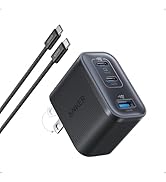
Desertcart purchases this item on your behalf and handles shipping, customs, and support to Greece.
🚀 Elevate your workspace with power, speed, and 4K clarity — don’t get left behind!
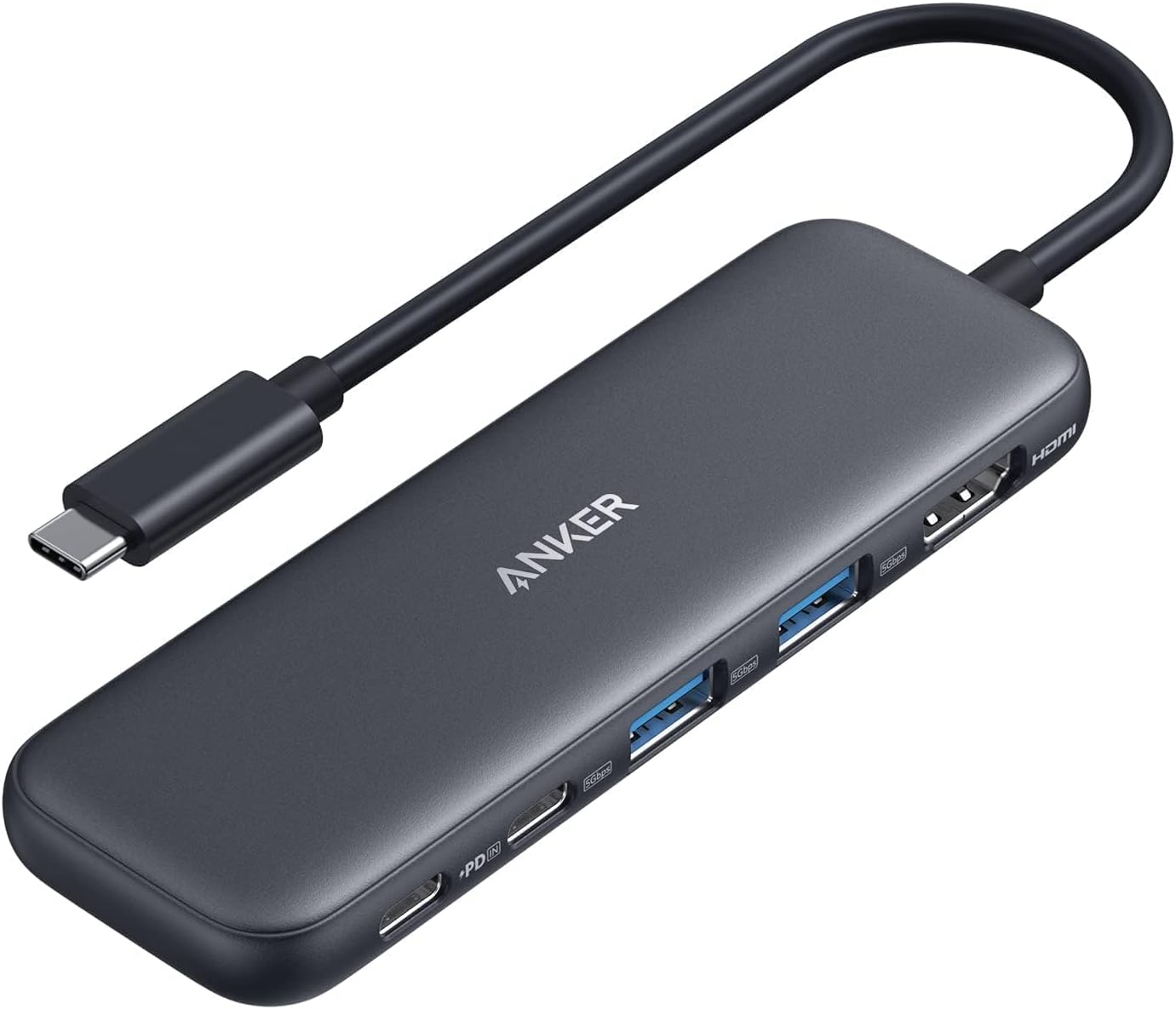
The Anker 5-in-1 USB-C Hub delivers versatile connectivity with a 4K HDMI port, ultra-fast 5 Gbps USB-C and USB-A data ports, plus 85W pass-through charging. Compatible with MacBook, Windows, and Thunderbolt devices, it’s a compact powerhouse designed to streamline your professional workflow and keep you charged and connected on the go.


| ASIN | B0BQLLB61B |
| Additional Features | Fast Charging, Pass Through Charge |
| Best Sellers Rank | #2 in Computers & Accessories ( See Top 100 in Computers & Accessories ) #1 in Laptop Docking Stations |
| Brand | Anker |
| Color | Black |
| Compatible Devices | Windows and MacBook computers that support USB-C with DP Alt Mode and Power Delivery, as well as USB4 and Thunderbolt 3/4/5 ports. Compatible Devices Windows and MacBook computers that support USB-C with DP Alt Mode and Power Delivery, as well as USB4 and Thunderbolt 3/4/5 ports. See more |
| Customer Reviews | 4.4 out of 5 stars 18,653 Reviews |
| Data Transfer Rate | 5 gigabits_per_second |
| Enclosure Material | Acrylonitrile Butadiene Styrene (ABS) |
| Hardware Interface | HDMI , USB 3.0, USB Type C |
| Item Dimensions L x W x H | 4.78"L x 1.59"W x 0.45"H |
| Item Weight | 1.44 ounces |
| Manufacturer | Anker |
| Mfr Part Number | A8355011 |
| Minimum Required Operating System Version | Windows 7 |
| Model Number | A8355011 |
| Number of Items | 1 |
| Number of Ports | 5 |
| Operating System | Chrome OS, Windows 10, Windows 7 |
| Special Feature | Fast Charging, Pass Through Charge |
| Total USB Ports | 3 |
| Total Usb Ports | 3 |
| UPC | 194644101237 194644121358 |
| Unit Count | 1 Count |
| Warranty Description | 18-month |
K**T
Works with USB-C IPhone's!
Absolutely love this USB-C hub! It’s a total game changer for work and travel—lightweight, compact, and seriously reliable. I always use a second portable monitor on the go with my tablet or laptop, and this hub makes it effortless. The real win? My niece wanted to play a game on my iPhone 16 Pro, and I discovered I could connect my monitor for a bigger, better view *and* keep my phone charged at the same time. No more battery anxiety! Plus, it’s way more affordable than the official Apple accessory. Highly recommend if you want versatility without breaking the bank!
T**N
Reliable and easy to use
This Anker USB-C docking station is a great addition to any workspace. It was easy to set up and worked immediately without any driver installation. The variety of ports makes it simple to connect monitors, USB devices, Ethernet, and other accessories. Data transfer speeds are fast, and the wired internet connection is stable. The dock keeps my desk organized by replacing multiple adapters with one device. It also charges my laptop reliably while everything is connected. The build quality feels solid and premium, making it suitable for daily use. Overall, it’s a dependable docking station that offers excellent performance and value
F**Z
Cute, Compact, and Works Great for Expanding Laptop Ports
I’ve been really happy with this Anker USB C Hub so far. The soft green color is super cute and different from the typical plain black hubs, and it looks great with my setup. It’s lightweight, compact, and easy to throw in a laptop bag without taking up much space. I mainly use it with my laptop for extra USB ports and HDMI, and everything connected quickly without any issues. The HDMI output worked perfectly, and the USB ports transferred files fast and recognized my devices right away. I also like that it has both USB A and USB C ports, which makes it really convenient. The attached cable feels sturdy, and the overall hub feels well made and durable, which is what I expect from Anker products. It’s been a simple plug and play experience with no lag or disconnecting problems. If you need a reliable USB C hub that’s functional, compact, and aesthetically pleasing, this is a great option.
E**N
Good for my needs.
I used this to connect my phone with a broken blank phone screen to be able to display the phones screen on a computer. It worked okay but needs a little tinkering to get it to work just right.
W**E
Compact, Travel friendly, Works well with ROG ALLY
This is a compact and well built adapter, and it is travel friendly. I use it for my ROG ALLY when I don’t want it docked and still need charging and other device inputs. It has just about enough ports for what I need, usb-c power delivery port for charging (ROG ALLY can still run at maximum performance using this with a 100W charging brick and a cable that allows 100W power pass through). I use the remaining USB-C port and two USB-A ports for external hard drives or gaming controller 2.4Ghz receiver. Transferring files between ROG ALLY and an external SSD with this adapter is fast, could reach above 380 mb/s. All the device inputs were as advertised, “plug and play”. The hdmi port also gives me an option to connect my ROG ALLY to TV when I don’t have the dock which takes up more space for traveling. One thing to note, you will have to use the USB-C port on your PC which provides more power (usually at the back and not on the front of the pc), if not plugged in to a power source. When I received my first order, I plugged it into the front USB-C port of my mini PC, just for my wired keyboard and mouse, the computer didn’t recognize it and couldn’t get any input from my keyboard and mouse. I returned the first one and thought it wouldn’t work as I expected. A few days later when I was using another Anker 7 in 1 USB-C adapter, I ran into the same issue but I know that adapter had been working well, then I realized I had to plug it into the port on the back of the PC. So I got this again and tried, it just worked like a charm. Hope they actually mentioned it on their product page so I wouldn’t have to return the first one. The cable length on this adapter is just right, not too long or too short when using with ROG ALLY (not hanging, since the cable is pretty sturdy, when I picked up the ROG ALLY, the adapter just comes along).
A**D
Anker 332 USB-C Hub (5-in-1): The Swiss Army Knife of Connectivity
Ever felt like your laptop was playing a cruel joke on you with its lack of ports? Enter the Anker 332 USB-C Hub (5-in-1)—the tech equivalent of a superhero swooping in to save the day (and your productivity). Port Party This hub is like the ultimate party host: it’s got a little something for everyone. Need to connect an external monitor? Boom, there’s a 4K HDMI port. Want to transfer files faster than a cheetah on a caffeine rush? It’s got two 5 Gbps USB-A ports and a 5 Gbps USB-C data port ready to go. Oh, and don’t worry about keeping your laptop charged while you’re multitasking like a boss—there’s a 100W PD-IN port to keep the power flowing. 4K HDMI: Because Why Settle for Less? Let’s talk about that HDMI port, shall we? We’re talking 4K at 30Hz, which means your Netflix binge or work presentation will look crisp, clean, and oh-so-satisfying. It’s like upgrading from VHS to Blu-ray—you won’t believe you ever survived without it. File Transfers in a Flash Remember the days when transferring files felt like waiting for dial-up internet to connect? Yeah, those days are over. With up to 5 Gbps transfer speeds, you can move files so fast that you’ll barely have time to grab your coffee before it’s done. Just think of all the time you’ll save—and how much more you can procrastinate as a result! Pass-Through Charging: Power Up, Don’t Power Down One of the worst feelings in the tech world is watching your battery icon turn red while you’re in the middle of something important. But fear not—this hub’s got you covered with up to 85W pass-through charging. So, go ahead and keep doing whatever it is you’re doing, whether it’s crushing deadlines or browsing cat memes (no judgment here). Compact and Reliable The Anker 332 USB-C Hub is compact enough to slip into your laptop bag without a second thought. And with an 18-month worry-free warranty, it’s clear that Anker has your back—just in case you get a little too enthusiastic with all those ports. Final Thought In a world where laptops keep losing ports faster than you lose socks in the laundry, the Anker 332 USB-C Hub is the perfect solution. It’s reliable, versatile, and just what you need to bring your laptop back to life. So go ahead—plug in, power up, and let the good times (and files) roll!
K**H
Awesome Daily Carry
This does all the things right, is compact, fits in my backpack kit and plugs right into my computer with no issues. 10/10 product here
C**T
A rare L from Anker
Let me start by saying I’m a massive fan of Anker products and have used them for years. I have plenty of Anker backup batteries, cords, and even a Solix C3000 that works brilliantly. I regularly recommend Anker products to my friends and family because they’re in that sweet spot of affordability and quality and aren’t some no-name brand. However, this hub just didn’t live up to expectations. I bought this around a month ago and it has already begun to fail. Granted, I am running it on Linux (Fedora 44 specifically), but I am skeptical that this matters, as most everything else I plug in to that OS works fine out of the box (including the things I plugged into this hub). I recently noticed that my wired mouse plugged into my laptop via this hub was disconnecting a lot, which is obviously not something you want with a device as critical as a mouse. I do move the hub regularly along with my laptop, so it has had more wear, I would assume, than one that was left in one spot. But I wouldn’t say I was rough with it at any point - I do my best to baby my tech! I’m assuming the issue is on the hardware front, maybe at the cord level, since input recognition on the laptop seems to be somewhat correlated with the position the cord is in - kind of like how broken corded headphones can still work at just the right angle. Additionally, I was never able to get charging to work reliably on this device - it regularly started and stopped. My laptop (Dell XPS) takes 65W to charge, so it should have been within this device’s range. I gave up pretty quickly on that front, but I still hoped the other ports would work. Now they are not. Maybe I got a lemon? Not sure. But at the moment, I’d say this device is probably (maybe?) fine for a set-it-and-forget-it setup where it doesn’t get moved often, but it doesn’t seem to hold up well in other conditions. It is admittedly very cheap for a hub of this sort, so I suppose you get what you pay for (and it’s definitely lighter weight than other similar hubs I’ve used in the past). But I expected more from a solid brand like Anker. Back to the drawing board, I suppose.
S**E
Compatible and best
Most trusted and beat product. I am using it for many months now. Its was bit costly than other brands but dont purchase the cheaper one as its not compatible ti macbook.
S**A
Anker usb hub
Overall great puchase Only thing is i ordered it for my macbook pro when ordering i thought the material is made out of aluminum But when i got it i got to know its plastic Otherwise the product is fantastic i always love Anker products over ugreen and others
M**Z
Must have
Mam już dwa huby. Bez zarzutu spełniają swe zadanie
J**N
Voldoende aansluitingen en werkt zoals het moet doen
De USB hub is precies wat ik nodig had voor de iPad Air. Externe voeding er op aangesloten en alle apparaten (USB-C en USB-A) hebben voldoende voeding via de hub. Tevens 2e scherm via HDMI is echt een uitkomst. De USB hub is klein en mooi afgewerkt en simpel mee te nemen.
G**S
Good for the use
This serves a purpose
Trustpilot
3 weeks ago
1 week ago