🚀 Elevate your office game with speed, style, and sustainability!
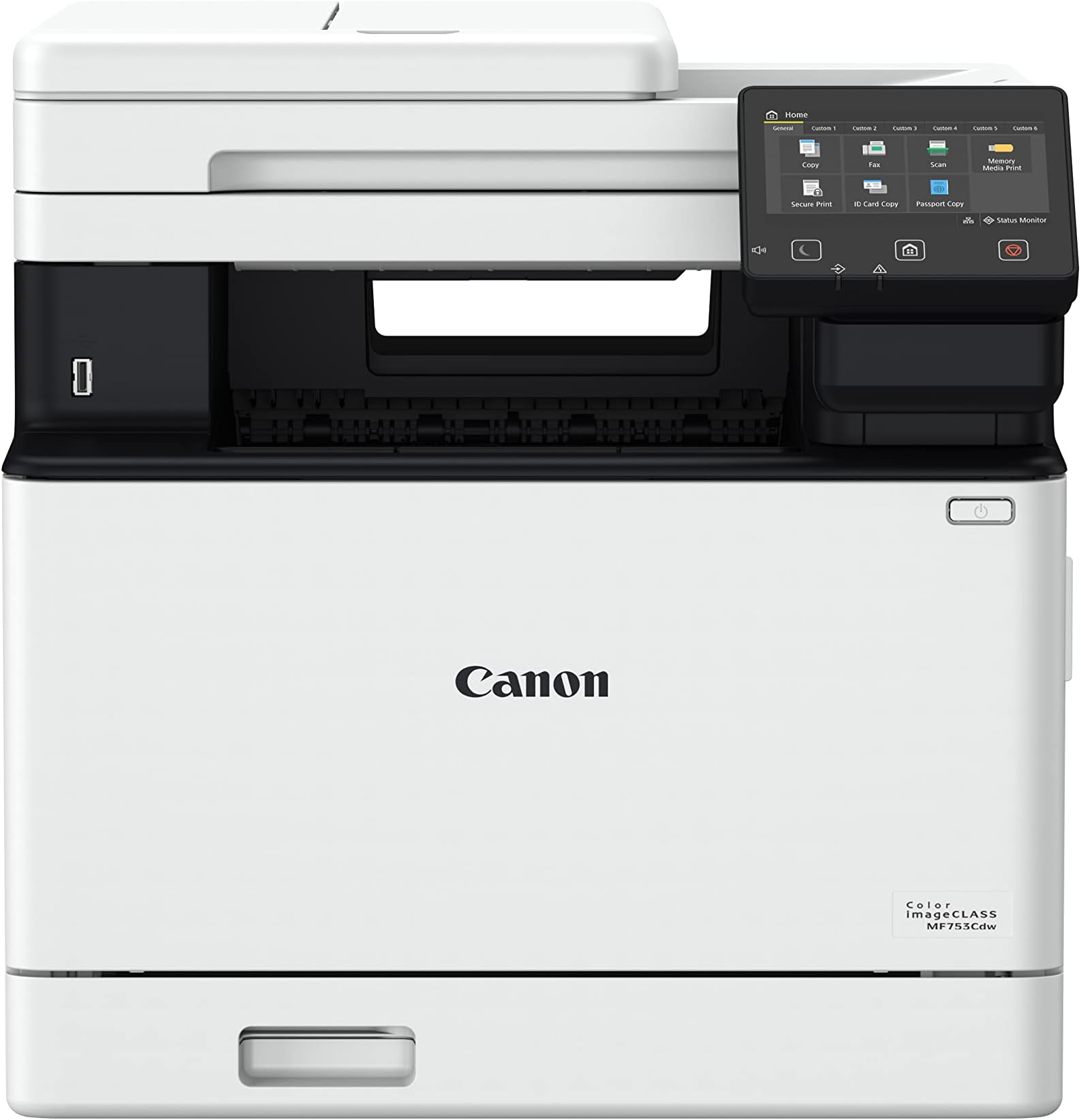
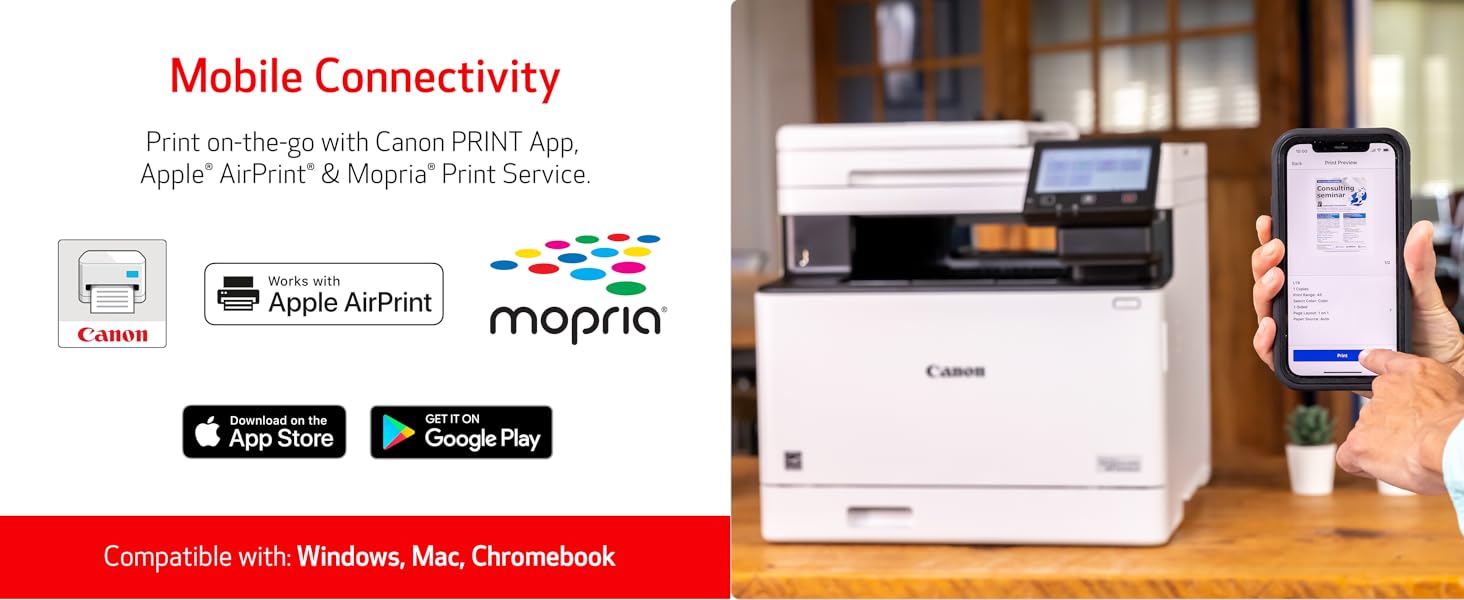
The Canon imageCLASS MF753Cdw is a wireless, all-in-one color laser printer designed for small to medium businesses. It delivers fast 35 ppm printing in both color and black & white, supports auto duplex printing and scanning, and offers versatile paper handling with expandable capacity. Mobile-ready and ENERGY STAR certified, it combines efficiency with eco-consciousness, all backed by a 3-year limited warranty for reliable performance.


| ASIN | B0BSMQTVBW |
| Additional Printer Functions | All In One |
| B&W Pages per Minute | 35.0 |
| Best Sellers Rank | #4,959 in Office Products ( See Top 100 in Office Products ) #17 in Laser Computer Printers |
| Brand | Canon |
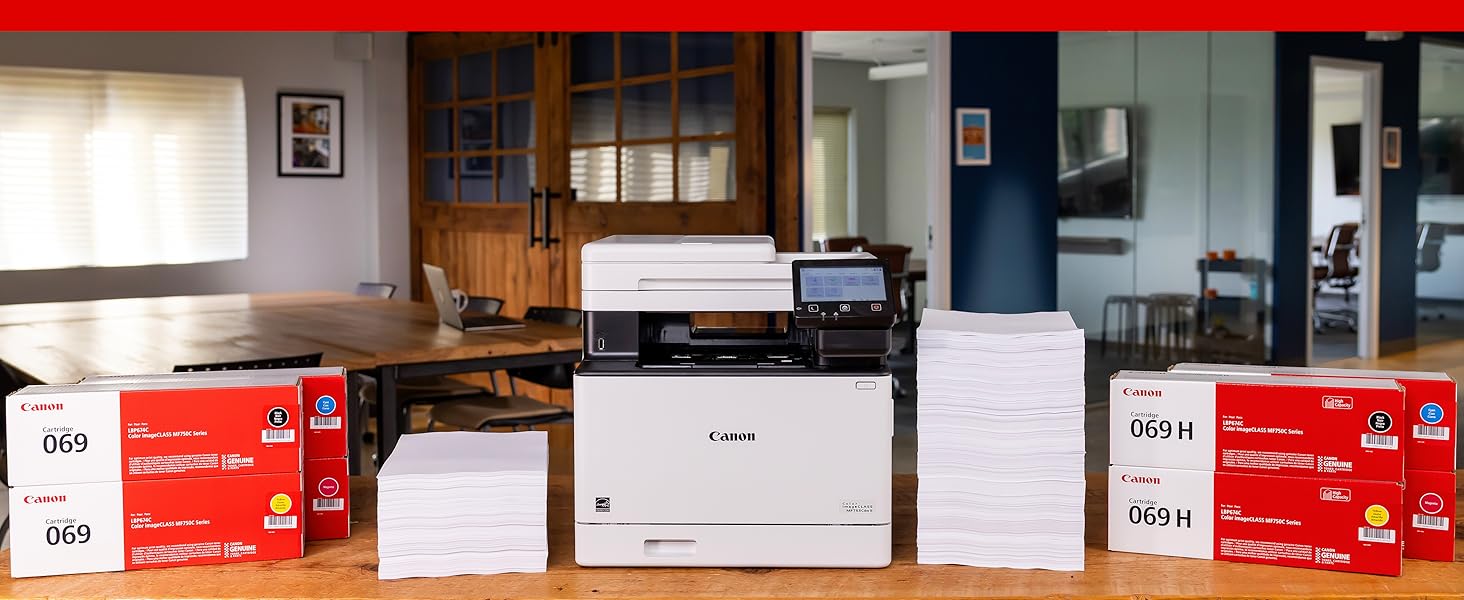
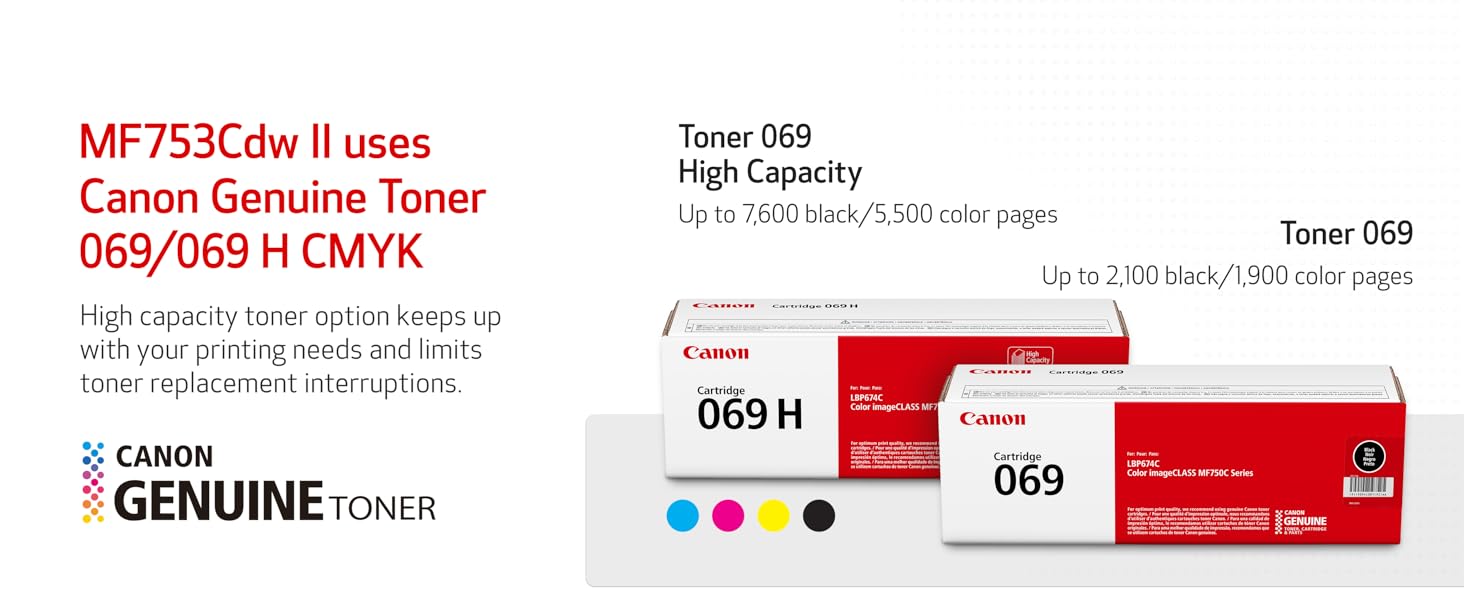
| Built-In Media | Cartridge 069 CMY: Starter 1,100 Yield / Black, Standard: 2,100 Yield, Documentation, Fax Cord, MF753Cdw Product, Power Cord |
| Color | white |
| Color Depth | 24 bits_per_pixel |
| Color Pages per Minute | 35 ppm |
| Compatible Cartridge | Canon Genuine Toner 069 / 069 H |
| Compatible Devices | Smartphones |
| Connectivity Technology | USB |
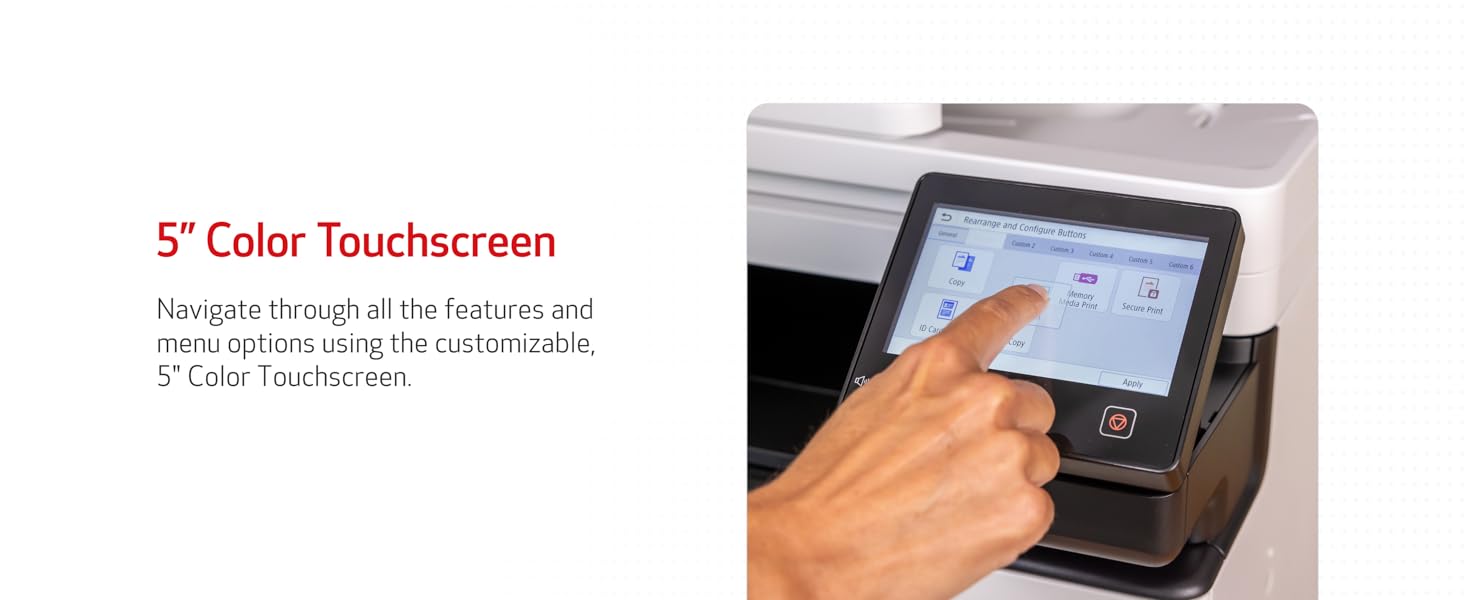
| Control Method | Touch |
| Controller Type | Android |
| Customer Reviews | 4.2 out of 5 stars 586 Reviews |
| Display Type | LCD |
| Dual-sided printing | Yes |
| Duplex | Automatic |
| EU Spare Part Availability Duration | 3 Years |
| Global Trade Identification Number | 00013803345162 |
| Hardware Interface | Ethernet |
| Initial Page Print Time | 7 Seconds |
| Ink Color | color |
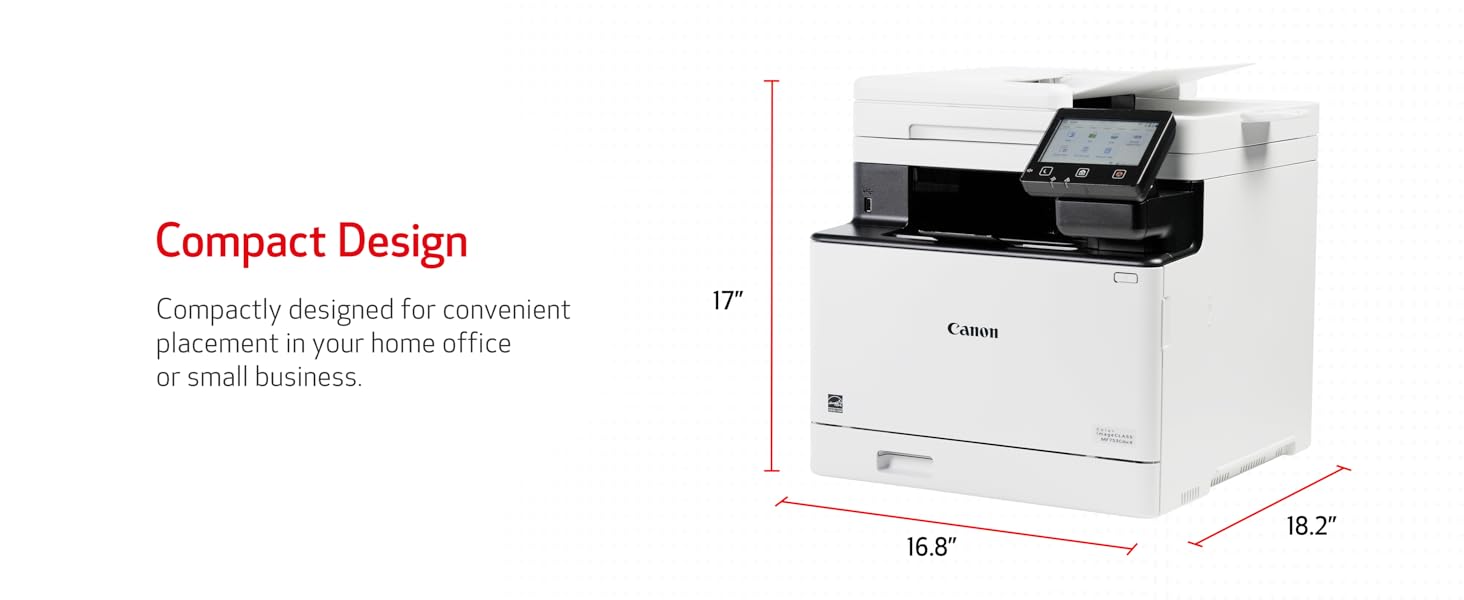
| Item Dimensions D x W x H | 18.2"D x 16.8"W x 17"H |
| Item Type Name | Color Laser Printer |
| Item Weight | 48.5 Pounds |
| Manufacturer | Canon |
| Maximum Copies Per Run | 99 |
| Maximum Copy Resolution Black and White | 600 x 600 dpi |
| Maximum Copy Resolution Color | 600 x 600 dpi |
| Maximum Copy Speed Black and White | 35 ppm |
| Maximum Media Size | 8.5 x 14 inch |
| Maximum Print Resolution Black and White | 600 x 600 dpi |
| Maximum Sheet Capacity | 250 |
| Maximum print Resolution Color | 1200 x 1200 dpi Dots Per Inch |
| Model Name | iC MF753Cdw |
| Model Number | 5455C010 |
| Model Series | imageCLASS |
| Number of Trays | 2 |
| Other Special Features of the Product | Auto Document Feeder, Auto-Duplex, Display Screen, Double Sided Scanning, EPEAT Silver, Energy Star, Network-Ready, Touch Screen |
| Output sheet capacity | 250 |
| Paper Size | Standard Cassette 3.9" x 5.8" to 8.5" x 14" / Multipurpose Tray: 3" x 5" to 8.5" x 14" Inches |
| Power Consumption | 650 Watts |
| Print media | Paper (plain) |
| Printer Connectivity Type | USB |
| Printer Output Type | Color |
| Printer Type | Laser |
| Printing Technology | Laser |
| Processor Count | 1 |
| Resolution | 600 x 600 |
| Scanner Type | Sheetfed |
| Special Feature | Auto Document Feeder, Auto-Duplex, Display Screen, Double Sided Scanning, EPEAT Silver, Energy Star, Network-Ready, Touch Screen Special Feature Auto Document Feeder, Auto-Duplex, Display Screen, Double Sided Scanning, EPEAT Silver, Energy Star, Network-Ready, Touch Screen See more |
| Specific Uses For Product | Printing |
| UPC | 013803345162 |
| Unit Count | 1.0 Count |
| Warranty Description | 3 year |
| Warranty Type | Limited |
I**E
Excellent printer, but received gray‑market unit; Serial not eligible for Canon registration
The printer itself is fantastic, fast, quiet, and produces excellent print quality. It offers one-pass scan at rapid speed and all the functionalities that this printer offers. If I were rating only the product, it would absolutely be five stars. Hands down. ⚠️ I discovered something important that other buyers should know. ⚠️ The unit I received appears to be a gray‑market (non‑U.S.) model, even though it was sold through Amazon. The serial number cannot be registered with Canon USA, and Canon confirmed it is not a United States market unit, which means it is not eligible for US warranty or support. The System Manager ID also cannot be reset by Canon USA for this reason. The listing did not disclose that the product was sourced from outside Canon’s authorized US distribution channel. The printer works well, but buyers should BE AWARE of the warranty and support limitations that come with receiving an international model. Great product, but I strongly encourage the seller to ensure that only authorized US units are supplied, or clearly disclose when inventory is sourced from other regions. At this price point, consumers reasonably expect full manufacturer warranty support. Because the serial number on my unit cannot be registered with Canon USA, there is no valid U.S. warranty. Buyers should be aware of this before purchasing.
B**J
Fantastic Printer and Easy to Use!!!
I was a HP printer fan for forty years. In that time, I've always had a few problems with HPs printer software or some primitive aspects of each printer or the software package. I finally hit my breaking point with the purchase of my first home laser printer (HP Color Laserjet Pro MFP 3301fdw Wireless All-in-One Color Laser Printer). Junk software again, but I wasn't going to waste endless hours troubleshooting the scanning issue where the HP MFP 3301fdw would not free itself up to accept more scans. I am extremely computer savvy with a background in electronics, and HPs Laserjet Pro was a stopper for me. I worked with it for several hours trying to free up the queue issue. Finally, I boxed it up, sent it back to Amazon (thanks Amazon), and bought a Canon MF753Cdw. After a few days of waiting, I received the new Canon printer and set it up in about forty-five minutes. It was hard for me to buy a Canon because I'm a Nikon guy, but we're into printers here. Cleanup time took thirty minutes, so the total set up time tally was one hour and fifteen minutes. Easy to install, use, and reliable. I took it through a lot of tests, and it passed with flying colors. The touch pad can be awkward though. I used all kinds of touch pads on laptops in my life, and I was able to adapt to it. The printer was so easy to setup and install the software. Just follow the directions. I didn't encounter any issues as others have complained about in their reviews. Solid machine, and the value is fine because of its reliability so far. I highly recommend this printer that produces ultra clean, accurate, sharp, copies or images. Well done, Canon. Update (10/3/24): Still working great. The auto-feeder has no issues, and it's scanning alignment is excellent. I would highly recommend this printer.
R**S
Prints great and fast, bought because HP toners' were so expensive, but found these are HIGHER!
UPSIDE - Will do what it is supposed to do, and quick in operation. Print quality is super crisp and impressed by it. Scans fast and has lots of bells and whistles regarding things it will do - a bit of a learning curve, but worth it. Don't use the fax, but there if ever wanted. This has a lot of things it will do for you, just have to learn them. DOWNSIDE - Unfortunately SONY followed HP printer software in deliberately blocked software so another (non OEM) replacement toner cannot be read by printer. This will not make me buy their super expensive toner refills, but will prevent me from ever buying another SONY printer. At least they didn't sabotage their software to slow down or stop printing if another toner is used like HP did - and got sued for it. A little annoying is the the printer drops printed pages in the center of the middle tray that has a downward curve leaving pages about an inch from the edge making them hard to pick up without wrinkling the papers edge. I know, not a biggie, but all my other 7 printers push pages out and easy to lift. This great printer came with a set of "teaser" toner cartridges that ran out of ink on few days. I should have checked on replacement cartridges before buying, as the printer cost me $589 with shipping. I found SONY toner cartridges priced for one )1) at $194 (069) to $245 (069H) costing me more than the printer. In closing, if you can afford the toner replacements, this is a great printer with an impressive fast 1st page and really super looking prints, better than some books I have. I have nothing but good to say about the printer, it prints a lot of different weight paper sizes with ease, double sided printing is easy and fast. You will not be sorry you bought this Canon imageCLASS MF753Cdw, but may when you have to replace the toner.
B**J
Great Printer - Terrible Setup
I bought this to replace my multi-function HP inkjet printer for my home office. The main driver in picking this ===PROS=== Fast and pretty quiet for the most part. Duplex Scanning is incredible! It works great! Prints really fast with first page taking mere seconds, even if waking from sleep. The print quality looks great. ===CONS=== However, the configuration pages are absolutely terrible. I work in IT, but it was a struggle to get it setup the way I wanted, especially when it comes to scanning and the bizarre "Application Library". It is extremely non-intuitive and frustrating. Worse, there is no on-page help or descriptions. You have to obtain the guide and reference it. Except that some stuff is missing from the guide. For example, when setting up SMTP for Scan and Email, my email host had a non-standard port in order for the printer to connect to it. Instead of having that on the same page as the SMTP setup page (part of "TX Settings"), it places it under "Network Settings" on a special page called "Port Number Settings". There is no reference link between these two on either configuration page or in the guide. With Scanning, there is very little actual setup on the printer itself. Instead, each separate computer connected to the printer has to be configured with the scanning defaults or it will always scan as a JPEG and placed into a dated sub-folder. There is no export / import option. There are literally 11 profiles which cannot be renamed or deleted, nor can new profiles be added. Four profiles are when the scanning is initiated from the printer (from the small touchscreen). Seven profiles are when scanning is initiated from the computer (using the MF Scan Utility). Initiating it from your computer gives more custom control. However, as with the Printer configuration page, there is no help in the app or descriptions provided. You must access another guide and reference it. In another non-intuitive configuration issue comes the "Application Library" where special functionality is located, such as linking your printer to Dropbox, certain combo activities (such as "Name and Scan" for bulk scanning), default buttons (such as "Scan to Preset Destination"), and other odd applications. They must be Enabled to work, the unused ones should be Disabled to free memory. Then you have to "Initialize" the application, which involves configuring it's behavior or setting up default actions. Once you figure it all out, it works great.
G**S
Wireless Printing?? Naw.... maybe some other time.
What should have been a great printer and an easy unit to maintain, became an absolute nightmare for my wife and I. Canon is, at the very least, a big name in many things... photography and cameras, printers, and more. I assumed that, because Canon was a household name, their products would (at least) work and - if by some chance they didn't - the company would have a quick fix or workaround to provide to their customers. Well... That was wrong. This printer - the MF753Cdw - when it was working, was a VERY good printer. Crisp and clear print and relatively fast for the pricepoint. However, the printer regularly lost connectivity with our network and I tried everything to rectify the issue. I moved the router. I moved the printer. I uninstalled and re-installed the software as well as the drivers. I kept the firmware up to date. I did everything I've done with every other laser printer I've ever owned... but this printer just did NOT want to continue to work for us. I called support a number of times and one time, I sat on hold for over 4.5 hours just to be disconnected. Their website makes things even less-clear. Their web designer, in trying to dumb things down for the masses, literally makes their site un-navigable for the internet savvy. You'd have to see it to believe it. But I digress... This printer is no longer with us. It hitched a ride to the local recycling shop where it's found a new life as deck-chair. If I were you, (and I'm not, so, take this for what it's worth), I would look elsewhere for a color-laser printer. I can tell you, I'll be going somewhere local (i.e. Costco, Best Buy, Sam's or the like) to get my next one so I have local people I can bring it to if I have any issues like this in the future. And the brand name of my new printer will likely be something that starts with Hewlett. But I will wait for a sale of sorts before I make that jump. Best of luck to you all - especially if you go ahead with this purchase!! :)
S**N
This printer is AMAZING!
This Canon color laser printer works flawlessly. Easy set up and prints colors vibrant and prints very quickly. The paper and several printing options are so helpful. The scanner sure is a help for time.
A**A
Great office like features for home all in one printer!
Recently, my Canon mx922 died due to head printer being clogged and was looking for a printer that could replace it. Replacement head cost more than $100 and was not guaranteed that it would work. I hated the fact that inject printer always takes forever to print due to cleaning or getting ready to print and using ink to do that. It actually cost more ink. I did not want to get another inkjet due to those reasons. I print about 50 pages per week and do multiple scanning. I should get about 2 years before buying a replacement toner. This printer is by far the best investment I could have done, not only it prints double side and scans double side on a single pass but the quality of the prints are amazing. I know ink jets produce better photo quality but if I need to print pictures this is by far the closest to it. I decided to get this one because if I don't use it for a while I am not scared that the ink will dry or clogg the print head. The size is perfect for my home office, and love the color and looks. Features, it took me less than 10 minutes to set it up and star printing. I use a mac so please download the software as it has more features to scan and print. You can print without installing the software on iphone but you can get more if you install it's softwate. The set up the scan to email took me awhile because you have to use the printer UI website to change it's settings and then you can add email addresses that you can scan directly to them. On YouTube there are videos for the mf743cwd that apply here to set it up. It goes to sleep mode after a minute if you don't use it and that's great to save energy. Touch screen is beautiful, very responsive and good size. I don't plan to use the fax but that's a feature there if you need it. I wanted to buy the HP M479fdw but by far is more expensive and has less features. The canon mf751 lacks single pass scanning off this mf753cwd. I am glad I went with this one instead of the HP. Just buy it.
T**S
Wonderful Machine
I researched, researched, then researched again looking for a good laser printer. Bought this one and it has been great. Quick, quiet, full featured, and durable. We have cats that are always intrigued when they hear a printer run, so they crawl all over this. Plus, we had it delivered to our home in Hawai'i, then moved to the mainland and the machine was unaffected by all the additional handling.
Trustpilot
2 months ago
2 weeks ago