Desertcart purchases this item on your behalf and handles shipping, customs, and support to Greece.
🔄 Switch Smarter, Work Sleeker — Your Dual-Computer Command Center
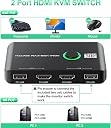
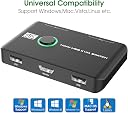
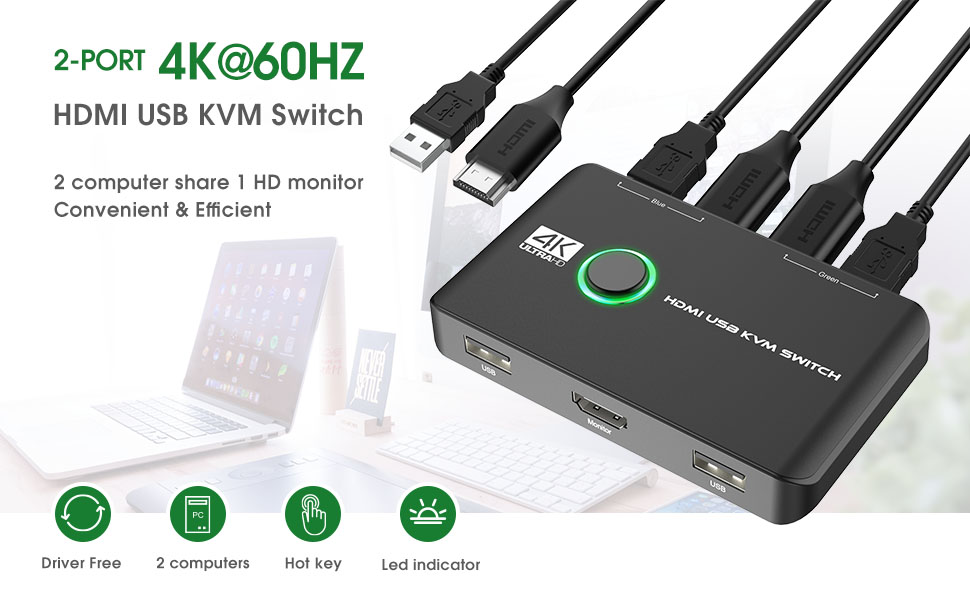
The Rybozen 4K KVM Switch HDMI 2 Port Box lets professionals effortlessly control two computers using a single keyboard, mouse, printer, and 4K monitor. Supporting ultra HD 4K@60Hz resolution and one-key push-button switching, it ensures seamless multitasking without clutter. Compatible with major operating systems and popular gaming consoles, this plug-and-play device is designed to optimize workspace efficiency and elevate your digital workflow.


| ASIN | B0BD7LX47Z |
| Actuator Type | Push Button |
| Best Sellers Rank | 6,207 in Computers & Accessories ( See Top 100 in Computers & Accessories ) 11 in KVM Switches |
| Brand | Rybozen |
| Circuit Type | 2-way |
| Colour | black |
| Compatible Devices | PC, laptop, PS4, PS4 Pro, PS3, Xbox One, TV Box, Nintendo Switch |
| Connectivity Protocol | Other |
| Connector Type | hdmi,usb |
| Connector type | hdmi , usb |
| Contact Material | Plastic |
| Contact Type | Normally Open |
| Contact type | Normally Open |
| Control Method | Touch |
| Controller Type | Push Button |
| Current Rating | 1 Amps |
| Current rating | 1 Amps |
| Customer Reviews | 4.3 out of 5 stars 324 Reviews |
| International Protection Rating | IP54 |
| Item Dimensions | 10 x 6 x 3 centimetres |
| Manufacturer | Rybozen |
| Manufacturer Part Number | V806-UK |
| Material | Chrome |
| Mounting Type | Plug-In Mount |
| Number of Items | 1 |
| Number of Positions | 1 |
| Operating Voltage | 5 Volts |
| Operating voltage | 5 Volts |
| Operation Mode | Manual |
| Operation mode | Manual |
| Specification Met | CCC |
| Switch Type | Push Button |
| Terminal | Screw |
| Unit Count | 1.0 count |
| Upper Temperature Rating | 70 Degrees Celsius |
J**S
Simple and Effective
I didn't know this existed until AI pointed me in the right direction. Comes complete with cables and fixes together so easily. The switch between PC's is effortless and instant and now I can work and play and use the same monitor (placed between PC's), keyboard and mouse with both. My desk has never been so tidy. Simple yet very effective.
J**G
Very useful to switch screen and keyboard between laptop and Desktop PC
it works seemlessly. very convenient for me to work with a laptop and desktop
M**N
Not work with usb 2 0
Excellent item only give it 4 stars as it only worked when i used usb 3 0 port on my pc , when I used 2.0 port nothing appeared on monitor.
F**C
Fantastic easy to use and setup switch box
Love this an it saves me obviously from requiring 2 monitors and free’s up a lot of desk space consequently 🤔
M**S
Easy, functional, reliable.
Works perfectly with Dell PC and Mac Air; 1 monitor and 1 logitech unifying usb for keyboard+mouse. Plugged it in, no external power and worked immediately and exactly as intended. Also: consider that as well as the KVM box, you get 3x USB A>A cables and 2xHDMI cables. Given that I already had an existing kvm 'rig' of a usb switcher and hdmi switcher (2 separate devices) I've benefitted some extra USB and HDMI cables probably for less that I could buy them separately. I have not, and will not, be testing for: games, video conferencing through the KVM or any high-speed or high power usb devices - so if you plan on using these please consult other reviews. I have also not tested connecting a hub to the usb-switcher for multiple devices; the kvm has 2 'inputs' built in, I only use 1 for the logitect keyboard+mouse receiver. Aesthetically, it actually fits on the desk very smartly. Keyboard/mouse hotkey (to switch without touching the KVM): NONE!!! I don't care about this as I find the switch often causes usb-detection issues but if you're looking for this feature look more closely. I had another usb-switcher which supported double-click mouse wheel to switch, but it was unstable. Overall, extremely satisfied.
J**S
Disappointing, but mostly functional
I bought this to replace a KVM switch that was cutting in and out intermittently, so needed a nice quick option that would allow me to switch it over with limited fuss. This had good reviews and seemed like it ticked all my boxes, but I’ve been left disappointed for two reasons. 1 - it keeps resetting to ‘green’ desktop everytime you turn the computer off, regardless of whether you left it on blue or green, or which one you’ve powered on. This is frustrating. 2 - the USB-C doesn’t work. I tried connecting it directly to the laptop and through an adaptor but both without success, meaning I had to use the standard UsB, taking up a valuable USB slot. Add this to the fact that the device itself only has 2 USB ports and it becomes even more of a nuisance (keyboard and mouse sorted, but anything else has to be switched over each time - frustrating but knew that going in). I can’t give it more than 3-stars as a result. I’ll wait and see how well it holds up as to whether it needs reducing.
W**Y
Excellent price and performance
I was frankly amazed at how well this performs given the low price and small size. It was really easy to set up and worked immediately, sharing mouse keyboard and monitor to one Windows 7 PC and one Windows 11 PC, without any problems. No grainy pictures or picture interference and switches quickly and reliably. All that at a very good price considering all cables are also provided, so extremely satisfied. The only puzzle to solve was which PC it was switched intitially to so I got a "no monitor input" message when I booted the first PC, but soon fixed when I switched it. BTW if, like me, you are wondering how it shares two USB ports (in my case keyboard and mouse) to each computer when there is only one USB output to each, the receiving computers work it out without any problem.
D**D
In My Experience, An Unsuccessful Product -- No Video Signal Recognised By My Monitor From This Unit
I was a little surprised at the number of positive reviews for this product. Perhaps I have been unlucky in my own case. Here is my (regrettably negative) experience with this product. =========================================== Usage Parameters: I needed a simple KVM switch to allow me to switch quickly between my personal desktop computer, and my work laptop, while using the *same* keyboard, mouse and monitor for each. Hypothetically, this product *should* have allowed me to do that. =========================================== Positives The unit is very simple and intuitive in its design. =========================================== Negatives (1) Most importantly, the unit I received did *not* work properly for me. USB connectivity and signal over both my systems was successful. *However*, video output, to my monitor, was unsuccessful over both systems. My monitor would not recognise a video signal from the KVM switch unit. (2) Build quality, contrary to what I have read in other reviews, is cheap, light-weight, and plasticky. This is clearly a cheap unit, built to a price-point. It's not the *worst* build quality on the market, but there are better built units out there. In particular, there are many other KVMs switches sold on Amazon with better build quality, at a similar price. Many of them have reasonably good quality metal housings for instance. (3) Port placement results in a messy overall solution on your desk. Ports and placed on the front *and* rear, resulting in messy cable routing. Admittedly, this is a problem with a number of KVMs on the market. =========================================== Neutral Observations (1) The unit is *unpowered*, if that is important to you. (Personally, I don't mind using either powered or unpowered KVM switches, as long as they are reliable and work properly.) (2) Bundled cables are cheap and generic. This is the case for all KVM switches on the market. This one is no different. Usually, I use the provided USB cables, but use my own (separately purchased) HDMI cables. (3) As the pictures indicate, the bundled USB-cables (and connectors on the unit) are USB-A to USB-A. (4) Some reviewers have asked for a better manual/documentation. (Personally, I don't think you need an extensive manual for a simple KVM switch like this.) =========================================== What I Did In The End, Plus Some General Commentary on KVM Switch Units Sadly, this product was unsuccessful for me. In the end, I switched to an alternative KVM switch product, which worked successfully. I won't advertise the other unit, as there are many different -- and perfectly feasible looking units -- on Amazon, from which you can take your pick. Overall, KVM switches can certainly be a mixed-bag in terms of product quality and reliability. In my own case, I have had to buy a small sample of units, then work my way through them until one of them worked reliably. Also, some have failed after about 1 year, and needed replaced. At time of writing, the KVM switch market is a strange one.
Trustpilot
1 month ago
5 days ago