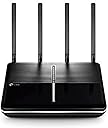
🚀 Elevate your home network to pro-level speed and control — don’t get left buffering!
The TP-Link Archer VR2800 is a high-performance AC2800 dual-band VDSL/ADSL modem router featuring MU-MIMO technology and a 1 GHz dual-core CPU with co-processors. It delivers combined Wi-Fi speeds up to 2.8 Gbps, supports versatile wired and USB connectivity, and offers easy setup with advanced network management options. Designed for demanding home and small office environments, it ensures reliable, fast internet with extended wireless range and robust multitasking capabilities.


| ASIN | B06WD4RVL4 |
| Antenna Location | Home |
| Antenna Type | Fixed |
| Best Sellers Rank | 72,673 in Computers & Accessories ( See Top 100 in Computers & Accessories ) 535 in Routers |
| Box Contents | TP-Link AC2800 |
| Brand | TP-Link |
| Brand Name | TP-Link |
| Colour | Black |
| Compatible Devices | Computers (Laptop, Desktop), Mobile Devices (Smartphones, Tablets), Other Wi-Fi or Ethernet Devices |
| Compatible devices | Computers (Laptop, Desktop), Mobile Devices (Smartphones, Tablets), Other Wi-Fi or Ethernet Devices |
| Connectivity Protocol | Other |
| Connectivity Technology | Ethernet |
| Control Method | App |
| Controller Type | Push Button |
| Coverage | Wide coverage |
| Customer Reviews | 4.2 out of 5 stars 733 Reviews |
| Data Transfer Rate | 2167 Megabits Per Second |
| Frequency | 5 GHz |
| Frequency Band Class | Dual-Band |
| Frequency band class | Dual-Band |
| Has Internet Connectivity | Yes |
| Is Modem Compatible | Yes |
| Item Dimensions L x W x H | 19.7L x 3.7W x 26.3H centimetres |
| Item Weight | 1.61 Pounds |
| LAN Port Bandwidth | 1000 Mbps |
| Manufacturer | TP-Link |
| Manufacturer Part Number | Archer VR2800 (UK) |
| Maximum Upstream Data Transfer Rate | 2167 Megabits Per Second |
| Model Name | Archer VR2800 |
| Model Number | Archer VR2800 |
| Model name | Archer VR2800 |
| Number of Antennas | 4 |
| Number of Ports | 4 |
| Operating System | Linux |
| Other Special Features of the Product | WPS |
| Product Warranty | Up to 3 years (register to active free 3rd year guarantee) |
| Router Firewall Security Level | basic |
| Router Network Type | Broadband |
| Security Protocol | WPS |
| Special feature | WPS |
| Unit Count | 1.0 count |
| Wi-Fi Generation | Wi-Fi 5 |
| Wireless Compability | 2.4 GHz Radio Frequency, 5 GHz Radio Frequency, 802.11ac |
| Wireless communication standard | 2.4 GHz Radio Frequency , 5 GHz Radio Frequency , 802.11ac |
P**R
Great product and easy to set up
I needed to replace my old router, which had become temperamental and needed regular re-starting. I twinned this new router with the TP-Link AC1750 dual band extender, as the router is located in a loft conversion, two floors up and as far away as it is possible to get from the Fire TV receiver. It's also an old house with solid walls. The previous wifi set-up (Netgear DGN2200 router and a Netgear N300 extender) struggled to provide a consistent and adequate signal on the ground floor, so TV programmes would often freeze and glitch (especially on BBC iPlayer), and web access on phones and tablets would often be frustratingly slow. The router takes up a fair bit of room: it is 26x23cm and sits flat on the desk. There is an array of LED indicators on top, which can be switched off when not needed. All the connections are on the back - 4 Ethernet ports and a single line-in for the phone connection. WPS button on the side. The whole thing feels solid and appears well made. Set-up was incredibly easy. The only reason it took me more than 5 minutes was that I had forgotten my ISP password (Doh!). Once I had sorted that out, it was a piece of cake. Connect it all up and attach the aerials; turn on the computer and router; reassure the anti-virus that the new network is safe; launch the browser and tap in the URL provided; follow the wizard, which includes options to name your network(s) and set your own password(s); there is a drop-down list of ISPs so you just have to select your own, put in user name and password, and you're there. Another 2 minutes to set up and position the extender and I had 5 bar wifi all over the house. The Fire TV now runs without a hitch, and web speeds have visibly improved. The great feature of this is the dual band. If you use both, you can choose which band each device connects to. That means I can use the 5GHz band exclusively for the TV and the 2.4 GHz for everything else. Now we can have good internet access and TV at the same time. It isn't the cheapest device, but it is well worth it for the quality and the ease of use (even for a total non-techie like me).
S**Y
Good Modem/Router. Easy to set up and fast/reliable*
Very happy with unit as replacement for BT kit. Very easy to set up - found BT username/password info on net and then just told unit service connecting to was BT VDSL. The web interface walked me through a few options for setting up the router itself and that was it. Unit is currently providing a fast connection* to the internet and fast speeds over wifi. 3 minor negatives: - The unit is large (26cm wide x 19cm deep before wifi aerials are added). - 5GHz wifi range feels okay but not great. I've not setup 5GHz wifi before so this might be more about the technology than this router. When connected however real life speeds are as fast as wired - in each case limited only to what is coming in to the house (about 65Mb usually). - 5GHz & 2.4GHz wifi are setup as two separate networks. Not sure if possible technically but would have been good if they could be presented as one network with devices switching between bands automatically as necessary without each device having to be set up for 2 networks each time. * I am using powerline/homeplug for wired connections. Initially I found wired connections great for short time periods and then dropped to about 20Mb. A quick power off of the powerline adapter by the router and things returned to normal for a brief period before slowing down again every time. Scouring the Internet suggested this might be because I was powering the router via the mains passthrough on the powerline adapter. Moving router power to the other half of the wall socket seems to have cured the problem. Very glad to find this was not a problem with the router! The small negatives above to one side, this is a really good unit and is currently delivering everything we wanted.
C**C
Brilliant Modem Router - used instead of Sky router for fibre broadband
This VDSL/ADSL Modem router is simply amazing. I have used the simple term "router" to refer to this and competitor/alternative products. I was at the point of adding a NAS to my network and needing switching to fibre broadband when I found out that the Sky router offered had a very limited number of ethernet ports - certainly less than the older one it was meant to be replacing. Additionally, I read reviews commenting on the poor range they were getting from their new Sky fibre broadband router. I therefore decided to do some research. I was somewhat put off by the relatively high price for this router but having read the reviews struggled to ignore them. What buyer's remorse was to be had was very short lived. The router came very well packaged and exudes class and quality. Setting up the router was dead easy and even setting it up for Sky (instead of the replacement router they sent me) was straightforward requiring no 3rd party software anywhere in the process. TP-link have all the necessary info on their website for this. I set up my 2GHz wireless network, my 5Gz network and importantly, a guest network for when friends and family visit and I don't want them leaving with my key network passwords in their mobile phones. The router has worked flawlessly, supporting all my usual audio-visual smart equipment, mobile phones, laptops, printers and anything else we have thrown at it. It has excellent range and I pick up a good clear signal wherever I am in the house and indeed out in the garden. I am no IT geek so not able to go into any detail about any of the advanced features or aspects that could drive the score to less than 5 stars. What I can say though is that I have had no issues with this router - and yes, it's very fast! Very highly recommended!
D**N
Excellent Router
Had the BT home hub 5 and then 6 and for me there was no difference. I got the same problem on both which was patchy wifi coverage and too many service glitches. A couple of times per day my phone, tablet or chromebook would be "connected but no internet" with the usual ! on the wifi symbol or the 5ghz would be working or the 2.4ghz wouldn't be aaarrrggghhh! So I did a bit of research and found this router, not cheap but highly regarded. Got it last week, took about 10 minutes to set up, dead straightforward and its worked faultlessly since. WiFi coverage is better, both up/download speeds are slightly improved but the actual speed in use is much much faster... Web pages load almost instantly and there has been no buffering when playing video from say the BBC news channel. I've also got the tplink powerline adapters dotted around our house, 3 in fact but I can quite easily manage with just 1 at the extremes of WiFi coverage... I'll probably put one of my spare adapters in my man cave at the end of my garden, highly pleased with this purchase👍
M**N
Under powered. Over priced. Unreliable.
I had this on my wish list for ages. I wanted a more powerful wifi signal to saturate my house and to reach a couple of outbuilding that the BT Home Hub6 could reach, but only with a weak signal. Given the price though, this desire was more of a luxury. However, when lockdown hit and two adults and two kids were at home and completely dependent on the Internet for work and school, I bought this out of necessity. First impressions were good. It's way bigger than I expected and, given the four antennae, I was convinced this would do a good job. I changed the SSID to that of the router it replaced so didn't have to re-configure all my devices (including four web cams) but most needed to forget the connection and reconnect anyway so that didn't go completely as planned. First test was to see if I could get a useable signal in my summer house, about 50 feet from the house. Yes. A reasonable signal was achieved and I enjoyed a bit of YouTube in my deckchair. For all of about five minutes. Mysteriously the signal dropped and I had to walk almost back to the house to get it again. After this tease, it never reached the same spot again. On doing further tests around the house it turns out this only gives a very marginal increase over the BT Home Hub 6. Very disappointing and at this stage I'm already feeling ripped off. Still, I also bought this for features so enabled the guest network easily - although this hasn't been tested as haven't had guests in lockdown. The second problem soon emerged. I have to upload fairly large files for work (100 - 300mb) and, while the upload speed was good, I soon got shouts from family members that 'the internet's down!' which I thought odd. Turns out, when this is uploading, it kills all downloads. I tested this myself. On the same PC (ethernet) I uploaded some files to OneDrive and tried to open a webpage. Nothing. Not a slow connection, but a 'site not found' error, seems it wasn't even finding a DNS server. Given that the kids are having online lessons via Zoom, I now had to schedule my uploads when they were having a break or else they got kicked off line. This DID NOT happen with the BT hub, I could merrily upload and download at the same time. I researched this and found there's a QoS (Quality of Service) setting to to configure the relative priority of devices etc, so set it to throttle back uploads by about 40% (I'm quite happy to have a cuppa while my files upload), but this made no difference. I looked on the TP Link forum and found others with this issues who said the QoS settings made no difference. Fantastic. So I persevere, really not wanting the hassle of returning this and re-configuring the old router, and turned to the parental controls as have kids nearing teenage years. A quick test was to blacklist a specific web site and then try to access it. I could! The blacklisting did not work. The final straw came yesterday, after about 5 weeks with this miserable product, where the family again complained of no internet. This seemed odd as I was happily streaming Netflix, but on a wired connection. Sure enough, while wifi was up and devices connected, sites, app data etc would be extremely slow to load,if they loaded at all. I rebooted the router (something I almost never had to do with the BT hub) but very little difference made. Wired connections remained fine so it's the wifi, not the broadband connection. I could live with little niggles had this been £50 and actually powerful - but for £150 I'm not prepared to as this brings little benefit and, the BT hub worked brilliantly. I'm afraid I will be digging the box out of the attic later and sending this back. I have several TP Link network products and they are all great but this, I'm afraid, really is garbage. Oh, and the app is terrible too, it's far easier to manage it via a browser. I'm not going to tell you to 'avoid' as I hate it when reviewers do that - I just hope you have better luck than me.
G**K
So far so good
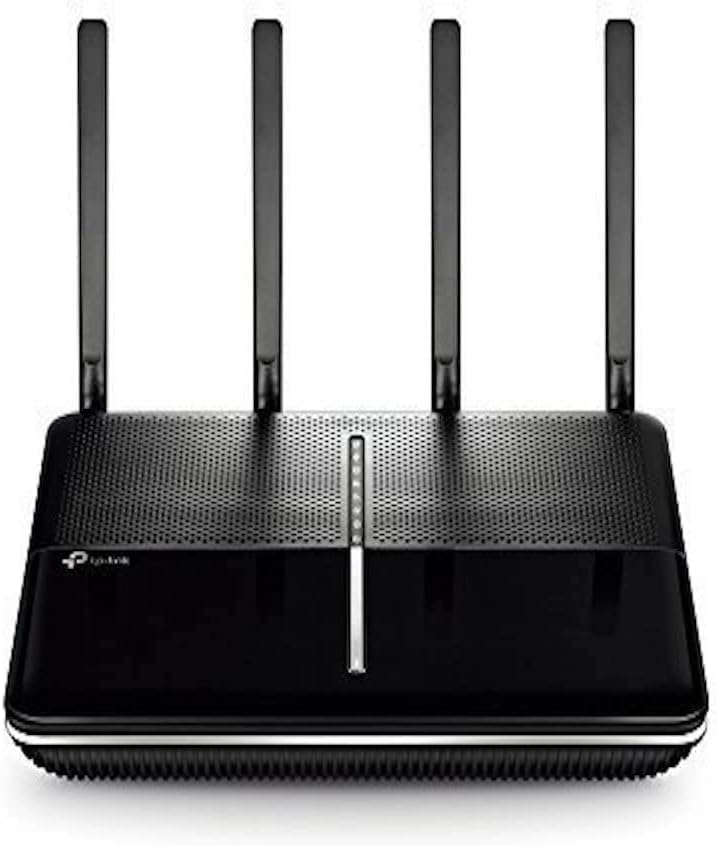
Got this router yesterday so I figured I should share my experience with it so far. Design: nice looking piece of kit that looks sturdy and well made. I personally much prefer the tp link design to the competion's. most of them look like the offspring of optimus prime and a giant spider with their antennas and weird shapes. this tp link is unassuming in looks but a real powerhouse inside. the led lights are nice soft white ones that are static (if everything is in order) and don't blink. you can disable them alltogether with a push of a button. love it! setup: So all in all it's really easy. I had some issues first as I'm with vodafone and when you set up your router the first time vodafone is not on the ISP list that you can just select and set up the router in one click. Fret not, it's not hard! all you have to do is call voda and get your PPPoE user name and password which is unique to everyone so you won't be able to guess it. Also ignore the stupid advices on different forums that tell you the password is Vodafone and password etc. So once you got your credentials you have to select BT!!! and use your voda credentials and it will work. If you select 'other isp' from the list and try to use your password it won't work. at least it didn't for me at the time of writing this review. It would be better if vodafone was added to the list of ISP such as bt, talktalk etc so the set up would be even more straightforward. But I'm sure this can be added with a future firmware update so it's not a big deal. Features: once set up, everything is straightforward and easy. I recommend using a laptop or desktop computer for setting up your router as you can tweak a lot more of the settings than using the app. It's all laid out in a very logical order. the app let's you change a few of the key settings so for casual users that could be enough too. you can quickly take away the internet from certain devices so you can terrorize your teenage kids if you feel so inclined :) Connectivity: you get 2x usb3 port (other products in this price range usually offer only 1x usb3 and 1x usb2) so that's nice. you get 4 detacheable antennas that can be aimed in all directions. wps button, wifi disable button, are present too. our speed got a little bit faster, but not massively. the range however improved drastically so that's really good. usb sharing is a bliss, if you have a hard drive you want to share, it's pretty much plug and play (it did need some tinkering on windows). our samsung smart tv picked up the hard drive on the network and was able to stream from it instantly. same is true for xbox one (but you want to install kodi or something for a better experience) and smartphones can see the storage as well once you install kodi or a similar app. my only gripe in this department is that there is no dedicated WAN port, it's shared with LAN4. it's okay now but if I decide to go with virgin in the future I will need to use the LAN4/WAN port for their modem - essentially loosing one of my ethernet ports. I have 4 devices connected by wire at the moment so I will have to give one up. But it's not the end of the world. But for this price you can get routers from different makers who will give you dedicated WAN port or just more LAN ports to begin with. I still chose the tp link as those were inferior in other ways so I guess it depends on what's important to you. So far I'm very happy with this router and it really is a big step up from the one you get from vodafone. I can't say anything about reliability so far as I only had it for a day so I will update this review in a few months time. I would be suprised if it wasn't reliable however as I've been using another tp link router (different model) for my business for almost 2 years now without any problems. If you found out something new from this review please don't forget to rate it as helpful. Thanks!
A**H
A Good Router, but display LED failed after 18 Months
Edit after 18 months The unit has developed a fault where it appears to turns itself off as it goes through the boot sequence - although it does not in reality - it goes into night LED mode where the leds turn off. Following an exchange of emails with TP link support they suggested I tried to log into router and check the LED control function. Enabling the LED control function (advanced tab | System tools) and then disabling it restored the LEDs to life; although if you reboot, then the LEDs go blank again. Looking at the LEDs, it appears that one has failed as there is no light where these should be light and I believe this failed LED is causing the problem. This is not a show stopper - yet - unless it is a failure that is the first of many. Original review This was bought to replace a Talk Talk D-Link Modem Router. The Talk Talk router is not a bad router, but it was limited, esp on the 5g wireless range, which would not cover the whole house. As others have said, it is very easy to set up and does not take long. Interesting enough, unlike most other routers which I would configure off line, it is probably best to plug it into your ADSL/VDSL line when you start configuring it. The Modem/Router will lead you through a series of screens in setting it up and at the end of this you should have an operational wireless network with internet access. Before you start, ensure you have your ISP username & password (often domestic VDSL does not have one being tied to the phone line) and I would decide on a couple of things before you start: (A) the names and passwords of the 2.4/5g wireless networks and (b) an Email address and password that you will use to log into the router after doing the basic setup. The one thing that has taken me time before in setting up a new router and home network has been printers - where I have been pressing the WPS button on the router and running to the printer to press the button there. This router has an online WPS button, so you can put your laptop by the printer, log into the router, press the online WPS button, reach over to the printer and press the WPS button and see if it connects. This saved me a lot of time, given my printers past reluctance to connect first time. Within the router screens there is potentially a lot of options with basic and advanced options. I have used some of the advanced options - the number and variations of the options reminds me of Draytek routers presented in rather more user friendly manner. If you need rock sold reliability and need to maintain VPNs between fixed ip addresses, buy a Draytek - it is what they are really good at. So far I have fixed the IP addresses of the printers from the router, and am planning to look at the parental controls module - which from a cursory look allows you to restrict the times that a specified device can access the internet, and also to operate blacklisting or white listing if you so wish. Bear in mind this is not a small router. - it is 27cm wide and 22cm deep and needs 17cm of height. You can fix it to a wall as the bottom cover has screw indentations, but all the ports and aerials are at the back, so would be at the top if set up this way. One issue you might have here is the length of the cable from the powerblock - it is only about 1m in length Operationally the router has done everything I have wanted it to, primarily extending the range of the 5g network to cover the whole house and then some. I know I could have set up a mesh wireless network to achieve the same results, but I prefer one box, not the multiple boxes that this would need - however a much bigger house, or a building with a lot of steel in it might need this solution. Overall I am pleased with this. Time will tell as to its longevity and reliability.
L**U
An excellent, powerful, easy to use router
I bought this to replace the often troublesome Plusnet Hub One after months of poor signal strength and connection drop outs. So far, this router has been an excellent replacement. Set up is very easy with a FTTC broadband connection - simply a case of plugging the supplied Ethernet cable into the modem, waiting a minute or two and using the TP Link app to enter your ISP username and password. It was also extremely easy to change the network settings and to subsequently connect several devices. The router itself isn’t the prettiest item in the world with its large size and antennae, but looks presentable with non-obtrusive lights. I can’t say that my connection speed has drastically improved (there’s only so much that can be coaxed out of the aged infrastructure around here!) but the connection is generally a little faster (~4mbps) and certainly far more consistent. I can now achieve a strong connection in areas of the house that previously had zero signal, and speeds are far more stable. So far, and most importantly for me, I haven’t had any more random drop outs. If you are suffering with an inadequate ISP supplied router in a large or awkwardly constructed house, this is a more than worthy choice. It handles a large number of connected devices admirably and provides the best possible connection from the phone line I have to work with. Setup and monitoring is easy using the well-designed and user friendly app. Yes - the AC2800 is expensive but very much worth picking up, especially on a daily deal.
Trustpilot
2 weeks ago
2 months ago