🌀 Elevate Your Workspace with Effortless Control!
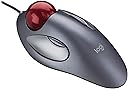
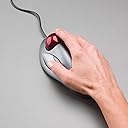
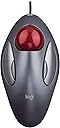
The Logitech TrackMan Marble is a wired trackball mouse designed for both right- and left-handed users, featuring 300 DPI marble optical tracking for precise cursor movements. Its ergonomic design ensures comfort during extended use, while convenient button controls enhance web navigation. Compatible with various devices, this versatile mouse is perfect for professionals seeking efficiency and style.


| ASIN | B001DQY9AW |
| Antenna Location | Laptop |
| Are Batteries Included? | No |
| Are Batteries Required | No |
| Best Sellers Rank | 153,380 in Computers & Accessories ( See Top 100 in Computers & Accessories ) 2,909 in Mice |
| Box Contents | other |
| Brand Name | Logitech |
| Button Quantity | 4 |
| Colour | Grey, Red |
| Compatible Devices | Büro |
| Customer Reviews | 4.6 4.6 out of 5 stars (2,135) |
| Global Trade Identification Number | 05099206010109 |
| Hand Orientation | Ambidextrous |
| Hardware Platform | Mac, PC |
| Item Dimensions L x W | 20.4L x 6.9W centimetres |
| Item Weight | 0.11 Kilograms |
| Manufacturer | Logitech |
| Model Name | Logitech Trackman Marble |
| Model Number | 910-000808 |
| Mouse Maximum Sensitivity | 300 Dots per Inch |
| Movement Detection | Trackball |
| Network Connectivity Technology | USB |
| Operating System | Mac,Windows |
| Power Source | Wired |
| Product Features | Trackball^PC / Mac |
| Product Warranty | 3 Years |
| Range | 33 feet |
| Style Name | Single |
| Theme | marble |
| Unit Count | 1.0 count |
M**P
A wonderful input device; needs a scroll wheel.
UPDATE: Please read NC_RO's comment. Specifically, "X-Mouse Button" control enables scroll in FireFox. Really good TrackBall. Accurate. Ergonomic. Fantastic value (£20). Ambidextrous - yet sill comfortable in either hand. I chose this over Logitech's M570, as I can use my three middle fingers to control the cursor - together, for precision; or seperately if one finger is fatigued. The M570 relies solely on using the thumb, which I thought was dangerous. Here's something you can try: -> Marble TrackBall: Try putting your hand palm-down on the table. Lift your fingers so they're on their tips. You should still be able to lift your three middle fingers (index, middle and ring) off the table and move them freely. Your thumb and little finger have to stay put as they to control left and right click! -> M570 TrackBall: Same exercise, but now take your thumb off the table and move it - trying to simulate moving the trackball to move the cursor. More pressure. Less freedom. Like me, you may also feel a slight twinge between a quarter and half way up your forearm. Index and Middle fingers control left and right click, like a traditional mouse. I haven't used the M570, so can't verify FOR CERTAIN what I've said - but what I just said persuaded me to opt for the Marble. I moved from a Logitech Cordless Optical TrackMan, that was a good 10 years old. I miss the way it was sculpted for one's right hand. I really, really miss the scroll wheel. My new Microsoft Split Keyboard 4000
T**Y
A great trackball mouse its worth every penny i highly recommend
These Logitech mouses work really well there so easy to use and you find yourself thinking why didn’t i buy one before they make using the laptop/computer so much easier and with a lot less strain on your hand and fingers long term there also great for people with limited space for a normal mouse there’s no need for a mouse mat neither so if space is an issue for you this is definitely a mouse worth buying it’s extremely easy to set up too its just plug and play its great for left handed and right handed people as well i highly recommend It there great mouses and Logitech is a great quality brand that you can truly rely on for years and years also it looks very stylish and modern when all set up and to be honest i cant see me using any other mouse again
N**R
Fantastic trackball unit
This is a replacement unit for an existing trackman. I am very pleased with the unit, especially when I had tunnel carpel issues and I needed an ergonomic mouse. The trackman is stationary and I move the ball - no problems. This is very good for tight areas. The unit does gather dust and grime over a couple of months, but the ball is easily popped-out and the unit can be cleaned. The one issue that I had is with the mouse switches, which cannot be removed and go bad after 2 years. This is not bad, but when nothing else is wrong with the mouse and the switches go ... dratted. - I am not the only one with this complaint. - This device is not being pushed by Logitech and this unit is imported from the US and sold with high mark-up compared to the US unit. But the mouse is absolutely fantastic
S**D
Wonderful, pain-free, with a scrolling solution.
Beautiful mouse, great shape to hold, and feels like something from Startrek. Ten times easier on my wrist and hand, which have been rather painful, especially when paired with a good mousemat and wrist support. Unlike the thumb trackballs I tried, I picked this up in about ten seconds flat, and have been using it ever since. Still not quite as efficient for me as a mouse yet, but surprisingly close, and with 20 years less practice. The buttons are in a good place to use my fingers to move the ball, and easily use the left and right buttons, and the left function button. I find the right fiction button slightly harder, but am getting used to it. The buttons on the Kensington Orbit were far too far forward for me. Scrolling I didn't find a good description of how scrolling works, which is to say, not well. Instead of scrolling the Setpoint software lets you use Scroll-lock. Yoy might see this if you click a middle mouse button or your scroll wheel also presses down. A press of the function key gives you a four-way cursor on screen, and scrolling moves the page in the direction you scroll. You click.again to release. It's hard to be precise, and it's not great for whizzing around a webpage or database, or in a word document (where it worked intermittently. It also doesn't work for zooming in and out in maps, or anywhere else. The software does allow you to set other functions to the keys though, including page up and down, and any other key function you like. I've now solved this using Autohotkey. You can find a script called 'wheel button emulation script's which makes it work perfectly. Hols down the funxtion button, and the use the mouse wheel as a scroll button. Perfect. Conclusion Even without fixing the scrolling, I love it. It's great with multiple screens, and with practice you can send the cursor spinning the the far edge with precision. The moment they make on with scroll, I'll own it, but until then, this works beautifully. Hotkeys Download the software. Right click in your documents folder, and choose 'create new script. Open it, and paste in the script from the forum you found when searching. Save and run.
S**A
E' il terzo che "fulmino" in circa 10 anni. Un mouse incredibilmente duraturo preciso e costante nel funzionamento. Perfetto per chi non ha spazio per il tappetino e non può muovere il mouse.
M**H
Used their software which is useless; Showing a central button to scroll which is not there. Logitech has no clue. Enough time wasted. This thing should scroll without a university degree.
P**U
Nunca había utilizado uno de estos, pero me he acostumbrado instantáneamente (es fácil si ya tienes habilidad con los touchpads de los portátiles). Vengo de usar un ratón vertical, cuyo problema es que no son ambidextros. Este tiene los 4 puntos importantes para mí: 1 - 4 botones (incluyendo los de navegación "atrás" y "adelante"). 2 - Ambidextro, puedes usarlo con cualquiera de las dos manos. 3 - Puedes apoyar la mano en un lado u otro, quedando la muñeca como si estuvieses usando un ratón vertical. 4 - Tiene scroll si lo configuras: uno de los botones pequeños + la bola. No se pierde la funcionalidad de "atrás" o "adelante". Soy quien hizo la pregunta del "3er click", "middle click" o "click en la rueda scroll". Como ya lo he descubierto voy a auto-responderme aquí, ya que no me deja hacerlo en mi pregunta: - Aclaro que no me refería a hacer scroll, si no a hacer click en la rueda, como si fuese un botón más. - SI TIENE "middle click", y sin configurar nada: es como los touchpads de los portátiles: click a la vez en los dos botones grandes izquierdo y derecho. UPDATE: acabo de descubrir otra cosa más de este ratón. Al configurar uno de los dos botones pequeños para usarse junto con la bola como "scroll" no se elimina la funcionalidad previa de ese botón, es decir, no pierdes el botón "atrás" o "adelante", que es lo que me temía, por eso no lo usaba. Lo pongo por aquí porque me ha costado descubrirlo: - Si haces una pulsación simple en ese botón, la función es "atrás" o "adelante" (depende el que uses) - Si mantienes pulsado el botón junto con mover la bola, solo entonces se convierte "scroll", el resto del tiempo sigue siendo "atrás" o "adelante". Ahora que por fin uso el scroll porque eso no elimina uno de botones de "atrás" o "adelante", puedo decir que así es incluso más ergonómico para los dedos de la mano que con la típica rueda de scroll física, que cansa cuando tienes que moverla mucho. No entiendo porqué hay tantas quejas porque le falta la rueda esa, ¡si es mejor así!
M**I
Deux grandes tours côte à côte sur ma gauche, un vieux mac powerpc et un vieux pc, leurs écrans face à moi, les deux claviers étagés, façon claviers d'orgue, devant moi, il n'y avait décidément plus assez de place pour deux souris sur mon (petit) bureau ! Raison pour laquelle j'ai choisi ce drôle d'engin pour remplacer sur le pc la souris, réaffectée, quant à elle, à un nouveau portable. Les plus : • Gain de place ; • Bien construite, manifestement robuste ; • Après avoir téléchargé, sur le site de Logitech, l'utilitaire de configuration des 4 touches (2 de chaque côté), il est possible de retrouver à peu près ses marques en programmant une touche pour simuler l'un des modes de fonctionnement de la bien pratique molette centrale d'une souris conventionnelle ; dès lors, la domestication de la « bête » est sans réelle difficulté ; • Un réglage assez élevé de la vitesse de déplacement permet de trouver un bon compromise entre rapidité et précision du pointeur, comme avec une souris classique ; • Bien adaptée notamment aux travaux de bureautique ou à la navigation sur Internet. Les moins : • Le premier contact déroutant. « c'est quoi ce truc ? C'est moi qui l'ai commandé ? » ; • L'absence de la molette centrale si pratique sur une souris conventionnelle pour naviguer rapidement sur un document ou un site Internet ; • Ne pas se tromper : à réserver sans recours aux travaux de bureautique ou à la navigation sur Internet ; inaptitude rédhibitoire aux jeux. En résumé, je suis très satisfait de cet achat.
S**U
Ich habe diesen Trackball vor mehr als einem Monat bestellt und bin insgesamt sehr zufrieden. Die Verabeitung der Maus scheint solide und auch die Optik mach was her (ist Geschmackssache natürlich). Der Trackball arbeitet sehr präzise und mir ist aufgefallen, dass ich kaum noch danebenklicke; mit der alten Maus ist mir das oft passiert. In den Fingern habe ich sprichwörtlich mehr "Fingerspitzengefühl" und kann die Bewegung des Trackballs genauer kontrollieren als eine normale Maus mit Arm und Handgelenk. Verpackung und mitgelieferte CD sind o.k.; sie sind aber sowieso das was mich generell am wenigsten am Produkt interessiert. Die CD braucht man auch nicht wirklich, da man sich die neuste Version der Software auch aus dem Internet laden kann. Unter Windows 7 (64-bit) wurde die Maus bei mir übrigens auch automatisch erkannt: sehr nett. Das wohl angenehmste ist, das mir die Hand nach längeren Sessions nicht mehr so weh tut und dass es für mich angenehmer ist zu arbeiten. Spielen hab ich auch schon ausprobiert. Das Computerspiel "Bastion" lässt sich nach einiger Eingewöhnungszeit richtig gut zocken, ganz wie mit einer normalen Maus halt. Zu Ego-Shootern kann ich noch keine Aussage machen, werde es aber demnächst mal testen (vielleicht gibt's dann ein Update für diese Rezension). Was fällt negativ ins Gewicht bei dieser Maus? 1) Nun, die einzelnen Tasten lassen sich nicht anwengundsspezifisch programmieren. Mit meiner vorigen Maus, einer Performance MX (ebenfalls von Logitech), konnte man manche Tasten der Maus so konfigurieren, dass sie einen speziellen Tastendruck auslösen, aber nur in EINER speziell ausgewählten Anwendung. Zum Beispiel konnte man damit 2 Tasten so belegen, dass sie in Microsoft Word (und nur dort) Strg+C (Kopieren) und Strg+V (Einfügen) auslösen. Ansonsten, in allen anderen Programmen, nutzt man diese beiden Tasten dann für ihre normale Funktion (vorwärts, rückwärts z.B.). Prinzipiell scheint mir das aber eine Schwachstelle der Software zu sein, nicht der Hardware an sich. Denn für beide benutzt man die gleiche Software (Logitech SetPoint). Das ist sehr schade, denn hat man die Maustasten für seine verschiedenen alltäglichen Anwendungen eigens programmiert, lässt sich es sich schneller und flüssiger arbeiten. Ich hoffe Logitech bessert da in Zukunft einmal mit einem Update für das SetPoint Programm nach. 2) Ein Scrollrad hat diese Maus nicht! Man kann eine der seitlichen Tasten so einstellen, das sie als "Universal Scroll" funktioniert. Das ist in etwa das gleiche wie wenn man bei einer normalen Maus die mittlere Taste drückt und dann frei hoch- und runterscrollen kann. Zusätzlich kann man aber auch noch gleichzeitig nach links und rechts scrollen! Diese Funktion ist sehr schön, nur funktioniert sie nicht immer reibungsfrei bei allen Anwendungen. Wenn ich z.B. beim Schreiben dieser Amazon Rezension im Mini Fenster für den Text damit scrolle, wandert der blinkende Eingabecursor erst durch den Text, anstatt gleich den gesamten Inhalt nach oben oder unten zu verschieben. Andere Programme wie LibreOffice z.B. reagieren gar nicht darauf und auch scheint das Scrolltempo nicht einheitlich bei verschiedenen Anwendungen; das ist ärgerlich! Insgesamt ist aber mein Arbeitstempo durch das präzisere Klicken mit diesem Trackball flotter und meine Mausgeschwindigkeit ist so hoch eingestellt, dass ich auch fix die Scrolleisten benutzten kann, die es in vielen Anwendungen gibt. Von daher bin ich gewillt, diesen Mangel in Kauf zu nehmen (die Alternative wäre zu meiner alten Maus zurückzukehren, nur um besser scrollen zu können -- nein, danke!). 3) Das leise Kratzen das der Trackball macht und das von anderen Usern hier beschrieben wurde existiert wirklich, aber ich empfinde es nicht als störend oder unangenehm. Es ist wirklich ein sehr leises Geräusch und da ich meistens sowieso Umgebungsglärm habe wenn ich vor dem Rechner sitze, oder sogar laut Musik höre, nehme ich es nur in den seltensten Fällen war. Insgesamt sind diese 3 Schwachpunkte aber nicht super bedeutend, eher ärgerlich, Im Vergleich zum angenehmen und präzisen Arbeiten, das der Marble Trackball mir ermöglicht jedenfalls. Deswegen vergebe ich trotzdem volle 5 Sterne, auch mit Blick auf das Prei-Leistungsverhältnis. Und noch ein Schlusswort: Bitte denken sie daran, dass es darum geht für SIE das passende Eingabegerät zu finden. Es gibt kein einzelnes Gerät,Marke, Größe, die AM BESTEN ist. Jeder sollte das nehmen womit er/sie selbst am besten zurechtkommt. Für mich hat es sich sehr gelohnt einen Trackball auszuprobieren, denn ich würde nicht zu einer konventionellen Maus zurückkehren wollen.
Trustpilot
3 weeks ago
1 month ago